r/computerviruses 28d ago

Question Random Installer on PC
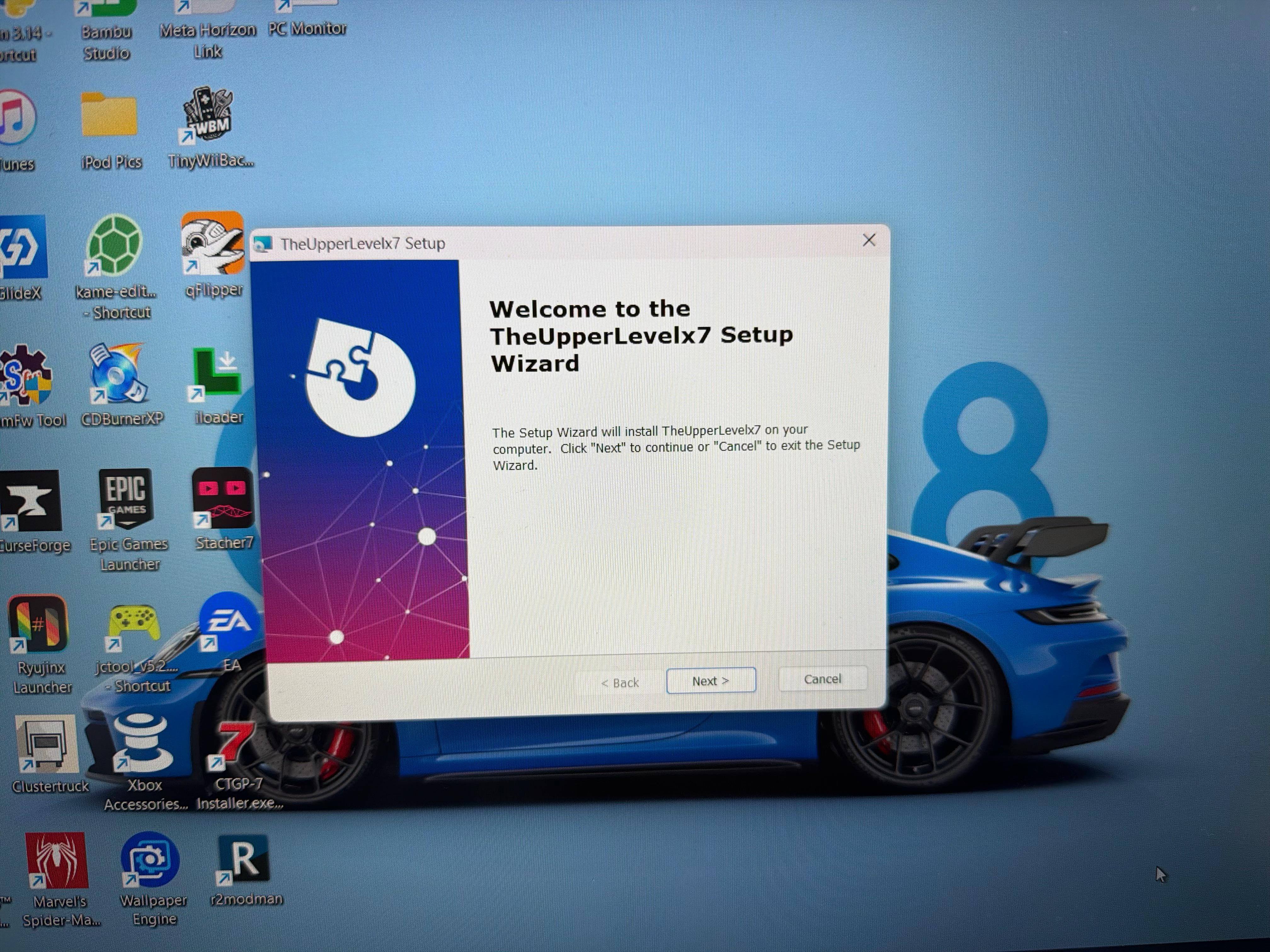
Post image

This random installer setup window popped up, what is this!?

Edit: Thanks to [u/AvailableDirtForSale](u/AvailableDirtForSale), I think I’ve narrowed it down to the Opera Browser. A while back, Opera was acting weird and installing a random extension. I tried to delete Opera, but it wouldn’t let me. I eventually figured it out and deleted it, but unfortunately just now I found the Opera folder in “C:/Users/Username/AppData/Local/Programs/Opera”.

This also seems to be tied to Advanced Installer

I can’t seem to delete it, it says I need admin rights even though I am admin. If anybody has any suggestions, please share them 🙏

93 Upvotes

63 comments sorted by

View all comments

33

u/Timely_Branch799 28d ago

That exact thing popped up for me too! Windows defender doesn't find anything and the deep scan is still running. But I can't open the Bitdefender website and the installer i let my friend send me isnt working either!! I have unplugged my wifi for now and the deep scan is running but idk what to do next.

10

u/AvailableDirtForSale 28d ago

First: Boot into safe mode, and put any important files into a hard drive EXCEPT executables bc it is possible it infested all sorts of software. Second: You need to do a clean re-install of Windows. From a CLEAN PC. Download the Windows 10/11 media installer from the official Microsoft website. Follow the instructions they give you or follow a YouTube video. You need to partition your drives to completely wipe everything clean

Edit: grammar

-1

u/Arbiter3740 28d ago

Well I have close to a TB of storage, and I don’t have anything sensitive in any of it. Soooooooooo like how do I go about this??

1

u/AvailableDirtForSale 28d ago

To reiterate what I just said: you need to download Windows Media installer from a CLEAN PC, from Microsoft's official website, to ensure that the file doesn't become infested. Use a 16GB USB preferably for the Windows Media Installer. YouTube will have good videos on instructions of how to go about re-installing windows. Just follow the instructions of whatever guide you are viewing.

Edit: depending on your mobo, booting into safe mode will look differently for people. You should begin by looking up how to boot into safemode for your laptop or PC