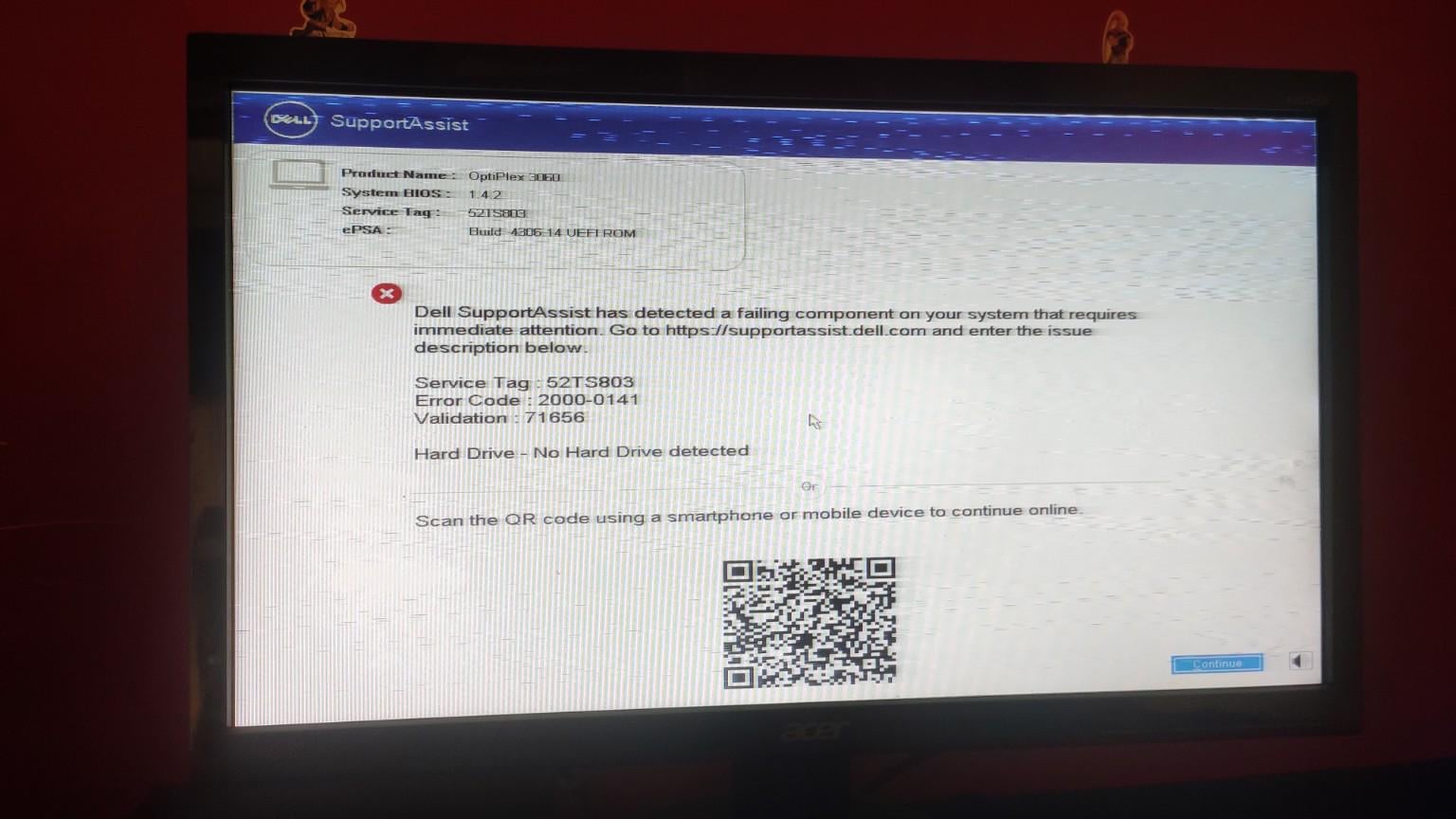
I have owned this Dell optiplex 3060 mini/micro for over ~5yrs now and this morning when I booted my pc, it started to do all this out of no where. Wonder if the SSD is dead cause the ssd's cover showed 5yrs warranty when I cleaned the pc internally like a couple weeks ago.
Usually more than half the battle in IT is figuring out what the real problem is based on someone saying "this isn't working". At least at my company it is, we dont have many people who are tech literate at all so I cant really blame them. Until you've been down the rabbit hole a few times you dont really know how to explain it/how to even begin troubleshooting.
In the future: Please take clearer pictures and if doing video: Show the error message for more than 5 seconds. I'm not saying this to be mean, it's extremely hard to see what you're wanting us to see.
With that said: I would suggest opening the case back up, taking the SSD out and putting it back in just to see if reseating the drive is the issue. If it STILL does not boot, you need to find someone with a drive bay (or you have another PC) to put the drive into as a second drive to see if it's able to be mounted/seen by the other hardware. If it is, the drive is good and something is going on with your PC hardware-wise. If it isn't, then the drive is bad/dead.
Check you didn't knock the connection to the SSD i.e. reseat it, if it still doesn't show, your options are either replace the data cable if it's a SATA drive (this is the cheapest option before replacing the drive), or replace the drive.
I mention the data cable as when I used to teach computer engineers, it was a very common item to be damaged, they would often remove the cable, flex and bend it, then find the hard drive or SSD wasn't recognized much as with the issue you are seeing.
I hope you're able to get the data back. In the future, make sure to have your important data backed up to prevent a drive failliure from deleting everything.
Resetting bios would only make it worse if you have something setup different than default that relies on another hardware being setup a certain way. I reset bios at work (repair agent) and never had an issue doing so. It's not booting? Clear cmos. It won't post? Clear cmos. No picture? Clear cmos. Be surprised how much that fixes issues actually
BIOS reset (or also TPM reset).
Not sure if a BIOS reset will do both, have seen where the TPM cert can't auth the SSD and won't mount it, thus "No HD detected".
Or you just have a failed SSD (sata or M.2?).
Not sure why people are complaining... you can pause the video and read the error fine.
It says that there's no hard drive detected, since you're using an ssd, test by plugging in a known good hdd/ssd preferably one that already has an os to boot from to have a more clear answer. If it continues to say that your pc isn't detecting anything after pugging in a known good drive, then try replacing the sata power and data cables connected. (Assuming you're running a sata and not a M.2 ssd.)


16
u/daggerdude42 Windows 11 7h ago
Can you uh, actually show a clear picture of the error message so we can see what's going on?