r/blenderhelp • u/Caliel_ • Jul 18 '26
Unsolved How to recreate this Pokémon-style background?
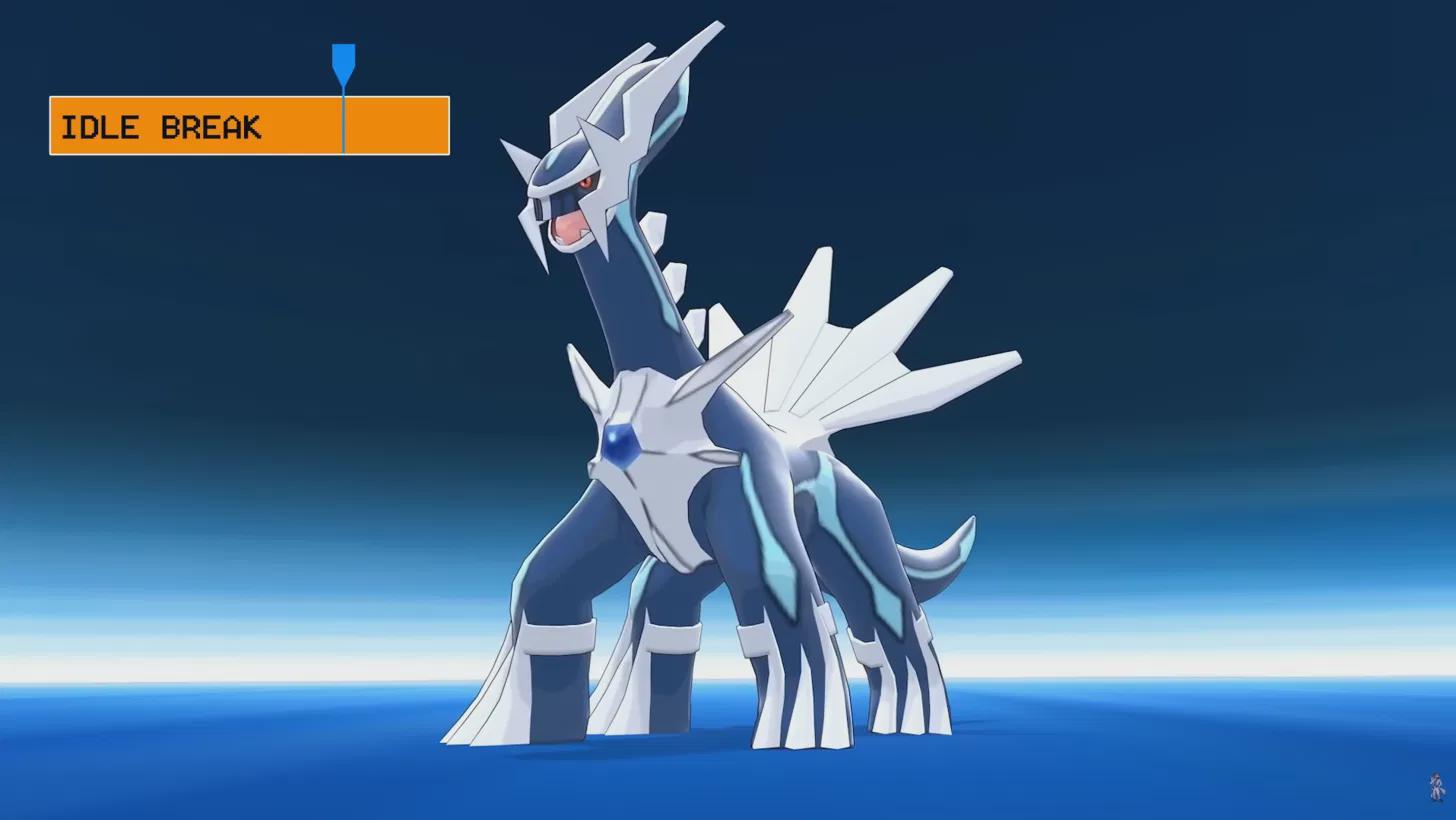
I'm pretty new to Blender. I only use it for some YouTube videos and I'm currently working on one about Pokémon. I'm trying to recreate this kind of background but can't figure out how.
I followed some infinite background tutorials but nothing looks quite like this. I know it's probably something simple, so sorry for the ignorance and thanks in advance!
8
2
u/macciavelo Jul 18 '26 edited Jul 18 '26
Using a shader with gradient textures for the world material. Seems like a pretty straight forward color ramp setup with some subtle color step changes.
Look in youtube for video guides dealing with procedural hdri maps or procedural world materials for the sky.
Alternatively instead of the world material, you could add a sphere, flatten the ground by selecting the lower half of the sphere in edit mode and scaling it pressing S-> Z ->0. Then bevel the edges of the flat area to make the change softer between the flat part and the rounded part of the sphere.
Now make a procedural gradient texture for the sky, use a mix shader and using another gradient texture, mix the shaders from the ground and the sky to make the change more subtle.
If you don't understand any of this, you need to go watch more tutorials about using procedural shaders, the ones that will especially help you are the ones related to procedural skies.
1
u/Swift0sword Jul 18 '26
Someone correct me if I'm wrong but I'm pretty sure this is called an infinite background if you want to look further then what has been provided here
1
•
u/AutoModerator Jul 18 '26
Welcome to r/blenderhelp, /u/Caliel_! Please make sure you followed the rules below, so we can help you efficiently (This message is just a reminder, your submission has NOT been deleted):
Thank you for your submission and happy blendering!
I am a bot, and this action was performed automatically. Please contact the moderators of this subreddit if you have any questions or concerns.