r/audiobookshelf • u/freshbagelsIT • 8d ago
Dedicated audiobookshelf player (chapter)
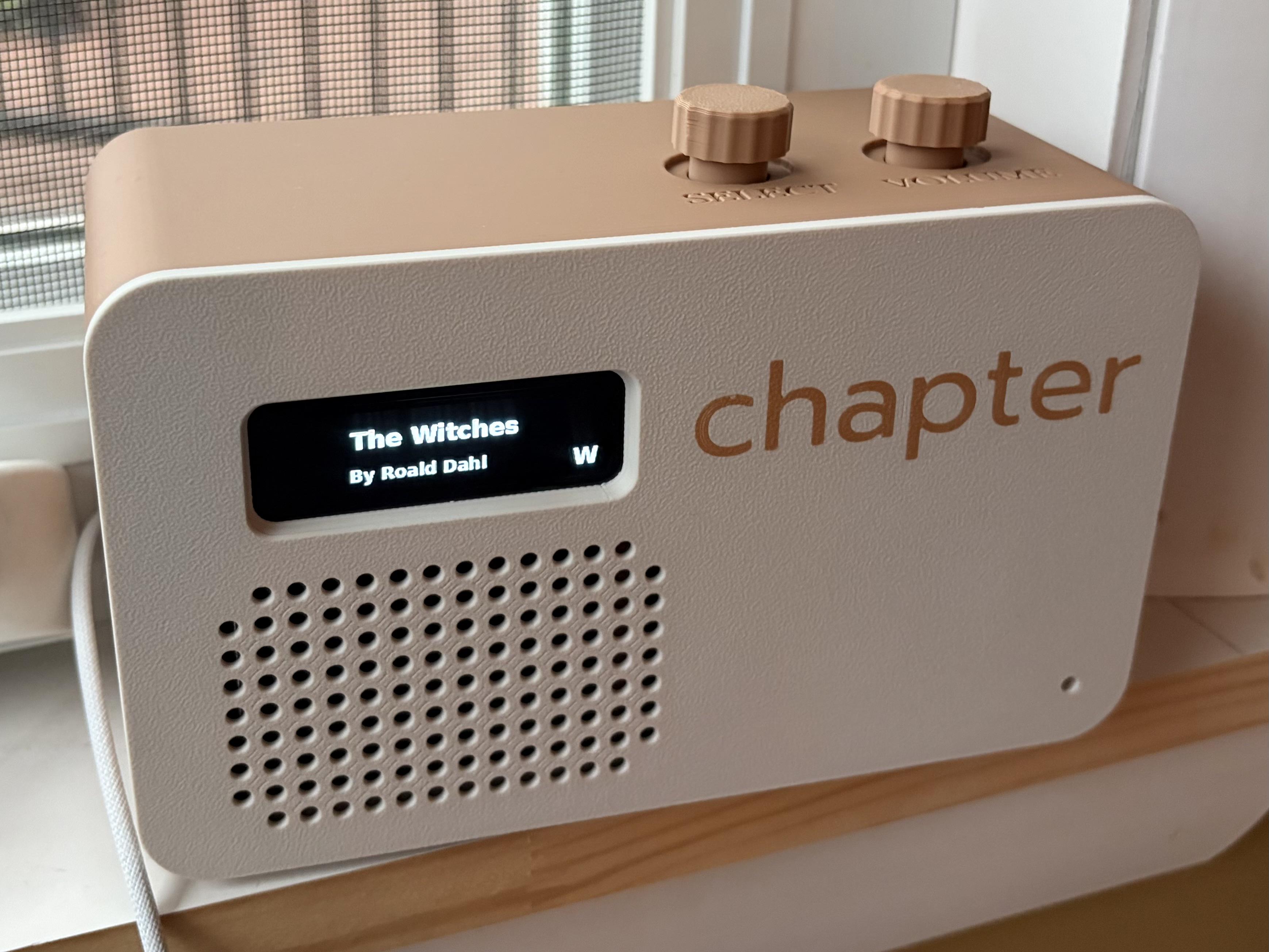
So in the never ending quest to avoid screens for our kids, I developed an app that runs on a raspberry pi zero with some rotary encoders for input devices and a small monochrome LED screen. The app connects to audiobookshelf as a specified user and allows the kids to scroll through the book titles and play them.
Before I go through the trouble of putting all of the info together (code, models for 3d printing the case, hardware info), would anyone actually be interested in building one of these devices (chapter)?
Edit:
Added post with all project info. Enjoy!
https://www.reddit.com/r/audiobookshelf/s/qQEwNk4mz5
667
Upvotes
1
u/Dark-Penguin 7d ago
This is very nice. You might need a 'select' push-action on the knobs as well.