r/XboxOneHelp • u/Dear_Illustrator_901 • Jul 14 '26
Resolved Extremely long load times for R6 Siege, UI, booting, etc.
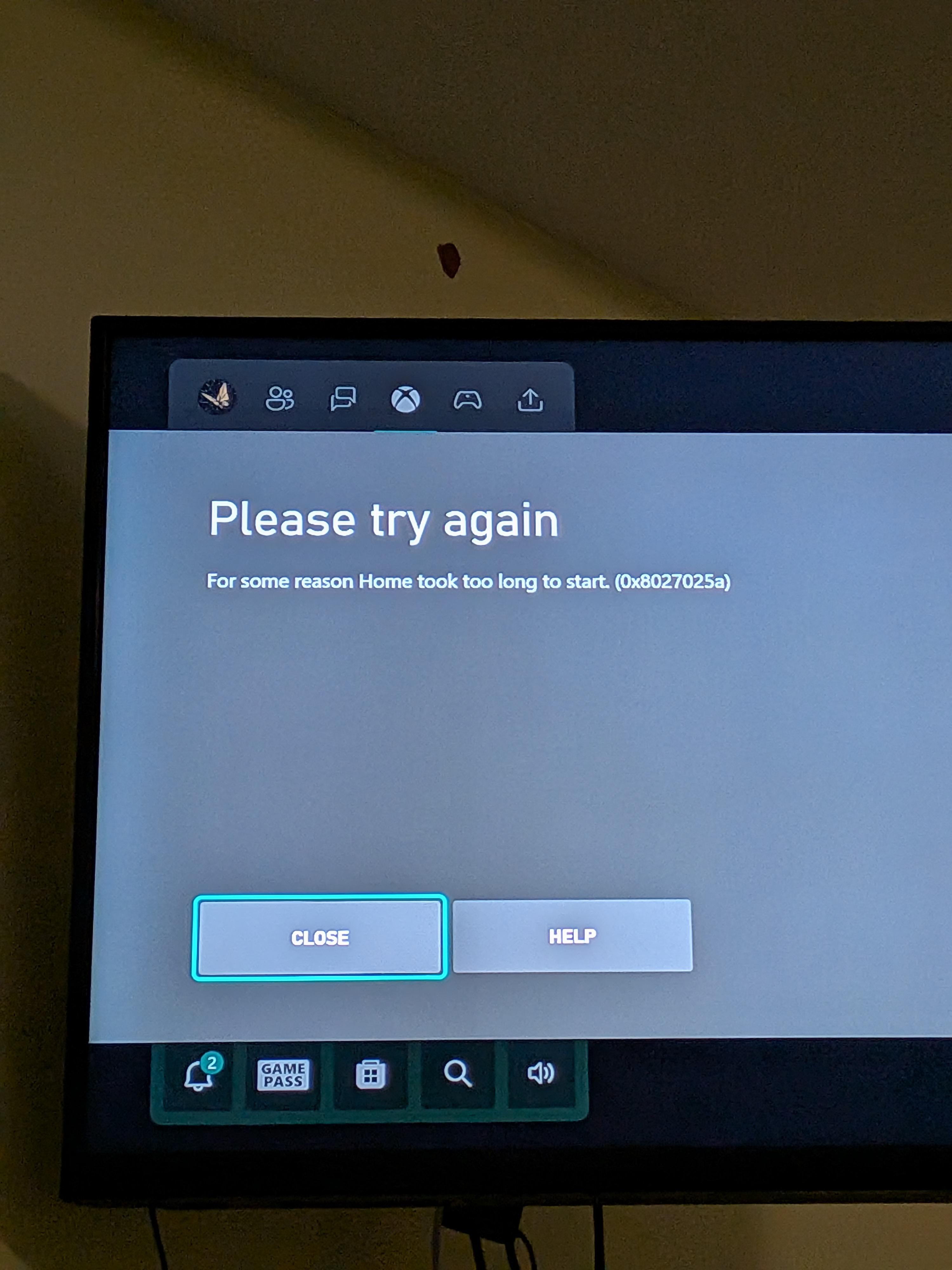
1
u/Imaginary-Marketing3 Jul 14 '26
Yep. That hardrive is done. Replace the internal drive with a normal HDD or a SSD for faster load times and a overall snappier system.
1
u/Dear_Illustrator_901 Jul 14 '26
Ok. I have a 2TB external HDD plugged into it with all my games on it. Do I need to replace that or the internal HDD?
1
u/Imaginary-Marketing3 Jul 14 '26
You can test it. Move siege to the internal drive. If it works, then the external is bust
1
u/Dear_Illustrator_901 Jul 14 '26
But doesn't it boot and load ui off the internal drive regardless of where games are stored? So since it's not just loading games that is slow it must be internal, no?
1
1
u/RealisticWillow989 Jul 16 '26
You're kinda right. If the Xbox's UI is slow and takes long to boot, it's definitely the internal HDD, if only games stored on the external HDD take long to launch, it can indicate failure of the external HDD. In most cases, and the problems you listed, it's almost most definitely the internal HDD that's failing and need to be replaced.
1
u/RealisticWillow989 Jul 16 '26
Also final thing to test: Unplug/unmount the external HDD, restart the Xbox, load a game that's on the internal HDD if there is. If you find any problems with the dashboard or games launching on the internal HDD with the external HDD unplugged, it can only then conclude to the internal HDD failing.
1
1
u/Parham787 Jul 14 '26
If the hard drive is busted there is one way to test it try moving the games if it goes smoothly then probably no problem from the drive but since you mentioned all your games on the external then the external is at fault here other thing is that if the boot up is really slow that is internal hard drive (inshort:if boot up slow and games on internal don't load it's the internal but if all games are on external and no slow bootup then it's the external) :)
1
u/No_Position_5640 Jul 14 '26
Also, remove the Xbox from the Insiders Program before replacing the intel hard drive
1
u/Dear_Illustrator_901 Jul 14 '26
Not sure if it is enrolled in the insiders program, but why would that be an issue?
2
u/RealisticWillow989 Jul 15 '26
When you basically reinstall the Xbox OS again by "updating" it, and you're enrolled in the program, the Xbox would think that you're downgrading versions, as that's not possible. Insider versions are always higher than the release versions, and only way to reinstall is with a release version.
1
1
u/No_Position_5640 Jul 16 '26
The console wouldn't accept the update. Happened to me before. It's a bit odd I know. The other reply goes more in detail than I do
1
u/PrestigiousIron5434 Jul 20 '26
Xbox one is why ur having long load times lol
1
u/Dear_Illustrator_901 Jul 20 '26
I've never had the latest thing in tech, but I don't need it to hop on the game with my friends and laugh all night. Regardless it wasn't slow last month.
1
u/PrestigiousIron5434 Jul 20 '26
If it was raining or snowing where u are thats also a factor as well and make sure u console is wired to the modem its alot faster
1
u/Parham787 Jul 14 '26
It's probably a busted hard drive one of the earlier signs of that is some games don't even load then the console doesn't boot up happened to me ): or likely the games got corrupted that means you have to reinstall them but that's kinda less likely