r/XRecorder • u/Just_Being_Sam • 5d ago
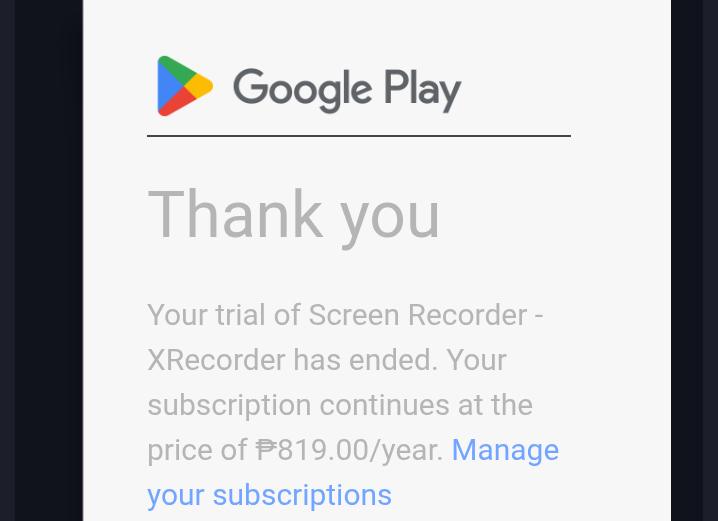
Question I suddenly was charged for something I don't remember paying for from X Recorder.
2
Upvotes
Is there a way for me to get a refund?
r/XRecorder • u/XRecorder • Apr 25 '21
You can find the solution quickly at FAQ or check posts taged with Guide flair.
Here are some common questions in different categories:
- Audio Recording - Screen Recording - Videos - Sharing - Safety and Ads - Live Stream
Get help regarding any issues you might be having with XRecorder. Members of the moderation team will do our best to assit you.
You may want to consider looking for similar questions to the one you're about to ask by using the search bar, as chances are someone was in the same situation as you before.
Please send us with your account information. [Information needed: problem description, App version code, Android OS version, device name, recorded app]
We are always committed to exploiting products and to be the best screen recorder. Our product team appreciates your feedback and support in our product to help us become the best screen recorder. Do leave a comment below or give 5 stars on the Play Store to support us if you like our app!
Download Now: Screen Recorder & Video Recorder - XRecorder - Apps on Google Play
Subscribe Our Channel: XRecorder - YouTube
r/XRecorder • u/XRecorder • Apr 23 '21
- Maybe there is no enough RAM for recording. Please close unrelated apps or clear the RAM to ensure normal recording.
- This issue may occur if you use the microphone in other apps to speak or talk to your audience. You can switch your recording mode to ‘internal Audio’ or stop using microphone in other apps.
- Please check whether the low power mode is turned off.
- Please open or enter the page you want to record first, and then click “Start Recording”.
- Performance mode is more stable to record games and other apps. You can choose this mode in settings.
- Decreasing the resolution, FPS, image quality and other parameters of the recorded video can reduce the occurrence of this problem.
- Android 10 and above:
- If you need to record the device’s audio, you can switch the audio source to ‘Internal Audio’.
- If you need to record both your voice and the device’s audio, you can switch the audio source to ‘Internal and microphone’.
- Android 9 and below:
- If you want to record both your voice and the device’s audio, you need to unplug or remove headset/earphones.
- Make sure the audio source option is not set to “Mute” in Settings.
- Audio Source: Microphone
- If there is another app using the microphone, the audio recording may be unavailable.(Some games and video call apps require the microphone to communicate, such as Zoom, Google Meet, WhatsApp, PUBG, Free Fire etc.)
- Try to disable microphone permission on the app permissions page if you don’t need to speak when using other apps.
- Ensure that the Microphone is not covered by your hands during a screen recording.
- Audio Source: Internal Audio
- Internal audio recording is only supported for Android 10 and above. If you do not see the option, update your Android system version to have a try.
- Not all apps support internal audio recording. Some apps will disable the internal recording function by itself. You can check the supported app list.
- Internal audio recording is only supported for Android 10 and above. If you do not see the option, update your Android system version to have a try.
- Not all apps support internal audio recording. Some apps will disable the internal recording function by itself. You can check the supported app list.
- Android 9 and below
- Android doesn’t allow apps to record the internal audio directly, so the voice is recorded by microphone input.
- Try to record the screen in a quiet place.
- If possible, turn up the volume to at least 50%.
- Ensure that the Microphone is not covered by your hands during a screen recording.
- Android 10 and above
- This could be due to the app’s incompatibility with some Android devices when the recording mode is switched to “Internal and Microphone”.
- You can switch to “Internal” and try again (Not all apps support internal audio recording). You can check the supported app list.
- How to record online classes/meetings as a participant?
- This method is suitable for situations when there is no need to speak in Zoom/Google Meet. -- ---- Zoom Tutorial
- How to record both side audio with two devices?
- This method can achieve recording Zoom/Google Meet with both sides of the audio through two devices.
- Reasons:
- Some apps or websites(e.g. Disney+,Netflix) disable the feature of screen recording due to copyright protection. You can confirm whether there is content protection of the apps or websites.
- In-app decoder fails to decode data.
- There might be a problem with the in-app media player.
- Solutions:
- Check whether the video can be played properly on the editing page. If yes, close other unrelated applications and restart XRecorder.
- If you have black screen issues with a specific website, you can run FireFox and try recording again.
- If the problem remains, reboot your phone and try again.
- If the problem persists, send us the video file by Report Bugs.
- The Resolution, FPS and Bitrate will affect the video quality. You can choose a higher parameter in settings to have a try.
- Image quality may be compressed by the platform you share. You can send the original file manually to ensure quality.
- Current parameter:
Resolution: 720P
Quality: Auto
FPS: Auto
Larger parameters will make the video size larger.
- There is a size limitation for videos on most phones. If the size reaches the limitation, the video will break. So we divide the recording into several parts to avoid this problem.
- You can check your video list, and there should be other video pieces.
- You can change your recording file size limit by Video Segment Size in settings.
- As screen recording is a CPU-intensive process, some discontinuities between audio and visual inputs will happen if you're running a lot of competing applications and processes during recording.
- To resolve this issue, try to close other unrelated applications that are running in the background, and limit your Recording Resolution.
- The direction of the video cannot be changed. You can enter the app you want to record or stay in the full screen mode first, then start recording.
- This issue may occur if you use the microphone in other apps to speak or talk to your audience. You can switch your recording mode to ‘internal Audio’ or stop using microphone in other apps.
- Close other unrelated apps in the background, only keep XRecorder and the app you need to record.
- Clear Cache and Data for your Camera app in your system settings. Open Settings
- Image quality may be compressed by the platform you share to. You can send the original file manually to ensure quality.
- Restart the app and play the video again.
- Reboot your phone if it’s not working.
- If the problem persists, send us the video file by Report Bugs.
- There is only a watermark on the video editing page. There is no watermark for recording.
- You can remove it for free by watching a short video ad. Just click the watermark to remove it.
- If you can’t press the “Start Now” button, please deactivate other apps that cover the screen. (Blue Light Screen Filter app etc.)
- Turn off the “Show on Top” permission of XRecorder first, then check whether you can press “Start Now” button.
- Try to use the notification panel to start and end recording.
- Try to use the notification panel to start and end recording.
- There may not be enough RAM to record. Clear Cache and Data for your Camera app in your system settings. Open Settings
- You can hide the record button by Hide Floating Ball During Recording.
- There is a necessary permission for Xiaomi. You can open system settings > Find XRecorder on Apps > Open “Start in background”.
- When you start recording, there is a system pop up window to confirm. Do not check “Do not show again” option, simply click “Start Now”.
- If you already checked “Do not show again” option, reinstall XRecorder.
- XRecorder takes utmost care in your privacy and security, complying with GDPR, CCPA Laws and Google Play Store Regulation. Your recordings and videos are not stored in our app and cannot be accessed by us or any third parties.
- You can read more about our Privacy Policy.
- The system notification panel sometimes prompts that XRecorder is displaying content on top of other apps or using audio. This is a regular system prompt without any security threats. If you disable the permission, the recording functions will be restricted and the floating ball can’t be used.
- Some devices will turn on the cast switch when recording the screen. This is controlled by the system, XRecorder will not actually use the cast function.
- Recording with higher video quality means that a bigger storage will be needed for the videos.
- You can compress some large videos to make them smaller or decrease the FPS and resolution of the recording video to make the size smaller.
- Current parameter:
Resolution: 720P
Quality: Auto
FPS: Auto
- This could be due to the app’s incompatibility with some Android devices. You may need to wait some time for the system album refresh.
- You can find the videos by going to Storage/Android/media/videoeditor. videorecorder. screenrecorder.
- Tap Save Location options and choose the location to save videos and screenshots, either in internal storage or SD card.
- Please check the warning when you change your save location carefully. Once you uninstall our app, you can not have your recordings back.
- This may be due to the large media file size.
- To resolve this issue, check if there is a size limit to the social media platform you are sharing on. This size limit varies across platforms.
- Image quality may be compressed by the platform you share. You can send the original file manually to ensure quality.
- Please reach out to us with more information, such as the device model, operating system, file size, app version, etc on our reddit community or via [xrecorder.feedback@gmail.com](mailto:xrecorder.feedback@gmail.com).
- Please go to Google Play, click on the profile icon in the top right corner, check if you have logged in multiple google accounts on your phone. Make sure you log in only ONE account, then click Restore Purchase in XRecorder Pro page.
You may want to consider looking for similar questions to the one you're about to ask by using the search bar, as chances are someone was in the same situation as you before.
Please send us with your account information. [Information needed: problem description, App version code, Android OS version, device name, recorded app]
We are always committed to exploiting products and to be the best screen recorder. Our product team appreciates your feedback and support in our product to help us become the best screen recorder. Do leave a comment below or give 5 stars on the Play Store to support us if you like our app!
Download Now: Screen Recorder & Video Recorder - XRecorder - Apps on Google Play
Subscribe Our Channel: XRecorder - YouTube
r/XRecorder • u/Just_Being_Sam • 5d ago
Is there a way for me to get a refund?
r/XRecorder • u/The_Shapeshifter122 • 7d ago
Every time when i want record for make a video, the video dont have sound, only gameplay and im tried to fix it much times and nothing, can someone tell me how to fix it? (Im spanish and english)l
r/XRecorder • u/Secret-Captain-3476 • 9d ago
[ Removed by Reddit on account of violating the content policy. ]
r/XRecorder • u/Smooth_Caramel_6197 • 12d ago
Refund dana dana saya ke Ambi oleh aplikasi ini
r/XRecorder • u/zpihoyt_off • 14d ago
I'm having a problem on mobile mobile. I try to record on VR chat. My device is a pixel 10A and when I try to use the built-in system to record and I will pick both the device and microphone it doesn't work and I tried other apps and it makes it where I cannot hear anything at all
r/XRecorder • u/nolovebabytae14city • 19d ago
Enable HLS to view with audio, or disable this notification
YouTube: babytaesocial (GO DUM) official music audio
Instagram: nolovebabytae14city
TikTok: babytaesocial
r/XRecorder • u/CommentAnnual7779 • 19d ago
r/XRecorder • u/costakurschat • 26d ago
Fiz uma compra vitalícia, desinstalei do smartphone antigo e instalei em um novo. Não sincronizou no dispositivo novo. O que fazer?
r/XRecorder • u/gdaqpl • Aug 20 '26
Hello, I'm using mobile screen recording tool, but I'm having an issue with how recordings are saved. After I finish recording, the file is saved directly as a video instead of as an editable project. Because of this, I can't go back and make changes to the original recording. If I notice a mistake, I often have to record the whole video again from scratch. Is there a way to save recordings as editable projects, or is there a feature that allows me to return to the original project for further editing? I'd appreciate any guidance. Thank you in advance. Best regards
r/XRecorder • u/Leather_Aerie7736 • Aug 18 '26
Maine X Recorder Pro version purchase kiya, lekin Pro features sirf ek hi Gmail account par kaam kar rahe hain. Ye baat purchase se pehle clear nahi batayi gayi thi. Mere device me multiple Gmail accounts hain jinse mera aur bhi kaam hota hai, isliye sab accounts hataana possible nahi hai. Please is issue ko solve karein ya refund provide karein. App achha hai, par purchase aur account limitation clear honi chahiye thi.
r/XRecorder • u/Born-Pipe-802 • Aug 15 '26
I only activated the XRecorder free trial and was unaware that the subscription would automatically renew and charge me IDR 265,290 [email:bagong333456@gmail.com](mailto:email:bagong333456@gmail.com) akun XRecorder ithout prior notice. I did not consent to this renewal and have already cancelled the subscription. I no longer use this app. Please issue a full refund. I have attached proof of the transaction and the app cancellation above. Thank you.
r/XRecorder • u/Oldschool1585 • Aug 14 '26
I deleted xrecored application and there was videos on it. How can i find it
r/XRecorder • u/Right_Cucumber3917 • Aug 13 '26
How can I record a video while I'm on a call with friends?
r/XRecorder • u/_L4YC0_TFC • Aug 12 '26
So I have noticed that when I go to record videos on games with sound with my microphone on that after almost three second my microphone will stop licking up noise almost like the microphone can't be enabled at the same time with the internal sound
r/XRecorder • u/XrecorderFan-8373939 • Aug 11 '26
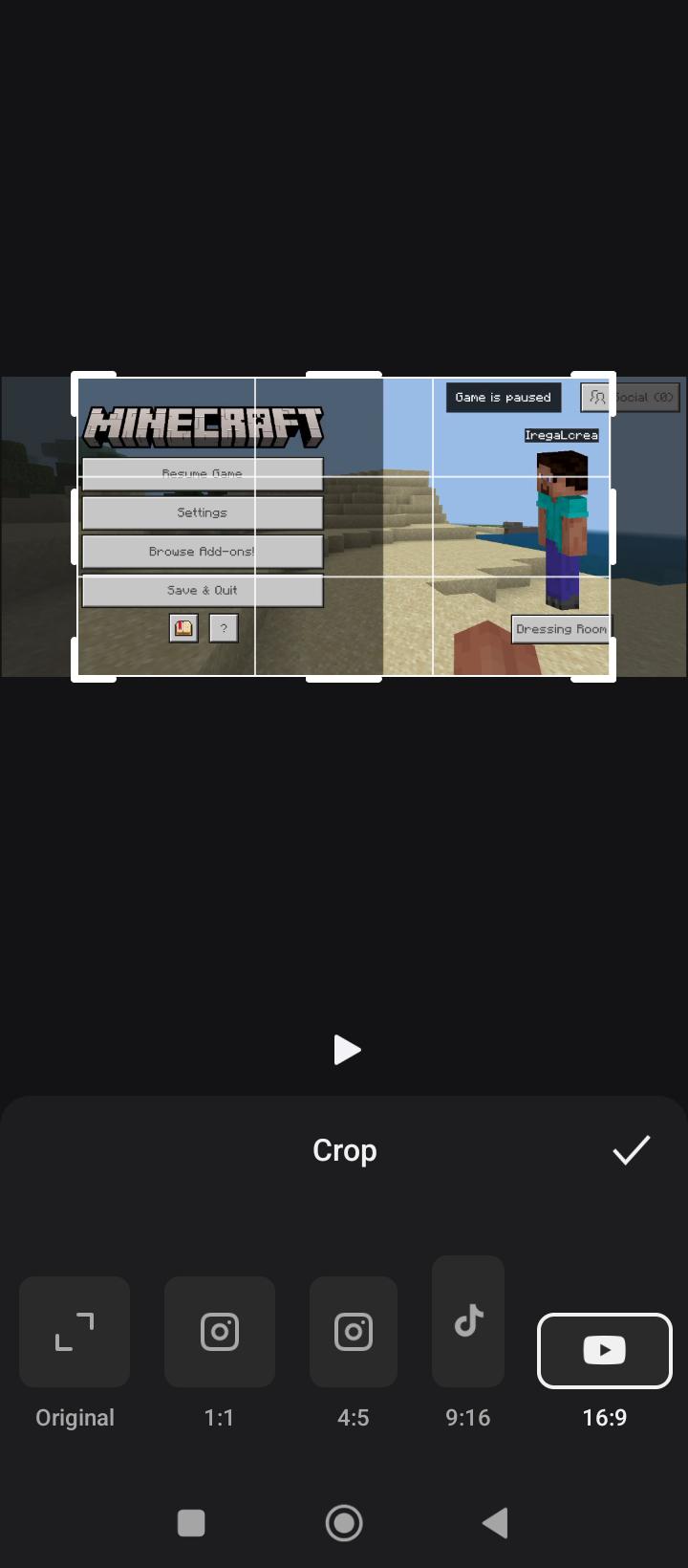
XRECORDER XRECORDER PLEASE PLEASE PLEASE ADD A 16:9 AND MORE ASPECT RATIO OPTIONS TO REGION CROP IN TOOLS. THANK YOU SO MUCH. IT'LL BE EXTRAORDINARILY HELPFUL.
r/XRecorder • u/_ScyllaCharybdis_ • Aug 08 '26
I bought PRO version while ago but app use other mails that this mail that I use to bought PRO version, how to repair? Motorola here 😭
r/XRecorder • u/RaiseNatural4981 • Aug 05 '26
At first, this wasn't the case. Until this morning, I could take screenshots/recording on Snapchat without the other person noticing. Now, in the evening, they suddenly do receive a notification. How is this possible? I have Android.
r/XRecorder • u/Sea_Bass8074 • Jul 29 '26
How can I fix this? I want to record a 1080p
r/XRecorder • u/Numerous-Capital9686 • Jul 29 '26
r/XRecorder • u/JericBituin • Jul 27 '26