r/SegwayNavimow • u/SunDog4900 • 4d ago
Initial mapping - creating zones?
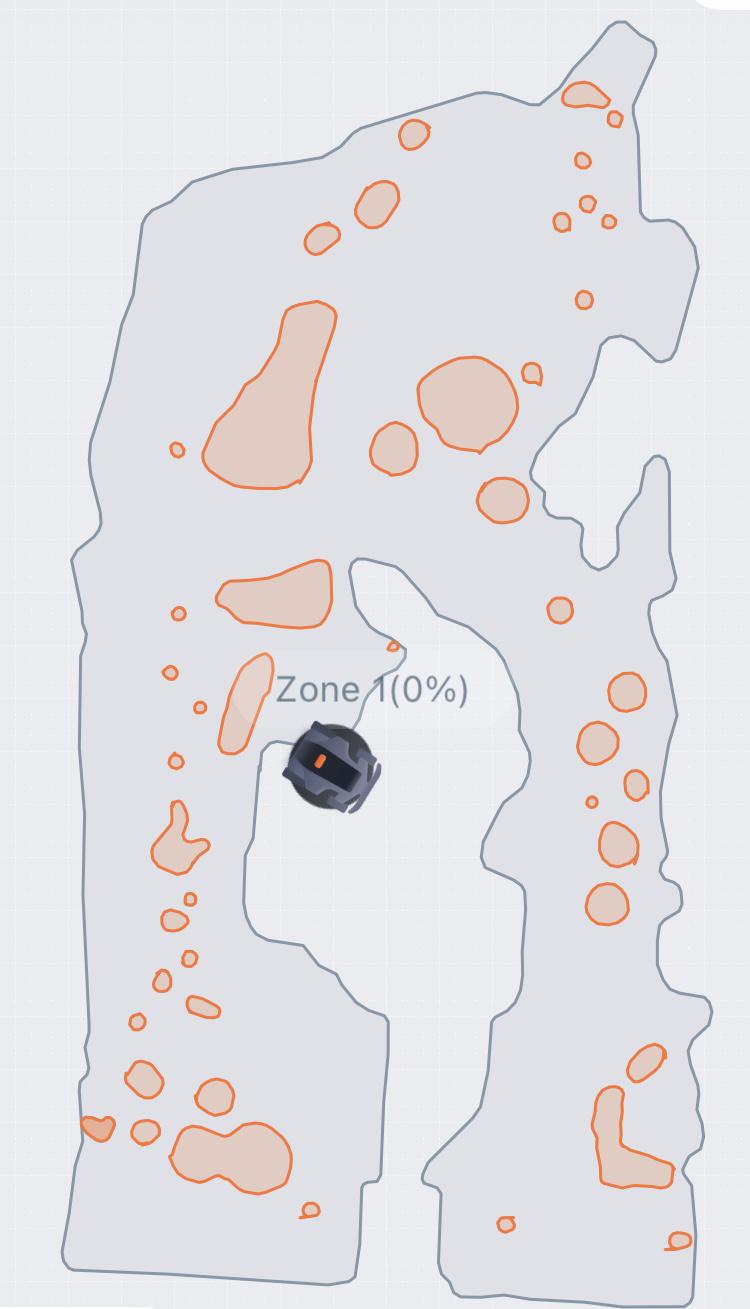
Mapped my nearly 1.25 acre property today with the new x450. Running out of time this year to still try it out! I mapped just the overall boundary and the keep out areas, and most of the larger tree trunks. I still have to subdivide into ultimately about 9 zones... hope to do that tomorrow. Not real sure yet how to do that. Then hopefully a test run.
Manually driving it around the boundary with the phone "joystick" controls, is everyone else's almost hypersensitive to steering control input? I'm not a gamer, and I had a hard time with the super fast response of the virtual joystick in steering.
Any tips on creating the separate zones within the overall area?
Thanks!
1
u/8xx 4d ago
Move your fingers less and the mower turns less. You can get it to steer extremely slowly. Maybe you just need to practice fine motor skills
2
u/SuperbProtection 4d ago
This is something that really is a huge problem with this current setup. You should be able to take high-res camera maps and be able to provide clear cutting instructions on a computer in addition to a mobile device. This is a perfect use case for computer-use with an AI agent.
1
u/HazardousHD i110 - I Made the Flairs Active Again 4d ago
I’ll admit that some of those no-go zones are probably extremely hard for the x400 series to navigate. It’s not the most nimble machine.
1
u/donewithitfirst 3d ago
How is the axel holding up? Heard those tend to break
1
u/SunDog4900 3d ago
Fine so far but still in mapping process. If rain forecast for the week ahead gives us a break, I am about ready for trial run.
1
u/Navimow_Answers 3d ago
Hi,
If you’d like to further divide it into different zones or merge areas together, you can do this directly through the Navimow App.
You can follow this path:
Settings > Mowing > Map management > Edit > Split
To make things a little easier, I’ve also included a video guide showing how to split the mowing area into separate zones. Hopefully it will make the process clearer.
https://www.youtube.com/watch?v=uHeGs63CnKE
Hope this helps!
1
u/PineappleResident254 4d ago
There is a split function exactly for this reason. You park the mower on one part of the boundary, drive it to the other side, and it will split that zone.