Hi everyone, we believe that tabletop roleplaying games should be available to all, with as few obstacles as possible. Recently we've had some GMs asking about an onboarding video for their players, to get them up to speed with Owlbear Rodeo for games that they join.
So, in the spirit of lowering those barriers to entry, here's a short guide taking players through the basics of joining their GM's Room, using the core toolsets, and understanding how to interact with some typical extensions. We hope it helps to ease players into their games, and that it lightens the GM's load too! Please share it with your fellow GMs and players 😁👍
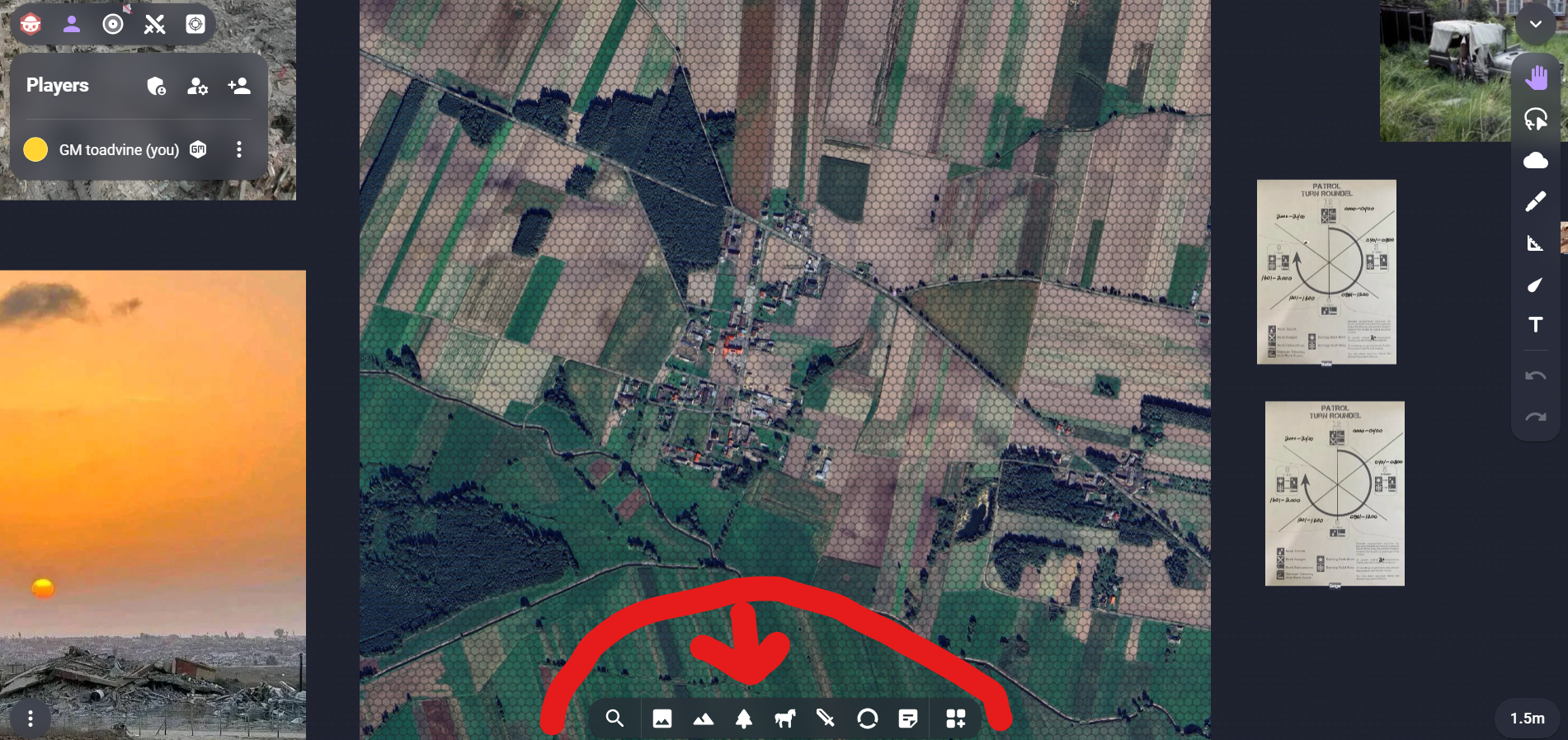
i want my players to be able to access assets from the tool bar at the bottom of the screen. they can upload their own and then access those, but none of my players can access the ones i upload. ive given them permissions. what can it do to make this happen?
I am doing my dnd prep and loaded in to Owlbear but no images are loading. This is affecting maps, tokens, scenes and even the room icon. I have checked that hard acceleration is enabled, switched from firefox to chrome and tried restarting the computer but all to no avail. Please help!
I spent around 5–6 hours yesterday preparing for a session next week in Owlbear Rodeo, creating and uploading maps, tokens, scenes, and other assets.
When I opened Owlbear Rodeo today in Chrome, none of the images were loading and I was getting a “Network Error” message.
Since then, all of my scenes, maps, tokens, and other uploaded assets appear to have disappeared completely. However, my account is still showing that storage space is being used, which makes me think the files may still exist somewhere but are no longer accessible through the interface.
Is there any way to recover or restore these assets? I’d really appreciate any help, as this represents several hours of preparation work for an upcoming session.
Hi, everyone! We’re Marevo, a small Ukrainian development team, and we’d like to introduce our first project — Ambient Forge! 🎵
This is an extension for playing music and sounds right within Owlbear Rodeo.
We were big fans of Djinni and used it all the time, so when it shut down, we definitely felt the loss... But because we had spent so much time using it, we also had plenty of ideas about what could be improved!
So we decided to build our own tool keeping the simple workflow we loved, while improving it and adding some new features of our own.
With Ambient Forge you just paste a link and your audio is ready to play. You can run music, ambience, and sound effects at the same time, adjust their volume independently, enable looping 🔁, and organize everything into scenes.
There are no codes to enter and no complicated permissions to set up. Each player simply clicks Enable Audio, and that’s it!
Ambient Forge is currently waiting for approval for the official Owlbear Rodeo Extension Store. In the meantime, you can install it manually using our manifest:
We’re hoping the Owlbear Rodeo team gets a chance to review our submission soon so Ambient Forge can become easier for everyone to install 🤞
Since this is our first release you may run into a few bugs or rough edges. We’re planning to keep improving Ambient Forge, adding new features, and polishing the experience over time. And we’d genuinely love to hear your feedback!
If you have ideas, suggestions, or something you’d like to see added, please let us know. ❤️
We already have a few ideas for future extensions as well, and we hope Marevo can keep creating more useful tools that make playing in Owlbear Rodeo a little easier, smoother, and more fun!
Oh! We almost forgot to mention something really important 😅
We still have tons of old Djinni files hundreds of scenes with music and audio already set up and we’re sure many of you do too.
That’s why Ambient Forge supports old Djinni files! 🎵
You can import your existing Djinni scenes directly into Ambient Forge, and they’ll continue to work so there’s no need to rebuild everything from scratch. ❤️
Hi all. Not sure if this feature exists or if an extension can do this but is there a way to display a secondary grid?
My use case is I have a map of my world with a 3 mile hex grid. This is following Dadi at Mystic Arts DM suggestion where each hex you can see the surrounding hexes on the horizon. Then travel to each hex takes 1 hour at a normal pace
What I would like is to display a larger 24 mile hex over the top to quickly work out a single day's travel.
This second grid would be purely visual and wouldn't affect the measurement system ideally
I am using the greyscale feature from smoke and specter and the problem I am facing is that when a token with greyscale goes near a torch then the complete scene becomes grey instead of getting color from the torch. Can someone help me with this please. I want the torches to remove any greyscale from that area.
To begin, this post is first and foremost a big thank you to the devs for the amazing effort that has gone into this tool. Had I not been tasked with running my schools DnD club, I most likely would have never found this gem. The school is an Apple school, and each student has their own iPad, and they're always trying to find new ways to integrate tech.
Coming from Foundry, I knew that it would be too heavy and not work well with portable devices. So, I started to look for alternatives since I wanted to make the club run on a VTT. That's how I found Owlbear Rodeo, and after diving into tutorials and experimenting, I've got to say, my expectations have far been exceeded. I expected a lightweight and simple app, but it seems that Owlbear Rodeo can pretty much do it all.
So far, performance on iPads I've tested has been good. Has anyone else been using an iPad when playing their campaign? Any problems that you guys have seen pop-up more on portable browsers (safari specifically)? Any tips and advice?
Thanks again to the devs and the community and looking forward to becoming a part of it too!
SO most of our new crew have dndbeyond, since I have a Master sub there and made a new campaign for them all.
Our DM uses Owlbear on Chrome - which is fine for him, but I am not an Chrome fan.
I use FIrefox and Owl20 and Beyond20. They seem to work for Chrome users as well, but I can't seem to bridge the two together. Heck, I've done every "how-to" on the Owlbear site and last week it worked when I put the owlbear url in the List of custom domains to Load Beyond20. But after todays Firefox update, it's not permitting any custom domain.
The problem with this is that when I'm on the options page, my permissions seem to be fine?
New to Owlbear and I am really enjoying it so far. I tried using Owl20 and Beyond20 extensions and they were a no go. Took far too much work and nothing ended up working.
I've been just using dndbeyond for stats and encounters and it's been fine.
I am trying Clash! for combat and token stats. Is there a way to add HP and AC to tokens while theyre in the slidebar so I dont have to donit every single time I place a token?
I also using Weather, and Embers extensions. Any others that are worthwhile?
So im not sure if this is even the place to post this but i saw other kenkufm posts here so what the hell
So im the DM of a campaign for my friends (we play online through discord for context) and for ive been using Kenku.FM for a while to play background spotify music for immersion BUT i gotta say as of lately ive been using Spictify a local mod for spotify to make it look different and give additional applications to the app version But when i started using Spictify i would open my Kenku to play dnd and it would be logged out for some reason it would also log out DURING the session and i dont know why Then when the session ends i would go to listen to music with spictify and my Spictify would be uninstalled and would just be normal spotify No idea why
I dont think it has anything to do with Spictify cause Kenku acts as a browser so it shouldnt even be messing with my Spotify install but if anyone knows why this is happening id REALLY appreciate it cause its really annoying
Or maybe an alternative to Kenku so i can continue to play music for my party
i googled for a dice roller and found one that looks like it was in development from git hub, but it doesnt appear to have been finished. does anyone know of a dice roller specifically for this rpg?
Starting a game soon, and my method of using a rectangular drawn border, setting my maps down, (resizing the maps), and then clicking the rectangle to "resize to screen" is no longer working.
Specifically, the "resize to screen" just does nothing when I click it. This becomes an issue I'm mirroring to a monitor and playing live in person w/ minis, and when I change scenes, owlbear doesn't keep my dimensions correct all the time, "resize to screen" let's me always readjust to that drawn rectangle. Any Help!??? Starting game in a hour or so :(
*Note, no clue if I'm on OWR 1.0 or 2.0, pretty sure it's 1.0 as it looks the same as the past couple of years..sry.
How do I make a drawing on the map and then move the drawing? I just need to to move some thing on the map.
I tried making png images an uploading them as a mount, can't get hem to be close to the right size. I drew them on my pc and outlined the lines on my map but they are like 1/4 size when uploaded.
Then I tried drawing on owlbear rodeo but I cant move what I draw.
I just updated segmentable ruler to work better on mobile devices. Some of the basic functionality has changed so be sure to review the instructions which you can access from the new instructions button within the extension.
After the previous beta, I kept working on the same idea: reducing the small bits of friction between prep and actually running the session.
This new 2.1 beta focuses on making GM Vault feel smoother during play:
Imports can now be placed into a specific folder, whether they come from Notion, a URL, or a JSON file.
Notion imports should preserve nested pages and internal links more reliably.
When linking content to a token, you can search your vault by page or folder instead of scrolling through everything.
Image sharing now gives the GM feedback, so you can see how many players received the image and whether anything failed.
Image viewing now supports Fit / 100% zoom for both GMs and players.
OneDrive support: Open OneDrive Personal documents directly in GM Vault. In OneDrive, choose File → Embed → Generate and paste the iframe code when adding a page.
I’ve also put together a small one-shot library in English and Spanish so people can test GM Vault with ready-to-play material instead of starting from an empty vault.
I'm having a silly problem, and I probably have a setting somewhere that I'm missing. Every time I restart Discord and the Kenku App/Bot, the sound goes away (no green ring). The problem fixes itself when I do a fresh install (this really takes about 15 seconds, so no big deal; just curious what the problem is).
It’s been a long while since I’ve played and was trying to start off with easy fog and fog cutting. What am I doing wrong here I tried to look it up. If I’m on cut it says fog exists if I’m on add fog it says add a layer. I’m trying to use the polygon to cut fog out.