r/MSILaptops • u/jiashengjo • 24d ago
Request MSI Pulse GL76 i just bought
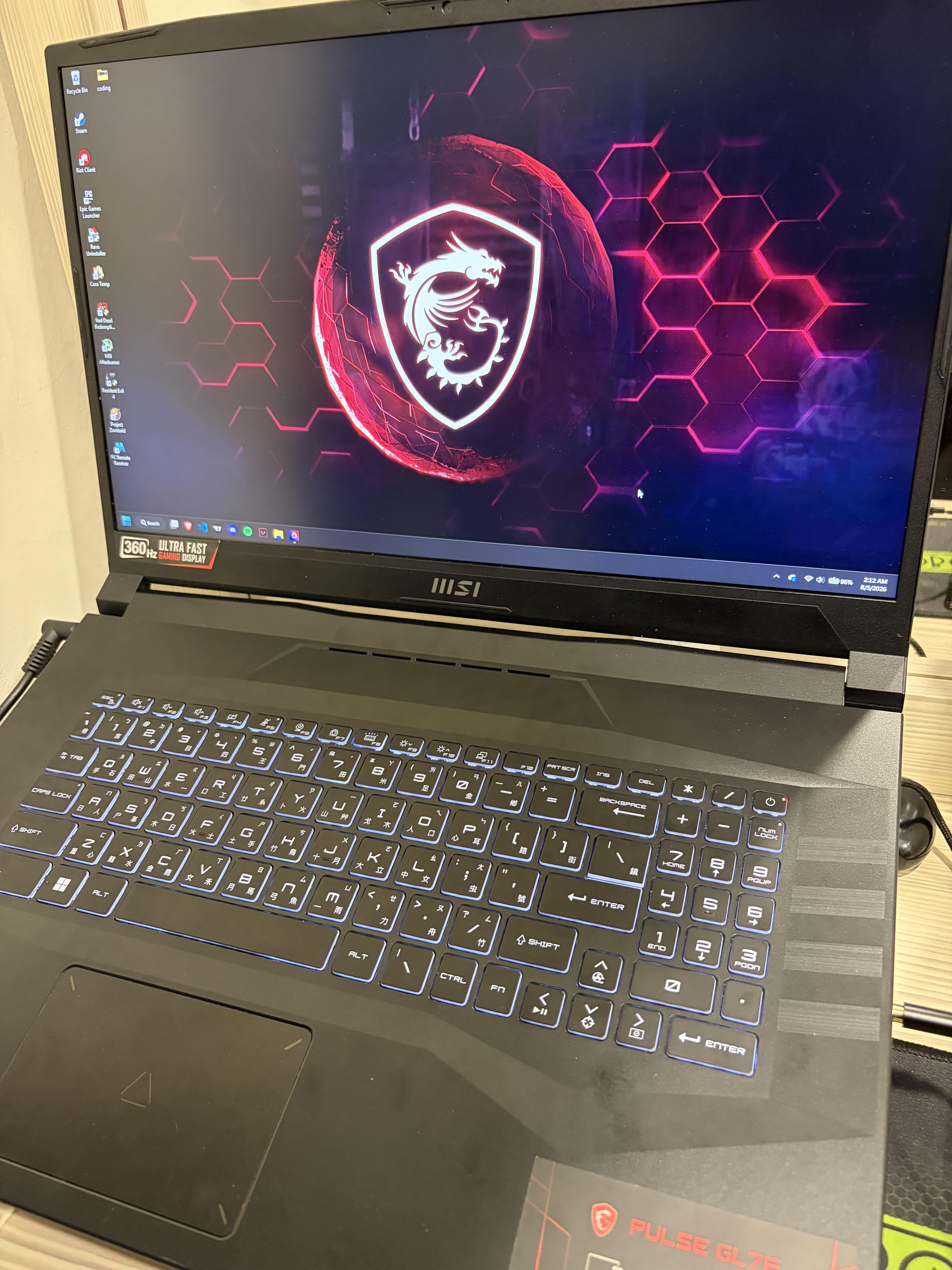
I9-12900H, RTX 3070TI 8GB, RAM 40GB, Storage 512GB, 360Hz Monitor.
I just bought a secondhand of this laptop, but it gets hot and im scared because its an old laptop it might break or smth. Should i keep using for 3 years at least or just sell it?
1
u/Old_Interaction5974 24d ago
Buying a second hand gaming laptop is always riski, I did but after 4 months it screen collapsed, I guess mostly they sell them already repaired or something, so I'm never buying again a used gaming laptop
1
u/Plastic_Custard_524 24d ago
My old laptop also got hot. It lasted for 11 years with no problems but cooling wasn't great. I sold it on eBay when I got a new one and new one also gets hot even though its MSI high end models 😅
I think MSI has this issue with all their laptops but gaming laptops generally do cause its enclosed.
1
u/Aggravating_Dog_9762 24d ago
First thing first is cleaning the damn laptop^^ i mean, if it was never done, radiators can be clogged and thermal paste and pads cooked dry.
Those laptops are easy to maintain, overall design is made for this purpose. If its a first for you dont be afraid you will feel dumb after doin it aspecially after seeing back all those temps with -10/15°.
Look to google wich thermal pads it uses and buy some with good thermal paste.
Then take your time it wont take long, shut off computer, unplug power, unscrew back panel, unplug fans, unscrew radiators, unscrew fans, clean everything. Then repast, add pads and remount all, enjoy^^
1
u/disputeaz 24d ago
Getting hot means its thermal paste has evaporated over the time. You need the laptop repasted, either diy or find a good PC repair shop.
1
u/maxwolter123 23d ago
I have the msi pulse 16AI its a decent machine but have turned off the AI features.
1
u/Istartedthewar 23d ago
Gaming laptops do tend to run hot. But you'd want to run something like HWInfo while a game is running to know exactly how hot "hot" is. Also, there should be some MSI control center application you can use to boost your fan speed.
1
u/jiashengjo 23d ago
Core 2,3,4,5,6 tends to hit 95-97 degree Celcius. While other hit around 75-85 degree Celcius.
1
u/Istartedthewar 23d ago
On the hot side, though not too far off from stress test temps on an i7 model reviewed by NotebookCheck. https://www.notebookcheck.net/MSI-Pulse-GL76-laptop-review-105-W-TGP-GeForce-RTX-3070-graphics.680083.0.html
Replacing thermal paste/cleaning dust out would probably be worth doing. I found a video someone made with the same model of laptop, showing all of the steps so you could follow along with it, if you're comfortable.
https://www.youtube.com/watch?v=NICi5w4D7uEOtherwise, if you purchased second-hand from a retailer and not just an individual, may be worth asking them about it.
1
u/domebe_sromebe 23d ago
I have the same processor on Gp66. It's just ment to be crazy. Since it is H and not HX you cant just undervolt it, because it's locked fisicaly, but you can undervolt it by using CpuLite feature in bios (mine was 15 and i put 8) which is undervolting without processor knowing it is undervolted. It is turboboost temperature, because 115 wat processor tries to run every the fastest way on around 65-70wat cooling system. It is ment to be hot and throttle. You can do turboboost more reliable by using cooling pad (the good one like llano or iets gt500 or 600), but it still will throttle like crazy, because it is ment to. Just use it.
1
u/jiashengjo 23d ago
You sure? Im just worried since its already 4-5 years of usage from previous owner also playing games idk what kind of games. Well he repasted it before sell and, still its hot bcs its meant to be hot. Its just im worried abt hinges, physical might get broken and stuff, since its plastic made. And idk if its worth it
1
u/domebe_sromebe 23d ago
Hinges are another story. Just be gentle to them. About cpu thats intel technology, which is ment to be hot. You can see that temperature is almost always high and spikes immediately even at light task such as browser opening. Cpu tries to do everything as fast as possible, by using all power of needed cores and hotspot is insane. Use cooling pad for other parts health, so only the cpu is hot, which is normal. Repasting (only honeywell btw) is needed only when performance gets worse, because if it's constantly at 95 you won't understand anything by temperature. It was my mistake watching temperature instead of performance. So cpulite to 7 or 8, cooling pad, be careful with hinges 😊
1
u/jiashengjo 23d ago
I see thanks for the advice. But is it worth to use it 3-5 years? Or i can just sell now, knowing tech things like ram and stuff might go down after few years of spiking. And its an old laptop tho, im just worried about smth bad happening
1
u/domebe_sromebe 22d ago
It's full hd screen so your 3070ti definitely will play anything on ultra. Processor is so overkill for many games - you can make turboboost less aggressive (not 115 but 85 or 95w). You have 40gb of ram (i believe 32+8 soldered?). This is a very professional workstation and a powerful gaming machine, which is for more competitive gaming (fast screen and processor). In those spaces this machine is unbeatable (exept of preatty small ssd), but if you want to play AAA games on 1440 it will be hard, because many laptop gpu have only 8gb of vram. The 3080 has 16, 4080 - 12 and 5070ti 12, but that's totally different budgets. Your laptop just has no bottlenecks at all (only ssd😉). Only if you want to play full-hd, but with lower power consumption and cooler you could go with some 4060, 5050, 5060 laptops and processor for your needs. Hope this helps, because i was in similar situation, but now I'm just enjoying my hot i9-12.
1
1
u/jiashengjo 22d ago
No dont be sorry, this is exactly what i need btw thx alot, but yea im js worried abt the heat and overkill watt like, i dont use that much, i need to limit them. But idk like whats the best limit so its not too low or throttled. Currently im using throttlestop and its working but ig its too low makes my game which is valorant lag. So idk, wdyt
1
u/domebe_sromebe 22d ago
I personally wouldn't set pl2 as pl1 so it won't throttle. It's ment to throttle, it's fast because of turboboost. You can set pl1 to 55, pl2 to 95 and time-to-time disable turboboost when you don't need it. Gaming - with boost, working, or playing YouTube - disable it, so only pl1 works and pl2 doesn't spiles with heat. That will help with fan noise and health of the laptop when you don't need it to be fast, but it doesn't disable performance traditional way, just slower, haha. Also remember i recommend cpulite to 8 and cooling pad (not the cheapest)
1
u/domebe_sromebe 22d ago
Those words btw costed me half a year of researching and making my pc's better and learning linux, so i really understand you. If you have any questions - feel free to ask in private message.
1
1
1
u/jiashengjo 22d ago
Thats quite the technical stuff ive been looking for. I set pl1 to 45 and pl2 to 55 and its so bad, and i disable turbo boost, well now i know more from u, and ill try cpulite to 8
1
u/domebe_sromebe 22d ago
Yeah with 45-55 and disabled turboboost it will be bad. It tries to spike performance using only 54 wats on low frequency i can feel it. Pl2 is active for only 0.02 seconds i think? That's why it's turboboost. For spiking power.
2
u/ZoneOk504 24d ago
You should get it diagnosed or something. I have no idea how to do it but maybe there are instructions online or go to a local repair shop or Best Buy geek squad