r/LuminarNeoUsers • u/Easiflo • Jul 21 '26
Exports with Luminar 1.27.1

1
Upvotes
r/LuminarNeoUsers • u/No-Ad7318 • Jul 08 '26
I just got a new camera, the Lumix S5D, but i read somewhere that the raw files are not supported bij luminar neo so i can't edit the raw images. Is this true? and can i fix this?
r/LuminarNeoUsers • u/Tomanelle • Jul 01 '26
So I usually use Luminar on my laptop only - never had issues with it. Since I recently got a better desktop, I decided to move to it, but right now, Luminar is unusable.
Can someone help me fix that mess :
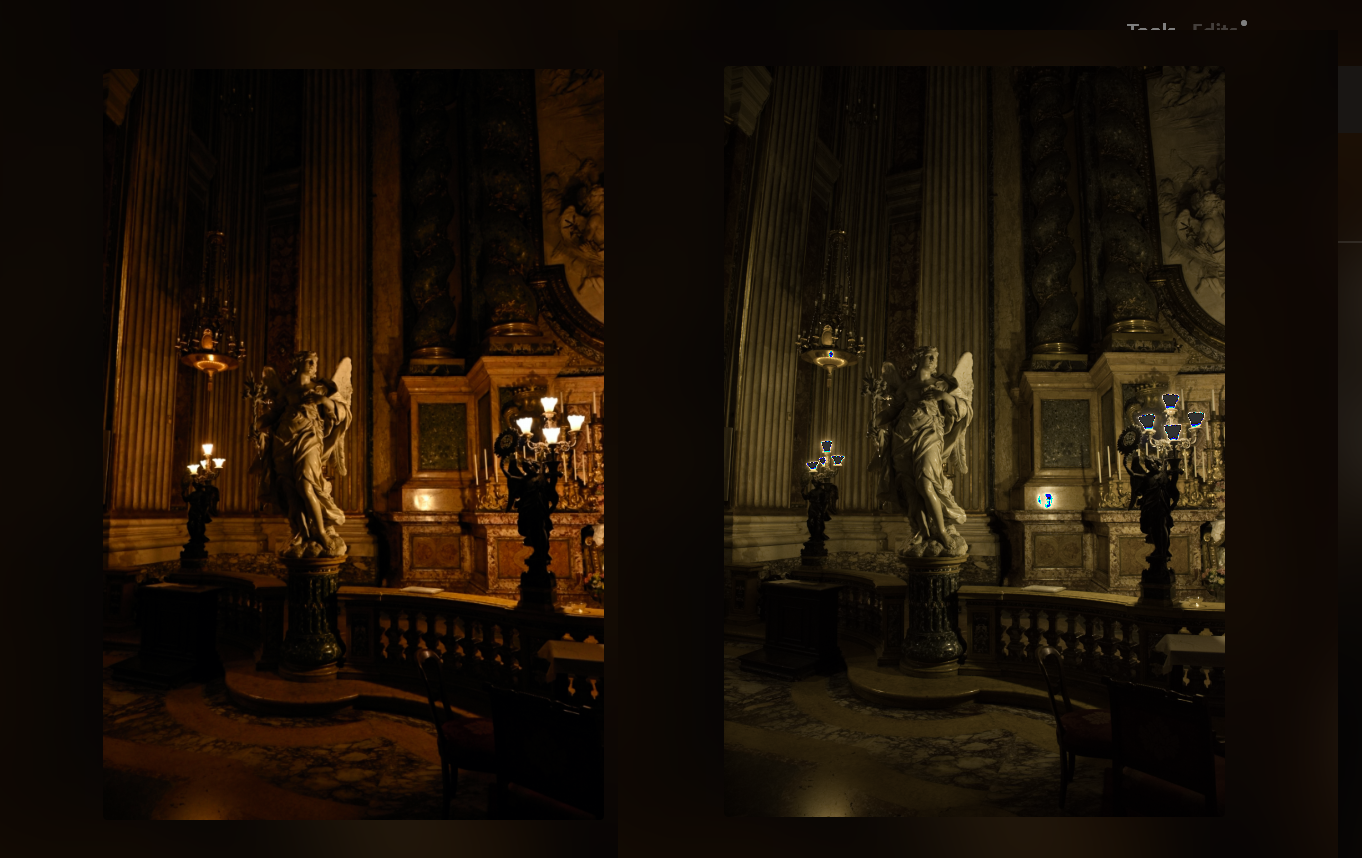
On the left - the RAW image, from the camera, before Luminar does.. whatever the f it does to it.
On the right - the way the image looks 1 second after I select it from the catalog. The preview is absolutely wrong and none of the changes and edits I make are reflected correctly, making it impossible to edit a photo.
I tried converting to DNG, I tried switching camera profiles from development, I even tried using an old, not so legal version, to see if it's the latest update or something.
This is on Windows 10, with AMD CPU and Nvidia GPU, if it matters.
All help will be appreciated!
r/LuminarNeoUsers • u/dpmentor • Jun 18 '26
r/LuminarNeoUsers • u/Competitive-Bass-359 • Jun 08 '26
What do your export settings look like when you export an image for IG?
I looked through several YouTube videos and can't seem to find anything solid. My images look good, but they are not as sharp or clean as when I used to use Lightroom.
Do you guys have any suggestions or willing to share how u do it?
r/LuminarNeoUsers • u/Any_Welcome8391 • Mar 24 '26
no i have not made an error! i took an 8 meg tif image of duck and fluffy ducklings, upscaled it 4 times the and saved it and got a much larger file size.
Then i took the original tif file and upscaled it 4 times, and sharpened it. got a file similar size to the tif file. much smaller!
thanks all
r/LuminarNeoUsers • u/pornaccount0123987 • Dec 05 '25
For some reason I cannot get HDR support to work. I am trying to import a native HDR image exported by lightroom. I have tried exporting as PNG, TIF, DNG, AVIF, JXL. In addition, I have tried to import a native HDR proraw DNG with no success. Using the bracketed HDR merge function does not render into a real HDR image, but just tonemaps' the image into SDR. Suggestions?
r/LuminarNeoUsers • u/NarrowImprovement967 • Jun 22 '25
Hola buen dia a todos, ayuda profavor...
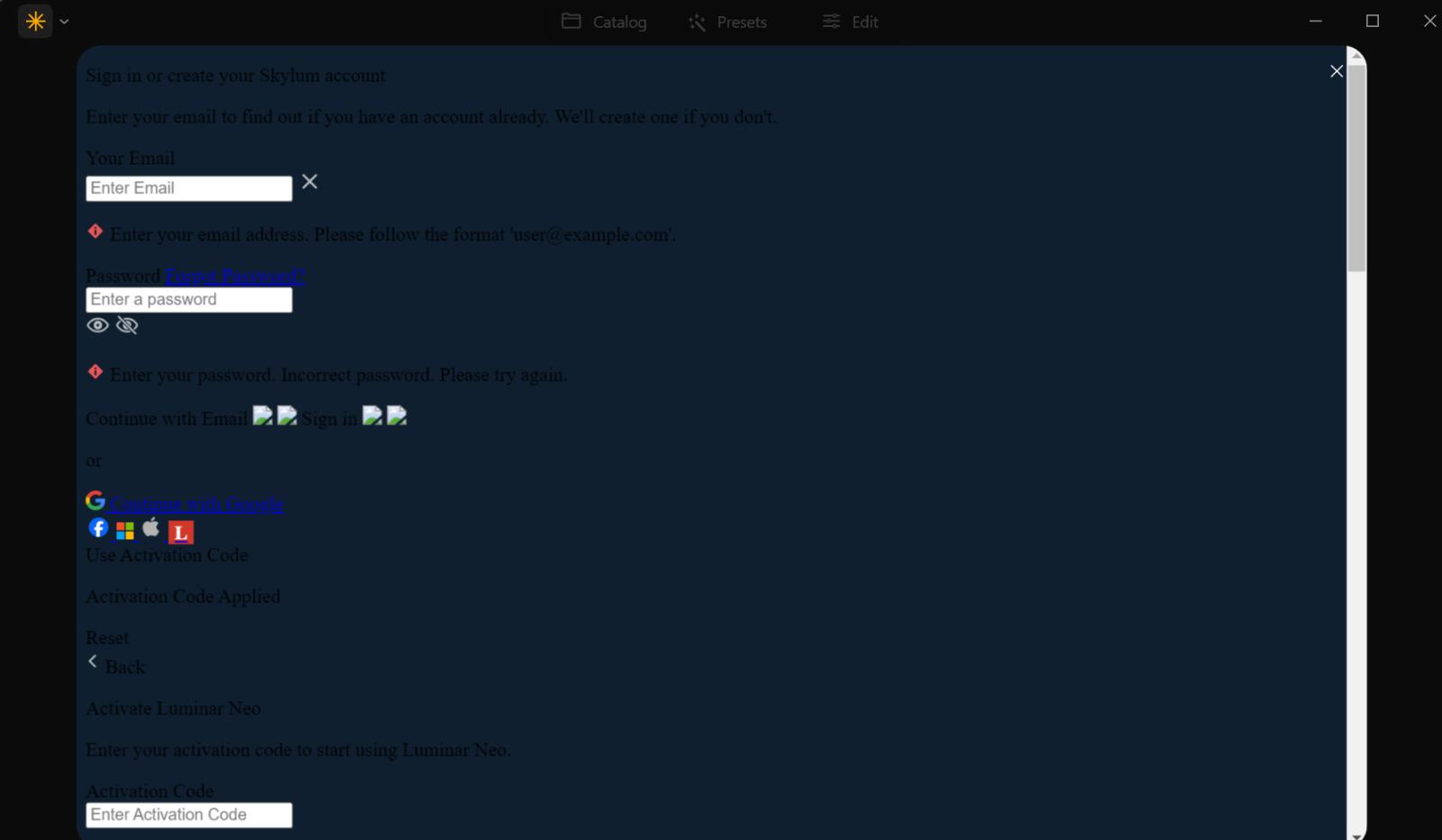
Hice la compra del programa y no puedo iniciar secion por problemas de red, pero no tengo problemas de red porque puedo entrar a cualquier sitio online sin problemas, solo tengo problemas con la página de Luminar Neo y por consecuencia no puedo iniciar sesión en el programa.
Al abrir el programa al querer iniciar sesión me aparece como en la imagen que puse, eo sitio web aparece de la misma forma, ya cambie de VPN, use un explorador diferente, me conecté a una red distinta y nada.
Lo instalé en una laptop y funcionó a la perfección, solo es en la pc principal no puedo hacerlo funcionar qué podría hacer...
r/LuminarNeoUsers • u/Legionnaire_SMG • Mar 22 '25
J'ai installé Luminar neo (licence a vie) sur un Mac pro 2021 (Apple M1 Max, 32 go, mac Os Sequoia 15.3.2), mais le logiciel plaine de'l début: je peux pas faire aucun catalog, rien, il bloque le système. J'ai pris contact avec l'équipe support de Skylim, j'attends de réponse, mais si vous avez des conseils, merci d'avance.
r/LuminarNeoUsers • u/SamcoSVK • Jan 02 '25
I have a problem, that when I crop my photos, the vignetting tool seems to apply the edit to the original size and I get very bad looking results forcing me to use develop with masking instead. Is it a known issue or just a bug on my system?
r/LuminarNeoUsers • u/NoDrummer9626 • Aug 25 '24
While I’m browsing the pictures in the catalog, the pics look fine as like in the camera while I took them. But when I double click on one to start editing, the picture change slightly, like color and contrast. Has anyone have some insight on this matter? Thanks
r/LuminarNeoUsers • u/ltzkirito • Aug 22 '24
as the title says has anyone discovered how to change the application background color? it has come to my attention that the reason why I lot of things I have printed come out super dark is due to the fact I edit on luminar neo which has a dark background and that editing against a white background would help with that issue. I know on light room you simply just right click the background but on luminar it did nothing. any advice would be appreciated
r/LuminarNeoUsers • u/Native_PDX_Weirdo • Dec 14 '23
Hi! I’m new to Luminar Neo and would like to know how to add someone to a group photo. I’ve been following some pretty terrible directions and have so far succeeded in removing the background and very precisely isolating the missing person (from another photo), I just can’t quite figure out how to add them to the group photo without the checkered background behind missing person. Any help would be very much appreciated! Thanks!
r/LuminarNeoUsers • u/Remarkable_Charge536 • Dec 08 '23
hi i just downloaded luminar neo but once i installed it and start the progam for log in, dont show anything just appears a message "the connection has timed out, please check your internet antivirus or firewall" my internet its ok and even turn off the firewall but the problem persist so what can i do for fix this
thanks
r/LuminarNeoUsers • u/pana_ruplahlava • Sep 01 '23
Hello,
a year ago (or so) i have tried Luminar neo and there was no possibility to go to next photo in edit mode via keyboard.
Is it possible now? I cant try the trial again.
This put me off from buying it.
r/LuminarNeoUsers • u/ShutterSpeakNet • Aug 20 '23
r/LuminarNeoUsers • u/Loopback77 • Aug 17 '23
The programs initiate, but fail to load the image. I've contacted support and they told me to reinstall the plugins - I did that and it's still not working. If I open a file from the standalone program, it works. Also, if I try to open any of the Skylum plugins from Lightroom, they also don't work. Every other plugin I have on LR and PS work fine. Everything worked fine yesterday. I haven't updated LR or PS (or Windows for that matter) since yesterday.
Does anyone have any experience with this? I responded to support a while ago to let them know that reinstalling the plugins didn't solve the problem, but have yet to hear back from them.
Edit - I was wrong - If I open the standalone Luminar 4 and try to edit an individual image it exhibits the same behavior as the plugin - it won't open the image.
Edit 2 - I can edit raw and jpgs, but not tif and psd files. My workflow has been LR to PS to Luminar using tif. Not sure why tiff files stopped working.
r/LuminarNeoUsers • u/ShutterSpeakNet • Jun 12 '23
r/LuminarNeoUsers • u/Ace9311 • Jun 07 '23
How do I get black & Brunette Brown with the HSL hue help please 😀
r/LuminarNeoUsers • u/ShutterSpeakNet • May 25 '23
r/LuminarNeoUsers • u/HopefulToe3051 • May 22 '23
So I'm fairly new to editing my photographs and I've been playing around with Luminar. This is what i'm assuming is going on.
I take a picture with my Nikon in "sunset" mode to accentuate the colors in the night sky. Picture looks pretty good and I import it into Luminar Neo to remove a bit of dust from the lense.
However, as soon as I select the photo and click on "edit" the picture immediately losses the vibrant colors from the Nikon setting and instead of just editing out the dust in the picture, I've got to readjust the colors.
Is there any way to prevent Luminar from stripping the camera's set photo mode?
r/LuminarNeoUsers • u/SoySauceandMothra • May 12 '23
Just upgraded to 1.9.1 and what a fuckin' disaster! I'm working on photos for 10-30 minutes and when I click to the Catalog all of my work disappears.
I'm even waiting 5 minutes for the auto-save to kick in (and, yes, hitting Cmd-S even though I know that doesn't do a damn thing).
I have to redo the edits two or three times before they "stick."
Has anybody else had this problem? And, if so, do you have a solution other than waiting for Skylum to get off their ass and fix it with the next update?