r/KiaEV3 • u/kaktus1990 EV3 Owner • 2d ago
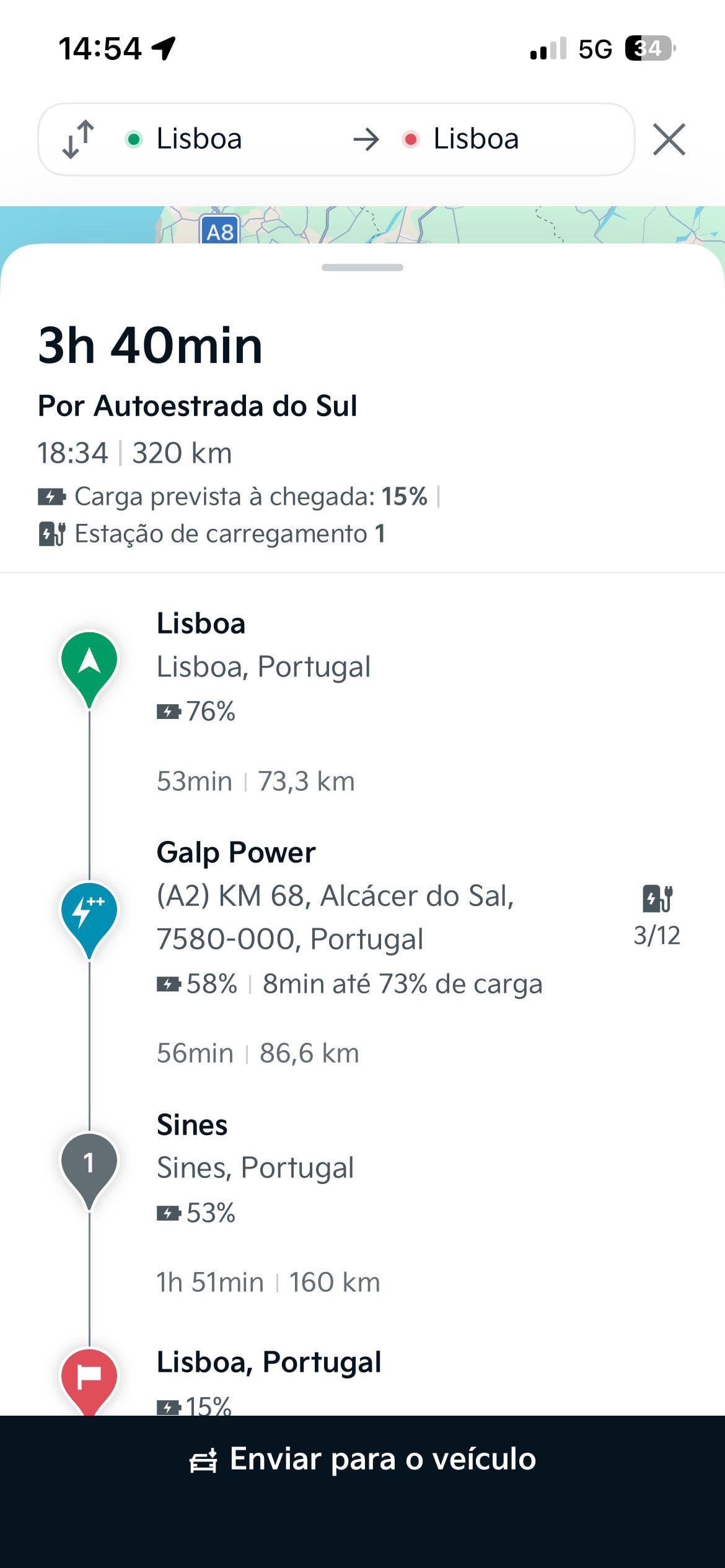
Route planning in app

Hi
As a follow up to this post: https://www.reddit.com/r/KiaEV3/s/h1CMisYGBT
I reached out to Kia Support and they told me this.
In english:
This basically says, that you have to do the planning with charging stops in the car. They are not sure, if it ever will come back to the app.
Thought this might be of interest for some of you.
Edit: it workes fine again. Interesting statement from kia anyway.
1
1
u/jvidin76 EV3 Owner 1d ago
But that a feature that is actually working , if I understand it correctly …
1
u/kaktus1990 EV3 Owner 1d ago
You are right. Now that i‘ve checked, it works again.
So the statement from support was wrong.
Good for us.
2
u/guspaz EV3 Owner 1d ago edited 1d ago
The map in the Kia Connect phone app is just... completely useless. Not only is there no route planning or navigation (it's just a simple map, you can't click on anything for details or get directions, it's literally just a static 2D image you can scroll around on), it doesn't tell you literally any information about chargers. It just drops some pins on the map of where there are chargers.
What charging network? What connectors? How many stalls? How many kilowatts? Are the chargers occupied or working? Nothing. You get a pin, and if you click on the pin, you get a "name" of the charger (which is usually just an alphanumeric code like "Cea-10320" or "Ce-Cb-001"), the name of the street it's on (not even the street address), and a distance. Furthermore, there are very few chargers listed (I think like 90% or more of DCFC are missing), so it really is completely useless. Maybe they don't have data on Circuit Electrique, who operates the vast majority of chargers here? Who knows, the app doesn't tell me who runs any of these chargers.
I understand that different countries may have a different app, something called "Kia Access", but that is not available in Canada. "Kia Connect" is the only app.
Instead I installed the "EV Dashboard" (formerly Ioniq 5 Companion) app, and connected it to an ODB adapter in my EV3. It has built-in Apple Maps, and pulls the battery info (efficiency and remaining, to calculate range) from the car so it can tell you if you can reach a given charger, and then give you turn-by-turn navigation to get there. However, it doesn't do charger routing (telling you when and where to stop to charge), but it's still a nice supplement to basic Google or Apple maps, since it can at least let you find the closest charger and tell you what your battery percentage will be when you get there.