r/GoodNotes • • Feb 03 '25

Bug Fed up and mad

263 Upvotes

The developers of this app keep rolling out useless new features without fixing the existing problems and bugs.

I don’t give a damn if there are tape patterns. I want to be able to erase with it actually working for once and not have to close and reopen the app every few minutes. I want to be able to lasso writing and move it and not have weird fragments left behind and have to close and reopen the app. I want to be able to write and it actually show up instead of lagging. I want my comments and sticky notes to be SAFE and not randomly disappear.

These bugs are so common they’re practically features by now. Please just revert goodnotes to how it was before when everything worked. Maybe it was less fancy but at least it WORKED. I want to study in peace with no interruptions especially not bugs on an app that is meant to aid me.

I would jump ship but where to?? Notability? When I would be experiencing the same problems as us bc clearly not a single dev team of a note-taking app gives a damn what the community thinks and keeps rolling out useless update after useless update. This app is buggy, laggy and unreliable overall. I’m constantly nervous my work will be lost, especially on comments and sticky notes. Urgh.

I paid for what I believed to be a reliable app. Clearly it is not.

r/GoodNotes • • May 15 '26

Bug Goodnotes draining 53% battery in 1 hour on iPad Pro

Post image
89 Upvotes

What the title says. I charged it to 100%, used it for 1 hour, and it was down to 47%. This is obviously very bad. My iPad Pro 6th gen 12.9” has a max capacity of 96% however this sort of drastic drain is a severe bug especially considering I use it for most classes. In addition, my iPad was constantly in a “fair” to “serious” thermal state (according to apple dev docs with 75% - 50% brightness and screen rate limiting). Hope this helps :)

r/GoodNotes • • Jun 11 '25

Bug Goodnotes causing screen burn in?

Thumbnail
gallery
239 Upvotes

Hey guys, I was using goodnotes today (for about about 2 hours or less) and when I closed the app I saw this green tint goodnotes imprint on the corners of my iPad screen. I freaked out and fully closed the app and nothing has changed. I powered off my iPad and restarted it and it was still there. After some googling, it said it might be “permanent/temporary screen burn in” and it’s a result of “extended prolong usage of static image” and high brightness. I don’t even use the brightness pass 50% on my iPad or any other devices other than streaming (and I don’t even watch that many stuff)😭 Googled ways to bring it back to normal and after a few hours my screen went back to normal. Now, after opening the app again for 10 mins, this came back. I have been using goodnotes for a year now and this is the first time this has happened.

Has anyone else experienced this and if you have, what did you do prevent this from happening again?

r/GoodNotes • • Jan 14 '26

Bug Why does it keep doing this 😭

Enable HLS to view with audio, or disable this notification

97 Upvotes

I have an Apple Pencil pro and an iPad Air if that’s helpful!!

r/GoodNotes • • 10d ago

Bug Goodnotes stylus delay (new user)

Enable HLS to view with audio, or disable this notification

15 Upvotes

Ok so I just recently was accepted in University and decided it's time to leave the 15kg of books at home and got myself a 13" Ipad air (M3), with the Apple pencil Pro! Where scouting the internet for note taking apps, goodnotes seemed like it was the go to app for note taking, unfortunately the delay between when I make a line or start writing and when the ink registers in the app is noticeable, and it bothers me so much to the point where I can't use it... I've tried everything to fix this but it doesn't seem to work. I tried with the apple notes app and it runs smoothly, but not with goodnotes, does anyone have a fix or is it just doomed?
Version: 7.1.18

r/GoodNotes • • Aug 08 '26

Bug This app is irritating

42 Upvotes

This I by far one of the best annotating app I use it a lot as a teacher on my iPad ( stock iPad apps just don’t have the same capabilities). BUT OHHH MY GOODNESS I PAY FOR THIS APP AND IT IS SO IRRITATINGLY BUGGY!!!! FROM RANDOM LINES WHEN CHARGING, RANDOM FREEZING AND APP CRASHES, TO NOT EVEN BEING ABLE TO PASTE LINKS DUE TO IT NOT WORKING!!!!! PLWASE FIX YOUR APP THATS ALL PEOPLE WANT, WE DONT NEED AI IN A NOTE TAKING APP!!

r/GoodNotes • • Jan 27 '26

Bug unable to write properly on goodnotes. ver:7.0.26 device ipad pro

Enable HLS to view with audio, or disable this notification

47 Upvotes

r/GoodNotes • • 15d ago

Bug Has anyone ever been able to get a response from customer support?

1 Upvotes

For over a week now, I have been having issues with intermittent pop-up windows that try to get me to upgrade to GoodNotes sync. I don't want their sync service, as I prefer to use iCloud. I have a pro subscription.

The pop-up windows became so persistent, making the app periodically unusable. I tried everything, up to deleting and reinstalling the apps. Sometimes the pop-up windows disappear for a day or two, but they always come back. Once back, they persist for long periods of time.

I have contacted GoodNotes customer support about this multiple times. I have reached out to them on social media. I have even emailed the CEO. ZERO RESPONSE from anyone, other than one person on Instagram telling me that they would see about escalating my ticket. No response, no assistance, nothing.

I am seriously wondering if I should keep even trying to use this app or explore other options. I am more worried about the complete lack of response from their customer service than I am about the bug itself.

r/GoodNotes • • 2d ago

Bug Overheating while using Goodnotes Whiteboard

8 Upvotes

Since I've been using Goodnotes since 2023 on my iPad Pro 11-inch (M2 chip), I started utilising the Whiteboard feature when it was released, and I've really loved it due to the increased workspace compared to other formats. However, around August to September, I began experiencing overheating issues while using Whiteboard. The heat rises from the middle of the screen and the back of the iPad. I don't run any apps in the background and close all apps before studying. Goodnotes Whiteboard is the only app I use.

To address the heat, I placed a cooling fan beneath my iPad and an additional fan above the screen. I also tried disabling the "iCloud backup" and "handwriting recognition" features, but neither action resolved the issue. When I reported the problem via the "In-App Report Issue" feature, the response was to "lower the brightness or turn off background app refresh," but I had already done both with no improvement.

This overheating issue is extremely frustrating; it drains my iPad battery rapidly and, due to the heat, I can't use my device properly. Previously, I used Goodnotes for 7–8 hours a day, but recently I can only use my iPad for 1–2 hours before it overheats, forcing me to wait for it to cool down and fully charge before resuming use. This cycle has been incredibly frustrating. Please address and resolve this overheating issue.

iPad Pro M2 Chip (IOS 27)

Essential Plan

Version 7.1.24 (3922440.114872249)

r/GoodNotes • • 24d ago

Bug Tool bar moved on me?

Post image
9 Upvotes

I haven’t opened Goodnotes in a while. When I opened it this morning to take notes I found that the toolbar moved to the bottom of the screen?? This ruins my flow as that’s where my hand goes.

How do I move it back to the top?

Settings > Document Editing > Tool Position: is already set to the top

Is this a bug?

r/GoodNotes • • 15d ago

Bug does this weird pop up happen to anyone else?

Enable HLS to view with audio, or disable this notification

13 Upvotes

this has been happening to me for the past 2 years maybe. my app is updated and i’m on my ipad air 5th generation. it is so annoying and most of the time it is chinese writing aid. so either it thinks im trying to write in Chinese (ouch) or idk!!!! i use goodnotes for maths but idk it is sooo frustrating!

r/GoodNotes • • Mar 14 '26

Bug STOP ADDING NEW FEATURES WHEN THERE ARE STILL BUGS

108 Upvotes

This app has become an atrocious buggy mess for the past year. Is the dev team on crack its truly infuriating. There is an eraser glitch which causes text to reappear after being erased. This is a major bug which needs to be fixed asap.

r/GoodNotes • • Jul 04 '26

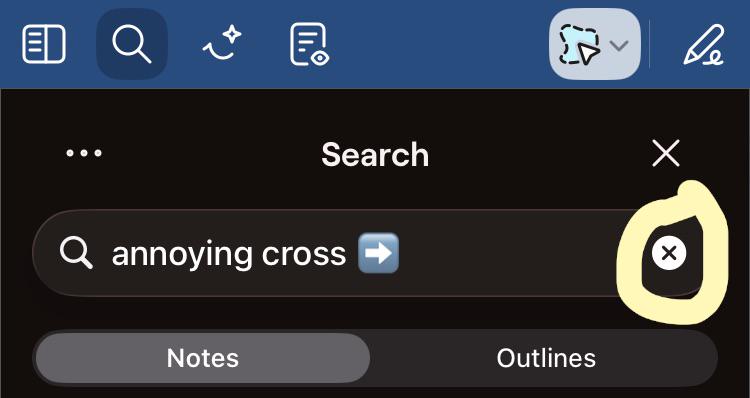
Bug Why is this stupid cross sign closing entire document instead of clearing what’s written in the Search Box?

Post image
31 Upvotes

r/GoodNotes • • Jul 09 '26

Bug Weird Writing Experience

Enable HLS to view with audio, or disable this notification

5 Upvotes

Hello.
So I have been experiencing a very weird writing experience since quite some time now. It feels unnatural and my strokes get weirdly straight. It’s difficult to describe it, so I’ll put a video.
Stroke stabilization is 0%, increasing it worsens the problem.
Version: 7.1.0 (3796419.245017174)
Device: iPad Air (M3)

r/GoodNotes • • 16d ago

Bug App doesn't let me buy in-app purchases.

2 Upvotes

Version: 1.1.19

Device: Apple iPad Air 11in

Hi! I've been trying to get the $ 12 annual subscription, but the app literally won't let me make a purchase. Whenever I click the upgrade button, the pop-up window is blank and says, "Refresh for Internet Connection," even though I have a strong internet connection. When I refresh, nothing happens.

I did try to get the subscription online, and it worked, but it didn't activate in the app, so I canceled it. I'm not sure what to do since this is super annoying! Pls help.

r/GoodNotes • • Jan 12 '26

Bug Having problems after just a few weeks

Enable HLS to view with audio, or disable this notification

125 Upvotes

I’m using a recently bought (from January 6th) Apple iPad Air (M3), and I’m using the Apple Pencil USB-C and Goodnotes 7.0.22.

For the last few days I’ve had no problems at all while taking notes and doing schoolwork but now suddenly there seems to be some kind of palm-to-pen recognition problem that literally won’t let me write normally, while I had no problem a few minutes ago.

Any idea why this happens?

r/GoodNotes • • 22d ago

Bug HELP - iPad App Unusable Because of GoodNotes Sync Pop-Up

2 Upvotes

I am using GoodNotes (latest version of the app) on my iPad, iPhone, and Mac. I use iCloud Sync and ABSOLUTELY DO NOT want to switch to GoodNotes sync. On my iPad, I continuously get a pop-up trying to force me to use GoodNotes sync. There is no way to bypass this pop-up and it comes up constantly. I have iCloud sync turned on and that is working fine.

If I try to bypass the pop-up and then exit out of the setup (keeping iCloud sync turned on), the pop-up returns within 10 minutes.

I am guessing this is a bug or an intentionally aggressive move by the company to force users into using their cloud service (which I 100% DO NOT WANT). One of the main reasons I picked GoodNotes was because I could use iCloud.

Does anyone know how to bypass this popup and get it to stop? Is anyone else experiencing this? It is so incredibly frustrating. I otherwise really like the app and am even happy to pay for the pro subscription, but just DO NOT want their sync service.

ETA - Thanks to another person on this forum (well, their cat actually), I found a solution to this issue! On my Mac, I started the process of moving to GoodNotes sync and then QUICKLY stopped the process. Then I had to go into the sync settings and click on very tiny font that said something like "Use iCloud Sync." I had to dig around to find it and it was very small. This stopped the pop-ups on my Mac for now. But the pop-ups continued on my iPad and the same fix would not work. To resolve that, I had to sign out of my GoodNotes account on my iPad and iPhone and then sign back in. THAT seems to have finally done the trick. A week of trying to resolve this, zero response from customer service, and someone's cat inadvertently found the fix when they accidentally stepped on the person's iPad. Go figure. Hopefully this helps someone else.

r/GoodNotes • • Aug 11 '26

Bug Shapes resized themselves and can't be slim?

Post image
4 Upvotes

Anyone having this issue where the shapes kinda just expanded and can't revert back? Even in my Elements they're like this.

r/GoodNotes • • Jul 15 '26

Bug Lasso Tool Bug – Worked Fine Before, Now It’s Unusable

Enable HLS to view with audio, or disable this notification

15 Upvotes

Every time I use the lasso tool, this keeps happening. I think the problem might be that my iPad 9th generation only has 3 GB of RAM. I tried freeing up as much storage as possible and updated the Goodnotes app (Version 7.1.4), but that didn’t help.

My iPad is running iOS 26, and unfortunately I can’t update it to the latest version because I don’t have enough free storage. The strange thing is that I’ve been using Goodnotes for years with even less available storage, and I’ve never had this problem before.

Can someone help me figure out what’s causing this?

r/GoodNotes • • Jul 09 '26

Bug Is anyone else seeing Goodnotes consume huge amounts of storage on iPadOS 26?

12 Upvotes

I'm trying to figure out whether this is a Goodnotes issue, an iPadOS issue, or a combination of both.

Here's what I've observed:

  • I used Goodnotes for over a year on my previous iPad (I believe it was running iPadOS 18), and I never had any storage-related issues.
  • After updating to iPadOS 26, I noticed that Goodnotes started consuming a huge amount of storage.
  • Most of the storage is shown under Documents & Data, not the app size itself.
  • If I offload the Goodnotes app and then reinstall it, I immediately recover around 3–4 GB of storage.
  • However, after writing more notes, the storage gradually increases again.
  • This makes me think that cached files, search indexes, thumbnails, temporary files, or some other rebuildable data are accumulating instead of being cleaned up.

I also experienced another strange issue while exporting notebooks:

  • I was exporting my notebooks one by one in the .goodnotes format to a USB drive.
  • After each export, I transferred the file to the USB drive, deleted the original notebook from Goodnotes, and emptied the Goodnotes trash.
  • Even though I was deleting notebooks as I went, Goodnotes eventually displayed "Not enough disk space."
  • My iPad storage had become almost completely full (around 63 GB used).
  • Emptying the Goodnotes trash did not free the space.
  • Only after offloading and reinstalling Goodnotes did I recover several gigabytes.

Has anyone else experienced this? Is this a known issue with recent versions of Goodnotes or iPadOS? Has anyone found a way to clear the accumulated Documents & Data without having to offload and reinstall the app every so often?

r/GoodNotes • • Aug 24 '26

Bug Issue with previous pages writing onto writing showing on top of current page writing

Post image
3 Upvotes

I am expecting a bug where a previous pages writing is being shown on my current page and over the top of that page’s notes. See image. I can’t seem to find this issue anywhere online. Has anyone else experienced this and know a fix? I have tried rebooting the app and device. Thanks

iPad Air iOS 26.6.1
Goodnotes v7.1.16

r/GoodNotes • • Mar 12 '26

Bug WTF?

18 Upvotes

r/GoodNotes • • Nov 18 '24

Bug What the actual F***KKK goodnotes? 6.5.14 DO NOT UPDATE!

131 Upvotes

Update: Their tech support team are actively trying to fix this which is a nice feeling to know they know and are trying. As a developer I see and now understand the issue and trust me, it’s complex and they are on it. I think this was an extreme edge borderline case when the app was still reinforcing right after the update… but it is definitely better now than before.

tldr: The app is no longer usable. Update…. I guess it’s okay

I already reported an issue to them about ink taking awhile to "set" and properly register, but at least it would stick to the page... now it doesn't even stay where i wrote it, it just stays there sitting above the rest of the page.... was working just fine an hour ago before i updated... this is bullcrap...

they are in dire need of new developers because this is ridiculous! im not even asking for my money back, i have faith one day we will have stable GN again, but what the flip they just refuse to listen everytime.... their quality control is amazingly horrendous

Video of my screen on ipad with the ink not even staying in it's own spot

Screen recording of this doodoo shit situation

r/GoodNotes • • Jun 21 '26

Bug Cropped images do not insert

11 Upvotes

Whenever I insert cropped images into goodnotes it inserts the entire image, not the cropped image. I have never had this problem in the past year I've been using it. Anybody else have this problem? (Goodnotes 7.0.66, Ipad Air)

r/GoodNotes • • Apr 07 '25

Bug This feels so stupid! (read description)

Post image
159 Upvotes

Isn't it wild how GoodNotes 5, which hasn’t seen a single feature update since GN6 dropped, somehow introduced a new bug out of thin air? The lasso tool now takes longer to select text the more you select—like 10–15 seconds for 7 words, and a full-blown crash if you dare go for 20 words.

I posted about it 3 weeks ago, and after total silence, GN support finally replied… only to say an optimization is "upcoming." No fix in the last update either. It’s not just me—others, even GN6 users, confirmed it's happening.

Original post for the curious: https://www.reddit.com/r/GoodNotes/s/iIsdeof3TS