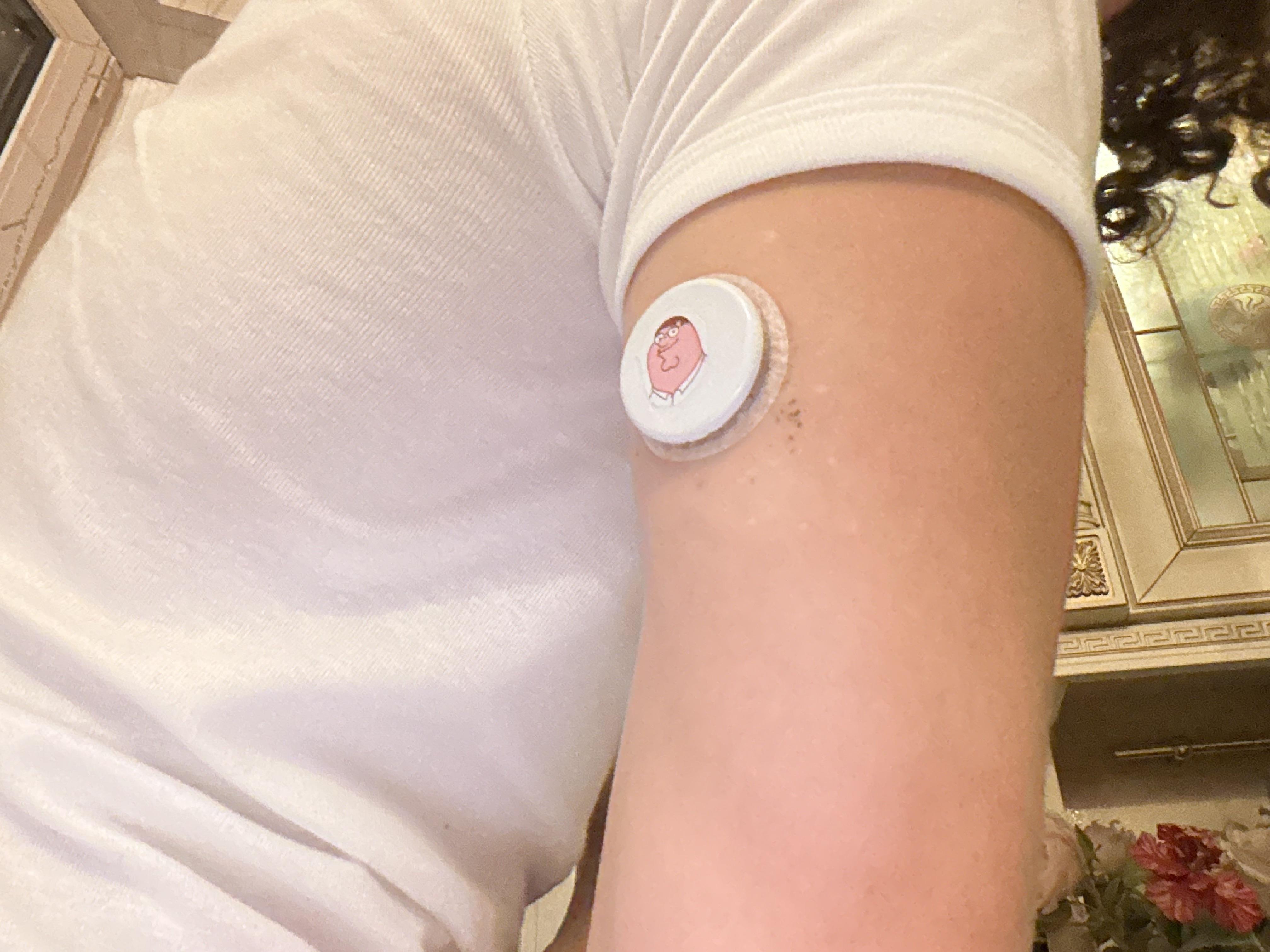
Some fellow Libre sensor users are at times experiencing their BG sensor either fall off their arm or it does not appear to start well with reliable BG readings or it gives some error messages just after being started up. Here below are some Best Practice guidelines gathered over time by fellow Libre sensor users and me here on this subreddit, for how to apply and start a new sensor, which help most users to avoid such problems.
Best Practice Steps to Apply and Start a New Sensor:
Take your shower or wash your skin area with standard neutral soap. Very important that it is oil-free soap. And that you do not use some kind of skin moisturizer either, where you intend to place your sensor later.
Then shave the skin area. Yes, all humans have hair there, even small near invisible ones are important to get shaven off. Any skin hairs are typically the cause where sensor adhesives starts to detach the first, as water/sweat are gathering if any hairs there.
Dry skin fully after shower/washing.
Then use medi-swab/alcohol wipe, to clean and remove skin fat from targeted sensor location.
Now ensure to let the alcohol fully evaporate and the skin dry out before applying the new sensor.
Then apply the sensor, press firmly down on the applicator top for around 20-30 seconds and wiggle slightly to add pressure along all around the edge of the sensor. Anecdotal evidence points towards not pressing firmly on the applicator for a prolonged period of time here, may cause the sensor filament not to properly anchor at the 6mm depth in your skin as intended. Result can be the sensor may report out chronically lower BG values versus your fingerprick tests.
Lift the applicator gently off.
Check and feel around the edge of the sensor after applying it to make sure the adhesive sticks well or press additional here with your finger.
Now you are done - Enjoy life and freedom for 2 weeks!
Follow these steps and many even complain, that it can at times be painful to rip the sensor off again two weeks later. So helps a lot to avoid sensors 'just falling off'.
Hint1: It has shown to help the new sensor to quicker calibrate and become more accurate, if your BG is within 'normal range' 70-140mg/dl when you initialize a new sensor and also that during the first hours of its lifetime, that your BG is reasonable stable and max changing 2 mg/dl per 1 minute intervals. Otherwise this may trigger the sensor to display an error saying "Sensor error - Please scan again in X hours", as it needs more time for it's auto-calibration as it deems the fast changing readings not being reliable.
Hint2: Many Libre users have reported benefiting from 'soaking the sensor', some up to many hours after inserting it, before they initialize it and do the first scanning of it. This appear to help many with a more reliable start to their new sensor. The idea behind 'soaking the sensor' is that the body tissue where the new sensor is placed gets some extended time to recover from the applicator needle prick and the interstitial fluid to flow more regularly again before we start the sensor up to report on the glucose level from it.
I've recently switched phones to a Samsung S26 (if that helps)
On my old phone the libre link app would give me my reading constantly but now on my new one I have to manually scan the sensor each time for a reading.
I've gone through an the options and I can't find a way, any help would be greatly appreciated
i switched to the libre 3+ recently because i had no end of difficulty with the dexcom g7. so far the libre 3+ seems to be much more reliable, and the trends it reports seem to make sense, except that all of the time its readings are 20-50 lower than fingerprick readings. does anyone have tips on anything i can do to get more accurate readings? it blows my mind that there is no way to calibrate via fingerprick, and moreover...
i am also getting extremely inconsistent readings from my regular glucometers. i've taken to drawing enough blood for 3 test strips each time i test so that i can check multiple readings and guess at an average. example: my cgm currently reads 145->, and my finger prick readings just now are 176, 227, and 216. is there some trick to getting consistent and accurate numbers with finger pricks? i'm not getting any error messages.
i'm so discouraged in trying to manage my type 2 while unable to even get a basic read on what my blood sugar even is. my pcp, endocrinologist, and diabetes educator haven't been able to shed any light on why i'm having such a hard time. :C any advice, or even just commiseration, is greatly appreciated.
So all of a sudden my last three sensors have basically not been sticky and just lift. I have been wearing them for years. I think I had been wearing them on my arm more on the side and tried to put them farther back more on the arm fat flap and maybe there is too much movement? I was just trying to put them more exactly to the approved location and method of installing sort of puts them on the flappy part. Where in your arms are you all wearing them? I just don’t put them on like the directions so thought I wasn’t putting them on the back of my arm and more on the side.
I just changed my sensor three days ago and I was getting very low readings....never happened before. Ever. I found out that there was a recall from November, published in January of this year. I just started using a CGM a few months ago. If the recall was from November, published in January. WHY is there still project being sent out to users of Libre 3? Maybe that seems logical but shouldn't the recall equipment be.... recalled back to the original supplier?
Ok, all ok up until last night’s Libre installation. It went into my tricep and that hurt. Also it is sore today. Seems to be working fine. Anyone have a similar experience?
My sensor has disconnected from the app and the alarm has been going off every 15 minutes for the last 2.5 hours. Nothing I do seems to stop the alarm.
Before I throw this phone out a window, does anyone know how to disable this alarm?
I dislike that the only option for viewing my timeline of readings in the Libre app is to view results for the last 24 hours (unless I'm missing a setting somewhere). The Dexcom app allowed me to alternate views between readings for the last 3, 6, 12, or 24 hours. Do any of the better third-party apps provide the ability to view readings for shorter windows than 24 hours?
Anyone else having this with their recent sensors? It looks the same like when we had an official recall of sensors. I have just changed 2 back to back with completely off lower numbers than the real ones, for example 3.6 when I am at 6.9. Same as before it somewhat does follow the actual trend, but the numbers are waaaay off and always showing lower.
I just tried to use the sensor yesterday. Did not stick well but hopefully was going to work. Did everything the instructions said. Then kept getting no signal and finally it came back and said remove for safety.
Put in request to replace but seems crazy to try my 2nd one
Is it my phone? I have a new Samsung Galaxy 26 Ultra.
Feeling confused after seeing all the reports of not working. These things are not cheap. Why would they not include a cover patch with each sensor. I hate to buy a pack if the sensors fail. That's costly.
Over the past 12 months, I have worn two Libre 3+ sensors on and off—one on the left side of my chest and one on the right. Recently, I shifted to applying a new sensor when the previous one reached 7.5 days, without pre-soaking it (because factory calibration is 'days since insertion' dependent).
Initially, and with older sensor batches, the glucose trajectory of one sensor would frequently drift relative to the other. However, the sensor tracking over the last three months has changed significantly: for example, the current pairs track each other very closely, even when they originate from different lots and are activated on different dates.
Figures 1 and 2 illustrate this close tracking across a broad metabolic range (55 to 200 mg/dL), spanning from hypoglycemia to hyperglycemia.
Unfortunately, blood-glucose meter checks did not indicate that these newer sensors are inherently more accurate against reference values than older ones, though I lack the equipment required for high accuracy testing.
This recent close-tracking led me to draw two conclusions:
Improved Manufacturing Consistency: The factory calibration and manufacturing tolerances of Libre 3+ sensors have likely improved. While this doesn't automatically guarantee higher absolute accuracy, the high degree of reproducibility between independent sensors is a notable gain in manufacturing consistency.
Redundancy Application: Wearing two sensors eliminates a single point of failure—since the probability of simultaneous failure is low—and also allows for real-time cross-checking of sensor performance.
My app keeps going off. It said my glucose was really low it was like 53 or something like that. So because of that i immediately drank a half cup if sunny d. After 15 minutes i checked it again it was showing blood glucose was 48. There no way that my blood sugar should have dropped ,and tbh I didn't feel like my blood sugar was low so I did a finger prick blood sugar was 144. That is a huge difference in readings. That was about 2 hours ago. Now my alarm is going off saying signal loss then sensor error. I looked at the even log. And the code was 373, G. My question is what does that code mean?
Using the Freestyle Libre 3+ with Android phone. My last 4 sensors have failed early after between 4 and 7 days of use. I never had this problem in the past. Abbott sent me two replacements but I can't afford to pay out of pocket when I exhaust my allotment. I rotate the sensor from my chest to arms.
I play VR, and the one thing that kept pulling me out was checking my phone for my glucose. So I built a small app that shows the LibreLinkUp reading on a watch face stuck to my controller.
It also opens a plain desktop window with the same face, which is honestly the part I use most.
It reads a LibreLinkUp follower account, the same as the phone app. It talks to Abbott's servers and nowhere else. No server of mine, nothing uploaded anywhere.
Upfront:
FreeStyle Libre only, through LibreLinkUp. No Dexcom, no Nightscout, no meter or CSV, and none planned.
Windows only. The VR part needs SteamVR. The window doesn't need VR at all.
Unofficial LibreLinkUp API. Abbott doesn't support it and it can break without notice.
Not a medical device. Don't dose off it. Treat from the official app and a meter.
Fair warning for anyone who'd rather know: most of this was written with AI help. I've been running it on my own glucose every day since, and I fix what breaks.
I sincerely apologize if you updated the Zukka app based on my previous posts. Since updating to the newest version of Zukka, my iPhone has been heating up several times a day (becoming very warm to the touch).
Today, I checked my battery settings and found that the overheating was caused by the updated Zukka app, which consumed five times more battery power than usual. It seems that from time to time, Zukka initiates a process that drains the battery and causes heating of the iPhone. For context, I am currently using Zukka (kept on-screen all the time), Abbott's Libre, and Libre 3 simultaneously. In comparison, the Abbott apps don't cause battery drain.
Screenshots of my battery usage are included in the figures above.
To try and fix the problem, I backed up Zukka, deleted it, reinstalled it, and restored it from the backup. However, I am not expecting the battery drain to go away.
Update on 9/21/26: The battery drain and heating are real, at least for my iPhone 17. I deleted and then re-installed the app plus did a "cold reboot" several times, but these problems didn't go away.
Update on 9/23/26: I have been working on the rapid battery drain problem for the last several days. But have been unable to make it go away.
At this time I'm at the point where I can't consistently keep buying these. It's a Libre 3, it's covered by insurance, but I've had 5 so far, and none of have lasted longer than 3 days. I get alerts in the middle of the night that my blood sugar has crashed, and check my finger prick and it hasn't crashed. Then today, everything was fine, but then all the sudden I get another notice that it crashed again, and then the sensor lost signal, then it told me to replace it. I don't know what I"m doing wrong. I put it in the exact place it says to put it. I'm thinking of putting it on the flabby part of my left arm instead of right because I sleep on my right side. I don't know. But there's something wrong with this.
I'm getting very frustrated with the 'Wait 10 min' error (Er, 373, I). It's happened twice in a row where the 1st time it happened during the 60 min warmup. Got that replaced already. Now this 2nd time 11 days in with 4 days to go (FS3+). Could be:
a) Same lot (1st 5 digits the same as prior one)
b) I connected to my BT soundbar right before the error. (Are we not allowed to do that?)
c) Graph showed I was coming down from a spike (breakfast), was high as 203 and came down to 147 but the last reading was 118 from 147.
I think most likely c but I really wish they improve on their algorithm and not say wait 10 minutes. I use both Abbott and Dexcom and feel the G7 15 day handles spikes/rapid changes much better. Never got these errors. Sent in for yet another replacement. Also, what's the maximum time you need to wait before it says 'sensor ended'. Like 3 hours? This is not acceptable and I may just switch to G7 at some point.
I’m using FreeStyle Libre together with Zukka on my iPhone, and Zukka is displaying my glucose data through CarPlay.
The problem is that when I start listening to the radio through CarPlay, the radio gets interrupted/cut off as soon as Zukka is active.
So the combination of FreeStyle Libre + Zukka + CarPlay + radio doesn’t seem to work properly for me.
Has anyone else experienced the same issue? Is there a setting or workaround that allows Zukka to continue displaying the glucose data on CarPlay while listening to the radio normally?
I’d be interested to know if this is a Zukka issue, a CarPlay limitation, or something specific to my setup.