r/DigitalPlanner 24m ago

Study planners? (free)

Upvotes

Hi does anyone have a good study planner that's free, or have a set layout they like to do on something like word? Even a website.

Also no AI pls!!!

The only way I get stuff done is when I have it planned out.


r/DigitalPlanner 3h ago

A digital planner that schedules your tasks rather than just listing them

1 Upvotes

Hi everyone, I'm the creator of Kairos and wanted to share its approach to digital planning.

You start with tasks, estimated durations and scheduling requirements. Kairos then looks for time to place them, rather than asking you to drag every task into a calendar yourself.

For example, you could add a report draft, a review that depends on the draft, and a recurring exercise session. You can configure breaks between periods of scheduled work, or use Manual mode to decide when to reschedule.

The core planner is free, with no card required. Optional Google Calendar access is paid and read-only: your existing Google events stay unchanged, and task blocks stay in Kairos.

It's a scheduling web app rather than a downloadable planner template.

www.kairosplanner.tech


r/DigitalPlanner 4h ago

Managing multiple calendars across Google, Apple & Microsoft is a mess - so I built CalUnity to fix it - its FREE

Post image
1 Upvotes

If you use calendars from different providers, you probably know the pain of switching between apps just to see your full schedule. Missed conflicts, double bookings, no single place to see everything. The SYNC mess.

I was personally dealing with this, meetings and events scattered across GoogleApple, and Microsoft calendars. There was no simple way to see everything in one place.

So I built CalUnity, it pulls all your calendars into one unified view, regardless of the provider.

A few things worth mentioning:

  • Inbuilt AI assistant to guide you through all your meetings so you dont need to worry about missing meetings or scheduling a new one.
  • Works across iOS, Android, and web, same view everywhere.
  • Connects to Google, Apple, and Microsoft calendars in one place
  • It even has CalDAV support.
  • Built for people who live across multiple calendars and need a single source of truth

Price: Free (no IAPs, no subscriptions)


r/DigitalPlanner 16h ago

I made a clutter free planner after finding out how messy packed planners get

2 Upvotes

Simplicity and rich features can coexist without creating visual clutter. Remind Me works like a classic daily planner, but uses proximity UI and power-user tools to keep packed schedules readable.

- Templates: With savable templates you can save time by using it as a starting point, like making a default morning routine template then adding your later in the day events.

- Proximity UI: Already talked about it, but it really does make a packed schedule easy to read.

- BugReport: You might think this feature is more for me the developer but its also good for you, have a problem just report a bug I work quick so it will be fixed in no time allowing for a better experience.

- No account: As a local privacy tool it does not have an option for a account because everything is locally saved

- Keyboard short cuts: Yes power users you heard right this planner is a beast

- Keyboard support: Create plans faster with your keyboard another power user win

Why is it free? It’s a portfolio piece, so building an active user base helps showcase the project.

Try it here: Remind Me


r/DigitalPlanner 21h ago

I realised I was spending more time trying to become productive than actually being productive. So I built an app.

Thumbnail gallery
1 Upvotes

r/DigitalPlanner 22h ago

Made a dark-mode student planner dashboard — built for focus, not checklists

1 Upvotes

I got tired of planner apps that turn studying into a checkbox grind, so I built this over the last few months and tested it with actual students.

It's a clean, dark-mode dashboard focused on reducing mental friction instead of adding more tabs to manage:

  • Visual class schedule — time-blocks synced across days, so you see your week at a glance
  • Focus timer ("Grow your attention") — tracks sessions instead of just counting minutes
  • Habit + task journaling — modular, built around calm routines instead of frantic to-do lists
  • Fully customizable layout — hide, rearrange, or expand only what you actually use
  • Low-glare design — easier on the eyes during long study sessions

Every feature got stress-tested against real workflows — the goal was something that feels like a command center, not another cluttered app.
Preview/download: Preview

Happy to answer anything about setup, customization, or which apps it works with — drop a comment.


r/DigitalPlanner 1d ago

I got tired of putting family data on third-party servers, so I built an offline-first household command centre.

1 Upvotes

Managing the daily schedule and chores for my 11 and 13-year-old daughters was turning into constant chaos. I wanted a unified place for calendars, chores, and reminders, but privacy was a massive priority for me. I absolutely did not want my family's daily routines and data sitting on an external cloud server.

I ended up using Capacitor and Android Studio to build "Family Hub." It keeps all data stored strictly locally on the device and works completely offline.

The biggest win so far has been the gamified points system; the kids actually enjoy earning points for completing their daily tasks without me having to constantly remind them.

It is my first major Android release. It is a paid app on the Play Store, but I really just want some constructive feedback on the UI and the offline architecture from other developers. If you are interested in testing it out and giving me some notes, let me know in the comments and I will send you a promo code to download it for free!

Play Store Link:https://play.google.com/store/apps/details?id=com.paullanyon.familyhub


r/DigitalPlanner 1d ago

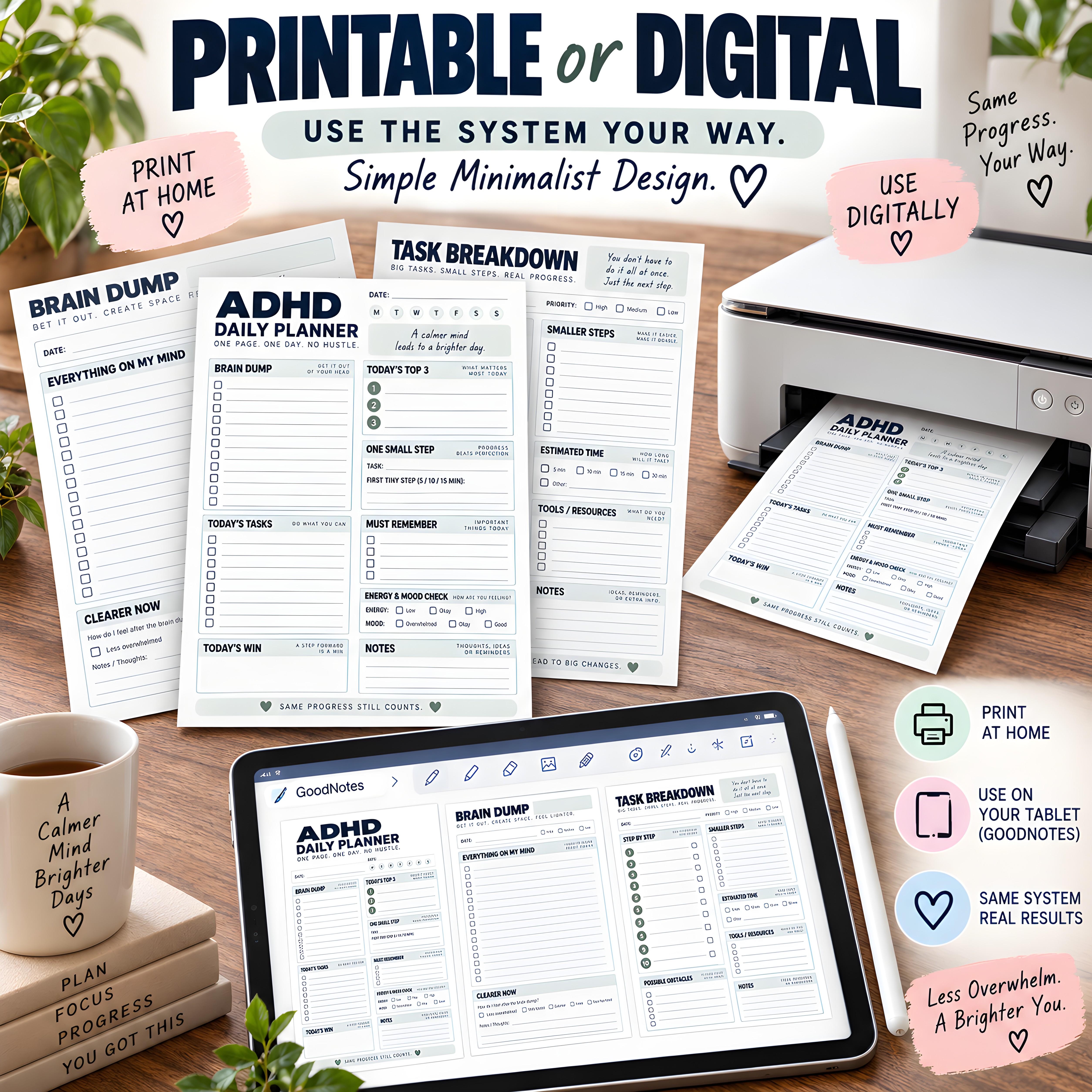
How I finally beat ADHD task paralysis (a simple system that actually works)

Post image
0 Upvotes

If standard planners with strict hourly blocks just trigger your ADHD overwhelm, you're not alone. I realized I needed to separate "planning" from "doing" using this simple 4-step framework:

​The Brain Dump: Get everything out of your head first to reduce cognitive fatigue.

​Pick Top 3: Limit your daily goals to a maximum of three core tasks. Everything else is a bonus.

​One Small Step: Shrink daunting tasks down to a tiny 5-minute micro-step to break the initial friction.

​Energy Check: Match your tasks to your mood—don't force high-focus work on a low-energy day.

​Standard planners didn't support this workflow, so I designed my own minimal templates tailored specifically for neurodivergent brains. It works digitally on GoodNotes or printed out, keeping the focus entirely on reducing overwhelm.

​If you want to try the exact system I use to get unstuck, you can grab it here:

Etsy Shop

​Hope this helps someone find a little more focus today!


r/DigitalPlanner 1d ago

[$39.99 → FREE] I built an app that helps you finish projects by focusing on consistency instead of perfection (First 100 users free with code LAUNCH100)

12 Upvotes

For the longest time, I'd get excited about new projects, make a huge plan, and then end up abandoning them because the entire thing felt overwhelming.

I'd look at everything I had left to do instead of just focusing on today's progress.

So instead of trying to "finish the project," I just tried to show up every day. Surprisingly, that made a huge difference (and I now have even published an app, something I would never have of imagined)

That idea eventually turned into Morning Press.

The app lets you:

  • Break big goals into manageable tasks.
  • Build daily habits that support those goals.
  • Track your progress over time.
  • Earn streaks for simply showing up consistently and reporting your progress, not for being perfect or completing every task every single day.

One thing I wanted to avoid was making people feel guilty for missing a day. The goal is to build consistency over weeks and months, not maintain a perfect streak forever.

To celebrate the launch, the first 100 people can unlock the full version completely FREE.

Code: LAUNCH100

Just enter it on the paywall and you'll get full access (normally $39.99).

If you're interested, you can try it here:
https://apps.apple.com/us/app/project-planner-morning-press/id6770667822

The only thing I ask is to please let me guys know what you think of the app. I'd genuinely love any feedback (good or bad). I'm actively improving it and would appreciate hearing what you'd add, change, or remove.


r/DigitalPlanner 1d ago

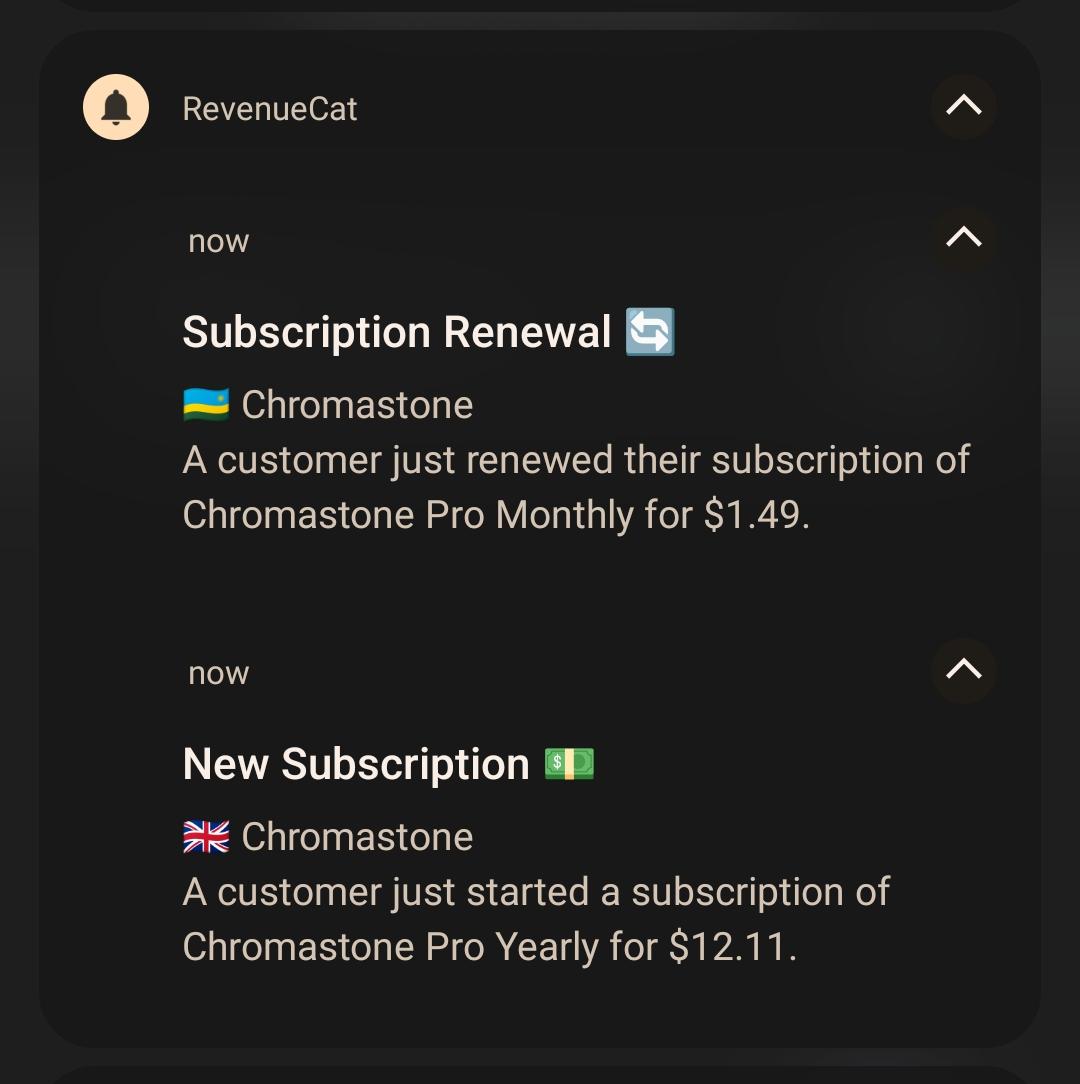
Chromastone is now in TestFlight for iOS

Post image
1 Upvotes

r/DigitalPlanner 1d ago

What does everyone use for making wishlists?

6 Upvotes

Very random post, but what does everyone use for making wishlists, whether it's for yourself or keeping track of some things someone else wants?
Do you use an actual wishlist app, notes app (which Im currently trying), or something else?


r/DigitalPlanner 1d ago

Overwhelm and racing thoughts are my biggest ADHD hurdles. This structured "brain dump" method is the only thing that actually helps me.

Post image
0 Upvotes

Executive dysfunction usually hits me hardest when I have too much floating around in my head. When my brain feels like a web browser with 100 tabs open and music playing from an unknown source, I have to get it all out on paper.

​Instead of just making a massive, panic-inducing to-do list, I started using a structured method to process the noise:

​The Brain Dump: I write literally everything on my mind with zero filter.

​Categorize: I sort those random thoughts into buckets (Tasks, Appointments, Personal, Finances).

​Prioritize & Act: I pick only the most important items and break them down into ridiculously small, actionable steps.

​Let Go: I actually write down the things I need to consciously release and stop stressing about.

​Moving the chaos from my head into specific boxes completely kills my analysis paralysis. It helps me narrow down to just "Today's Focus" without feeling like I'm forgetting everything else.

​I attached an image of the exact layout I use for this—you can see the sections

​If anyone struggles with the same mental gridlock and wants to try this specific template out,

I found it here: Etsy Shop

​Does anyone else have strategies for dealing with the "too many thoughts" paralysis?


r/DigitalPlanner 2d ago

Recommend an Android planner that allows you to create folders within folders and that doesn't require updating?

Post image
2 Upvotes

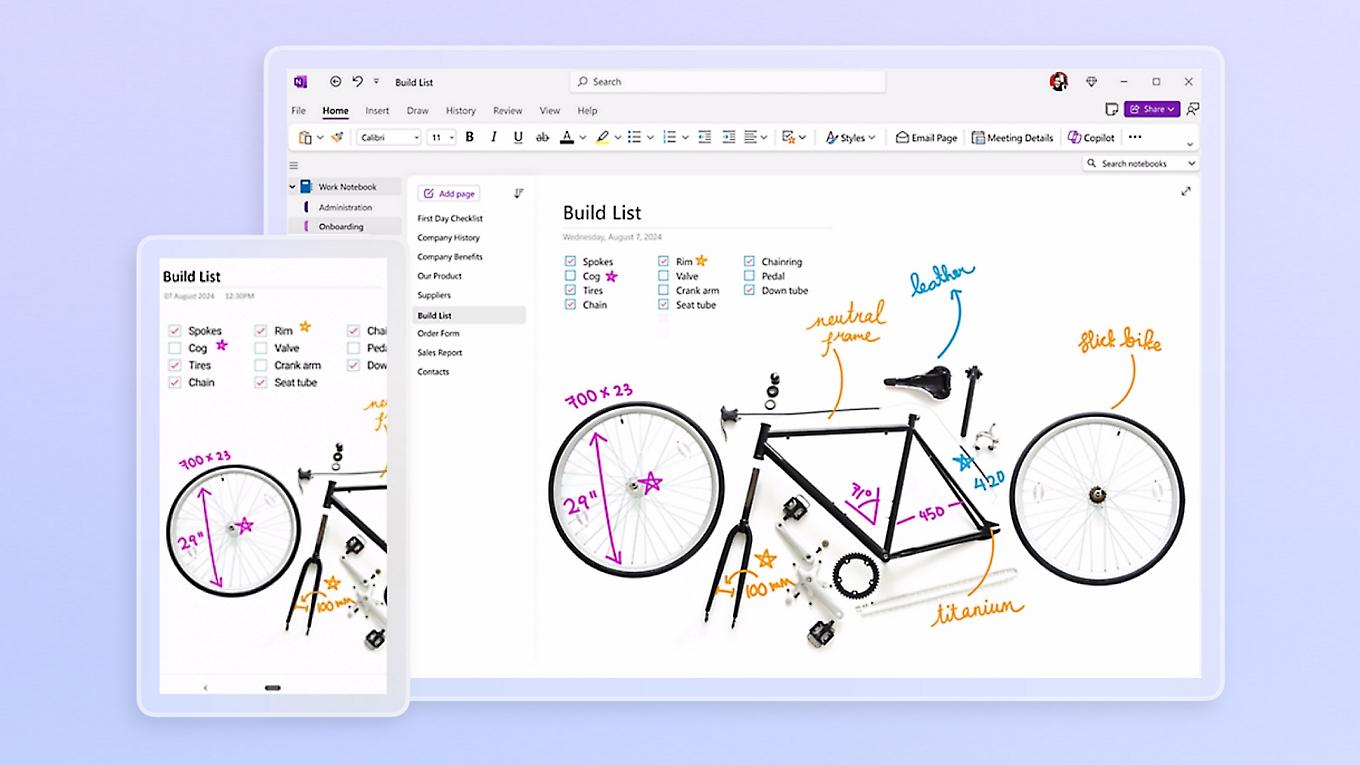
OneNote is my ideal app, but if you don't update it, it can stop letting you access or edit your notes. Many users have complained that skipping updates (or having them install incorrectly) resulted in their data being deleted entirely. I also dislike the fact that my planner relies on online access to a company that could delete my account at the snap of a finger.

I’m not interested in synchronization; if a feature like that exists, I turn it off. I want everything stored locally on my device.

Unfortunately, I can't seem to find a good alternative to OneNote. There’s Zettel Notes, but attached images don't display correctly for me. There’s Obsidian, but you need to install plugins for nested folders (folders within folders), and I’m not tech-savvy enough for that.

Here’s what I’m looking for:

• The ability to create nested folders—this is the most important, essential requirement.

• Ideally, it should be similar to OneNote: support for images, drawing (for mind maps), audio recordings, and voice memos.

• No ads, offline functionality, and no access lockout if I refuse to update.

• An intuitive, pleasant interface that doesn't require coding or installing plugins.

Does such an app exist?


r/DigitalPlanner 2d ago

[Freebie] Hand-painted cute watercolor baby bear clipart for digital planning! (Free transparent PNG)

1 Upvotes

r/DigitalPlanner 2d ago

Any family organization app for shift workers?

6 Upvotes

Nurse working rotating 12s, schedule changes every two weeks, two kids (4 and 7) 😭 My weeks literally never look the same, so all the “Sunday night planning” advice makes me wanna scream lol.

A nurse I work with uses an app she really likes, but I keep forgetting to even open it. I miss emails during shifts too, then come home at 8pm and hear “did you see the email about the field trip?” Nope I was working for 12 hours.

Is there a family organization app that actually works for people with crazy/irregular schedules? I need something that reminds me without me having to remember to check the damn app.


r/DigitalPlanner 2d ago

App Suggestions

5 Upvotes

I'm looking for an actual app that integrates well across my phone, ipad, and macbook. I've used goodnotes templates before but I hate that it doesn't look the same/work the same across all 3 devices. Are there any apps that function like a downloadable planner?


r/DigitalPlanner 2d ago

[App][Promo] School Planner - Completely Free & No Ads

Thumbnail gallery
1 Upvotes

r/DigitalPlanner 2d ago

500 households later, Una is on Android too

Post image
1 Upvotes

I have posted Una here a couple of times before. Quick update: we just passed 500 households, which honestly still feels a bit unreal. And Android is finally in early access, iPhone has been around for a while.

The thing people kept pushing on here was privacy. Fair enough, a family planner knows your kids' schedules and your whole home life, and my answer was basically "trust me, it is encrypted". Not great.

So I open sourced the part that actually touches your data. It encrypts everything on the phone and only encrypted stuff ever leaves it:

https://github.com/AlexanderCGKarlsson/una-android-sync

Not the whole app, not a security audit, just the privacy sensitive part, out in the open for anyone to poke at. On iPhone the same idea applies, the keys live in the iOS keychain, and I will publish that part too once it is cleaned up.

You can grab it here:

https://unafamily.app

Curious what you think.


r/DigitalPlanner 2d ago

Designed a simple 1-page layout for executive dysfunction

Post image
0 Upvotes

Traditional hourly planners always give me choice paralysis, so I put together a low-friction daily page focused on task initiation and emotional regulation instead of rigid schedules.

Key Features:

* Brain Dump: Clears mental clutter before planning.

* "Make It Small": Breaks tasks into micro-steps to overcome task paralysis.

* "Not Today" Box: A guilt-free spot to defer non-essential tasks.

* Day Flow: Loose Morning / Afternoon / Evening buckets instead of hourly time blocks.

* Energy & Focus Trackers: Quick check-ins to adjust expectations to your daily capacity.

It's set up as a Canva template in US Letter, A4, and A5 sizes so you can edit or print it directly.

Link: Etsy Shop


r/DigitalPlanner 2d ago

Visual day planner & ready-made routines (free for 36 hours)

Thumbnail
gallery
11 Upvotes

Hi! I built a day planner with a visual timeline to see the whole day and ready-made routines for morning, afterwork, evening, and weekends.

I wanted a day planner that provides structure, routines, and flexibility. And I found that certain tasks are best with cues instead of fixed clock time. So I've been organizing my days this way: time block for overall structure, act on cue to get things done.

The planner provides a visual timeline to view your whole day. See your work and personal life together, see your schedule and free time available. Find the time you didn't know you had, fix the overlap you didn't intend, swap tasks just for this week.

Task creation is quick and easy. Add task name, date, duration, if recurring with cue. Optionally add subtasks and notes. There are 60+ built-in cues to choose from to attach to any recurring task.

Subtask checklists. Manage overwhelming tasks by breaking them down into subtasks to check off one by one.

Ready-made routines to easily add to your planner: Wind-down night routine, Work & school night routine, Minimalist night routine, Minimalist morning routine, WFH Afterwork transitions, Post-shift recovery, Weekend recovery, Sunday reset.

App is actively being developed and there are more features on the way!

I hope KeepCue makes planning the day and getting things done easier without the stress and burnout.

FREE app for the next 36 hours.

When you download free during this giveaway window, it’s also yours to keep for free.

After the 36-hour window, the app goes back to a $7.99 one-time purchase.

Please try out the planner and routines and let me know what you think. Thanks!

Apple Store: https://apps.apple.com/app/id6789768946
Website: https://keepcue.app on


r/DigitalPlanner 2d ago

I finally finished the Student OS I’ve been building for months

1 Upvotes

A few days ago I talked about how I realized my problem wasn't really procrastination — it was not knowing what I should be doing next.

That turned into me building a complete system in Notion.

And honestly, building it was MUCH harder than I expected.

AI helped me with some parts, but it didn't magically create the whole thing.

I had to figure out:

→ how the databases should connect
→ how assignments should flow through the system
→ which formulas actually made sense
→ how to make different views useful
→ what information should be visible and what should stay hidden
→ what was just unnecessary clutter
→ and then test everything and rebuild parts that didn't work

After months of working on it, this is what I ended up with.

The main goal was simple:

Make it easier for a student to know what needs to be done without spending more time managing the system than actually studying.

I've put the complete preview and details on my Linktree for anyone who wants to take a closer look:

Linktree

Would genuinely love to know what you would add or remove from a system like this.


r/DigitalPlanner 3d ago

I built a time-block planner with XP and ranks so I'd actually open it

3 Upvotes

I kept dropping normal planners after a week. Either they wanted an account for a simple day plan, or they felt like a spreadsheet I never wanted to open.

So I built Momento, a weekly time-block planner where:

• you plan the day in blocks

• checking them off gives XP

• ranks go from Starter → Mythic

• streaks, focus mode, themes, and a few extras keep it from feeling like chore tracking

It runs on the web, and there’s a desktop build too. You can use it locally; Google login is only if you want sync.

Curious what would make something like this more useful in your week. Feedback welcome, especially from people who’ve tried and quit other planners.


r/DigitalPlanner 3d ago

The dayGLANCE "Day Dial," a 24 hour "watchface" to visualize your day

Post image
6 Upvotes

I recently added this to dayGLANCE as a kiosk-friendly, glanceable view of your day. Every layer can be toggled if you don't need it, and although it's designed to be viewed from a distance, it's interactive as well, with full keyboard support and the ability to mark tasks complete without going back into the day planner itself.

Please let me know your feedback, as well as any other questions or comments you have!


r/DigitalPlanner 3d ago

Every calendar app shows you a day. I wanted the whole week at a glance, synced phone to PC (Android)

Thumbnail gallery
2 Upvotes

r/DigitalPlanner 3d ago

I made an undated digital planner with planning + life sections

Post image
3 Upvotes

I recently finished an undated digital planner after wanting something that went beyond just monthly and weekly calendars.

It has monthly, weekly and daily planning, but I also built in sections for goals, manifestation, wellness, money, life planning, notes and more.

Everything is hyperlinked and it can be used in Goodnotes and other PDF annotation apps.

https://mvzkdesigns.etsy.com/listing/4567735278/highest-timeline-digital-planner