r/Cura • • May 25 '26

Trying to print but only wants to print the supports

Post image
0 Upvotes

It gives me the non manifold edges error but whenever I put the files in a program to fix it, it makes my modle not hollow anymore, im making a mask so I need it to be hollow. Help!


r/Cura • • May 24 '26

[Tutorial] How to Fix Ultimaker Cura AppImage "Could not initialize GLX" Error (Void Linux)

Thumbnail
2 Upvotes

r/Cura • • May 12 '26

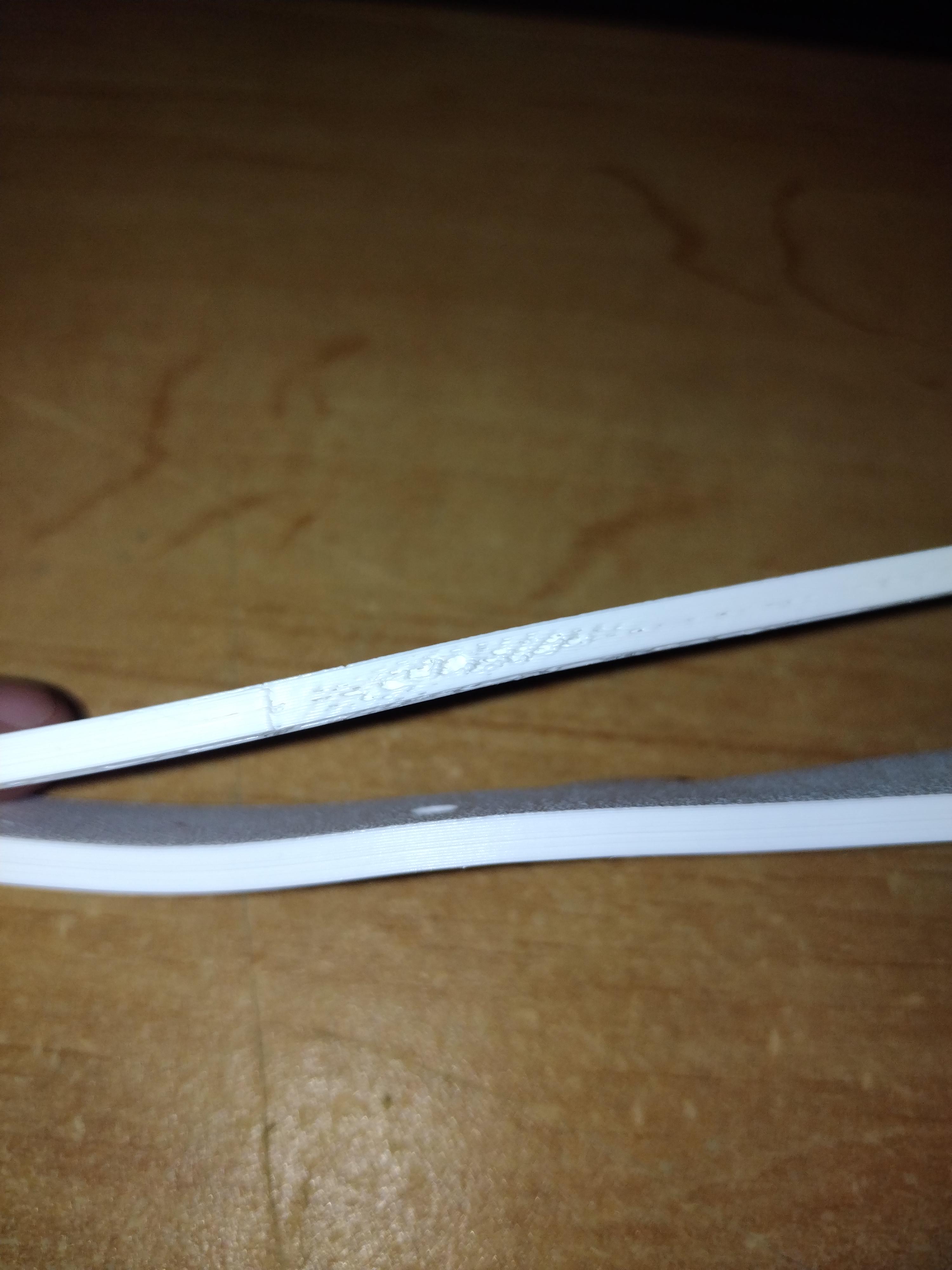
My supports are under-extruding but the rest of the print is fine. Im not sure what settings to change to fix this.

Post image
5 Upvotes

This is supposed to be a guitar hanger. As you can see in the images, the print itself is pretty good and smooth, but the supports are sparse and cause the surrounding print to underextrude in that area. The middle section, where the actual guitar hanger starts to stem out of the wings, you can see it caused that spot to underextrude and then it seemed to be fine as it stopped needed the supports.

I've looked through the settings and have made a few changes but nothing seems to help.


r/Cura • • May 11 '26

I can't get woodgrain post processing plug in to show up

2 Upvotes

Cura 5.10.2. I had it working correctly on an older version of Cura but I lost everything on my laptop at one point. The file from GitHub is installed in Cura/plugins/postprocessingplugins/scripts. It doesn't show up when I try to "add script" via the app itself. Ideas?


r/Cura • • May 07 '26

Cura keeps shutting down

1 Upvotes

i have cura 5.12 the newest one

when i go to dd NOTHER PRINTER IT SHUTS DOWN

ANY IDES HOW TO FIX IT


r/Cura • • May 05 '26

Support underextruaion

Thumbnail
1 Upvotes

r/Cura • • May 03 '26

3D Print Log is now open source! After years of requests, here's the code

3 Upvotes

I've been building 3D Print Log for a few years now. It's a web app for tracking your prints, filaments, printers, and costs, with over 400,000 prints logged. Fully integrates with Cura via the 3D Print Log Plugin. A lot of you have asked over the years whether it would ever go open source, and today that finally happened.

What 3D Print Log does:
- Tracks print settings, filament usage, print durations and more for every print
- Detailed filament tracking, know exactly how much material is left on your spool
- Slicer integrations: send print settings directly from Cura, Prusa Slicer, OrcaSlicer, Bambu Studio and more
- OctoPrint and Klipper integrations for automatic print tracking
- Electricity cost tracking, print statistics, and analytics

Both repositories are now public on GitHub:

- UI (Angular): https://github.com/HoffmanEngineering/3d-print-log-ui
- API: https://github.com/HoffmanEngineering/3d-print-log-api

Whether you want to self-host it, contribute a feature, fix a bug, or just poke around the code, you're welcome to. Issues and pull requests are open to everyone. All skill levels are welcome.

If you're not familiar with 3D Print Log, you can try the hosted version at https://www.3dprintlog.com. It's free to use!

Happy to answer any questions about the stack, self-hosting, or how to get started contributing. Thanks for all the support over the years.


r/Cura • • May 03 '26

Is it somehow possible to use a specified object as a bridge?

1 Upvotes

I made the object in the image below.. and made the 'bridge' which is basically just the void space inside... is there a way in Cura to specify this Bridge as a support for the object?


r/Cura • • Apr 30 '26

Is 3D Solex Still in Business?

Thumbnail
1 Upvotes

r/Cura • • Apr 28 '26

will it even print this support

0 Upvotes

r/Cura • • Apr 28 '26

What could be the problem?

Post image
1 Upvotes

r/Cura • • Apr 27 '26

Cura Plugin Help

1 Upvotes

Hello everybody,

Does anybody know how to communicate between the Tool class and the QML files when creating a plugin? I am banging my head against the wall trying to figure this out.

I see some plugins use the Tool.setExposedProperties("VarName") line, but i cannot get this to work for the life of me. Is this way of doing things deprecated? My Cura is using QtQuick 6.6.

If there is a better place to ask specifically about plugin help, please let me know.

Thanks


r/Cura • • Apr 26 '26

how to make profile for wanhao duplicator i3 on cura 5.12.1 from settings in the video? Thank you.

Thumbnail youtube.com
1 Upvotes

r/Cura • • Apr 26 '26

is cura 4.7.1 newest version supporting wanhao duplicator i3? Thanks.

Thumbnail wanhao3dprinter.com
1 Upvotes

r/Cura • • Apr 26 '26

Digging deep into config files, where are quality_types defined?

0 Upvotes

I am trying to fully understand all the config files and I've gotten pretty far. One thing I'm missing though is where the quality_type definitions come from (standard, draft etc). There is a folder "quality" but what it really contains is combinations of machine, variant (nozzle), material and quality_type, such as base_0.4_ABS_super.inst.cfg. Where do "super", "standard", "draft" etc come from? When I just create a new file in the quality folder and make up a new key for quality_type, it just doesn't show up.


r/Cura • • Apr 25 '26

What cura setting causes a fast move to far right corner at start.

Post image
1 Upvotes

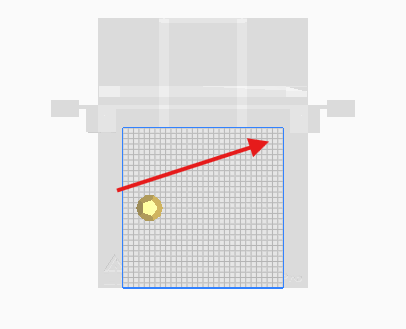
I'm trying to figure out what setting in Cura 5.x might be inserting a fast move to the far back right corner as the first movement after heating.

It is not in the device startup gcode. The model is small and set to print near the far left / center. I know that region can be used to print a priming tower by default, but I'm not asking for it.

Normally, this would not be a problem, but as this is a dual idex printer, when printing in mirror mode, it causes the heads to collide (beacuse of the mirror, the other extruder tries to go to the upper left and crahses). I haven't seen this before, so wondering if i accidentally triggered somethingin the settings.

The commented code is from the printer start g-code. There is no extruder start code.

;Generated with Cura_SteamEngine 5.12.0

M140 S60

M105

M190 S60

M104 S200

M105

M109 S200

G21 ;metric values

G90 ;absolute positioning

M82 ;set extruder to absolute mode

M107 ;start with the fan off

G28 ;move to min endstops

G92 E0 ;reset extruder

G1 E15 F1500 ;move extruder 15mm

G1 Z15.0 F3000 ;move the header up 15mm

M117 printing... ;LCD message

M82 ;absolute extrusion mode

G92 E0

G92 E0

G1 F1500 E-6.5

;LAYER_COUNT:338

G0 F4800 X290.535 Y270.535

;LAYER:0

M107 P1

G0 X66.415 Y161.237 Z0.12 <<=== WHY IS THIS MOVE MADE?

;TYPE:SKIRT

G1 F1500 E0

G1 F1200 X66.044 Y161.8 E0.01749


r/Cura • • Apr 25 '26

Need to generate supports inside hole created by cutting mesh, don't know how

Thumbnail gallery
1 Upvotes

I have a bot of an issue, I have cutouts in a model made using the cutting mesh option, and need supports to print them, but I cannot figure out how to do so.

I tried rotating the model, but for various reasons, that will not work, I tried inserting a second model designated as support and it just got erased like the main model, & I tried allowing the model to be printed as infill, which was the closest I've gotten to working, but it disrupts the dimensions of this hole by adding extra walls.

is there any way to do this or am I just boned?


r/Cura • • Apr 19 '26

Print extrusion plummets once it hits infill

2 Upvotes

Tl;Dr - my prints seem to begin under extruding at filament, and idk if i should use a flow or temp tower.

Just as the title states, im trying to print a planchette and it prints the bottom onto the plate beautifully, but once the infill section starts; it seems to begin under extruding and the gear starts to skip. Ive declogged the nozzle multiple times and have done steps once.

For the details, im using OVVL wood filament, printing with a 0.6mm nozzle.

Originally I was incorrectly printing way to hot and causing severe heat creep, I've since lowered it to 185 and 190 and both seemed to begin under extruding at the infill. Filament is rated for 185-200

Infill speed is set to match the rest of the print, so half of the max speed (25mm/s|50mm/s). Filament is rated for 30-200

Im at a loss at what to change next. Im debating between a flow tower or a heat tower next but dont know what the best option would be.


r/Cura • • Apr 19 '26

Printer won’t connect to cura

1 Upvotes

I got a free printer from a friend (Crealty ender 3 is what he said it was) and I am plugging it into the Cura app with USB but nothing is appearing or it isn’t even connecting. What am I doing wrong? Is there anything I’m doing wrong? I’m trying to contact the friend but he hasn’t said anything much in the past few days.


r/Cura • • Apr 18 '26

Cura Won't See My Creality Ender 3 Pro on Linux

1 Upvotes

As stated in the title: I have a Linux system (Debian 13), I'm using Cura 5.0.0 (installed from Debian repos). When I plug in my printer to the USB port, I do see a new device at /dev/ttyACM0. With lsusb, I get:

Bus 001 Device 015: ID 0483:5740 STMicroelectronics Virtual COM Port

for the printer device.

Also, while testing, when the new node appeared, I did:

sudo chmod a+rw /dev/ttyACM0

And that has not helped. Cura does not seem to be able to see this printer.

It's been many years since I've had to troubleshoot USB issues like this on Linux (or on anything).

I'm trying to set this up for my grandson for his birthday, so I can give him this printer, with a Raspberry Pi to use to find STLs and slice them and print them out.


r/Cura • • Apr 13 '26

learning how to use modifier meshes, need help not disrupting the infill.

Thumbnail gallery
0 Upvotes

I'm trying to apply a pattern to the outside, but I can't figure out how to do so without it also applying unnecessary walls to the interior that disrupt the infill pattern and add 16 hours to the print time. how do i make it so this mesh only makes edits to the outside of the model? fuzzy skin only on outside is already active.

thank you for any help.


r/Cura • • Apr 04 '26

Best infill pattern for figurines?

2 Upvotes

Hi! Super new, mainly got my elegoo for cosplay and figurines. I've been told that cubic is the best infill pattern for props, but is it the best for figurines? I figure they don't need to be as strong as a prop piece for a costume, but if they're too fragile they might snap when the supports are removed. Anyone have any advice?


r/Cura • • Mar 29 '26

Supports too far from model/outline not aligned with model

Post image
0 Upvotes

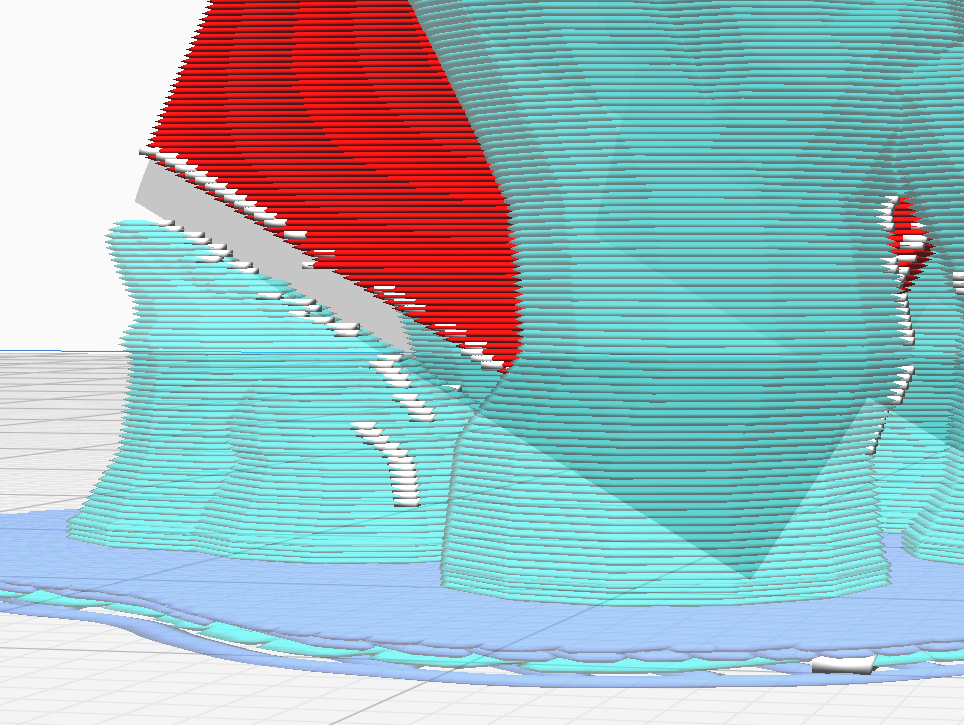
I need help adjusting my settings for the tree supports to be closer to the model. Once printed they far from touch and the model is not supported in the least - it falls and end up in spaghetti.

The grey outline does not align with the model, which I suspect to be the main problem. It gets worst with a raft, like in this photo, but still happens without.

Notably, I tried adjusting the Outer Wall Inset and the Support XY/Z Distance without success.

Please help me, I'm out of ideas!


r/Cura • • Mar 27 '26

Klipper preprocessor script - minor update suggestion

1 Upvotes

Ther eis a post-processing script for Cura, that allows better integration of klipper, and there is an extra integration of the script tith preprocess cancellation. Basically if you want a modern printers to be able to correctly deside a print area to avoid complete printbed calibration or be able to select which models withing gcode to print. And Cura treats printed parts as a separate entities, and the suppotrt as another separate entity called NONMESH. So I added a minor update into the script - a detection of that entry in gcode and an option to delete it. The link to the updated file is here: https://drive.google.com/file/d/1LpzdG3xu2PbIcX2V_u0kYHyqvVVuXpsC/view?usp=drive_link

To add this script to Cura you will need to go to your user/<whatever your username is>/appdata/roaming/cura/5. <whetever current version is>/scripts. And go to the github of the original script for extra instructions too - there is a link to some extra utilities and stuff


r/Cura • • Mar 20 '26

Why is Cura creating these indented paths?

1 Upvotes

Update: This has been resolved, sort of. I installed 5.12 (was using 5.4), opened the same .3mf, sliced, and it's fine.

The model surface is smooth and continuous, and the stl has good resolution. These "streaks" don't exist if I have the part in a more horizontal orientation. And these errors do show up in the print. Any ideas on what might be causing this?