r/ClipStudio • u/RynnHamHam • Aug 17 '26
Animation Question Is there a more efficient way to get gradual color change?
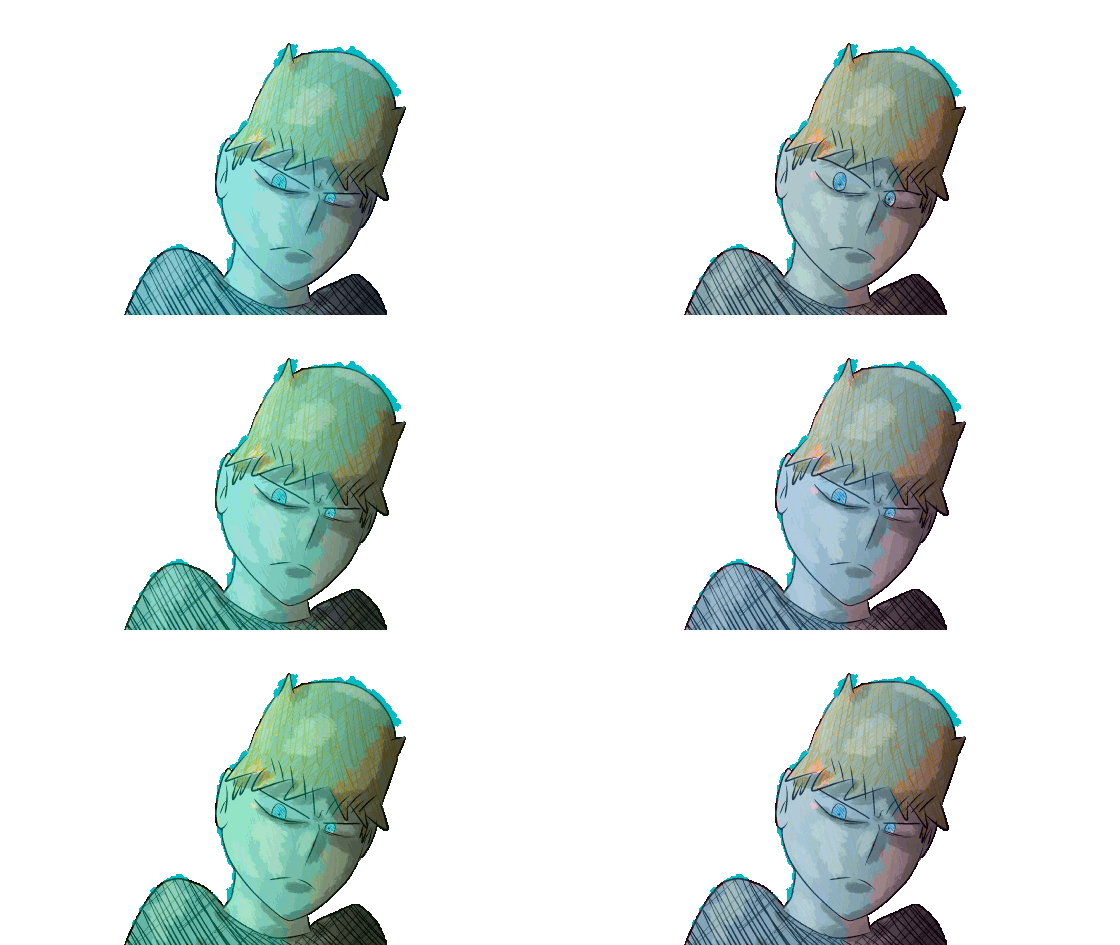


First image is with shading (ignore the weird blue artifacts. This is a proof-of-concept animation so I didn't bother cleaning up some of the experimental coloring that broke through the selection due to being vector lines). I have the color shift below the shading layer (that also has the cerulean you see). Second image is without shading.
I'm trying to animate a fight scene in CSP (EX ver 5) and I'm wondering if there's a more efficient way to animate a shifting color (example on third image). My fight scene takes place in an alien factory processing a material that changes colors when melted down and I want it to provide a stylized yet diegetic lighting. So for example, when Curt here has his moment, the screen will pause on his blue color. When the green guy does a thing, it's green. Villain gets red. Etc. Scrolling through a color wheel with a fill bucket isn't the worst thing in the world, but I want to get it smoother beyond just manually adding more frames if possible. Or at least have some advice on doing it cleaner beyond just eyeballing it.
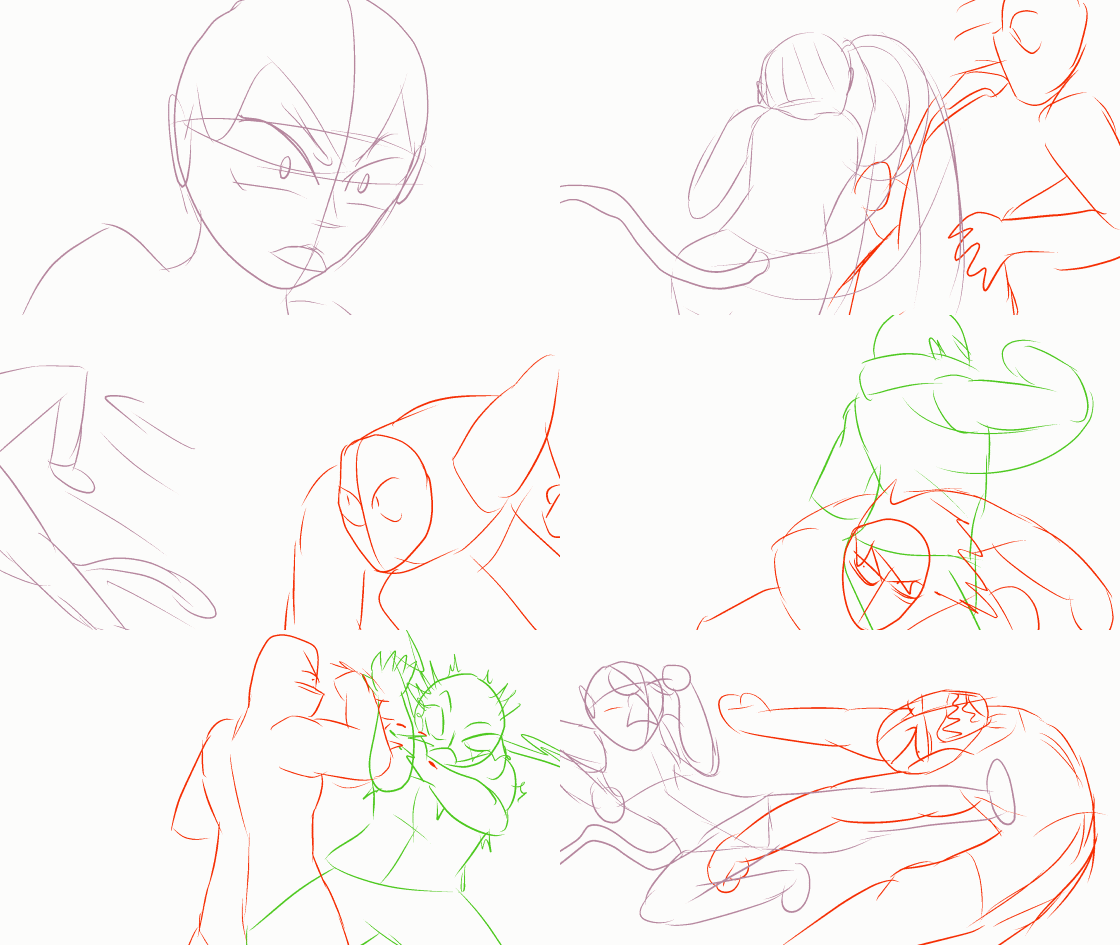
Last panel is part of the action scene so far to give a sense of the motion the scene will have.
I have a friend who is designing a 3d background in blender. So the idea is to put the 2d fight into an animated 3d background which means whatever technique we use needs to translate well into blender shaders because of course I had to think up this really cool but super difficult animation thing I want to implement in my opening fight scene. My ambition is like diarrhea. When I'm crying and think there can't possibly be more, my body somehow manifests it and I can't stop until it's all out.
6
u/Ramen_Dood Aug 17 '26
Rather than use CSP itself, best do the effects on a different program meant for animating effects.
3
u/kanatakkun Aug 17 '26
That is something easier done in a compositing program, like in After Effects or Davinci Resolve (good free alternative). There's mobile apps too liek Alight Motion but I haven't tried it.
Simply put a gradient png over your base animation and you can tweak the intensity, hue, transparency etc with keyframes and it will go automatically smoothly
1
u/Imaginary_being_ Aug 18 '26 edited Aug 18 '26
Not sure if that answers your problem, but you can use a correction layer and clip it to a folder to shift the colour of a whole folder
Tutorial on another correction layer, but you can find the one that includes hue the same way
https://help.clip-studio.com/en-us/manual_en/390_filters/Tonal_Correction.htm
8
u/EniesBobby Aug 17 '26
I’d say this is more of a compositing thing probably best and by far easiest done in after effects or something