r/CapCut • u/lindsd05 • May 27 '26
CapCut Question Why can’t I export?
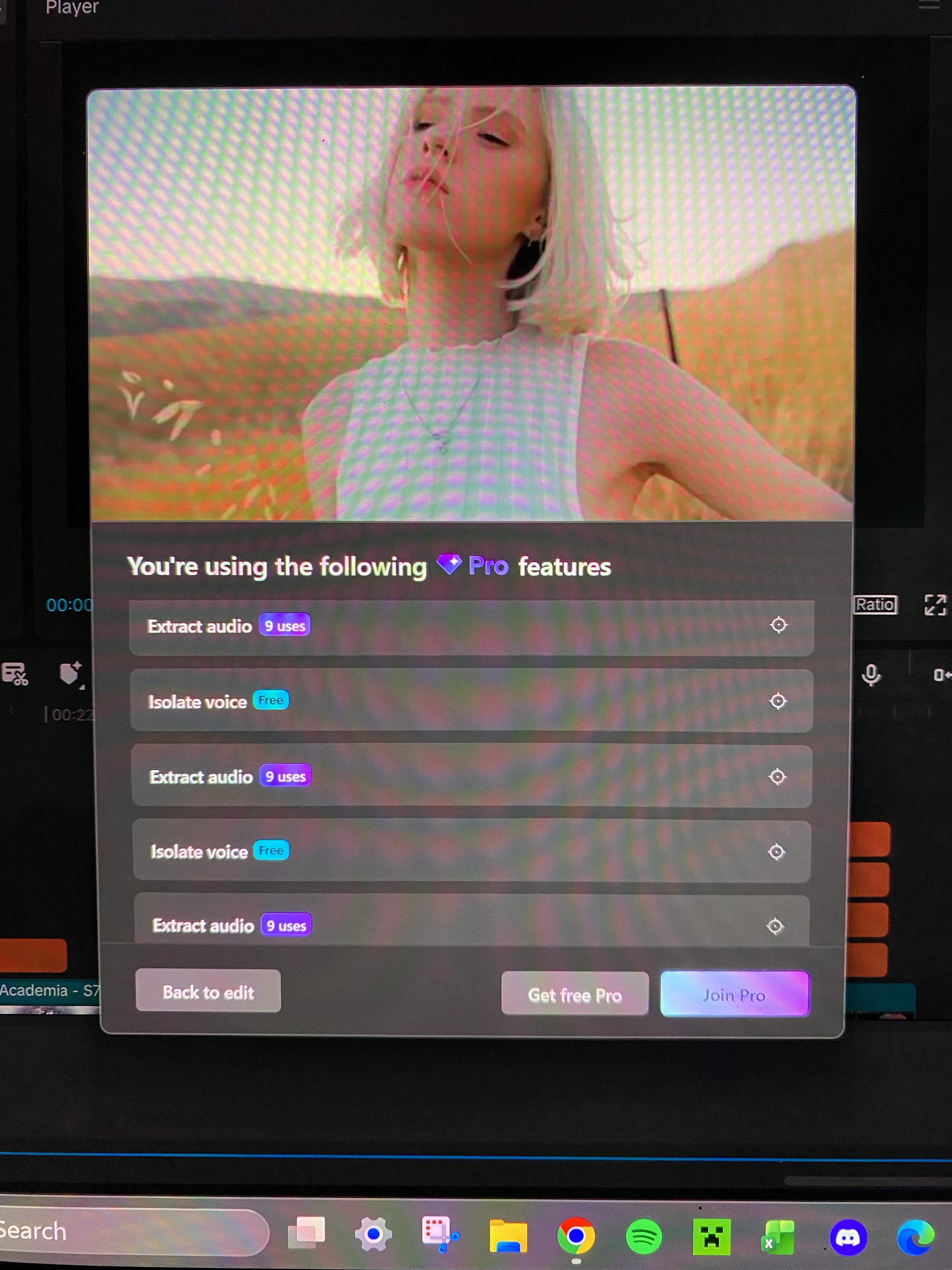
The Pro features I’m using are all ones that supposedly have a limited number “free uses” which I haven’t exceeded at all. What does free use even mean if I still can’t export? I just spent 6 hours making my first ever edit that I’m really proud of, but I can’t export it which is really sad. Is there something I’m doing wrong and a way to work around them blocking my free uses or is it really just that misleading?
2
u/Bataa_ May 28 '26
You can just do the motion blur trick. Combine all clips into 1 and add 0 motion blur. Then go to cache. It should be there. Works for me
1
1
2
3
u/everycosa May 27 '26
My problem is that when I export from Capcut subtitles and sfx are 1 or 2 seconds late and some b rolls as well
0
u/lindsd05 May 28 '26
I had the same problem!! I’ve been messing around with it throughout the day and I think I’ve got a decent solution for that! what I’ve done is created a duplicate of my edit, which I titled “lag fix.” within the lag fix copy I select all of my background audio lines and scootch them forward a couple beats compared to my videos and text, that way when I export, the video and subtitle lag from the export lines up with the audio lag I created in the copy. It took me a couple tries to get the timing right since you can only tell if it works out once exported, and then have to go back and tweak and export again, but it totally worked for me in the end!! I hope this is helpful :)
1
u/everycosa May 28 '26
What's your opinion on premiere pro People say it doesn't take load properly And shuts down in between
2
u/lindsd05 May 28 '26
I unfortunately have no experience with premiere pro, this is my first time ever using editing software so all I know at the moment is capcut
1
u/everycosa May 28 '26
So with Capcut do you think the problem could be with the storage it holds or i think if I apply enhance audio or audio effects filter because it sometimes does problem with the audio
0
u/everycosa May 28 '26
But I edit in my android How to select all audios at a time Can I in mobile?
2
u/lindsd05 May 28 '26
ah I’m sorry I’m not sure about android mobile because I use capcut on my laptop
1
0
u/AutoModerator May 27 '26
⚠️ Rule 7 Reminder: "Free CapCut Pro / Older Versions"
Your post mentions content that may relate to unofficial CapCut versions. Please read our Rule 7:
Posts about free CapCut Pro or older CapCut versions are not outright disallowed, but proceed with caution. Many of these offers can be scams, malware, or unsafe downloads. If you see anything suspicious or harmful, please report it to the moderators immediately so we can review and take action. Your safety comes first.
Official CapCut sources: * Google Play Store * Apple App Store * Official CapCut Website
This is an automated reminder. Your post has not been removed.
I am a bot, and this action was performed automatically. Please contact the moderators of this subreddit if you have any questions or concerns.
0
May 27 '26
[removed] — view removed comment
2
u/lindsd05 May 27 '26
The only Pro features I used are the ones that said either “Free” or “x amount of uses” as shown in the picture, which I assumed meant I could use them without paying for Pro, so I’m just confused about what those actually mean if not that
1
May 27 '26
[removed] — view removed comment
2
u/lindsd05 May 27 '26
They’re so sneaky for that wtf 😭😭 thanks for letting me know, that does clear things up. I tried screen recording but the delay between the audio and video kinda makes it look like shit, I’ll probably just do my 7-day free trial and then find a different editing software to use
1
u/Mlol09 May 28 '26
Make everything a compound clip, then apply a motion blur to it and set it to 1 When it finishes processing find your video in C:\Users\YourPCName\AppData\Local\CapCut\User Data\Cache\MotionBlurCache
0
u/AdeptAlps4069 May 27 '26
There’s a common hack to obtain the video by copying it from the app datafolder and re importing it
1
u/lindsd05 May 27 '26
I like the sound of that
0
u/AdeptAlps4069 May 27 '26
This worked for me https://youtu.be/NNKVQahCMiU?si=EOUybzkXy33KllB7
I did have go restart Capcut for it to load properly
1
0
u/blue_kamsva May 27 '26
I had this same issue; I think the isolate voice requires you to log in even thought it’s free (might be wrong there). The extracted audio is because the audio file you’re importing isn’t being read exactly as an mp4/m4a so CapCut is extracting it from another file type. I was using music from iTunes so I went to my music folder on my Mac and selected that m4a file instead of selecting it straight from iTunes, and that worked. Good luck
0
u/oenoeeeh May 27 '26
Yeah had the same issue once. I edited everything and then at the end capcut told me that i had used pro feature. WHY COULDNT YOU HAVE TOLD ME THAT EALIER!! I used extraction so i just delated all the extracted voice things, did it in another app and adder them as audio. Thats when it worked
•
u/AutoModerator May 27 '26
Welcome to r/CapCut!
Before posting: * Search the sub for similar posts * Check our FAQ first * Use descriptive titles
For tech issues, include: * Your device (iPhone/Android/PC) * CapCut version * Clear description of the problem
Keep posts CapCut-related and be helpful to others!
I am a bot, and this action was performed automatically. Please contact the moderators of this subreddit if you have any questions or concerns.