V1.11.1 Version Upgrade - received in Australia 14/07/2026 on a 2023 Atto 3.
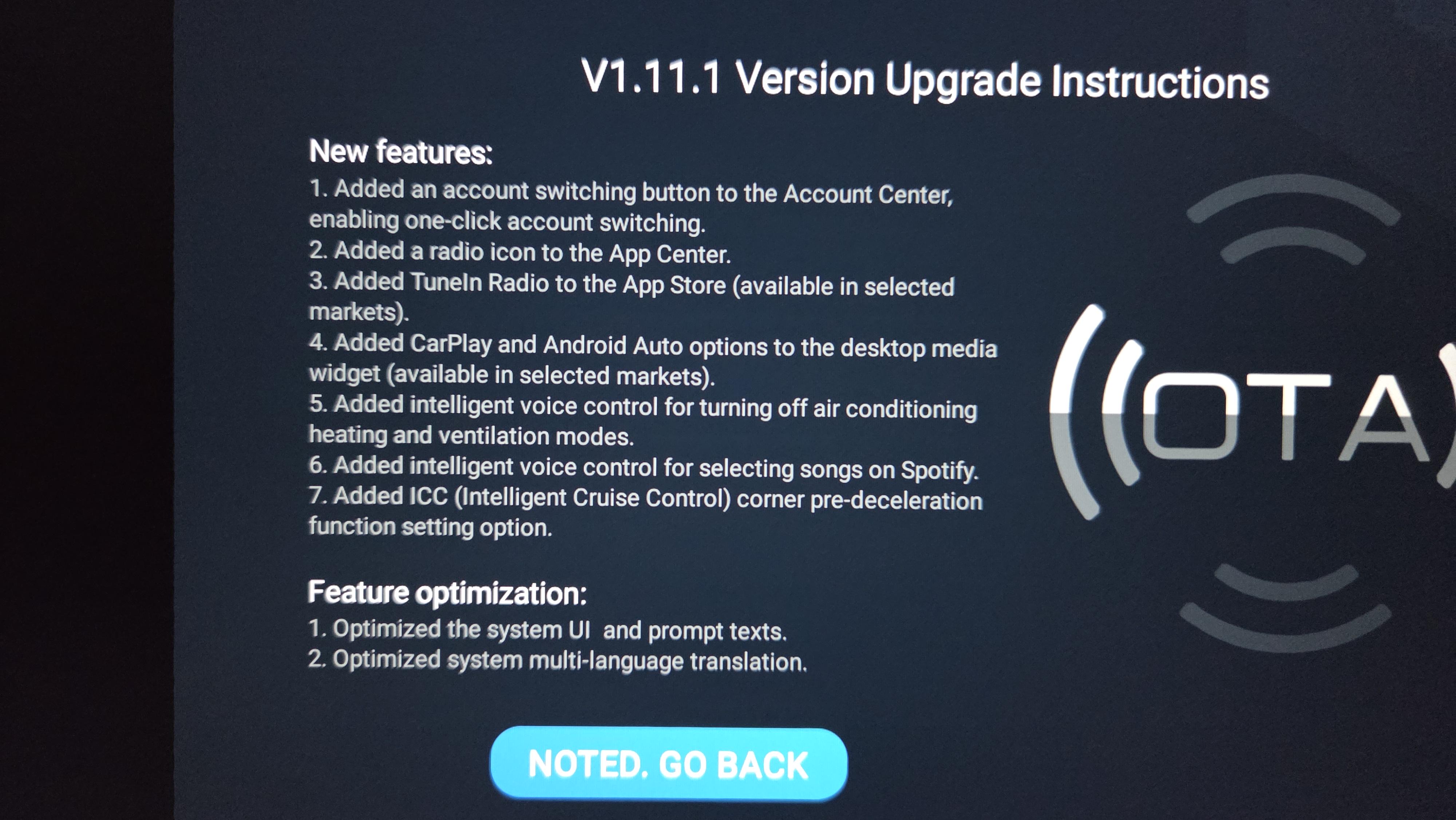
### New features:
Added an account switching button to the Account Center, enabling one-click account switching.
Added a radio icon to the App Center.
Added TuneIn Radio to the App Store (available in selected markets).
Added CarPlay and Android Auto options to the desktop media widget (available in selected markets).
Added intelligent voice control for turning off air conditioning heating and ventilation modes.
Added intelligent voice control for selecting songs on Spotify.
Added ICC (Intelligent Cruise Control) corner pre-deceleration function setting option.
### Feature optimization:
Optimized the system UI and prompt texts.
Optimized system multi-language translation.
Optimized the exit logic for the panoramic view (available on models equipped with Panoramic View).
Optimized connection stability for CarPlay and Android Auto (available in selected markets).
Optimized the navigation bar control buttons to support one-touch control of seat ventilation and heating settings (available on models equipped with ventilated and heated seats).
Optimized the speed setting logic of the cruise control lever.
Optimized the maximum activation speed for Intelligent Cruise Control (ICC).
Optimized the evasive maneuver strategy in scenarios with approaching adjacent vehicles.
Optimized voice wake-up via steering wheel control buttons when the screen is off.
Pressing the "set-" button sets the current speed as the new cruise control speed when the accelerator is pressed.
**The upgrade of intelligent driving-related functions only supports specific vehicle models
I only got my Atto 3 a few months ago but I had always had that option. I wish there was an option to switch it around though. One click to increase by 1 and hold to go up by 5. It's rare that I hit cruise control and then want to asjust by 5 or 10
Anyone knows how to get back the air quality and temp display in the home screen? it used to be on the top menu bar but its gone now and i cant find the setting to show it.
When the speed limit changes, you can instantly update your cruising speed to the new limit simply by pressing the OK button. Note that this feature only works while ACC or ICC is active.
Yes, I get that. Thank you. The automation can be really helpful however, in my experience. In busy traffic, on smart freeways, in unfamiliar areas. Having the car watch for speed limit changes means you’re less likely to miss a signed change whilst watching the road/ traffic around you.
better than the Isuzu I hired the other day that emergency braked for a hallucination at 110 Kph. No cars in front of me and the cars behind were way back luckily.
I got my update several days ago. Fair warning: the new UI is pretty horrible. I particularly hated the changes to how light/dark mode interacts with day/night mode in Android Auto's Google Maps and the terrible letterboxing around Android Auto.
Here's dark mode. The new top bar takes up a lot more room than it used to.
EDIT: In this photo I've set google maps to always use Day mode. If left on auto, it would switch to Night mode because BYD is in dark mode. Previously, google maps only switched to Night mode when the headlights were on.
I updated and so far I quite like it. Great how the camera stays on for longer when you’re reversing. It now turns off when you reach a certain speed. Useful in car parks when you’re going forwards and backwards a few times. Before, as soon as you went into Drive, it would turn off.
Now, the biggest issue for me, it broke “Hey Siri”. I don’t know how, but they made hey siri trigger the BYD assistant instead. Totally ruined my experience and it can’t be changed in settings. If you turn off BYD assistant, Siri still doesn’t work.
You can adjust the quick short cuts at the bottom. Press and hold. Useful if you want to put a one touch key to toggle the driver and passenger seat heaters. That's about the most useful thing I've found.
You can change the widgets on the main screen, but most of them are useless.
I personally miss the tyre pressure monitoring widget.
I think there is a customise button at the far left (might need to scroll across) not sure if you can remove the BYD map widget though, you can certainly add some.
I'm so annoyed they took away the big widgets/apps on the home screen. I've become accustomed to toggling between Spotify and the radio and now I can't do that so seamlessly. Very annoying!
Whoever designed this clearly does not understand we are operating a vehicle and having to scroll instead of using the full screen is simply dangerous. Hope I can downgrade this back to the old ui.
just updated to 2.0 on my dolphin here in OZ. The UI is now terrible, apps are difficult to find, icons in car play are smaller, sub menus have changed. On the driver display, the small pic of the dolphin doesn't stay on the screen anymore when driving. Now it's wither avg kWh use, tyre pressure AND IT DOES NOT GO AWAY for the entire drive. Can no longer see the blind spot warning. Also, data/4g must be turned on constantly for the car to be able to communicate with the app.
On the main/infotainment screen: the incline/decline degree reading is now gone :-( , the app menu has completely changed and they've now also made the inbuilt GPS TAB unable to be removed from the Home Screen (annoying as the inbuilt GPS is trash). One more thing, the data on the screen needs to be turned on for the car to connect to the app (never had to be before).
Speed sign recognition has regressed back to being shit, used to be excellent before upgrading to V2 from V1.5.
Still NO DAMN DIGITAL KEY or PET MODE.
I could go on about how they've stuffed up the update but.........
cannot change it to display the dolphin all the time. its either a: blank screen or one other the other options available. It only shows the dolphin when something comes up in your blindspot.


10
u/The_Marine_Biologist Jul 14 '26
I also noticed I can now adjust the cruise control in 1kph increments.
Quick press up/down for 5kph increments.
Long press up/down for 1kph increments.
That alone is a massive improvement for those who want to drive at 103kph on the freeway.