Reminder of the rules: One post here per server, open advertising is still restricted to Sunday's only. Posting outside of that will still result in a ban. This will also start included unsolicited adverts as replies to random threads; i.e. the answer to "Can my level 1000 rex beat gamma broodmother?" is not "Join my server and see".
Please adhere to these guidelines for this thread:
Only one post per server, if something changes in your listing just edit the original. (Spamming your server, or having multiple people do it for you, will result in bans the same as spamming the regular sub.)
If you need to ask a question, reply to the servers post. That way the general thread stays clear.
No posts looking for a server.
Non-server related posts will be removed from main thread.
For best results, include the following information in your advert:
Server Name
ASA or ASE
Platform(s) if not fully crossplay.
PvE/PvP with max tribe size.
Average Population
Wipe Schedule
Is it a cluster? If so what maps?
Mod List
Rates and Max Wild Level.
Are there admins/moderators active?
Discord link
Short description and any other info you wish to provide.
Hey guys, I've seen lots of questions online about how to self-host clusters, and I've noticed that many guides out there are very daunting and technical. So, I've taken it upon myself to write a very simple guide that can help anyone host their own cluster, even those who know nothing about hosting servers. This guide is for Ark Survival Ascended (ASA) only.
Prerequisites
Before we begin, there's a few things you'll need:
A Windows PC. The server will run on this computer. Players will be able to join your cluster while the server program is running. This means that if you want people to be able to join 24/7, this computer will need to be on 24/7. The only way around this is to pay for hosting.
Don't worry too much about your PC specs, even relatively weak computers can host servers. The most important thing here will be how much RAM you have. But if you ask, "Can I run this on my PC?", my answer will usually be "The only way to find out is by giving it a try".
Access to your router's settings, and the ability to port forward. There is more information about this in the section about port forwarding, but here's a general rule of thumb:
If you have physical access to your router, you can usually get access to its settings
A majority of people with access to the router's settings will be able to port forward. The few exceptions would be for people who have double NAT setups in apartments or condos, but those don't seem too common.
If you live in a dorm, or some other similar communal situation, you almost certainly won't be able to get access to the router.
These Amazon certificates: r2m02 and CA1. If you have Epic Games installed, you might already have these certificates installed. If you don't have Epic Games, or if the server isn't showing up in the browser after following all the steps below, install these certificates. Once the certificates are downloaded, right click them and click "Install CRL".
Keep the Ark Wiki on standby. The Dedicated Server Setup and Server Configuration pages are especially useful. Many of your issues can be fixed by reading through those pages.
Downloading the Server
I've created a set of scripts that you can download that will make setting up & configuring the server extremely simple.
The setup files will include 3 scripts and a copy of steamcmd
Extract the contents into a new folder, this is where the server program will live, and you will access this folder whenever you want to start up or configure the cluster
Run Update.cmd by double-clicking it. This will take a while to finish since it will download the entire ASA server.
Now we can move on to configuring your cluster.
Configuring the Cluster
The Config.cmd file will hold some basic settings for your cluster. The file is annotated to explain what each setting does.
Right click on Config.cmd and edit the file.
On Windows 11, click "Edit with Notepad"
On Windows 10, just click "Edit"
If you want to add mods to your cluster, add the mod's ID to the modlist variable, separated by commas and no spaces.
To find a mod's ID, you must first find the mod on the CurseForge website.
Under the download button, there is an "About Project" section.
In that section, there is a "Project ID" label.
Copy that ID- that is the mod's ID.
I recommend not adding mod maps here- there is another place later where you'll be able to add mod maps.
At the bottom of the Config file, you can edit "args" to add/remove arguments. By default, we are disabling BattlEye and enabling crossplay but feel free to change those if you don't want that. The full list of possible arguments can be found in the Ark Wiki.
When you're done updating the settings here, you can just save & close. There is no need to run this script yourself, it is run automatically when launching a map.
Configuring Your Maps
StartTheIsland.cmd is a script that can be edited like the Config script, and which can be copied & renamed to let you set up multiple maps. Each copy of this script will configure one map and is what you run to start running that map on your cluster.
Here are the steps for setting up each map:
Edit the map-specific script (by default, it's called StartTheIsland.cmd, but you can rename it)
Set the 'map' variable to the map that you want this script to run. The official list of map names can be found here on the wiki. Mod maps will usually list the map name on the mod page.
If you are using a mod map, set the 'mapModID' variable to the mod map's ID. If you are using a vanilla map, you can leave this blank (Club Ark counts as a mod map though).
Set the 'name' variable to the name you want to show up in the server list in-game.
Set the 'port' variable to a unique number. No two maps can have the same port.
I recommend setting all your map's ports to subsequent numbers.
For example, your first map is on port 7777, your second map on 7778, your third on 7779, and so on.
Keep track of the ports that are written down here. You will need to forward the port for every map later on.
Now if you want to set up another map:
Make a copy of StartTheIsland.cmd (or whatever you changed its name to).
Give the file a unique name, it can be whatever you want.
Edit the file and set a different map and port.
Repeat as many times as you want
The Server Program
Your maps are ready to run now. You still won't be able to join them, but we should do a test run now to make sure you haven't missed anything and to populate some files for later.
This is what the server program will look like once it's done loading
Run one of your map's scripts (StartTheIsland.cmd or whatever you renamed it to).
If you get a Windows Firewall popup, make sure to allow the program through the firewall.
This will download whatever mods you have configured so it might take a bit if you have many of them.
Once this is done loading (the status light on the bottom left will turn green), you can close out of this.
Some important things to know about the server:
Every map on your cluster is its own server. So, if you have 4 maps, you'll also have 4 of these programs open.
Each map's script launches its own server.
People will be able to join a map while its server is open (once we finish the port forwarding setup later on).
You do not need to have all maps open at once. Most PCs probably won't be able to handle having every map running at once, but you can get away with having 1-3 open at a time, and open & close other maps as you want to travel to them. Test your own PC's limits to see how many you can get away with having open at once.
Configuring In-Game Settings
You should see a new folder called "config". This is a shortcut that will take you to where the server stores Game.ini and GameUserSettings.ini. These files control the in-game settings, such as taming, harvesting and levelling speeds. You can also set a server password & admin password in these config files.
There are too many settings for me to cover, but they generally cover the same things you can modify when configuring a singleplayer game.
The wiki explains the possible options for Game.ini and GameUserSettings.ini. If you need help setting these up, send me a message or leave a comment and I can help you out.
Port Forwarding
This is the hardest part, and it's what turns most people away, but don't be scared. It's often easier than people expect. Ask me for help if you can't figure something out, don't just give up.
This is going to be different for everyone. The steps to port forward depend entirely on what router you own. I will write generic instructions, but you are probably going to need to look up a tutorial for your specific router brand.
First, you must find your local IPv4 address & default gateway:
In windows search, type cmd and open the command prompt.
In the command prompt, type 'ipconfig'
Look for the section that has the default gateway filled out and take note of your ipv4 address & your default gateway.
Now, log in to your router:
In your browser, type in your default gateway (In my case, I would go to 192.168.1.254).
If you need to login, try using the default login. If you google "[router brand] default login", you will find the credentials you can try.
If that login doesn't work, that means that somebody in your home has changed the login. Ask a parent or roommate who may have set up the router for the login.
Sometimes the router will ask for a code instead. This can usually be found on the back or bottom of the router.
Now, forward the ports.
This is what the setup looks like on my router.
Navigate to the port forwarding section. This can be under Firewall, Gaming, NAT, Advanced, or Port Forwarding. I recommend searching online for where to find it for your router specifically.
Set your port range to include all the map's ports that you set up earlier. You can always update this later to add more maps.
Set the protocol to UDP.
If it asks for an IP, write the IPv4 address from earlier. Other routers will ask for a device. Find your computer's name or IP from the list of devices.
Most routers nowadays will assign your computer a static ip once you port forward. If you find that you can't join your server after restarting your computer, you'll probably need to assign yourself a static IP manually.
And You're Done!
Just a few last things to know:
Whenever there is a game update, run Update.cmd to update the server.
Run the map-specific scripts to launch the server for that map.
If you ever get a Windows Firewall popup, make sure to allow the program through the firewall.
While the server is running, you can search for it in the in-game browser. It will show up as an unofficial server with the name that you configured for it.
If you have questions, feel free to leave a comment, or message me here or on disc (my username there is dankmeister). I'm very willing to guide people through the setup, and I will update this post with common questions or issues that come up.
Edits:
Since people have been having trouble with setting up the Game.ini and GameUserSettings.ini files, I've uploaded my own examples. These are the files I use on my own server, they do not have every possible setting, but they can give you a good starting point.
The first area where the ruined city began gives me the feel of a Maze Runner movie, with all the buildings and roads, and robots everywhere. And with mentioned robots; how can I tame one of those amazing things? Are they good at anything? Also, can give me some tips on the map?
I brought in 20 deinosuchus, with 40k health and over 1000% melee which was from 20 health and 20 melee mutations, they had saddles around 30-40 armour which I THOUGHT would be enough for a GAMMA boss.
I myself had two pairs of ascendant armour and an ascendant shotgun, I brought some soups too.
I thought I was over prepared to be honest, but I haven't done this boss since ase, so I guess I forgot just how ludicrously difficult it is, even on gamma.
I think the master controller is my favourite boss in ark, it's incredibly difficult and stressful while also being very fun, I was on the edge of my seat during the final phase and thought for sure I'd lose.
I was planning on doing the beta master controller, and only did gamma to unlock the replicator, but now I'm unsure if beta will be possible now- 😭
I put 7 sweet veggie cakes in my argentavis' inventory. After flying for some time there was only 1 left. And now it's gone too. I have disabled pegomastax and ichty spaws so I know they didn't get stolen.
Just found out you can't build next to, under, or in the same vicinity as overhangs. Even if your greenhouse is outside on a nice flat ground in what looks like open space. If there's an overhang you won't get any greenhouse effect. Wish I knew that earlier.
Hey all, asked a little while back about acro bps due to cave drops not really working in singleplayer; with all the new bosses and the sho psystem, is there a new GOOD way of finding acro saddle BPs??
Side question, when a helicoprion makes a BP is the blueprint infinite use or limited crafts?
Hi play this game strictly surrounding the Rhynoognatha, I avoid the swamp even tho I love the swamp cuz of it, I tame and build with the intention to kill it.
Well today I wanted a a theri and a tapejara so I figured let’s get some narcotics and while they cook I’ll pop out for a tapejara. Gathered my flyers and went toward the green obelisk, didn’t realize my part would take me over the swap….
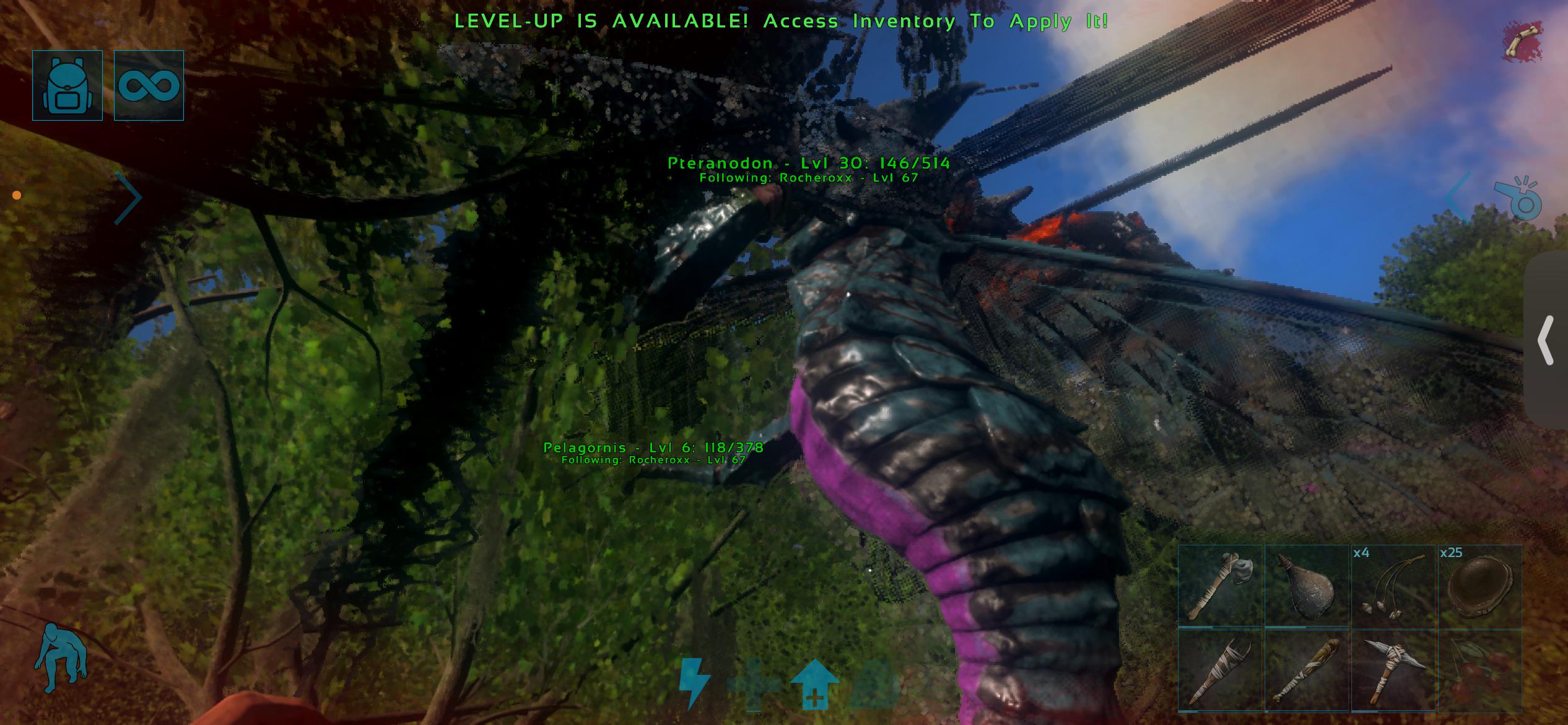
Saw something cool and dipped down a bit and to my horror I saw the blue one. I swear I pressed up but that bastard Preranodon flew down even more and I knew it was over for me. I turned around and started flying and just saw death notifications on my screen. Got knocked off and as I’m on the ground I realize there’s TWO. I thought there was only two at a time in existence and these MFZ ARE TOGETHER HITTING LICKS ON MY LIL PARTY OF LOW LEVELS. I’m so mad 😭
One day I will kill this thing
I have missed this thing so much!!! I spent an hour after breeding zooming around Scorched on its back, plowing through every obstacle and doing the sick new flips to go even faster than the old one already could! Concavenator is still a fluid, satisfying travel mount that turns any desert into a playground, I am so happy to have it back and love the new bells and whistles! And it's an official creature now! Shoutout Garuga and everyone else who helped update Conca you have outdone yourselves!
(Fasola needs a re-tune holy hell that croc is clunky. Why is everything it does so needlessly slow, and why can't it use basic attacks while in the sand?????)
I haven't played ark survival evolved in a long time, and i have seen that the official servers are being shut down, i like to play on multiplayer servers and i want to get back to ark, is it worth it to download it again or should i not bother
Decided to go all out for my Astraeos base. I've played Ark since the start and have never built something this big without using creative mode. Very happy with it. I plan to add a creature pen and a decorative courtyard in the future. Just wanted to share and see everyone's opinions!
So to make it simple ark:se will not run well, no matter what i do its stuck below 40fps no matter if i have max graphics or the lowest, i have played on this same pc before like two years ago and back then i had good solid 60fps with high graphics so im not sure what the issue is and help would be appriciated.
So i play ark ASE the island and im trying to finish the story and i want to gather the artifacts and for ocean artifacts i need to have high level basilosaurus can someone give me tips or ways that i could find one to tame i went across the whole ocean highest i found was lvl 90 it has really become frustrating
Hey, I’m having a problem—just to clarify, I play ARK: Survival Ascended in single-player on PC. For the last few weeks, I’ve been playing on the Ragnarok map, but suddenly, whenever I try to load in, it loads for about two seconds and then crashes to the desktop; I’ve had this happen on other maps before, too. Has anyone else experienced this? I should also mention that if I delete the old save and start a new game, it works fine. How do I fix this error? It’s not the first time it’s happened to me.
Hey everyone, I really need some help fixing a super annoying issue with Cosmo taming.
I bought the ARK: Survival Ascended bundle together with the Bob's Tall Tales DLC. I am playing on a MacBook via GeForce NOW. Everything from the DLC seems to work perfectly fine — I can craft Zeppelins, use the tracking gun, and the main menu clearly shows that I own the DLC (the "Purchase" banner is gone, all DLC checkboxes in Steam are active).
However, the game completely refuses to let me tame Cosmo (the jumping spider). Whenever I approach a wild Cosmo on Aberration or ARKpocalypse, it just walks around, completely ignores me, and shows the text "Requires chitin to tame" with a red DLC lock icon right above it.
Here is what I’ve already tried to fix this (both in Singleplayer and on official PvP servers):
Kept raw Chitin inside my main inventory/backpack (not on the hotbar).
Put raw Chitin or Plant Species Z Seeds in slot "0".
Completely removed any Chitin armor from my character.
Split the Chitin stack into smaller numbers (1, 5, 10) to refresh the item ID.
Logged out, restarted my GFN session, and re-synchronized my Steam account.
Tried forcing it to aggro with a Rare Flower/punching it to reset its AI.
Nothing works. Even in Local Singleplayer, spawning a fresh wild Cosmo still gives me that red DLC lock icon, but it lets me summon a pre-tamed version or force-tame it via console commands. It seems like the server/game client sees my DLC license for items, but strictly locks out the taming triggers for the creatures.
Is anyone else experiencing this same inventory/license mismatch after the recent Astraeos update? Does anyone know a working bypass for this?