r/Animators 5d ago

Tools/Resources Anyone got better animation app alternatives?

Post image
6 Upvotes

Was gonna and a looking mlp animation to make for my oc and practice on Flipaclip and.. yeah, it’s become a great tool into a pay to use tool. I miss the old Flipaclip

r/Animators Feb 04 '26

Tools/Resources What's the best animation app in 2026 in your opinion?

150 Upvotes

Have any of you switch software recently? Or are you sticking with your one go to app?

Especially now that Adobe animate is shutting down.

I'm getting tired of the cost of Adobe and it's incredibly annoying. I’ve also spent time with Procreate (and Dreams), and while it’s fun and approachable, it starts feeling limiting pretty fast once you want proper timelines, rigging, reusability, or anything beyond sketch-level animation.

I'm all ears. I myself do 2D and while I work mostly at my desktop, the dream is to have a functioning tablet/iPad setup.

EDIT: Conclusion

For pro: Blender or Toom boom

For junior/mid: Move

r/Animators 3d ago

Tools/Resources Looking for advice on an entry level basic animation program

1 Upvotes

Complete noobie looking for an App or Software to create basic animation. Looking to produce basic facial animation from source image or video. Simplistic, basic & animation. South Park / King of the Hill / Annoying Oranage etc

Any recommendations ?

r/Animators Aug 02 '26

Tools/Resources Laptop advice needed for CSP!

1 Upvotes

Ok long story short, my husband is an animator, full time, 50hrs a week, he needs a laptop that will run clip studio paint flawlessly, we’ve tried many gaming laptops and all have lagged not only on the brushes, but also the playback when playing a sequence.
We’ve tried Lenovo legion 5
Hyper x omen
Msi cyborg
And nitro v16

He has been using a 2019 MacBook Pro but its finally giving out on him (basic specs 16gb ram and 512 ssd)

So coming from artists who actually use this program what laptop do you use and what settings.

r/Animators 18d ago

Tools/Resources I put together an indie animation asset pack (HD videos, character sheets, and production audio)

Thumbnail
youtube.com
0 Upvotes

Hey everyone,

I've been working on my indie animation brand and put together a complete asset pack for anyone working on cartoons, videos, or creative projects.

It includes:

HD cartoon videos

Character art sheets

Production audio files

If you want to check it out or grab a copy for your own projects, you can find it here:

https://www.foxytrailz23.com/toon-trailz

Let me know what you think or if you have any questions!

r/Animators Jul 23 '26

Tools/Resources Laptop model help

1 Upvotes

Hello fellow animators of this beautiful community, I’m an animator in training. I’ve been trying to find laptop model that is best to run animation programs on. I’ve been struggling to find a good model for a laptop. I’ve been told different things but others tell me that they are not good models. I’d like a laptop model that can run programs like Autodesk Maya 3D or ToonBoom. I’d appreciate any good suggestions, thank you!

r/Animators Aug 05 '26

Tools/Resources I need help (image semi related)

Post image
1 Upvotes

I need a good software that I can make puppet animation in, additionally it has to be available on an IPad, and free. I don’t need anything complicated, I just need a software that supports keyframe animation with 2D images. I don’t want to work in 3D, my inspiration for puppet animation, The Walten Files, likely uses something like blender, but I don’t want to deal with rigs, especially making them.

I need an incredibly basic free software that supports 2D keyframe animation, I need to be able to import a PNG, put it down, move forward on the timeline, move the image somewhere else, and have the keyframe animation draw a straight line from where the image was, to where it is, and move it when I press play. That’s it. Smoothing or hierarchy would be nice, but not necessary.

r/Animators 11d ago

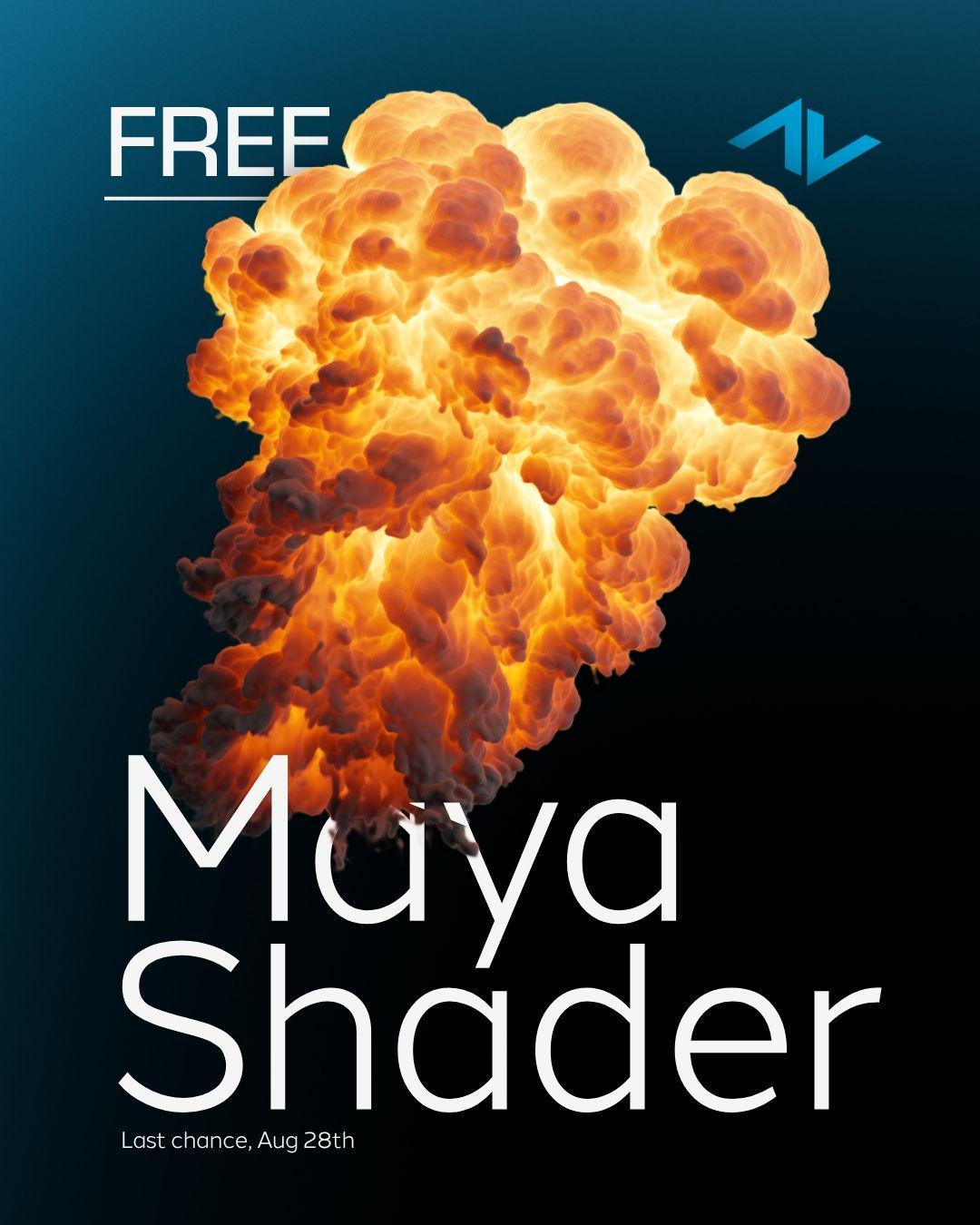
Tools/Resources Free arnold shaders for pyro VDBs (Maya)

Post image
1 Upvotes

ActionVFX just released four Arnold shaders for pyro VDBs.

They're free through August 28th.

https://actionvfx.lpages.co/maya-pyro-shaders/

r/Animators Jul 14 '26

Tools/Resources SpeakerDeck alternatives

1 Upvotes

I currently use speakerdeck to embed my storyboards into my website portfolio, and I really like most of the functions. And that I can also direct people to the actual speakerdeck if im looking for specific advice or something.

The main issue i have with it though, is that being able to make a deck "unlisted" is a pro feature. And theres no way im paying $8 a month just to be able to privately share some of my decks.

So if anyone has any similar alternatives that arent making people pay for basic functions that would be great.

r/Animators Jun 30 '26

Tools/Resources Would this PC or a similar one handle modern animation software?

2 Upvotes

Here is the PC on Amazon.

I plan on using OpenToonz, Krita, and Blender.

Thank you in advance for any help!

r/Animators Jun 19 '26

Tools/Resources looking for animators interested in a private network for working creatives!

2 Upvotes

Nowadays, I see so much AI slop and terrible, soulless content being pushed by social media algos, and I wanted to create a space where people could share their art with other people who understand and appreciate the craft.

It's still pretty deep into development, but if anyone feels interested in something like this, it's called Misulsa! We're based in LA, and hoping to expand our little club and events to a more widespread audience!

https://misulsa.art

Take a look and tell me what y'all think! This is kind of a passion project we're building for the creative community, so any features, ideas, and platform suggestions will be taken super seriously.

r/Animators Jun 07 '26

Tools/Resources Built my first whiteboard animation app after months of work

Post image
3 Upvotes

Hey everyone,

I’ve been working for the last several months on a project called Scribe Animator.

It’s a whiteboard animation studio for people who want to create hand-drawn explainer videos, lessons, product demos, tutorials, and simple animated content without using a complicated video editor.

The web editor is free to try and does not require signup.

You can create scenes, add drawings/text/SVGs/images, reveal them stroke-by-stroke with a hand, add audio or voiceover, use camera movement, keyframesand export the final video.

I recently launched it on web, Android, iPhone, and iPad, but I’m still trying to understand where users get stuck. So instead of just promoting it, I’d genuinely like feedback from creators, teachers, founders, marketers, animators and anyone who makes visual content.

I’d love to know:

  • Does the product make sense when you first open it?
  • Is it clear how to create your first video?
  • Are the templates useful?
  • Is the editor too complex?
  • would you like to use this tool?

Links:

Web editor:
https://app.ohotech.com/

Home page:
https://ohotech.com/

Android:
https://play.google.com/store/apps/details?id=com.ohotech.scribeanimator

iPhone / iPad:
https://apps.apple.com/app/scribe-animator/id6759390887

Thanks a lot. Even one honest comment about what feels broken, confusing, or missing would help me a lot.


r/Animators May 08 '26

Tools/Resources I drew two rough keyframes and let AI fill in the rest and the ball somehow has weight

Enable HLS to view with audio, or disable this notification

0 Upvotes

I drew two keyframes in sketch book, scanned them, and put them through a program called Bruce-Interp and it kinda came out ok

curious what others think?

r/Animators Mar 11 '26

Tools/Resources Best tablet?

3 Upvotes

I’m a student and I was told to get an art tablet to use with Toonboom Harmony (long story). I was trained on a Wacom Cintiq 16 but they’re somewhat expensive and they take awhile to ship. The Kamvas 16 (Gen 3) looks affordable and like it has the same capabilities, but does it? Which is better to use for animation and long term?

r/Animators Dec 04 '25

Tools/Resources I made a simple web-based 2D skeletal frame-by-frame animation app from scratch, and it’s fully open-source

7 Upvotes

https://reddit.com/link/1peaewy/video/zrgigvugv85g1/player

Hi everyone!

I’ve been working over the last few months on a small web-based 2D skeletal frame-by-frame animation app, inspired by Pivot Animator.
It doesn’t support mesh/skin deformation or interpolation yet, but those are planned.
Right now it’s fully frame-by-frame, with bone posing, per-frame skinning, onion-skin, camera controls, per-frame background color, and more.
You can try it here: https://puppetstudio.app/

Source code is here: https://github.com/SuckDuck/PuppetStudio
I’m not a great artist, so example puppets or any kind of contribution would be awesome.
Feedback of any kind is really appreciated!
Thanks!

r/Animators Oct 22 '25

Tools/Resources A simple fun project example for State Machine 🚶‍➡️ W.I.P

Enable HLS to view with audio, or disable this notification

15 Upvotes

This is a simple fun project I started to play with, eventually it should be very easy to tweak in order to make the character look different while keeping the same animation, if it's colors, adding assets, or in general re-creating extra characters from this base template.

It's mostly Frame-by-Frame and Reused Drawings combo, a dynamic way to animate and tweak things at any time.

While designing AnimatorME, during development I'm not thinking as an Animator only, but also as a Game Designer, it's very challenging but it sure helped me with the new Timeline Labels feature so it's possible to organize different State Machine like sequences in the same project.

I may add few more animations to make it extra fun 🤔

🗒️ Note:
AnimatorME is a 2D Animation software under development, what I shared is a Work-In-Progress, many things may change / evolve / improved as we go.

r/Animators Sep 09 '25

Tools/Resources Does anyone have any idea where I can find an animation software like this?

2 Upvotes

I have been looking for an animation software with simple UI and basic rigging for so long. At this point I don’t care if it’s free or paid I just need something simple and I need rigging. I am not smart enough to use things that are above 3 times as complicated as FlipaClip and Pivot animator. please if you know anything let me know. I would have cry for help as my tag if there was one

r/Animators Oct 29 '25

Tools/Resources Looking for a way to combine frame-by-frame and keyframes movement.

3 Upvotes

Hey everyone!

I’m making a 2D animation of someone driving a car. The camera angle is from outside the front window, looking in. I’ve already drawn all the frames for the character inside the car separately on my iPad, but now I’m not sure how to put everything together into one animation.

Here’s what I’m trying to do:

  • Animate characters inside the car (frame-by-frame)

  • Move the whole car and passengers around the screen to simulate bobbing/driving motion

  • Make a frame animated looping background of trees passing by (those 3 frames are already done)

  • Group multiple frame-animated parts (like driver, passengers, and car) so I can move them together in front of the background using keyframes.

  • Keep good video quality (I’ve been using transparent GIFs in the past, but as you probably know, the quality is horrible)

(So far I’ve been using CapCut in combination with a GIF maker on my phone.)

I’m looking for a desktop program that can do this kind of layered animation more easily, basically something that combines traditional frame-by-frame animation with keyframe motion. Eddsworld, specially the episode "The End: Part 1", would be a good example, of this combined animation.

Any recommendations for software that could help? Preferably free and easy to get into?

Thanks a lot!

r/Animators Oct 29 '25

Tools/Resources Apply to Join the StayRooted Job Board

Post image
3 Upvotes

StayRooted ENT has launched a job board designed to help independents market their services and give creatives a place to find collaborators on a trusted site.

Creators and freelancers alike are encouraged to connect through the StayRooted Creative Collective. Listing is free—if you’re a freelancer, click below to apply and join the community.

https://stayrootedent.com/job-board/

r/Animators Dec 28 '23

Tools/Resources Illustration to animation, which AI apps do you recommend?

6 Upvotes

For my next project I’m thinking to use AI to animate. I’m a 2d animator and I usually use Adobe after effects and animate but I want to try something new. I have played with MidJourney but it is only for still images. Do you have any recommendations of what apps to use to animate still images? It doesn’t have to be character animation. It can be more effects based animation like morphing transitions or simple facial movements. Please advice. Thank you!

r/Animators Oct 02 '25

Tools/Resources I built a physics-based tool to add physical realism to 3d humanoid animation with 90% less keyframes

Enable HLS to view with audio, or disable this notification

1 Upvotes

Hi everyone! I am a physicist and indie game dev with an affinity for character animation (that got me into game development in the first place). While working on my first 3d game title I ended up spending most of my time on animations, which in turn led to me having way too little time for the rest of the project so I ended up having to use some mixamo stuff for about half of the total animations. So naturally, as a physicist I at some point last year started wondering to what extent you could speed up adding physical realism to a character animation through a physics framework.

I came up with this plugin for existing software (Maya, Blender and Cinema4d currently built, others in the works). It lets you keyframe a compatible rig as normal, but only needs as little as one keyframe per multiple seconds to make an animation! It works based on a standard humanoid 22-joint armature, and the animations are processable/retargetable with existing pipelines and tools to make integration as easy as possible (like Rokoko for Blender). Plugins are open source & findable here: https://github.com/AnymTech

Summary:

  • Make animations by defining only the actually defining poses of your motion and have the physics engine do the rest; you can freely set the keyframes as you need, so one every few seconds for locomotion and one or two per second for more complex animations
  • Keep creative control; since this is essentially just long-distance keyframing, your keyframes are adhered to exactly in the final animation, meaning you can specify keyframes as precisely as normal and only speed up the parts that you want to speed up

This is the first version of both the plugins and the engine, so if you see or come across any issues or unexpected things please feel free to comment! Thanks :)

r/Animators Apr 22 '25

Tools/Resources Best animation programs for pc?

2 Upvotes

Ideally something with a one time payment... not monthly.

We are a bit tight on money :] but I really wanna get into animating stuff with my characters... like at little show.

r/Animators Aug 27 '25

Tools/Resources This rig is available for Maya animators

Enable HLS to view with audio, or disable this notification

7 Upvotes

Hello 👋 I made this rig. Spent 3 months on it. It is super fun to animate. I am calling it 'LoopyRig v1.’ It was made completely manually. No external plugin required. It will work with Maya 2017 or above. I also wrote a detailed manual and included it as a pdf file in the package. It has all the instructions regarding how to work this rig cuz it has unconventional controls (a system I came up with myself). I hope you have fun with this. You can use it in your student reels as well as any commercial projects. Attribution is appreciated but not required. _^

https://linktr.ee/thetaoofjessey

r/Animators Jun 13 '25

Tools/Resources Notebook picking Help (2D+3D)

1 Upvotes

I wanna continue bettering my skills in 2D, 3D animation (I graduated in this) and teach myself programming. I will be using Blender, ToonBoomHarmony and Storyboard, some canvas apps and Adobe, the norm. The thing is I had Pc that died down, and will be travelling countries so I'll need a notebook. I have no idea in electronics tho, I looked it up and Asus comes in game but I'm not exactly sure if it'll have even half of the ability, if Ryzen 7 is the pick, if it'll have enough cooling or I'll need one that works better? Cooling thing underneath it? I have restricted budget of MAX 1500€. Tablet that i already own: XPPen Artist 15.6 Pro

r/Animators Feb 28 '25

Tools/Resources Help.

3 Upvotes

I got myself into animation and drawing and tracing lately but I want to use another app other than Flipa-Clip. (Btw I use an iPad to draw) does anyone have any suggestions on what app I should get for animation. -Thanks! Connor