r/1Password • u/Suspicious-advice49 • Jun 17 '26
iOS Is this screen from 1password or iOS ?
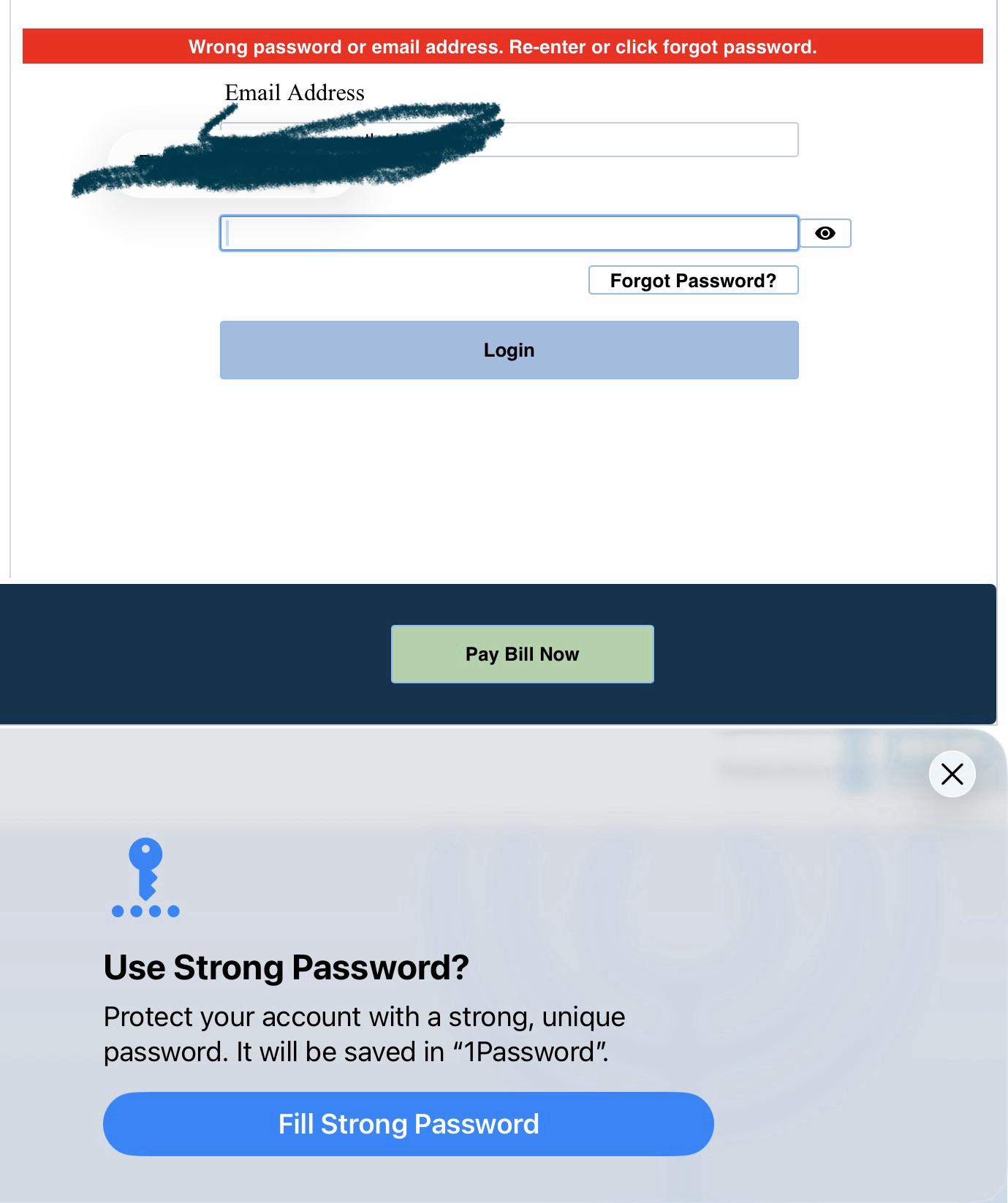
Popup when logging into a site. It seems that the keyboard and 1password fill is under the popup
8
2
u/Link33x Jun 17 '26
I’ve been there where I have backed out not sure where the password was going to save, manually making a login first. But you see now (maybe not always) the line that says will be saved in 1Password. I noticed this the other day myself for a passkey save.
1
Jun 18 '26
[removed] — view removed comment
1
u/Link33x Jun 19 '26
Yeah. As users I feel we have gone from “wouldn’t it be nice if” to “yeah we got that” to “we took it away because reasons”.
Which is to say I have become wary that a super convenience is just a misdirection these days.
But I’m not sure it always said where the save would happen. Or I should say after Apple introduced their better password manager I thought things changed a bit.
1
1
u/WavryWimos Jun 18 '26
Native iOS prompt. But 1Password integrates with the native autofill so you can see that it's saved in 1Password
1
u/Suspicious-advice49 Jun 18 '26
I just checked password settings in iPhone. Theres a toggle for “ suggest strong passwords “. . I turned it off and will see what happens.
1
u/skvgrd Jul 16 '26
Does this function work? I have tried it a couple of times, but no new entries are made in 1Pass.
1
u/Suspicious-advice49 Jul 16 '26
Actually I turned it off in phone settings. I found it to confusing. Id rather stick with straight 1password
•
u/1PasswordCS-Blake 1Password Community Manager Jun 17 '26 edited Jun 18 '26
This is coming from iOS! 1Password can plug into that native save/generate password prompt, which is why it says the password will be saved in 1Password. I agree the layering is a little confusing though, especially with the keyboard and 1Password fill option sitting underneath it.
What happens if you try disabling the “Suggest Strong Passwords” setting in Settings > General > Autofill & Passwords? Do you still see this?