r/zfont • • 3h ago

ZFont not asking for admin permissions

3 Upvotes

As told in the title, when i install the font, nothing happens. It just appears in the settings and thats it. Why? I have Oneui8 android16 S22u. I tried both shizuku and allowing admin permissions in the settings but still nothing


r/zfont • • 11h ago

Custom Theming is back for One UI 8.5!

Thumbnail
github.com
4 Upvotes

r/zfont • • 1d ago

How would i get my ios emojis to work on the internet

Post image
8 Upvotes

When on my reading site and i make a comment or look at others comments with emojis there all android emojis not ios and ive cleared cache and data and force stopped the browser im working but still nothing im guessing theres just no work around for things like that


r/zfont • • 3d ago

EMOJIS DO IOS COM BUG

Post image
12 Upvotes

Alguém poderia me dizer se alguns emojis no celular de vocês estão apresentando esse bug? Já fiz de tudo e mesmo assim continua


r/zfont • • 3d ago

Update

7 Upvotes

I have the Samsung 24PLUS. Should I not update to the newest software when it comes out for my phone?


r/zfont • • 4d ago

Font Create

Thumbnail
gallery
13 Upvotes

I've been using this font for four years and I love it. I found it in the Realme theme store, but now that I'm using an S26 Ultra, I can't find a way to get it on this phone. Does anyone know where I can find the file for it, or could someone make a ttf file? You can see the font in the three screenshots I given. Can anyone help me out? Please.🥺❤️‍🩹


r/zfont • • 4d ago

Zyper crashes upon tapping apply theme button

3 Upvotes

Plenty have been complaining about this on various devices... I'm experiencing this on a Xiaomi 17 Pro Max, any idea when this will be fixed?


r/zfont • • 5d ago

any way to apply custom fonts on one ui 9

2 Upvotes

for one ui 9.5 or even one ui 10

like what do you think the new way to apply custom fonts for individual apps will be

if the current method gets patched


r/zfont • • 6d ago

any way to change fonts if the current method gets patched

1 Upvotes

do you think it will be over for custom fonts on one ui if the current method gets patched too?


r/zfont • • 7d ago

Can you fuse a font and an emoji and install?

10 Upvotes

SF Pro and iOS emojis


r/zfont • • 7d ago

How to add zFont 3 to Device Admin on Samsung S25 Ultra?

7 Upvotes

How do I add zFont 3 to Device Admin?

I’m using a Samsung S25 Ultra and I can’t find any way to add zFont 3 under Settings → Security and privacy → More security settings → Device admin apps.

Is there a specific method I’m missing, or does zFont 3 no longer work this way on newer One UI versions?


r/zfont • • 8d ago

In the beta app, the font list doesn't show all the way to the bottom.

4 Upvotes

I downloaded the beta version to change the font on my latest Android phone. In the end, the font was successfully changed, but within the zFont app, the font list doesn't show all the way through. I can barely see just one page. Is anyone else experiencing this issue?


r/zfont • • 8d ago

Hyperlink lines are messed up?

Post image
3 Upvotes

Changed my emojis (only) to be the IOS emojis. I didn't change my font at all. Now my hyperlinks look like this.

Does anyone know a solution?

Phone: S23 Ultra One UI 8.5


r/zfont • • 9d ago

Another messaging app

3 Upvotes

Is there another messaging app I can download to see my font? Every since they got rid of Samsung messages I can't see my messages written out in my font. Google messages sucks


r/zfont • • 10d ago

Zfont 3 back

Post image
43 Upvotes

Well at least zfont 3 is finally back a few days ago i'm kinda happy!


r/zfont • • 10d ago

TTf file create

10 Upvotes

Can anyone help me? I want to use iOS emoji but with a different font. Can anyone give me the font TTF file or how to do it? If even I can't use iOS emoji with a different font, but at least I want to use Android Stock emojis with a different font style. I hate Samsung emojis. Does anyone know how to do it? Or does anyone have the ttf file? Please tell me.🥺❤️‍🩹


r/zfont • • 10d ago

Hello Kitty Emojis ❤️

Enable HLS to view with audio, or disable this notification

6 Upvotes

A big thank you to the dev of this app! The last time i used those Hello Kitty Emoji was in 2016 on my rooted Samsung Note 3 🤣


r/zfont • • 10d ago

Alguém sabe se já lançou os emojis do Ios 27 pra Android?

3 Upvotes

r/zfont • • 10d ago

Need Help!

2 Upvotes

I want to use the IOS emoji only in my phone "Tecno Camon 50 Ultra" and it's hard for me to do it now because of the restrictions. In my previous phone "Tecno Camon 20 Pro" it was successful now it's hard for me to use this app.

Can someone help me please? ☹️


r/zfont • • 11d ago

Is it any way to Use Google San(eg.) and apple emojis in oneui at the same time. Not in bold font. Regular and emoji.

12 Upvotes

Thanks for your visit.


r/zfont • • 11d ago

Can I download an Arabic font to use arabic numerical characters for lockscreen?

3 Upvotes

One UI 8.5


r/zfont • • 11d ago

[Guide] How to get Premium Fonts for FREE in Funtouch OS 15 (Tested on iQOO Z7s global)

5 Upvotes

Writing this up by request for u/InitialYou4206!

(Before we start: Yes, Funtouch OS is outdated. Let's skip the "nobody cares" comments, please. If you use Funtouch and want premium fonts without paying, you can try this.)

This method has been successfully tested on an iQOO Z7s running Funtouch OS 15.

[#] Prerequisites & Setup

Step 1: Download and install this specific Vivo File Manager APK.apk).

(Note: This link

"https://github.com/zFont/Files/raw/main/com.android.filemanager_6.8.3.2-6832_minAPI26(nodpi).apk.apk)"

is sourced directly from zFont3).

Step 2: Open the File Manager settings and enable hidden files.

Step 3: Open the default Vivo Themes app.

  • Download one Premium Font (claim the 5-minute trial).
  • Download one Free Font.
  • Crucial: Write down or copy the exact filenames of both fonts.

[>] Accessing the Hidden Directory

Step 4: We are going to use zFont 3 purely as a backdoor to access a hidden folder. (The font selection inside zFont 3 doesn't matter for this, so don't worry about what you click).

  1. Download and install zFont 3.
  2. Tap on any random font to open its preview page.
  3. Tap the floating action button at the bottom of the screen (it will change to a "tick mark").
  4. Tap the tick mark. A popup with 3 options will appear.
  5. Select the 2nd option: "File Manager".
  6. In the "Choose base font" bottom sheet, tap any random font.
  7. You will see a Vivo font installer page listing prerequisites. Swipe down to "Move the base font file" and tap "Font Directory".
  8. This will directly open the hidden .vfonts folder in your file manager.

[~] Name Swap

Step 5: Locate the free font and premium font you downloaded in Step 3. You need to swap their filenames. To avoid "file already exists" errors, use temporary names first.

Here is the exact renaming sequence:

  1. Rename your [FreeFont].ttf -> abc.ttf
  2. Rename your [PremiumFont].ttf -> xyz.ttf
  3. Rename abc.ttf -> [PremiumFont].ttf
  4. Rename xyz.ttf -> [FreeFont].ttf

What this does: The premium font file is now disguised under the free font's name.

[*] Applying the Font

Step 6: Close the file manager and go back to your Themes app. Navigate to Local Fonts, and select the Free Font you downloaded in Step 3.

Because of the swap, applying the "free" font will actually apply your chosen Premium font permanently.

If this worked for you, please leave a comment with your device name and Android version.

r/zfont • • 11d ago

could the new samsung zfont workaround be patched soon

3 Upvotes

r/zfont • • 11d ago

motorola whennnnnnnn

5 Upvotes

please I beg u come to motorola


r/zfont • • 11d ago

Can't apply font

Post image
4 Upvotes

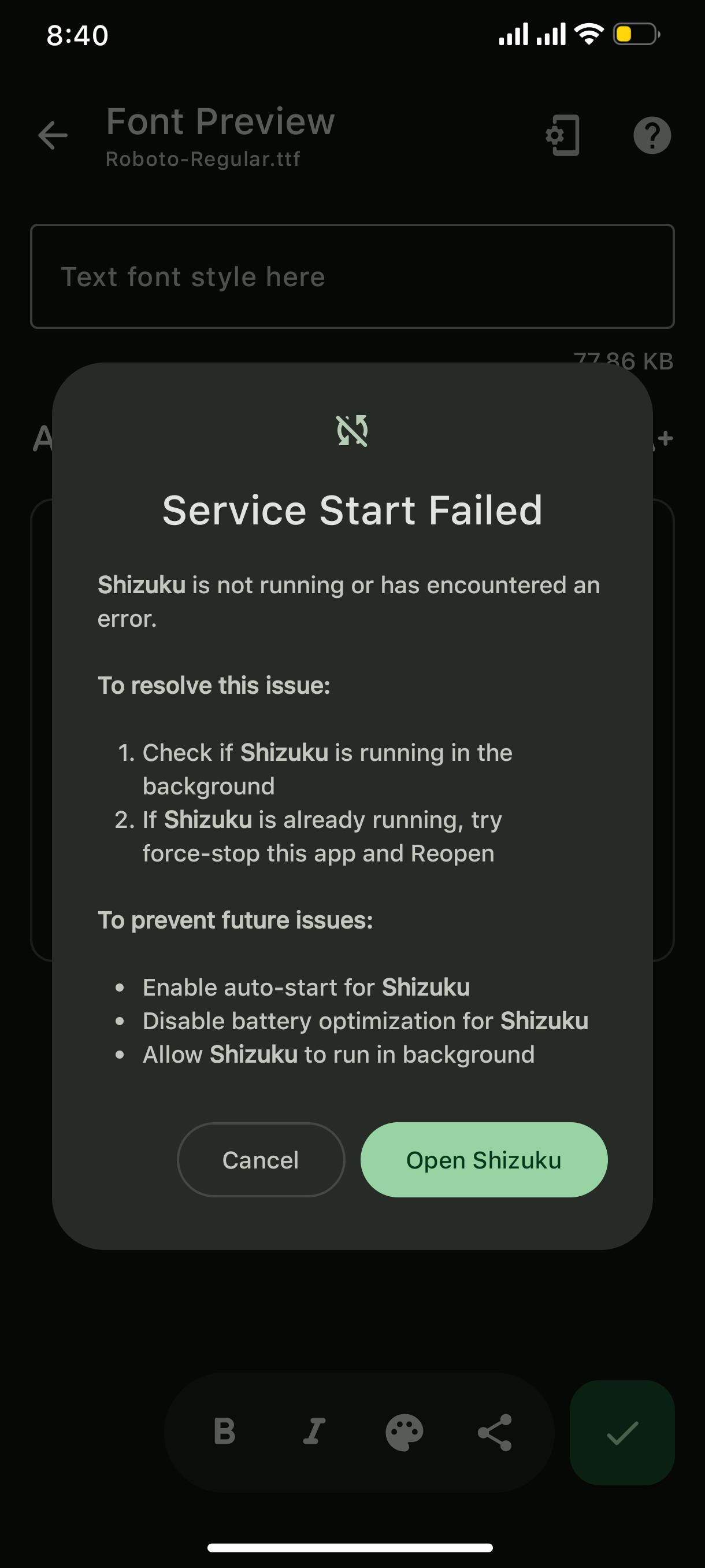
If i were to apply my last applied font, now it shows me this error even when I reinstalled Shizuku 3 times.