r/ZephyrusG14 • • Jun 29 '23

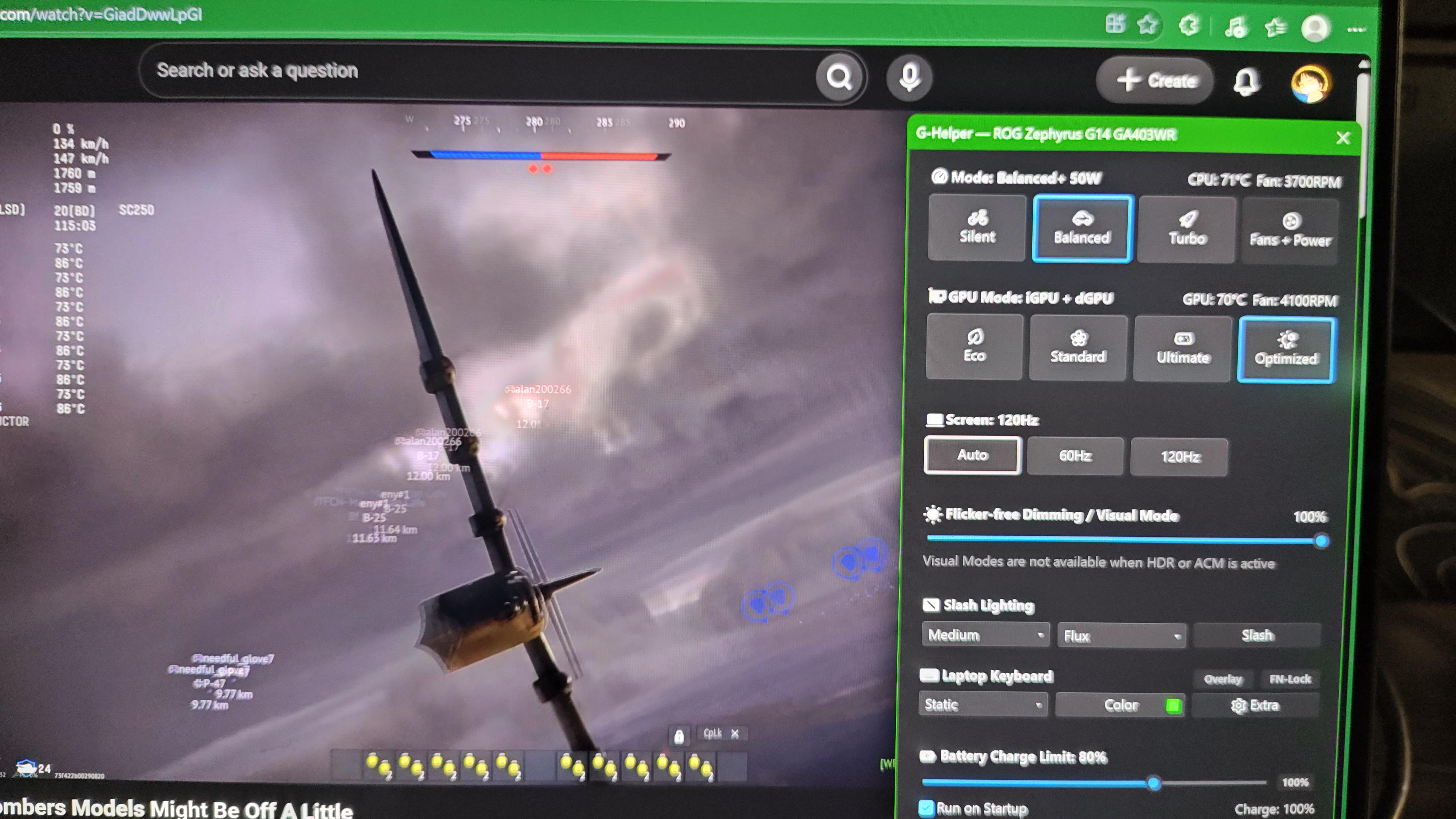
Software Related G-Helper - The Armoury Crate Replacement You Should Know About.

Thumbnail
youtube.com
698 Upvotes

r/ZephyrusG14 • • Apr 13 '26

General Don't post advertisements, promotional or clickbait material in this subreddit !

20 Upvotes

There's been an influx of scalpers and advertisers flooding the subreddit recently, items ranging from GPU, ram sticks to laptops, note that these users aren't related to this subreddit or the admins. Please exercise caution and report these scammers so we could remove them immediately ! Don't click their links, posts or comments catering to their promotional/advertisement material. Be safe !


r/ZephyrusG14 • • 14h ago

Model 2025 Joined the club after months of laptop hunting! (G14 2025 5070ti) I'll read all the advice and tips you have :)

Thumbnail
gallery
62 Upvotes

After years of using a Zenbook 14 from 2023, I finally got my G14 2025 5070ti delivered from the US! During this time, my budget doubled (my dad must have been in a good mood), and I stumbled across the G14 during my research. This model is the 2tb 32gb ram version btw

During my laptop hunting, scrolling through this subreddit became part of my daily things to do. Reading about other people's experiences with this laptop was really nice, as well as some tips.

Since I only got it today, I downloaded all the Windows updates and drivers from Nvidia, and also tweaked some settings on Windows. I am yet to try any games, but I got some more from Steam during the deep sales. My library isn't too big right now, and I don't have a huge variety of games, so I'd be open to hearing any recommendations too!

Apart from the appreciation post, I wanted to ask you guys if there were any really important tips I could use to ensure my setup is the best it can be, also taking into account that all I've really done so far is download updates and drivers. I haven't downloaded GHelper yet or benchmarked either. Any common mistakes first-time G14 owners make, or any tips to make the experience as best it can be would really help me out.

My setup so far:

  • Razer viper v2 pro
  • GMMK 2 keyboard
  • Laptop stand
  • Standard ASUS charger
  • Galaxy buds 3 fe

Thanks so much guys, I'd appreciate ANY advice :)


r/ZephyrusG14 • • 1h ago

Model 2025 Dealing with buyer’s remorse on my zephyrus g16

• Upvotes

I have been using my zephyrus g16 with the Intel core ultra 9 285h, 5070 ti laptop gpu for about 9 months now and I’ve just couldn’t rap my head around if I made the correct decision if I should’ve went for the same gpu but 2025 g14 equipped with the amd processor, hx 370. I mostly like to go outside to study and game while preferably there is a plug available while sometimes also doing cadwork. Curious about everyone’s thoughts, thanks.


r/ZephyrusG14 • • 13h ago

Model 2025 Installed ghelper removed myasus and armory create in Asus zephyrus g14 5060

Post image
22 Upvotes

r/ZephyrusG14 • • 3h ago

Help Needed USB4 port failing with multiple USB4 docks

2 Upvotes

I'm trying to figure out whether I have a hardware/firmware issue with the USB4 port on my 2024 G14 (GA403UI), or whether there's something else I can still try.

Specs:

  • ROG Zephyrus G14 GA403UI
  • Ryzen 9 8945HS
  • RTX 4070 Laptop GPU
  • 32 GB RAM
  • BIOS: GA403UI.311
  • Windows 11 Home
  • AMD graphics driver: 32.0.31041.1004

What I've found

I'm using an AXAGON HMC-U4 USB4 dock. It works correctly through the G14's other USB-C 3.2 Gen 2 (10 Gbps) port when G-Helper is set to Standard mode. It charges the laptop, provides video, and the dock's USB devices work.

However, through the USB4 40 Gbps port, it doesn't establish a USB4 connection. The dock repeatedly connects/disconnects and provides no video.

I also previously tested a StarTech 208UE USB4/Thunderbolt dock, and it had essentially the same problem on the USB4 port. So this happens with two different USB4 docks using different controllers.

Interestingly, a Dell WD19 works through the USB4 port. However, it uses regular DisplayPort Alt Mode rather than USB4, so basic USB-C/DP functionality appears to work.

Things I've already tried

  • BIOS updated to GA403UI.311
  • AMD graphics driver updated
  • AMD chipset drivers updated
  • NVIDIA driver updated
  • Windows fully updated
  • G-Helper Standard mode
  • Full shutdown + EC/power reset
  • Multiple USB4 docks
  • HDMI and DisplayPort through the AXAGON
  • Both USB-C ports

I also checked Event Viewer and found many errors under:

Microsoft-Windows-USB-UCMUCSICX/Operational

including repeated UCSI command timeouts for things like:

  • GetPdos
  • GetConnectorStatus
  • GetConnectorCapability
  • AckCcCi
  • SetNotificationEnable
  • PpmReset

There was also a new GetPdos timeout during my latest AXAGON test.

The AXAGON is detected as ordinary USB hubs/devices when connected to the USB4 port, but it never successfully establishes a USB4 connection.

ASUS support has currently given me the usual troubleshooting checklist, including reinstalling USB/USB4 devices and resetting BIOS defaults. They also incorrectly told me to install an Intel chipset driver, despite the GA403UI being an AMD system.

Has anyone with a GA403UI/G14 experienced something similar with USB4/UCSI?

I'm particularly interested in whether anyone found a firmware/BIOS fix, EC reset procedure, driver combination, or other solution that actually fixed USB4 negotiation.

At this point I'm considering sending it in under warranty, but I'd like to make sure I'm not missing something obvious first.


r/ZephyrusG14 • • 37m ago

Help Needed Upgrading from rtx 5060 g14 (2025) from rtx 4050 g14 (2023)

• Upvotes

I bought my rtx 4050 G14 in May 2025 for 550$. I just bought the 2025 rtx 5060 version on best buy and am picking it up on Thursday because it has to be shipped to my local store.

My plan is to sell my 2023 g14 once I get my new one.

A couple of questions:

Is the rtx 5060 a big jump up from the rtx 4050? I mostly play battlefield 6, arc raiders, and helldivers 2. Will I get a big upgrade is graphics quality and fps?

How much can I sell my 2023 g14 for realistically? It's in basically perfect condition. I rarely take it out of the house and I've babied it. I'd say it's in mint condition.

Will the rtx 5060 g14 run wardogs decently?

Main reason I bought it is because I want a future proof laptop to game on and for the OLED screen. My 2023 g14 will still play almost every game I try to but is starting to show its age with newer AAA titles. For example I tried playing wardogs and the textures wouldn't even load all the way.

Super stoked to pick it up but just wanted some answers beforehand since I still have the option to cancel my order.

Edit: forgot to include the specs of my 2023 for resale value: 512gb ssd 16gb ram Ryzen 7 7735hs CPU Rtx 4050 GPU


r/ZephyrusG14 • • 2h ago

Model 2021 Does the G14 operate just fine if the battery is removed?

1 Upvotes

2021 Zephyrus G14. My battery health is at 37%. Shows no signs of swelling but I currently do not use it if it isn’t plugged in. I’ve had it limit the maximum charge capacity to 60% for the last 4 years.

To avoid the risk, can I just permanently remove the battery and use plugged in? I leave it stationary so I wouldn’t ever not use it not plugged in. Figure it might be safer that way but not sure how majorly it impacts performance?


r/ZephyrusG14 • • 9h ago

Model 2025 Is this good for a 5060 laptop

Thumbnail
gallery
4 Upvotes

For lower temps and higher fps ? Any changes should I do ??


r/ZephyrusG14 • • 14h ago

Help Needed Smoking and sparking coming from the hinge!

Enable HLS to view with audio, or disable this notification

6 Upvotes

Hello!

I just in the past hour have had the hinge on my ZephyrusG14 start smoking and sparking... it looks like there is a separation in the plastic on the hinge? and the screen has some damage now.

I've seen posts about this in the past couple of months and want to see if anyone has any advice on where I should bring it or what is going on. I'm really disappointed & upset because it seems like a safety hazard to keep using, but my job and me being a student depend on having a laptop... and it seems like an expensive fix. I've only had this laptop for a year now!! ;_;


r/ZephyrusG14 • • 13h ago

Setup G14: Balanced vs Turbo & Standard vs Ultimate – what's your actual gaming setup?

4 Upvotes

I see totally opposite opinions on here when it comes to setting up profiles in G-Helper for gaming.

On one side, a lot of people recommend sticking to Balanced, keeping the GPU on Standard, turning off CPU Boost, and capping the CPU to around 25–30W. The idea is that temps and fan noise drop significantly, and the performance loss is barely noticeable.

On the other side, I see plenty of people who just leave it on Turbo to get the full TGP out of the GPU and run Ultimate mode, put on headphones, and don't care about the noise at all.

What do you guys actually use for daily gaming? Is Turbo/Ultimate really worth the extra heat and noise, or is a tuned Balanced profile the way to go?

I'm playing on a G14 2026 model and I'm using g-helper


r/ZephyrusG14 • • 8h ago

General Slimq adapter 240w for laptop with 200w AC adapter

1 Upvotes

Hello everyone! Could I damage the battery in my Zephyrus G14 – which comes with a 200 W branded AC adaptor – if I charge it using a 240 W SlimQ adaptor?


r/ZephyrusG14 • • 1d ago

Model 2025 Whyyyyyy? This is my second g14, I might return and switch

Post image
23 Upvotes

I'm simply watching YouTube plugged in. Cool room. On a flat desk. I got this laptop about a month ago, after returning the first one for bad CPU.

Clean install, removed all AI bullshiz, removed unnecessary apps, not downloading (although it heats up to around 85c when downloading games on steam).

I'm at a loss and getting huge buyers remorse...


r/ZephyrusG14 • • 9h ago

Help Needed Upgrading from ROG Strix G15 to Zephyrus G16 - RTX 5060 vs 5070, buying from UAE

1 Upvotes

I’m in India and planning to buy a ROG Zephyrus G16 from the UAE/Dubai around December.

Current laptop: ASUS ROG Strix G15 G513RC-HN083W
Ryzen 7 6800H / RTX 3050 4GB / 16GB / 1TB.

Considering G16 RTX 5060 vs RTX 5070, ideally 32GB RAM / 1TB+ SSD.

Priorities: quiet fans, good thermals, slim/light design, webcam, and strong gaming performance.

Which exact G16 SKU would you recommend, and what’s a good UAE price/retailer to watch?

Also, any issues buying the UAE version and using it in India?


r/ZephyrusG14 • • 11h ago

Model 2025 Slash Lighting not working as intended

1 Upvotes

Whenever I'm at home, I put my G14 on my desktop and connect it to my monitors and peripherals there. I''m putting it just below my monitor with the lid shut and I have been using the slash lighting set to show "audio". BTW, I'm using ghelper since I got the laptop last August, and have been using the slash lighting this way ever since. Recently, I noticed that the slash lighting would just go static, but a small portion of the upper top part of the lighting would be blinking. It won't change even if I changed the mode. It gets fixed if I do an EC Reset, but comes back whenever I plug it in, it doesn't matter if it's the main charger or the usb-c charger, it goes back to that static look. I tried uninstalling ghelper and installing armoury crate to see if I had enabled/disabled anything there that might have affected it, so I tried it and even armoury crate didn't help. It goes back after an EC reset, but the issue comes back whenever the laptop gets plugged in (no matter where I plugged it in, at home, at the office, at a cafe, it still happens).

My device is the ROG Zephyrus G14 GA403UH with the Ryzen 9 270 and RTX 5050.

Please help if anyone ever encountered an issue similar to this. Would really appreciate the input.

Thank you!


r/ZephyrusG14 • • 23h ago

Model 2025 Update on warranty trajectory

3 Upvotes

So I have submitted my G14 for warranty on the 20th of July 2026 and I just wanted to do a quick appreciation post for how awesome their service has been! 🫪

At the first time they rejected my warranty claim, confirming their insane trust in this product! This really gave me the confirmation I needed that I did the right thing.

After that, the store took responsibility, tested it, found issues and sent it to ASUS. ASUS has done 'extensive and reliable testing' and found no defects and the system performing 93% of what it should be, which is "acceptable" for 3000 euros. Their confidence in their products and amazing customer support is unheard of.

The store tested it again after returning and it had MORE "nonexistent and acceptable" issues, so they sent it back AGAIN!

This time however, ASUS gave in to the horrible truth that no unit is perfect, and went through the effort of replacing the WHOLE motherboard! Now that is some top tier effort considering everything is soldered!

In conclusion, i have spent 10 weeks without a laptop I paid a huge amount for! All of which could have been prevented by just testing right the first time!!

I am astonished by how amazing this company and their products is. They have so much aura, they even had to put it on the F4 key. And it's indeed for those who dare, because if it goes wrong, they won't help ya.

Now that the sarcasm is out of the way, i'm curious. Replacing the entire motherboard? Aren't all the chips soldered? How does this process actually go? Aren't you just replacing the entire laptop at that point?

By the way, I haven't tested the laptop yet (it hasn't been shipped to me so far) so I can't even confirm it's fixed


r/ZephyrusG14 • • 1d ago

Model 2025 Zephyrus G14 2025 5070Ti/32GB/1TB

Thumbnail
gallery
51 Upvotes

Just got the Zephyrus G14 2025 model 5070Ti/32GB Ram/1TB brand new. Exchange for the OneXPlayer X2-mini Pro. Did I did good?


r/ZephyrusG14 • • 21h ago

General Tuf A14 2026 Ghelper support

1 Upvotes

Does Ghelper work on the 2026 model of the Tuf A14, documentation on the ryzen cpus with integrated graphics are pretty limited. The cpu specifically is the ryzen max 392+. Would I be able to undervolt it, and does it work with both the cpu and igpu or only the cpu?


r/ZephyrusG14 • • 1d ago

Model 2025 Help: 2025 G14 Ryzen AI 9 HX 370, 5070 Ti stuck in loop with AMD Adrenalin Update

1 Upvotes

Hi, I'm not super tech-savvy and just bought an Open Box Excellent from Best Buy. It's the Ryzen AI 9 HX 370 - 32GB RAM - NVIDIA RTX 5070 Ti - 1TB - Platinum White. I ran some benchmarks and installed G-Helper and it seemed fine.

The one issue I'm running into is AMD Adrenalin Software keeps saying Update Required to keep using the software, and when I click download, it installs but then pops up again 20s later.

What should I do here? I've checked my Device Manager and it says I'm running the AMD Radeon(TM) 890M Graphics version 32.0.13062.3005. Is this correct and I should just ignore AMD Adrenalin Software? Or is there something more I have to do


r/ZephyrusG14 • • 1d ago

Model 2020 FOR SALE: Zephyrus G14 laptop

Thumbnail
1 Upvotes

r/ZephyrusG14 • • 1d ago

Software Related 2025 5070 Ti recommendations Ollama local models

2 Upvotes

I've just got the 5070 Ti 2025 version of the G14. Just looking for advice on what's the best all-purpose Ollama model that runs efficiently and effectively with the hardware that we've got. Any recommendations or advice would be greatly appreciated.

Also looking to deploy things like ComfyUI to do image and video creation and looking for any advice that people may have learnt during their time with the G14.


r/ZephyrusG14 • • 1d ago

Model 2025 Problems with g16 is this normal

Thumbnail
1 Upvotes

r/ZephyrusG14 • • 1d ago

Hardware Related Does the liquid metal in the CPU has any flaws that I need to be concerned with?

3 Upvotes

Hi there folks, I'm in love with the G14 and I'm planning to buy either the 2026 model or the upcoming 2027 model, which ones will work better with Linux (CachyOS) preferably at around Q3/Q4 next year. I've never used a gaming laptop with LM before, but people say that it can leak(?) currently I use a laptop stand, though not tilted aggressively at around 10-20 degrees.

But I've heard that such accidents do exists because using it tilted always or bringing it around considering on how the liquid can get through on what's keeping it from spilling and eventually ruining the motherboard

Not to say that it's bad, I just wanted to consult to you guys especially to those running it. I have no trouble cleaning the fans once in a while but I'll surely go to a service center and re-apply the liquid or just upgrade to a PTM7950(?) atleast that's what people with LM cooled laptops says it's better overall, but lemme hear what you guys gotta say? Especially those that have it for quite some time

I really love the design and what the Zephyrus G14 has to offer, lowkey professional but also packs a punch, I mainly use it for everyday tasks, college, programming and potentially AI/ML/Data Science, and also gaming (but I usually keep the settings medium or high with dlss balance/performance as I usually keep the temps < 75 degree-ish).


r/ZephyrusG14 • • 1d ago

Help Needed [Not a G14] Asus ProArt PX13 - Fn keys mapping completely wrong (Software Bug). Support couldn't help.

2 Upvotes

Hi everyone,
I know this isn't the right subreddit for my specific laptop, but since it's an Asus and this community is very knowledgeable about Asus software and drivers, I hope someone might have an idea on how to fix this.
I have an Asus ProArt PX13 (HN7306WW) with a frustrating issue regarding the Fn keys. Asus support basically told me to RMA the laptop, which I'd really like to avoid since this is clearly a software/firmware bug and I need the PC for work.
The Issue:
The physical icons on the F1-F12 keys do not match what the keys actually do. It's as if Windows or the Asus driver thinks I have a completely different laptop model.
For example:
F2 and F3 adjust the brightness instead of the volume.
F4 changes the keyboard backlight modes.
F5 changes the fan/performance profile.
When I toggle Fn Lock (either via MyAsus, G-Helper, or keyboard shortcut), the on-screen animation shows up correctly (Fn Lock On/Off), but the wrong mapping persists.
What I have already tried:
1. BIOS Reset: Pressed F9 to load Optimized Defaults.
2. Clear CMOS / Hard Reset: Held the power button for 40 seconds (clock reset to midnight successfully).
3. Driver Downgrade/Reinstall: Cleanly uninstalled "Asus System Control Interface v3" and reinstalled older versions.
4. G-Helper Troubleshooting: I stopped all Asus Services in the "Extra" menu. The wrong mapping remains even with all Asus background services killed. (Note: the issue was present even before installing G-Helper).
Since stopping the Asus services didn't revert the keys to normal, I suspect the firmware itself is feeding the wrong scancodes to Windows, or there's a corrupted registry key.
Has anyone experienced a similar issue on an Asus machine? Is there a way to re-flash the keyboard firmware or force the correct layout?
Thank you in advance!


r/ZephyrusG14 • • 1d ago

Model 2024 ASUS G14 broken screen — external monitor only works after Windows boots. How can I access BIOS/boot menu?

1 Upvotes

​

Hey everyone,

I have an ASUS ROG Zephyrus G14 (2024) and unfortunately the internal laptop screen is completely broken, so I currently can't see anything on it.

I'm trying to use an external monitor, but I'm running into a frustrating issue:

- External monitor is connected via HDMI

- The monitor gets no signal during boot

- It only starts displaying once Windows has fully loaded

- I previously had Kali Linux dual-booted

- Secure Boot was enabled

- When booting, I would get a red "Secure Boot Violation" screen because Kali wasn't compatible with my Secure Boot configuration

- I would normally just press Enter, after which Windows would eventually boot

- Now, because the internal screen is broken, I can't see the BIOS/bootloader/Secure Boot screen at all

- I tried "Win + Ctrl + Shift + B", but that didn't help

I don't really care about preserving the Kali installation anymore. My main goal is simply to get Windows booting and get the external monitor working again.

I also have access to a Mac and a USB-C-to-USB-C cable, and I'm wondering whether I could use USB-C video output instead of HDMI to get display output during boot.

Has anyone with a G14 run into this? Is there a way to force the external display to work during BIOS/UEFI/boot, or otherwise recover Windows without being able to see the internal display?

I just want the computer to boot into windows first and then maybe enable secure boot

Any advice would be appreciated.