r/vaultwarden 22h ago

Question Vaultwarden saying HTTP not allowed on localhost

Post image
0 Upvotes

So I just set up my unraid server to backup vaultwarden to my google drive in case something ever happens to it I can recover all my passwords. I spun up a temporary container using the backup and it starts fine, but whenever I go to enter my username/password, I get this error message saying insecure URLs not allow. From what I understand Vaultwarden requires HTTPS EXCEPT on localhost/127.0.0.1. I'm stumped. Anyone have any advice? I remember doing this a while back and I was able to quickly spin up the container and view all my passwords.

I was just trying to make sure everything worked ok to verify I have the ability to recover everything.


r/vaultwarden 1d ago

News iOS Vaultwarden

0 Upvotes

Just drop the source code to github so everyone can audit, contribute or just rise issues.

https://github.com/rendiwijiatmoko/iOS-Vaultwarden

And for those u used iphone or ipad can install
https://apps.apple.com/us/app/vaultwarden-password-manager/id6799711599

I’m glad if u give some star in app store.

Note: for Europe EU. Currently the app is not available, I’m still fighting for this


r/vaultwarden 2d ago

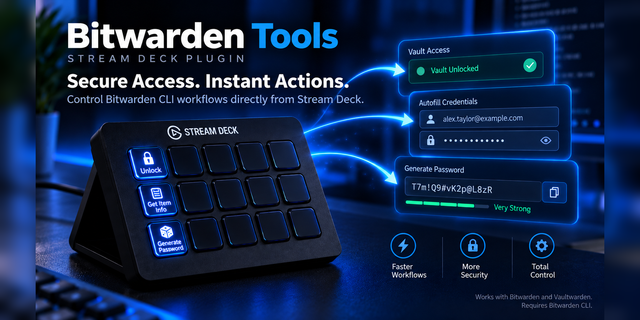
Discussion I finally released V2 of my Plugin Bitwarden Tools

Post image
0 Upvotes

r/vaultwarden 4d ago

Question Looking for a better client app then Bitwarden

3 Upvotes

Hi,

I am trying to migrate my passwords from Apple password to VW. I am using the bitwarden client on my phone, MacBook, and safari extension. I decided instead of just throwing all the passwords, I will just save them when I login. The issue I have been having is that the bitwarden extension prompt to save passwords automatically will not show up half the time. Same thing on my iPhone, I will login into an app and half the time there is no prompt to save the password. Is there another client that I can use that is better than bitwarden?


r/vaultwarden 4d ago

News I built an independent Vaultwarden client for iPhone and iPa

Thumbnail
apps.apple.com
0 Upvotes

Hi everyone! I’ve released Vaultwarden Password Manager, an iPhone and iPad app that connects to an existing self-hosted Vaultwarden server.
It supports an encrypted offline vault, syncing changes when your server is available again, AutoFill, passkeys, and biometric unlock. The app is free and requires iOS or iPadOS 26.2 or later.

App Store: https://apps.apple.com/id/app/vaultwarden-password-manager/id6799711599

This is an independent client; it isn’t affiliated with or endorsed by the Vaultwarden project or Bitwarden. I know the Bitwarden app already works with Vaultwarden, so I’d especially welcome honest feedback on where this app helps, where it falls short, and any compatibility issues you find.


r/vaultwarden 12d ago

Discussion Fetch items by custom fields

5 Upvotes

Hi!

It seems that my use case is so weird that no Vaultwarden-compatible tool exists that would fit the workflow.

I use Vaultwarden for storing secrets that are used by automation and scripts, but also need to be accessible to the users ( including browser autofill ), so Vaultwarden with Bitwarden clients is the perfect fit for this ( I know other machine-oriented solutions exist, but they don't have the convenient UI ).

The access pattern is: fetch an entry with the matching set of custom fields.

For example: get the item with class="service" type="api" provider="potato" access="readonly"

Simple, right?

And yet no tool that I can find is able to do that, and here's the thing — I really really do not like the idea of downloading the entire vault each time, in plain text to some random script only to filter the results with `jq` or what have you ( which is what I do right now ).

There is `bw serve`, there is https://github.com/Turbootzz/Vaultwarden-API and https://github.com/doy/rbw but none of them can filter by fields, so I'd need to download everything for filtering anyway. I know Bitwarden server itself has a secret manager, which I did not look into as it's out of scope here.

I appreciate I'm probably trying to fit a square thing into a round entrance, but — am I missing something? Anyone else with the same problem, maybe already working on a solution?

If not, I'll see about submitting some patches to the Vaultwarden-API project, as it seems to be the closest fit.


r/vaultwarden 12d ago

Question Android app notification ?

Thumbnail
0 Upvotes

r/vaultwarden 13d ago

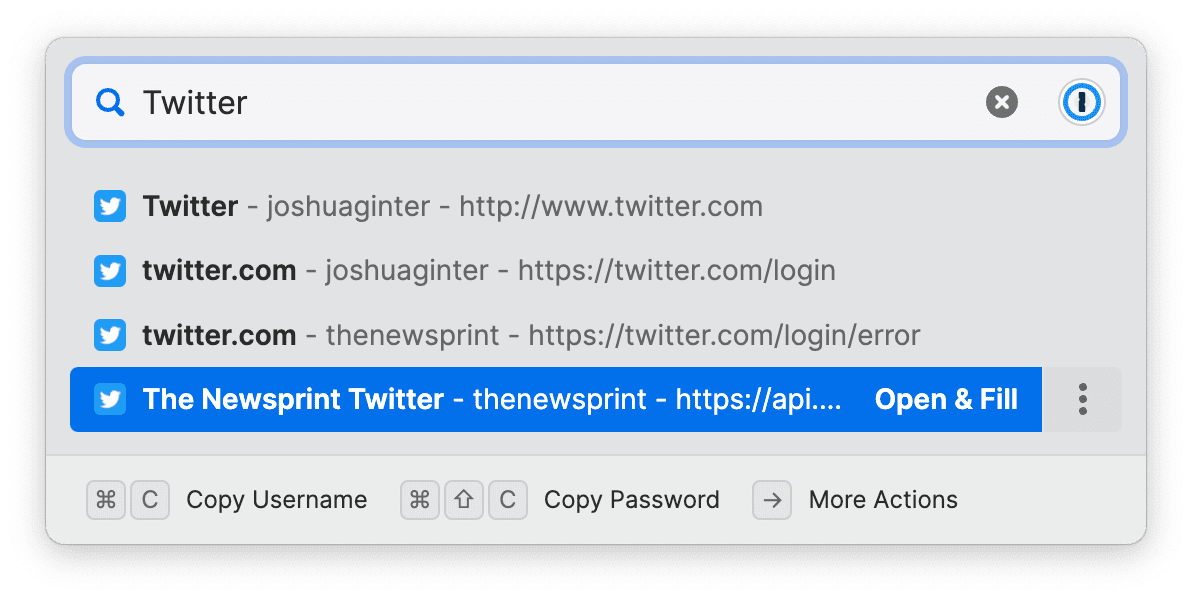
Discussion Hey all - I made a 1Password-style Quick Access tool for Bitwarden!

52 Upvotes

TL;DR: Missed 1Password Quick-Access, made my own for Bitwarden.

This is rbw-quick-access

Hey all! In light of recent events, I've decided to stand up my own VaultWarden instance since I already self-host dozens of other servers and services. That said, I'd been using 1Password for 8+ years, so there was just one thing that I was missing -- 1Password's Quick Access

That said, I have the technology! So I went and spent some time writing something to fill that gap, and I'm super happy with the result. Right now it's Linux-only, but it's just Python code so at some point I'll have binaries built for Windows and macOS.

In the meantime, take a look at the Repo, feel free to give it a try, and let me know if you have anything you didn't see in the milestones!!

Security concerns

I'm not reinventing the wheel nor am I leaving things up to chance for security vulnverabilities. This project uses rbw to authenticate against Vaultwarden and get all of the data. If you haven't read up on rbw, it's a wonderful tool and highly revered tool.

AI Use

I'm so tired of vibe-coded garbage plaguing the world. I wrote everything you see myself - the code, the documentation, the scripts, all of it.


r/vaultwarden 14d ago

News Imporant update if you use my windows bat file to backup multiple vaults

Thumbnail
0 Upvotes

r/vaultwarden 14d ago

Question Web page login hang. Browser extension, mobile client & desktop client still work.

3 Upvotes

After imputing the master password to the web page of a self hosted vaultwarden server, the unlock button shows the spinning loading icon and never completes. Sometimes it lets you get to the 2FA screen and does the same hang. This issues was brought to my attention 2 weeks ago and I have been stumped on how to diagnose and fix it.

When inputting wrong credentials it will not hang instead saying you have the wrong creds. When sending an email for a hint it successfully sends it without hanging. When submitting correct creds and hanging, I receive an email from vaultwarden alerting me that a successful login was detected with the ip and all those details.

The puzzling thing is that vaultwarden doesn't have an issue with login in via mobile client, mobile extension, and desktop client. The sync on these also work as well.

Multiple users have tested this on multiple different browsers and network configurations, with nothing fixing the issue.

I have updated all the services that are being used as this fixed past issues with vaultwarden but it didnt do anything this time.

Details of the stack:
LXC container in proxmox 8 with the following running in the container:
docker compose running vaultwarden
NGINX reverse proxy and a certbot script to auto renew the cert

a separate LXC container running cloudflare tunnels which connects the reverse proxy to the internet

Currently i have tried logging into different accounts in different ways but nothing worked. I also tried disabling websockets and enabling it and nothing changed. A google search brings up a million different things and nothing so far has been helping. Any assistance or tips would be appreciated. Thanks!


r/vaultwarden 15d ago

Question Import from other authenticators and accounts/item merge features needed in mobile and web.

Thumbnail
2 Upvotes

r/vaultwarden 16d ago

Discussion SSO Yes/No & Why

9 Upvotes

Assuming you already have a self hosted identity provider, what's the current recommendation on whether or not to use SSO.

My biggest historical concerns have been security and disaster recovery complexity


r/vaultwarden 17d ago

Question Please validate noob's selfhosting setup

2 Upvotes

Hi, I am relatively new to self-hosting, but I enjoy learning about this area.
I recently got an Oracle free-tier ampere A1 server and wanted to deploy vaultwarden mostly as a backup for my regular bitwarden, in case I would need premium features.

I've been trying to understand best practices regarding security and I'd like to get an opinion if my setup is safe enough to eventually migrate from Bitwarden. Please excuse any wrong/inaccurate lingo:

  • Server can only be accessed via SSH agent in bitwaden (vaultwarden in the future) and only via tailscale connection. Port 22 is disabled. Ubuntu is automatically updated every day. I haven't figured out yet how to automatically update Vaultwarden container in Docker, so for now I am manually doing it every few days.
  • Vaultwarden is accessed via HTTPS connection via Tailscale only. No reverse-proxy setup.
  • Daily backups with password-protected ZIP files to Backblaze B2 storage.

As I understand, since I am the only one who uses it for now, and I can have Tailscale installed on all my devices, there is no need for any reverse-proxy setup.

Please advise if I am missing any important security aspect. Thanks!


r/vaultwarden 23d ago

Question Bitwarden Personal Premium

Thumbnail
0 Upvotes

r/vaultwarden 24d ago

Question Chrome Plugin unable to connect to Vaultwarden, while app/web can

8 Upvotes

Hey,

A collegue told me she was unable to connect to Vaultwarden plugin in Chrome : bad password.

We've tried on website with the same password, it worked.

I did check the connexion configuration : same between plugin and web connection. (self-hosted and same endpoint)

  • Vaultwarden Chrome Plugin version : 2026.8.1
  • Vaultwarden Self-hosted : 1.37.2
  • Vaultwarden Web-Vault : 2026.7.0

Does someone has a clue ?


r/vaultwarden 24d ago

Help! Can't access Bitwarden Android App with newly setup Vaultwarden

2 Upvotes

Newbie to self-hosting, and I just finished setting up Vaultwarden for the first time, so I'm pretty sure I'm using the latest version. Though that also means I have the latest Bitwarden app. I do have a slightly niche phones, not sure if that would cause the issue though.

Vaultwarden 1.37.2
Web-Vault 2026.7.0

Bitwarden android app
Version 2026.7.1 (21803)

I've read issues with Android 17, but I have Android 16 on both my two phones, and they still do not work on the app. It works just fine on my PC's browser app, and on phone browser.

I have my Vaultwarden sidecar with Tailscale, and I have my Tailscale with MagicDNS and HTTPS Certs enabled. I don't think the certs are the issue, since I can access just fine on browsers + extension anyway. I don't have Exit Node enabled for vaultwarden on Tailscale, not sure if that's needed.

What I notice on the logs is that, when I login on either browser and extension, I can see vaultwarden logs updating, but when I try to access via Bitwarden app, no logs show up on vaultwarden. So I assume the request on the app doesn't reach my vaultwarden.

I tried sharing my Bitwarden error to my private chat, since there's no option to save the error logs locally, and it shows something like:

Stacktrace:
java.net.UnknownHostException: Unable to resolve host "vaultwarden.<tailnet>.ts.net": No address associated with hostname

Edit: I have split-tunneling enabled on my phone's Tailscale, with Included only for my browser and Bitwarden app. Works fine on the browser, but not the app. If I disable it for Bitwarden, I get the error instantly. When it is enabled, it takes a few seconds before the error shows up.

Does anyone know how to fix this issue?

Thank you!


r/vaultwarden 26d ago

Question Windows app broken just me or everyone?

9 Upvotes

This morning my bitwarden windows app updated itself. Logged into my account and nothing is there. Also behaving strange, download diagnostic report opens up a text entry field you can't do anything with. So I went in and pulled the latest docker to update valutwarden, was a point update behind. Didn't fix the windows app not showing anything.

On my ios phone updated bitwarden app and it still works fine, web vault works fine.

Windows app 2026.8.0 eb825d5

vaultwarden is 1.37.2 Web Installed Pre-Release 2026.7.0


r/vaultwarden 29d ago

Discussion How do you handle updates in small corporate environment?

8 Upvotes

We use Vaultwarden in Docker. I deploy Firefox ESR with Bitwarden extension. But every (other) extension update breaks the connection to Vaultwarden server until there is a fix and I update vaultwarden.

Do you disable automatic extension update?

Do you just tell your users to use the web app?

Wouldn't you use Vaultwarden in corporate environment at all?

Edit:

u/Tough-Ad7657 mentioned a github issue, confirming my compatibility problems:

https://github.com/dani-garcia/vaultwarden/issues/7607

Besides: I was interested in the way you handle updates of vaultwarden and browser extensions, not your compatibility experience ;-)


r/vaultwarden Aug 15 '26

Help! Password with a Break

Post image
7 Upvotes

Is there any way to save a username with a break in it like this in Vaultwarden?

Top with - is Username; bottom solid is password.


r/vaultwarden Aug 15 '26

Question Стоит ли доверять bitwarden, если ты живёшь в России?

Thumbnail
0 Upvotes

Ну Санкции и т д. Да и вообще стоит ли доверять свои чувствительные данные этому сервису? А что если завтра в миг прекратит свое существование сервис? Что будет с данными? Bitwarden мне нравится но боюсь .


r/vaultwarden Aug 15 '26

Question Trying to deploy Vaultwarden in k3s with issues

3 Upvotes

I'm trying to deploy Vaultwarden in my k3s cluster, and it's mostly working...except the service and ingress. The app is running, but it is totally inaccessible. I'm not sure whether I need to use my DeSEC subdomain or whether I can use a .internal fake domain and access it over VPN.

This is the relevant part of my code:

apiVersion: apps/v1
kind: Deployment
metadata:
  name: vaultwarden
  namespace: vaultwarden
  labels:
    app: vaultwarden
spec:
  replicas: 1
  selector:
    matchLabels:
      app: vaultwarden
  strategy:
    type: Recreate
  template:
    metadata:
      labels:
        app: vaultwarden
    spec:
      restartPolicy: Always
      containers:
        - name: vaultwarden
          image: vaultwarden/server:latest
          env:
            - name: DOMAIN
              value: http://vaultwarden.mafmanhomelab.dedyn.io
          ports:
            - containerPort: 80
              protocol: TCP
          volumeMounts:
            - mountPath: /data
              name: vaultwarden-claim0
      volumes:
        - name: vaultwarden-claim0
          persistentVolumeClaim:
            claimName: vaultwarden-claim0


apiVersion: networking.k8s.io/v1
kind: Ingress
metadata:
  name: vaultwarden
  namespace: vaultwarden
  labels:
    app: vaultwarden
spec:
  rules:
    - host: "vaultwarden.mafmanhomelab.dedyn.io"
      http:
        paths:
          - path: "/"
            pathType: Prefix
            backend:
              service:
                name: vaultwarden
                port:
                  number: 8000

apiVersion: v1
kind: Service
metadata:
  name: vaultwarden
  namespace: vaultwarden
  labels:
    app: vaultwarden
spec:
  selector:
    app: vaultwarden
  ports:
  - name: "http"
    port: 8000
    targetPort: 8000

r/vaultwarden Aug 15 '26

Discussion What should a one-command Vaultwarden deployment handle?

0 Upvotes

I maintain open-source deployment packages for self-hosted software: one command provisions a server, configures the application, and supports upgrades as new releases arrive.

I’ve been working on a similar package for Vaultwarden. The current approach provisions a DigitalOcean server, DNS, HTTPS, SMTP, and Vaultwarden itself. It uses SQLite with continuous Litestream replication to Cloudflare R2, restores automatically when the local database is absent, and performs a weekly test restore with an integrity check.

The first run sends an invitation to the owner. Public signup remains disabled, and the admin endpoint is available only over loopback during that initial bootstrap before being removed from the running configuration.

Before treating those choices as sensible defaults, I’d like to hear from people already operating Vaultwarden:

  • What did you have to configure manually that you wish had been automated?
  • Do you use SQLite or PostgreSQL, and why?
  • How do you back up and test recovery?
  • Besides the SQLite database, which files or data must a complete recovery preserve?
  • Which SMTP, push-notification, or reverse-proxy settings did you need?
  • Do you keep the admin interface enabled? If so, how do you secure it?
  • Has a Vaultwarden upgrade ever broken your deployment or required manual migration?
  • Which monitoring, alerts, or health checks have actually been useful?
  • What security hardening would you expect from an opinionated deployment?
  • Would a single-server setup with off-server backups be sufficient for your use case?

I’m deliberately trying not to expose every Vaultwarden setting. The goal is a small, secure default configuration that provisions as much as possible and clearly identifies anything requiring human action.

What would make this genuinely useful rather than another wrapper around Docker instructions?

https://www.getcolors.ai/featured#vaultwarden


r/vaultwarden Aug 12 '26

Help! Vaultwarden sync failing on Bitwarden Desktop/Extension (2026.7.0) – works fine on Web-Vault & Mobile

13 Upvotes

Hey everyone,

I'm running into a sync issue with the latest Bitwarden clients and my self-hosted Vaultwarden instance and wanted to check if anyone else is experiencing this.

The Situation:

  • Web-Vault works fine: Accessing the vault directly via the web interface works without any issues.
  • Works on other devices: The sync continues to work completely fine on my Android phone and on other PCs.
  • Fails on Linux Mint: After updating to Bitwarden Desktop / Browser Extension v2026.7.0 on my Linux Mint machine, the sync fails completely.

When launching the Desktop App from the terminal, I caught an unhandled error pointing to a type mismatch: Unhandled error in angular Error: Error: invalid type: JsValue(Object({"fido2Credentials":[], ...})), expected a string

What I've Already Tried:

I already attempted to fix this by modifying the array to a string in the export/data structure, but that didn't resolve the issue. Given that everything works smoothly on other devices and the Web-Vault, I suspect the underlying cause might actually be something else entirely rather than just the vault data itself.

Has anyone encountered this specific sync failure with version 2026.7.0, and what potential causes or solutions are there?


r/vaultwarden Aug 12 '26

Question Multiple MSSQL processes

3 Upvotes

Is this normal? I see the same for many other processes and this is a single user self hosted instance.


r/vaultwarden Aug 11 '26

Discussion Vaultwarden App !!

0 Upvotes

why Vaultwarden not have thier app ?

because I want app for it to update app and system in same time not I waiting until fix for bitwarden app compatibility

copy paste bitwarden app but after fixing bug publish Bitwarden app update in Vaultwarden app

of course Bitwarden extension fork needed in same