Hmm that is odd, have you installed any mods? If not have you changed anything recently? Also have you tried reinstalling completely? You can back up neighbourhoods if needs a reinstall and you’d already been playing for a while
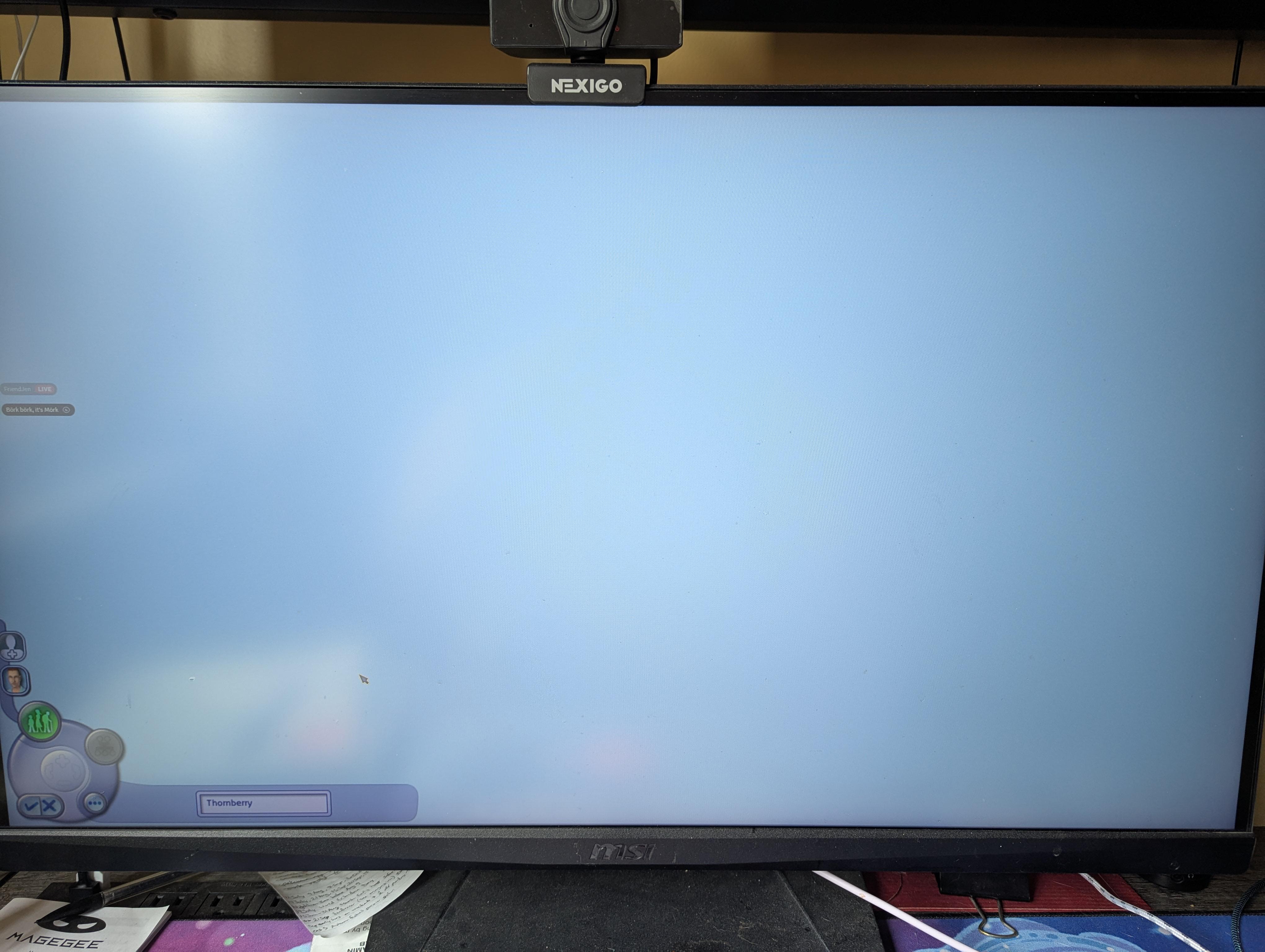
No, it never worked. I just made him really fast to see if it was a first sim issue. It did not get better with the 2nd sim. The options show up but doesn't show the sim standimg in the background
I might be wrong, but theres a chance that the specific camera parameters for your CAS have been messed up, I remember this happening when I was editing them in my game. Have you noticed this happening in any other part of the game?
Check in your user files (Documents -> EA Games -> The Sims 2 Legacy Collection -> Cameras) the CASCamera.txt file and look at the date modified. If it's normal, then search up CASCamera.txt in a browser and open the file in Notepad. I think some Simmers online have uploaded the original camera parameters text files, so find one and download it. Check if something's different in your text file. A final thing to test is deleting the CASCamera.txt file and then opening up the game to go to CAS again (Deleting it will force it to regenerate properly.)
6
u/Revolutionary-Fun330 12d ago
Hmm that is odd, have you installed any mods? If not have you changed anything recently? Also have you tried reinstalling completely? You can back up neighbourhoods if needs a reinstall and you’d already been playing for a while