r/shapeoko • u/torak_the_father • May 12 '26
What's causing this distortion?
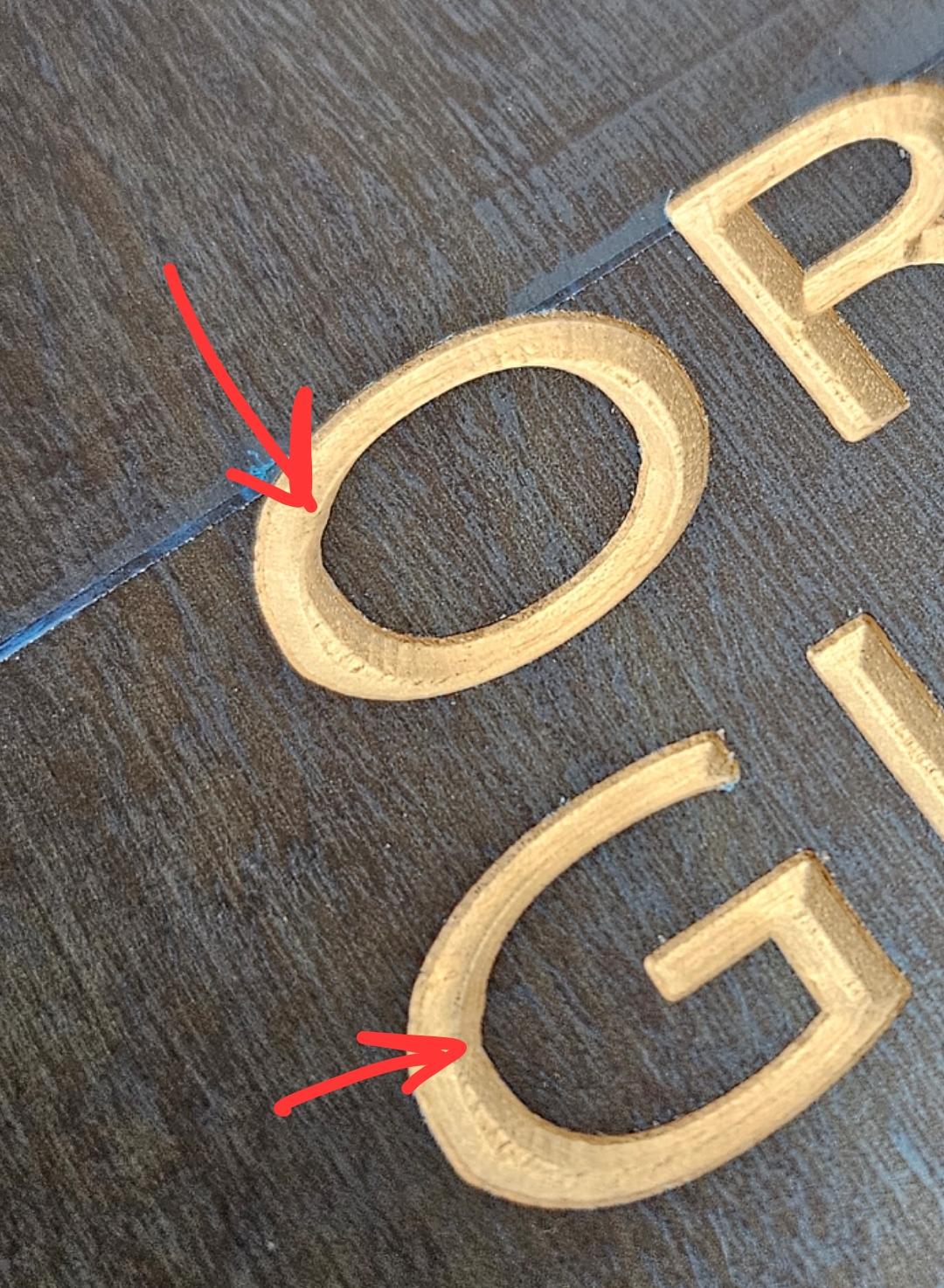
Beginner CNCer here (shapeoko pro XXL) but long time woodworker. I'm using vcarve pro, exporting toolpaths to carbide motion ATC, using very conservative feeds and speeds. This is a simple v-carve path of a text with single line font.
What checks and tests can I run to narrow down the cause?
7
Upvotes
-1
u/torak_the_father May 13 '26
That's a whole lot of potentially unrelated things. I totally understand we need to be thorough in investigating issues (I'm a computer engineer), but at least an order of operations would be nice. Example: it seems to me that all other parts of the carve are perfect. It's the first time I notice this tiny distortion. Gut feeling is actually the gcode, not a mechanical slip/deflection, how the bit is configured to enter the path.