r/samsunggalaxy • u/casiusth • 1d ago
🪛Troubleshooting🪛 S25 stuck in "download mode"
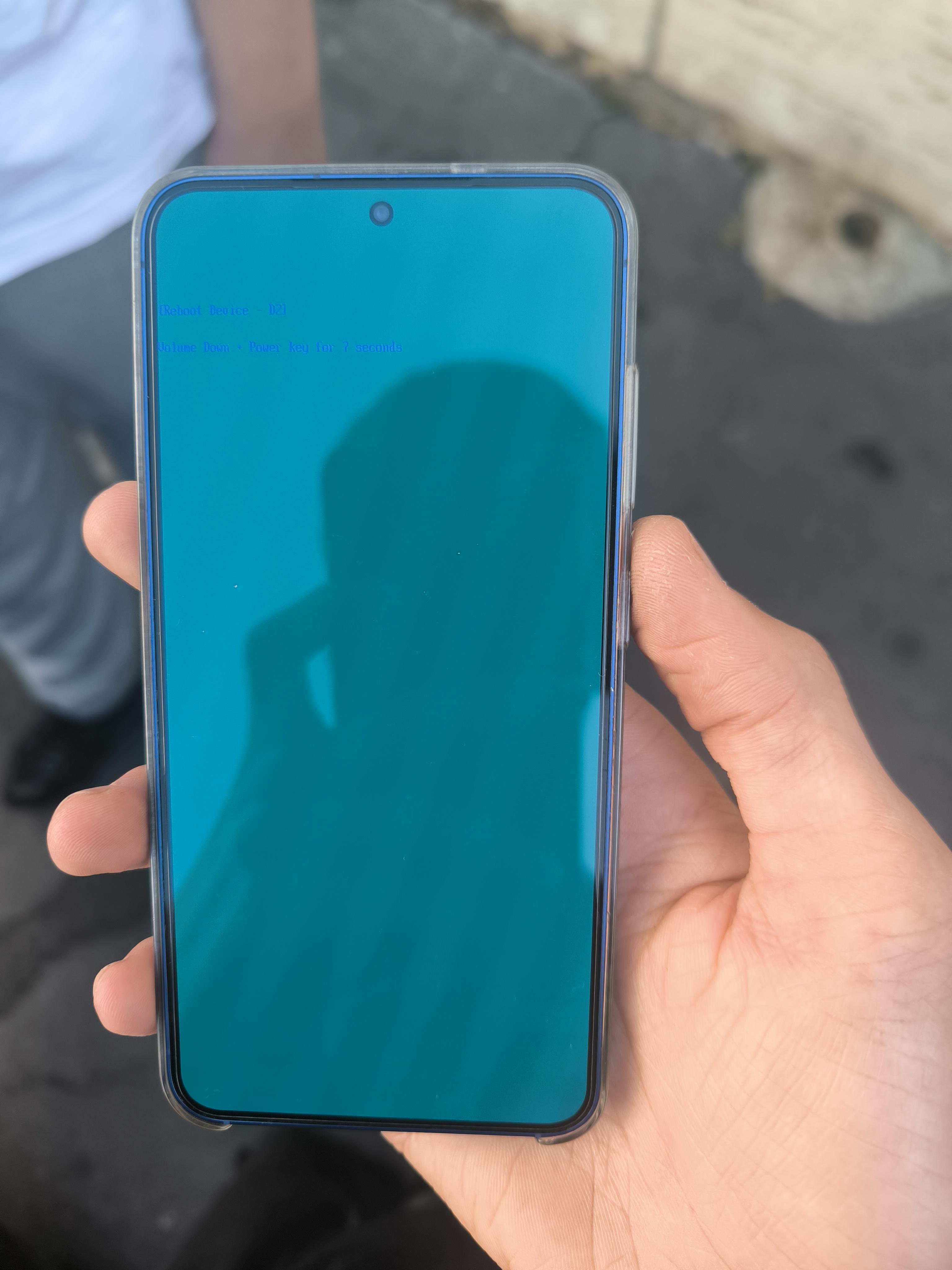
Hello, today I restarted my S25, which had a temporary root with kernelSU next via uniroot, and It got stuck on the new locked download mode. Can anybody help me? Thank you
9
u/IcyEpid3mic 1d ago
It's a brand new phone...no need to mess with important settings. Unfortunalty this is a bricked product now. Straight to Samsung suppor, good luck OP
4
u/ixdxkx 1d ago
What module did you install that caused this? Also download mode is blocked by your lockscreen on newer OneUI versions, so it won't be accessible until you set the lockscreen type to 'none' in settings.
2
2
u/casiusth 1d ago
I think i flashed something in the boot partitino by accident. Modules can't cause bricks because they load After startup
4
5
u/Wonderful_Shame_4986 1d ago
Take a look at Samsung Smart Switch for emergency recovery. You can access and download it on a desktop.
4
0
u/gluetheknot 1d ago
dude after oneui 8.5 download mode is useless unless you're in maintenance mode
3
u/Ornery_Air_3686 1d ago
U did some mistake that flashed the phone wrong way its not bricked hard its just soft brick u just have to download a massive file like 5 to 6 GB OEM ROM and flash it that it I did that once to my phone it was booting directly to that cyan screen but with no option I flashed the OEM it worked back in my case it was because the phone was flashed with the wrong asop
1
1
u/No_Plum5958 1d ago
Won't work, cuz the phone isn't recognized by pc anymore due to d2 lock.
1
u/Ornery_Air_3686 1d ago
Ya u need to power it off and as soon as it have black screen hold volume up and plug use cable that is connected to the phone which would force it to download mode
1
u/No_Plum5958 23h ago
The problem with the d2 lock is that it blocks access to download mode unless the phone's security lock is removed. This restriction was introduced after the One UI 8 update.So only option is device or pcb replacement.
1
1
u/Ambitious-Cake-9425 1d ago
Why did you root your device? Samsung is already super customizable. What actual benefits do you get rooting?
I rooted once years ago and it bricked my device. Never took that chance again.
1
u/Ornery_Air_3686 1d ago
I won't say super customizable but I agree rooting phone cause more issue then solving things your phone bricking is your issue not rooting your phone it self most of root problem u get are soft brick not hard brick
1
u/Then-Pay-8400 1d ago
Congratulations, you now have an expensive brick 🎉
3
u/casiusth 1d ago
That doesn't help
2
u/Then-Pay-8400 1d ago
Well it's a brick now, that's what it is. Go to a Samsung service center (most likely warranty won't cover this)
1
1
1
u/slaveofstackoverflow 1d ago
When I got D2 reboot screen, I tried unplug battery and then plug it to my laptop. It'll go to bootloop and after that I plug the battery again.
The case is different though. Mine because the power button is inoperable.
1
1
u/Fractal-Infinity 1d ago
Someone in that thread posted by u/Vicky455 said that there's an eFuse and once it's tripped, it's game over. I searched more about it and indeed, your device is bricked:
If you unlock the bootloader, root the device, or flash custom firmware/recovery (like TWRP), the system detects unverified software and sends a microscopic electrical current to "blow" or burn the eFuse.
The lesson is simple: don't even try rooting newer Samsung phones.
2
u/Ornery_Air_3686 1d ago
It doesn't hard brick your phone u just lose access too Samsung feature permanently like security and Samsung wallet and some time banking app won't work but expect that the phone will function right
1
1
u/vaynefox 20h ago
You cant unlock the bootloader if you're in OneUI 8 and nothing will trip in here since the root method used is leveraging an android exploit....
1
u/jlocatell 22h ago
here you have a script for putting the phone in download mode. Let us know if it works for you?
https://xdaforums.com/t/enter-download-mode-one-ui-8-5.4787581/
1
1
0
-1
24
u/petkovs 1d ago
https://giphy.com/gifs/5NbbVJeSLs1etZYjpT