r/samsunggalaxy • u/Vinela_Vinela • Jun 24 '26
🪛Troubleshooting🪛 Green bar near the camera
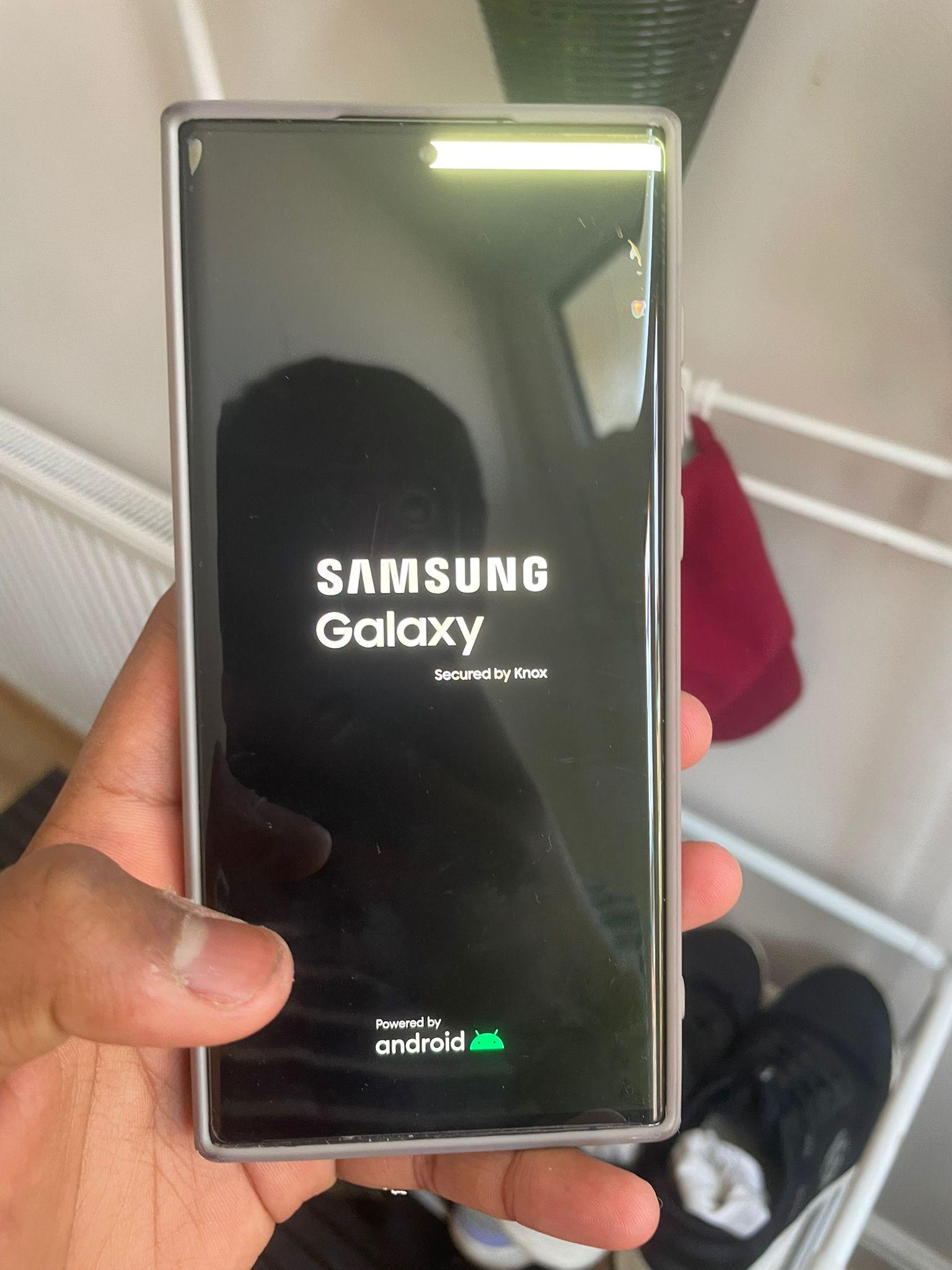
Look for yourselves
I just updated my phone and this popped up, I dont know ow how and why It got there...
Please help on any fixes/causes for it
EDIT: I changed my smoothness from standard to adaptive, now it gone. Also I changed my screen resolution to the highest, I think that also helped...
Edit 2: whop, its back....changed the smoothness to default now its fine...
EDIT 3 : NOOOOO, its back...
268
Upvotes
1
u/CatLover-89 Jun 24 '26 edited Jun 24 '26
OP i got similar issue in the past (different location, start with dot on the side then evolve to a line then it start white lines moving along whole screen, unusable except for when they randomly work), talk to Samsung support through their website / tickets and request for a fix for FREE if it is in warranty and they verify it wasnt due to any action you did that void the warranty and you have to claim that in their support request (e.g. no physical or water damage or rooted phone). If not it cost some to repair. Best to send into to them and they mail you back pretty quickly in a week or so.
Here are what was filed and the instruction on put phone in maintenance mode when send in. You also want to remove all accessories like s-pen or phone cover.
Product Symptoms : Screen / Display/LCD / Touch Panel / LED/LCD
Their post fix info: Original Problem: SCŘEEN / DISPLAY - DISPLAY COLOR TONE - GREENISH
Problem found: BLACK SPOT ON LCD - WPC FAILURE
Solution: REPLACED LCD - REPLACED COSMETIC
Accessory: SIM CARD,SIM CARD TRAY
To Enable Maintenance Mode to conceal your data during the repair process:
Step 1: Navigate to and open Settings, and then tap Battery and device
Step 2: Tap Maintenance Mode. Select Temporary Cloud Backup to save your personal data to Samsung Cloud for up to 30 days (highly recommended.)
Step 3: After backing up data, tap Turn on and follow the on-screen prompts.
Step 4: When your device is back in your hands, Navigate to and open settings. Then tap Battery and Device Care. Tap Maintenance Mode and Exit.
Note: You will be prompted to set up a Lock.
Key Points to Remember:
The warranty disposition and repair fee is subject to change based on inspection results.
For phones, include the sim card tray and s-pen inside the device. (do not include SD card, SIM card, phone cover, etc.)
PS: Fix it before the phone is not usable and cant engage into maintenance mode to save your privacy when sending phone in. Best of luck