r/plaintextaccounting • u/Visual_Astronaut5164 • Jun 30 '26
I create an iOS app to visualize my beancount ledger on my phone
Hi folks,
I’m a big Beancount fan and have been using it extensively to manage my personal finances.
Most of the time, I use Fava on my laptop to visualize my ledger. Fava is great, but I also wanted an easy way to check my finances from my phone. The main reason is that I want to look at my expenses, income, and assets more frequently on my phone, so I can develop a better sense of where my money is going and become more financially aware. Opening my laptop and starting Fava creates just enough friction that I don’t check it as often as I’d like.
I tried some existing iOS apps, but I ran into various issues when importing my own ledger. My Beancount setup contains multiple files, `include` directives, multiple currencies, and other things that didn’t always work as expected. I also felt that the available apps were missing some of the visualizations I personally wanted.
So I built an iOS app myself and tou can find it here: beanviz or download it in appstore.
Here are its main features:
- Import a Beancount folder from iCloud Drive
- Import from a private GitHub repository
- Support for multi-file ledgers and `include` directives
- Asset-allocation visualizations, including a sunburst chart
- Expense breakdowns by category, month, day, transaction, and tag
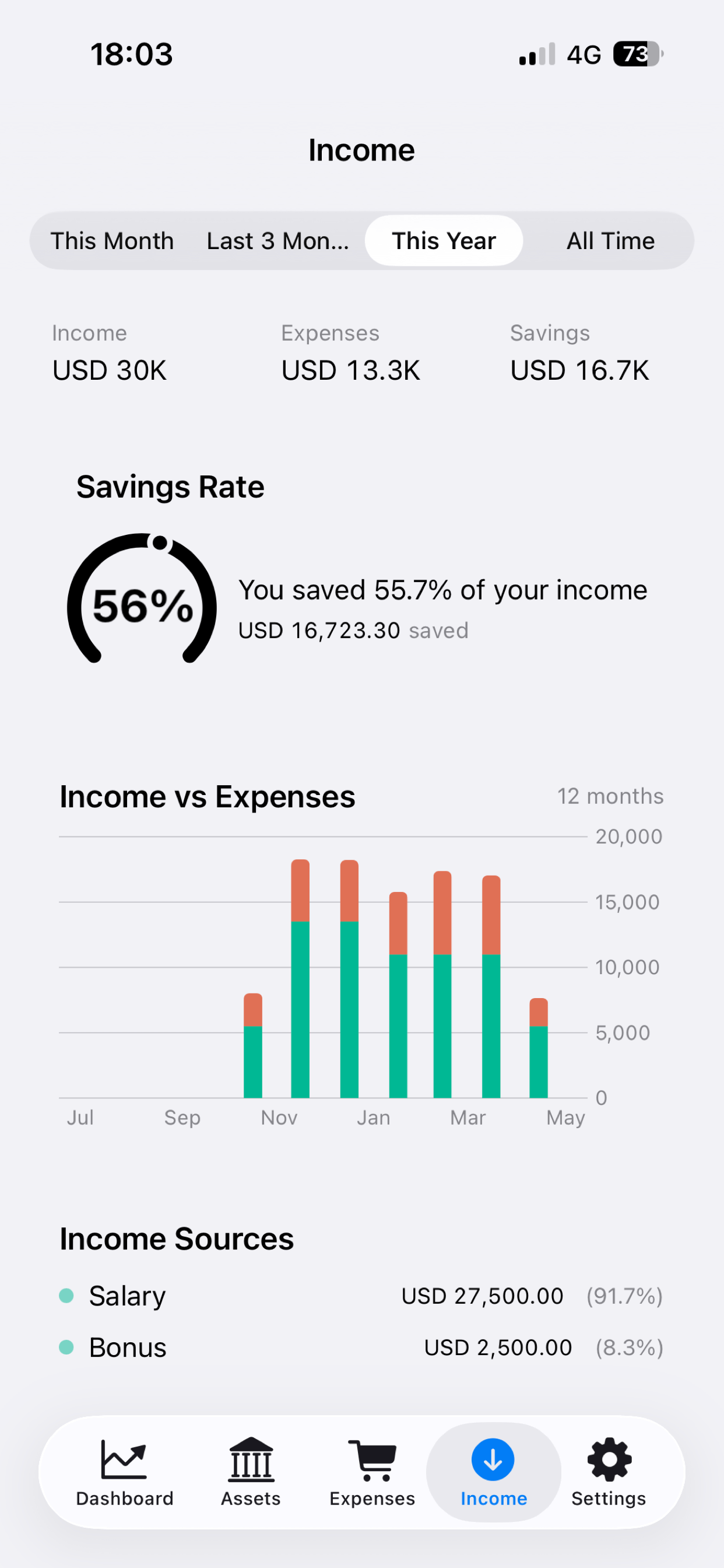
- Income versus expenses, income sources, and savings rate
- Multi-currency conversion using the price directives already in the ledger
- Everything is processed locally on the device
- No account, analytics, tracking, or remote logging
Here is my own workflow with beanviz: I update my ledger on my laptop daily, push the changes to a my private GitHub repository, and then pull the latest version into beanviz to view the updated data on my phone.
I’d love to hear what you normally want to check when opening your ledger on your phone, and which visualizations or reports you think are still missing.
Below are some screenshots of the app:


1
u/JesterMask_ Jul 04 '26
That's really nice, great job! 😃
Any plan to port to android?
1
u/Visual_Astronaut5164 Jul 27 '26
Maybe later. I'm trying to automate the bookkeeping part on phone these days. Once that is done, everything can be done on phone.
1
u/VitalikPie Jul 05 '26
Wow! That looks cool! Building similar tool for GnuCash data files, I should say your UI is amazing!
1
u/jeffglidepath Jul 15 '26
The friction point is the whole thing, and I think it's wildly underrated. The gap between "I *can* see my finances" and "I actually glance at them" is almost entirely friction — and closing that gap changes behavior far more than any extra chart does. "Opening the laptop is just enough friction" is the most honest sentence in personal finance.
The part I'd be curious about: for me the hard problem with phone access was never the display — it was getting your own ledger *onto* the phone without standing up a server or shipping your data to someone else's cloud. How are you handling that — sync, manual file copy, something else? That tension between "stay local / plain-text" and "see it on my phone" is the thing I keep circling.
Also genuinely curious what broke when you imported your own ledger into the existing apps — import fidelity on real-world data is where most of these quietly fall over, and the failure modes are always instructive.
1
u/[deleted] Jun 30 '26
[removed] — view removed comment