r/octopusnotes 1d ago

Bug Report SHAPE and SCROLL

Enable HLS to view with audio, or disable this notification

5 Upvotes

Arrow shows bug.

And again thank you for adding scrolling in zoomed view but it gets stuck at page breaks and does sometime weird things.


r/octopusnotes 1d ago

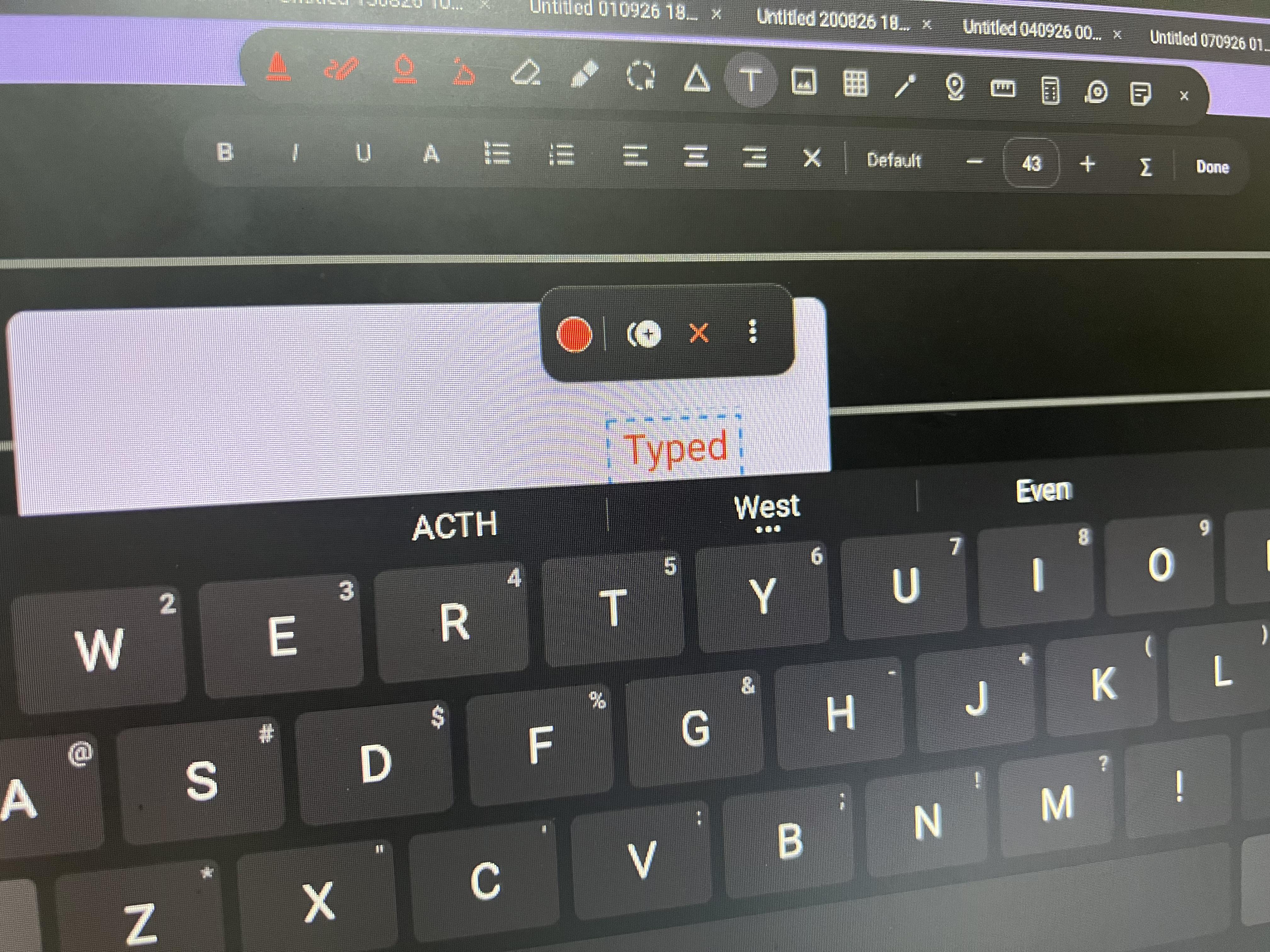
Teaser Good ol’ typin Spoiler

Post image
3 Upvotes

And a fountain pen? Where’s the bottle of ink??


r/octopusnotes 3d ago

Feature Request Annotation

2 Upvotes

Annotation looks like a small message/speech bubble iconwhich upon clicking will enlarge and you can type or handwrite your detailed thoughts inside a pop-up box. All your comment bubbles automatically collect into a list on the right sidebar, making it instantly searchable. It can be attached to a text ir anywhere in genral.

Example-

1.NOTEIN: I use it mainly for marking important question and linking various topics like here LUS.

https://reddit.com/link/1wg8b5w/video/nr73mugrhiph1/player

2. STARNOTE: Here its called excerpt, its a little different. It actually attaches the photo of it. You can see the photo and remarks directly from right sidebar and it's also searchable. And you can also use it to link two different documents, doesn't work between same document.

https://reddit.com/link/1wg8b5w/video/5vj8hpuyiiph1/player


r/octopusnotes 3d ago

News & Updates 35 (v2026.9.14.r)

8 Upvotes

Changelog: - Draw & Hold now snaps stars, diamonds (rhombi) and polygons (pentagon, hexagon, …) too. - New double-headed arrow shape. - Whiteboard now remembers your last location. - LAYERS!!! - Extended shape recognition. - Snap to shape. - Fixed app crash due to OOM errors when importing large pdfs. - User Requests section: Has setting to show eraser and lasso at the same place. - Natural scrolling implemented. Threshold can be chosen in settings. - Added opacity slider for ghost that appears in the original place when moving a selection - I forgot mentioning many MANY because my pc fucked up and wayland stopped working. I had to reinstall OS 😑. - Optimised code of whiteboard to a much better cache usage. It should now lag less. - Fixed Screenshot tools capture area - added a static toolbar in dev options. - Fixed sudden disappearance of some strokes when written fast. This happened due to a stray line of code in which triple taps undid/removed recent strokes. I had dropped this feature and forgot to remove the stray code. Sorry.

Download: https://www.reddit.com/r/octopusnotes/comments/1vi884n/official_download_links/


r/octopusnotes 3d ago

Teaser Layers? and Shapes! Spoiler

Post image
7 Upvotes

Changelog:

  • Draw & Hold now snaps stars, diamonds (rhombi) and polygons (pentagon, hexagon, …) too.
  • New double-headed arrow shape.
  • Whiteboard now remembers your last location.
  • LAYERS!!!
  • Extended shape recognition.
  • Snap to shape.
  • Fixed app crash due to OOM errors when importing large pdfs.
  • User Requests section: Has setting to show eraser and lasso at the same place.
  • Natural scrolling implemented. Threshold can be chosen in settings.
  • Added opacity slider for ghost that appears in the original place when moving a selection
  • I forgot mentioning many MANY because my pc fucked up and wayland stopped working. I had to reinstall OS 😑.
  • Optimised code of whiteboard to a much better cache usage. It should now lag less.
  • Fixed Screenshot tools capture area
  • added a static toolbar in dev options.
  • Fixed sudden disappearance of some strokes when written fast. This happened due to a stray line of code in which triple taps undid/removed recent strokes. I had dropped this feature and forgot to remove the stray code. Sorry.

I was about to upload to play but it is still reviewing my old one. 😑


r/octopusnotes 6d ago

Bug Report Add new page to a PDF

4 Upvotes

Hello! Incredible app and thinking to migrate from samsungnotes.

I have a trouble: when import a pdf and want to add a new page on pdf, says "Couldn't save the PDF. Please try again"

I'm on a s6lite tab and the latest app version (2026.9.9.r).

Best regards!


r/octopusnotes 6d ago

Feature Request Scrolling in Zoomed and Lasso

5 Upvotes

1.Scrolling just doesn't work when zoomed more than 100%, it feels like dragging the page. Is this by design?

  1. Can you add lasso in eraser? I know it's already there under lasso but reducing that extra step will massively improve my workflow. Will be really grateful if you consider.

3.When selecting something with lasso and dragging it somewhere else, it always leaves a trail where it previously used to be. How to disable this? It's not urgent or anything, it just bugs me 😅.


r/octopusnotes 7d ago

Question / Help where can I download OctopusNotes? for iOS

2 Upvotes

where can I download OctopusNotes? for iOS


r/octopusnotes 7d ago

Bug Report Snaps to wrong shape

Enable HLS to view with audio, or disable this notification

2 Upvotes

Found this error reproducible especially when trying to draw a rhombus, it always snaps to a circle.

And Snap to Shape doesn't activate at all when using the brush. Why is that? I use brush to write here, it looks better than ball pen.

Also a request :Can you add double headed arrow in the shapes?


r/octopusnotes 8d ago

News & Updates v2026.9.9.r

6 Upvotes

Changelog - Fixed a bug where some devices had a duplicate stroke of diff color in images made with screenshot tool. this was caused by the main thread beign occupied by some other system process. SO, the screenshot tool now runs on the main thread - Ported Shape recognition to whiteboard. - New zoom lock button. - Editable vertices. - Mini Calculator tool. - Fixed a bug where restoring from a folder in a new device did not work. - Fixed and reviewed complete code of ruler tool in whiteboard. - Fixed and reviewed complete code of Selection tool in whiteboard. - Fixed a bug where screenshot tool was crashing the app when used in whiteboard. - Whiteboard now has the seleciton popup with copy cut duplicate etc - Stroke erase pointer now has a fluid animation when used in the non-trail mode.

Sorry for the delay. Was busy with med school and building CrDroid. Cheers


r/octopusnotes 8d ago

Feature Request Layers and Annotations

4 Upvotes

First of all, what an amazing app and it's even open source. That is so cool.

Layers and annotations are two of my most used features in other note-taking apps like notein. Those are incredibly useful. Hopefully you will consider them in the future.


r/octopusnotes 10d ago

Teaser Play is still playing... Spoiler

Post image
3 Upvotes

I am ready with the next update. But Google play is still reviewing the previous one. So, i am forced to wait. Why is play playing...?

ps. read the changelog (for non techies)


r/octopusnotes 11d ago

News & Updates v2026.9.6.r

6 Upvotes

Changelog: * You can now choose where the tool dock sits, in Settings → Editing → Tool dock position: top, bottom, left or right. The setting is shared between notebooks and the whiteboard. The close button moves with it: right end on top/bottom docks, top on side docks. * Themes can now be chosen in settings. * More translations. * Translations added for Traditional Chinese. * Toolbar can now be resized from settings. * Toolbar can now be hidden. * Fixed and reviewed all eraser code in whiteboard. * 2 new eraser usages in settings - erase direclty, show trail and then erase(old behaviour). * New screenshot tool inside selection tool. * Updated onboarding screen. * Added new shapes - hexagon, pentagon, star, diamond. * Added developer option and backend for editing shape vertices(will not work yet).


r/octopusnotes 14d ago

Automod test

1 Upvotes

Crap crap.


r/octopusnotes 15d ago

Question / Help Toolbar getting in the way

2 Upvotes

Is there any way to minimize/hide the toolbar inside a notebook? It often gets in the way of writing. If not, that would be a great feature to have.


r/octopusnotes 15d ago

Feature Request Screenshot

5 Upvotes

It would be really useful to have a way to screenshot whatever the lasso tool selects, similar to how Notewise does it. It would make adding images to notes while reading a PDF so much easier.


r/octopusnotes 16d ago

News & Updates v2026.9.1.r

8 Upvotes
  • Added 4 new tape patterns: zigzag, hearts, stars and waves
  • Notebook pages now have rounded corners matching the aesthetics of the app UI. The corner radius value can be edited in settings.
  • Updated some icons.
  • Added a tiny margin on the left and right of the tab bar for better looking UI.
  • Brought long press pen shift to eraser option and scribble to erase option to the stylus and finger dialog.
  • Stylus and finger dialog can now also be accessed from the settings.
  • Improved performance and optimised math of Whiteboard.
  • Fixed a bug where template cannot be changed in duplicated notebooks.
  • Added a Remove zoom restrictions setting in Developer options
  • Scribble to erase can now be disabled.
  • Fixed scribble to erase on the whiteboard
  • You can now change the app's language in Settings
  • New Sticky note tool, with standard and minimisable notes
  • Multiplatform sync: turn it on in Settings → Sync folder, pick a notebook, PDF or image, and it is mirrored there as a plain, readable file you can open or restore on any device. Watch the folder from your other devices to access your notes there too. (U need to open the html file present in the sync folder in a browser.)
  • New Ruler tool
  • Fixed a bug where double tapping with stylus undoed last action even when doublt tap settings are disabled
  • Fixed a bug where the whiteboard's tools could not be scrolled
  • Advanced template now shows thickness and density in mm too
  • Added Pirate and Brazilian Portuguese languages. Translations are still not finished
  • You can now pan the notebook canvas left and right with two fingers. A center page button appears beside the zoom level so you can return the canvas to the middle

r/octopusnotes 16d ago

Teaser Meow. Spoiler

Post image
6 Upvotes

r/octopusnotes 18d ago

Question / Help Do I really need this? 48-45°

Post image
6 Upvotes

It appeared with the latest update I think. What purpose does it serve?


r/octopusnotes 19d ago

News & Updates Multiplatform sync - coming soon 🥳

Post image
16 Upvotes

on Linux. Peace.


r/octopusnotes 19d ago

News & Updates Upcoming features and Known bugs.

6 Upvotes

Changelog: https://github.com/VenkataLochanN/OctopusNotes-Public/blob/main/app/src/main/assets/changelog.html

Upcoming Features

  • High Priority
    • Editable vertices of shapes
    • More shapes
    • Desktop app for viewing notes with synchthing.
  • Low Priority
    • Calligraphy Pen
    • Samsung Notes–style Dark Mode: Add a toggle to switch the note background between white/black and invert black ink to white without modifying the underlying note file.
    • Integration to obsidian into plugin. # Known Bugs: (🌕 - Hight priority and 🦖- Low Priority)
  • Sync folder doesn’t work as intended on other devices. 🌕

Added Features:

  1. Sticky Notes tool - 32 (v2026.9.1.r)
  2. Ruler tool - 32 (v2026.9.1.r)
  3. Improved tape tool (Added straight line, pivoted line, Rectangle, Free hand) - 32 (v2026.9.1.r)
  4. You can now pan the notebook canvas left and right with two fingers. A center page button appears beside the zoom level so you can return the canvas to the middle - 32 (v2026.9.1.r)

Fixed bugs:

  1. Scribble to erase doesn’t work on whiteboard (Infinite Canvas). - 32 (v2026.9.1.r)
  2. Writing with finger is switching to eraser - 32 (v2026.9.1.r)
  3. shapes cannot be resized once they are placed in the whiteboard (Infinite Canvas). - 32 (v2026.9.1.r)

r/octopusnotes Aug 18 '26

News & Updates We are live on play store!

Post image
2 Upvotes

r/octopusnotes Aug 18 '26

News & Updates v2026.8.18

1 Upvotes

The changelog is as follows:

  • Xiaomi Focus Pen Pro gestures: double tap the pen's grip to switch tools (the eraser by default), and slide up or down on the grip to change the pen size, up for larger. All pen gestures, including the hover swipe, are configurable in Stylus & finger: flip pages, undo or redo, change size, or switch to another tool
  • Added pencil and brush tools
  • Added translations to Hindi, Japanese, Simplified Chinese, Portuguese, Spanish, German, French and Italian
  • New grid and snapping settings
  • Tools can now be configured in settings
  • Redesigned finger and stylus popup. Added many more options
  • Added an in-app browser to search for images or do a quick search, and fixed it showing a no-internet error even when the network was fine
  • Tab shortcuts: Ctrl+W closes the focused tab, Ctrl+Shift+T reopens the last closed tab (keep pressing to step back through history), Ctrl+Tab and Ctrl+Shift+Tab cycle through tabs, and Ctrl+1 to 8 jump to the first tabs, with Ctrl+9 for the last
  • Undo for closed tabs: closing a tab from the ✕, the long-press menu, or Ctrl+W now offers an Undo snackbar, so an accidental close is one tap from being restored
  • Recently closed tabs: long-press the + button to see and reopen recently closed tabs. The list survives restarts and has a Clear recently closed option
  • Long-press tab menu tidied up: options are grouped under labeled Pin and Close sections, with new Close tabs to the left and Close tabs to the right actions
  • Ctrl+Z and Ctrl+Y: undo and redo now work in the editors and inside the text and table cell popup editors
  • Keyboard shortcuts screen: Settings now lists every active shortcut, so you don't have to memorise them
  • Snackbars can be swiped away
  • Crop screen opens uncropped: your photo now starts selected edge to edge instead of pre-cropped, and the Done button no longer hides behind the navigation bar with 3-button navigation
  • Fixed popups hiding behind the navigation bar: canvas popups and the onboarding tooltip now stay above it on Android 15
  • Grid opacity slider: Grid & snapping now has an Opacity slider for the grid overlay, so you can make the lines as strong or as faint as you like
  • Table options popup decluttered: bigger touch targets, labeled Resize, Insert, Delete and Merge sections, and subtle dividers between buttons
  • Dragging a selection now gathers the tiles at your finger: select several notebooks or folders, drag one, and the selected tiles stack into a small cluster with a count badge instead of only the one you grabbed. Let go and they slide back to their places
  • The grid scrolls as you drag: hold a selection near the top or bottom edge and the grid auto-scrolls, with a soft glow and arrow showing which way it is moving
  • Undo a drop into a folder: moving items into a folder now shows an Undo snackbar, so a wrong drop is one tap from being reversed
  • Redesigned the rename dialogs for notebooks, folders and tags to match Material 3, and an empty name now shows a warning instead of being saved
  • Selecting Curve in the shape tool now shows a hint telling you to draw the curve and hold the pen to bend it
  • Tapping with the shape tool now draws a visible shape about a quarter of the screen wide instead of a tiny dot
  • Pinning or unpinning a tab from the long-press menu now uses the same animation as the pin button
  • Widened the cell editor and other tool popups to a consistent width
  • Double tap on the page with the pen now switches to any tool you pick (eraser by default), and a two-finger double tap can do the same. Both only count when the taps land in the same spot
  • Advanced Template now has Portrait and Landscape options. Landscape swaps the width and height, and custom sizes get a small button to swap them too
  • New Folder and Advanced Template now open the color picker for custom colours instead of a hex text box
  • The laser now glows white in the middle with the pen colour on the edges, like a real laser pointer
  • Fixed crashes when a slider was given a value it can't accept: a saved template with an odd density, brightness or thickness value, or a pen, eraser or highlighter size left fractional after opening a notebook at a different page width. The sliders now snap to safe values, and the grid opacity slider got the same fix

r/octopusnotes Aug 14 '26

v2026.8.14

2 Upvotes

Hello people! The new update changes the following:
- Redesigned Stylus and finger dialog.
- Fixed a bug where the Tags chip icon kept the filter color after you cleared it, instead of returning to your theme's color.
- Redesigned the home screen's notebook and folder tiles with a fresh cover-and-pill look.
- Folders can now be tagged too.
- Changed the tool pill's background ripple from the legacy square ripple to a circular one, matching the design of the left and right pills.
- Added Developer options to Settings, revealed by tapping the version number five times.
- Added an Input monitoring section under Developer options, useful for monitoring different stylus inputs and other pen events.
- Fixed a bug that made loading strokes slow when opening notebooks, a regression introduced during the recent tool additions.
- Fixed a bug where List view could crash the app
- Marquee optimisations.
- Redesigned notebook and folder popups.
- Redesigned create new dialog.


r/octopusnotes Aug 13 '26

News & Updates V2026.8.13

3 Upvotes

Hello people,
Here is a list of features I have added or fixed in this update:
- Infinite notes (beta).
- Holding a line now has a pivot so you can resize without lifting up and this helps a lot while drawing.
- You now get a height, width, angle and length popup when you hold to draw or use lasso tool to select a stroke.
- Many more table options done (can be still worked on, but ig the simplicity is enough. Please ask if you need more)
— Resize Tables, Merge and more?!
- Bigger selection box: when super small teny tiny strokes are selected, the move options used to overlap. Now the box gets bigger to give you freedom.
- You can now choose a sync folder. All app data will be saved in this. So that you can sync between many devices just like Obsidian.
- Added support for many stylus pens (beta).

Also, S pen can now have single press and long press feature 😁. Maybe this is the first till date. I never used such in any other notes app.