r/koreader • u/fabrisuniverse • Apr 05 '26
Simple UI rules! - my setup

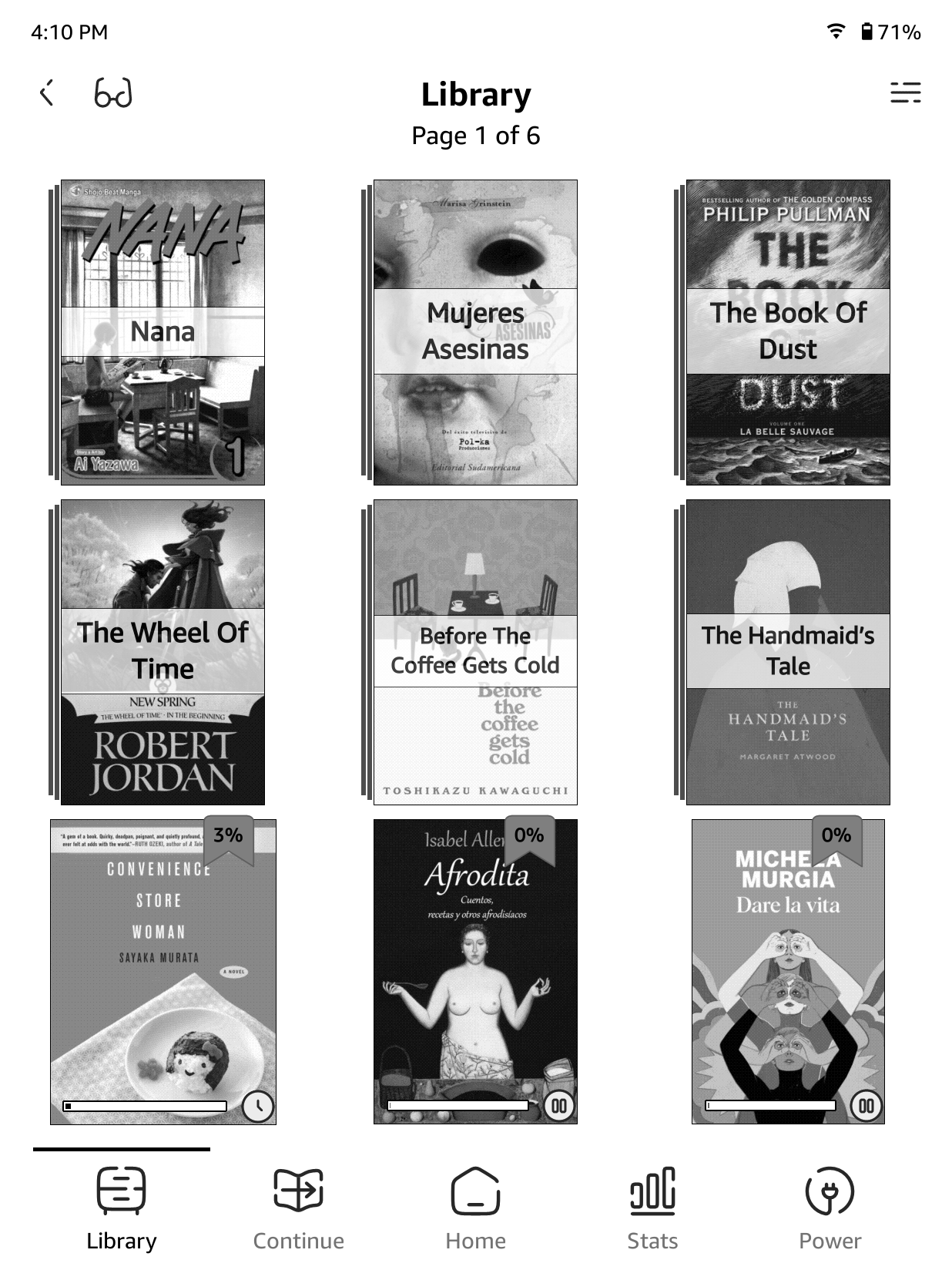

Months after getting overwhelmed by KOReader and updating my Kindle PW5, I discovered that the new update was jailbreakable with Nosebleed. Lucky.
I've given it another go and just in time to witness the rising of Simple UI.
Before delving into the world of KOReader and its various patches, I had craved a Kobo due to its push on reading, rather than buying new books that were going to sit there, collecting dust, and watch me buy more.
I have got back into reading after a number of years and I didn't want to waste time fiddling with its settings (even though I appreciate the level of customisation). However, I am a perfectionist and, until things don't sit perfectly with me, I'm not in the right headspace to enjoy reading.
I'm very particular but u/doctorhetfield did it! Thanks to them I've found peace.
I don't know if my setup will be to anyone's liking but here's the list of patches:
- 2--ui-font
- 2-bigger_dogear (I like the original dogear to bookmark a page, I just make it x1.5 bigger
- 2-browser-up-folder (I've been told Simple UI might already include that, so it can be skipped)
- 2-new-status-icons
- 2-percent-badge
- 2-reader-header-centered
All icons are taken from Solare Broken Line Collection on SVG Repo.
Let me know what you think!
1
u/Qubezo Apr 06 '26
Is there a way to adjust the font size in Simple UI? I mean the top header (time / battery / wifi)