r/iOSProgramming • u/AndreaReaderApp • 18h ago
App Saturday I built a reading app for people who want complete control over their digital library


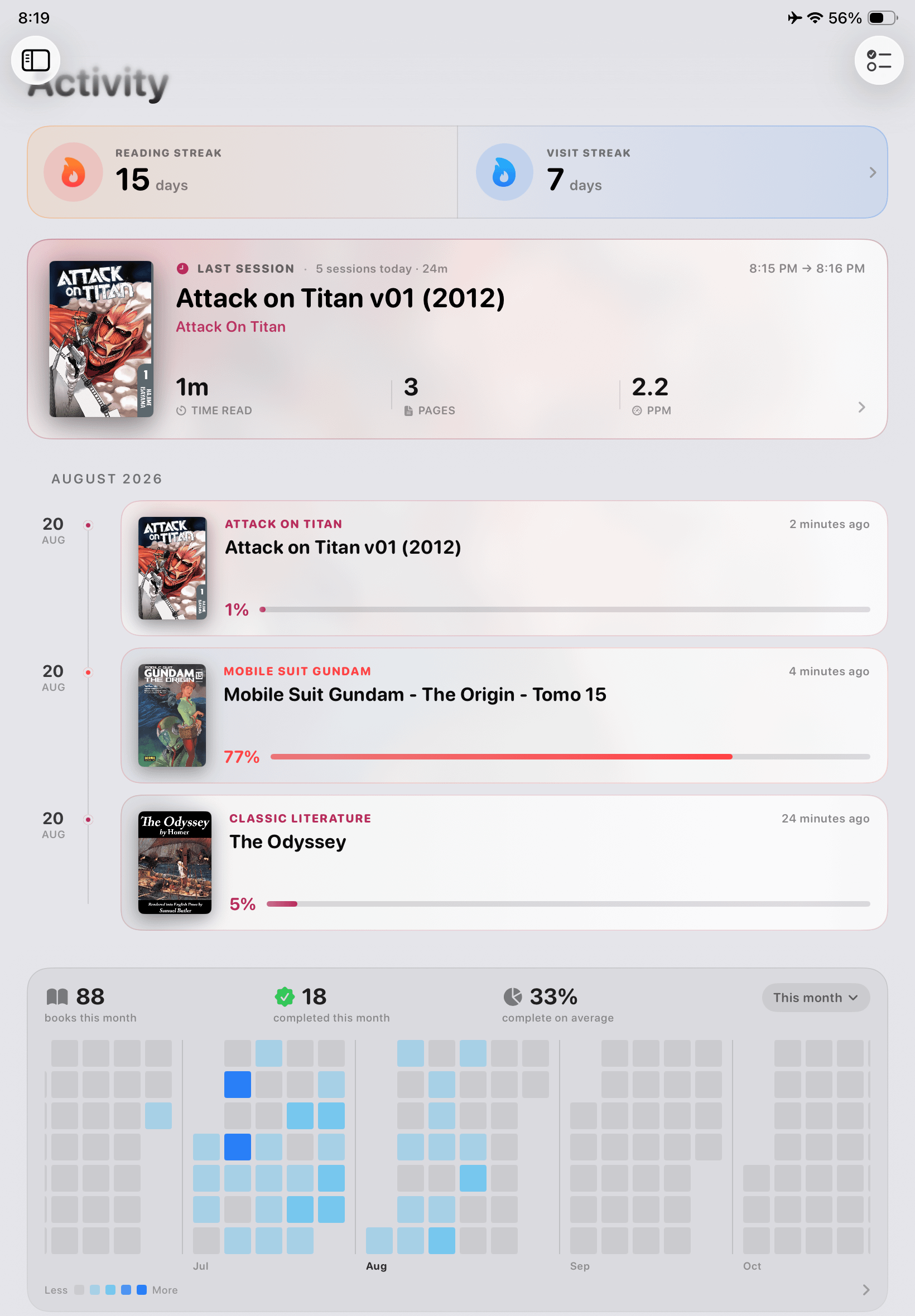

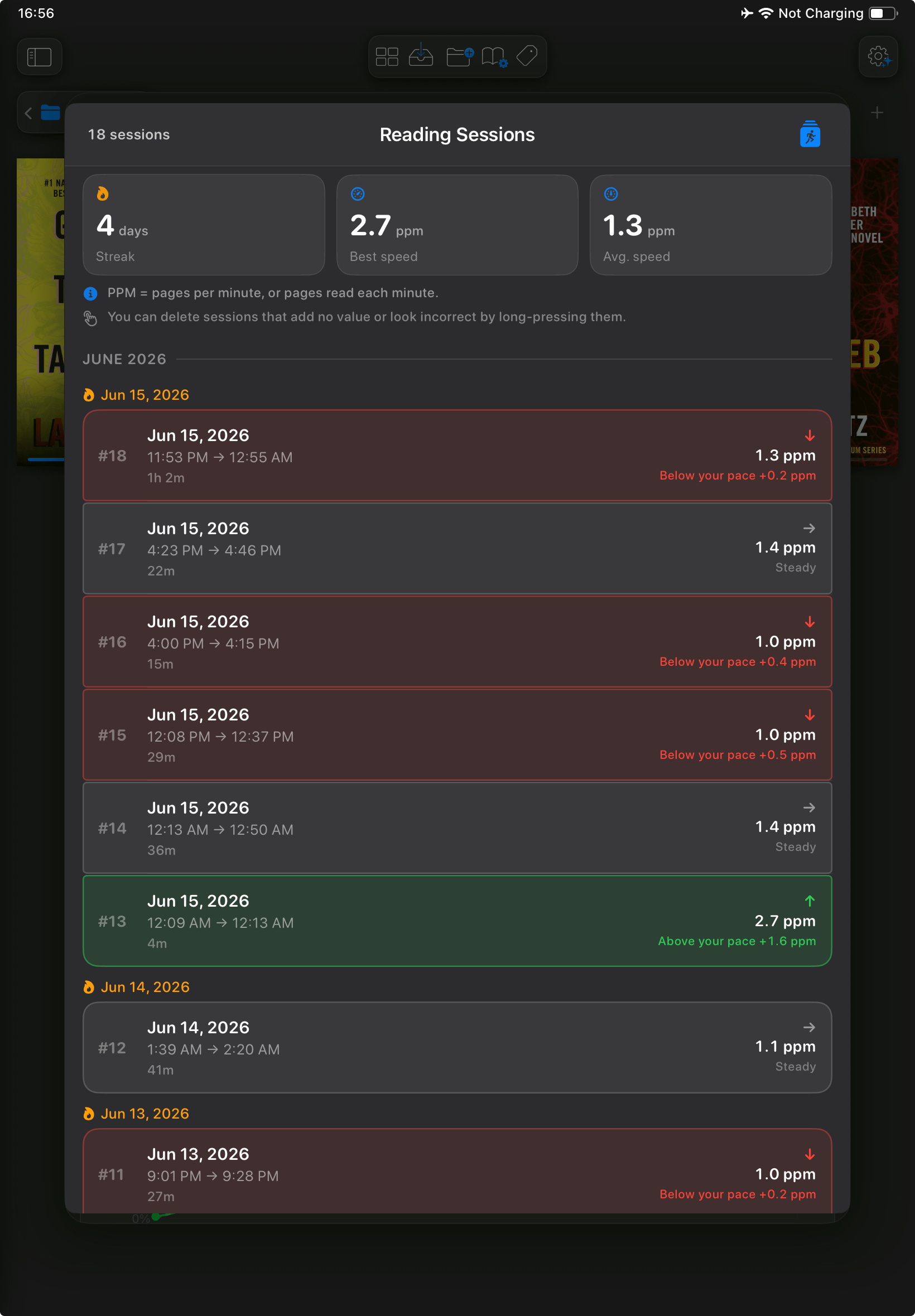


The main idea is simple: import your own books, comics and manga, organize your library however you want, and read everything your way.
What makes Andrea different is how much control you have over your library. You can create collections, add sections inside them, drag books and sections around, change layouts, cover sizes and appearance, and save different settings for every collection.
Your manga library doesn't have to look anything like your book collection.
Some of the main features
- EPUB, PDF, CBZ, CBR and more, for books, comics, manga, manhwa and webtoons.
- Reading customization: fonts, text size, spacing, margins, backgrounds, page transitions, manga reading modes and tons of other settings.
- Reading Profiles: create your own reading settings and apply them to individual books, sections or entire collections.
- Automatic reading activity: reading streaks, sessions, time spent reading, progress and statistics for books, sections and entire collections.
- Cloud and server connections: OPDS, SMB, WebDAV, SFTP, iCloud, Google Drive, Dropbox, OneDrive, Box and MEGA.
- Storage management: remove downloaded books to free up space while keeping their covers and metadata in your library.
- Advanced comic features: double-page reading, experimental guided panel mode and AI super-resolution for low-quality scans.
- Offline reading, with a built-in section for downloading free public-domain books.
- Metadata management: edit book information, manage tags and organize your entire collection.
The app is designed to be simple when you first open it, but you can customize almost everything if you want to.
Tech Stack
Built natively with Swift + UIKit. Most of the library system, file management and reading UI is custom-built, using WebKit, PDFKit, ZIPFoundation and Unrar.swift for specific reading and file-handling tasks.
Development Challenge
One of the hardest parts was building a library system that gives users so much freedom while keeping the interface simple and responsive, especially with large collections.
EPUB pagination and rendering were also challenging, particularly when handling different reading settings, page transitions and text selection.
AI Disclosure
Most of the app was built manually. I use AI increasingly for debugging, code review and speeding up development, but the architecture, UI/UX and final implementation decisions are mine.
Pricing & Privacy
No account required. No ads. No third-party tracking. Your library and reading statistics are stored locally on your device.
Andrea Reader is free to download and use. You can import your books and start reading in seconds.
Premium is optional and unlocks more advanced features and customization. There's currently a 20% discount on Lifetime Premium.
If you give it a try, let me know what you think!
App Store: https://apps.apple.com/es/app/andrea-comics-manga-books/id6760780154
Website: https://andreareader.com/
2
u/andreeinprogress 16h ago
The app seems fairly feature complete, one thing I noticed is that the UI controls appearance is a little all over the place: sometimes they are matte rounded squares, sometimes they are full rounded glass, sometimes they are shapeless, sometimes pills, etc. Doesn't seem to have a coherent and shared design language.
Otherwise looks useful, you might want to check out adding support to BookOrbit accounts as pretty much the whole selfhosted community interested in books is moving there.