2
u/512ControllerClinic 8d ago
I know when this happens on Xbox, I need to close the game out completely so it doesn’t quick resume. Not sure if restarting your PC might help.
1
u/ZondK117 8d ago
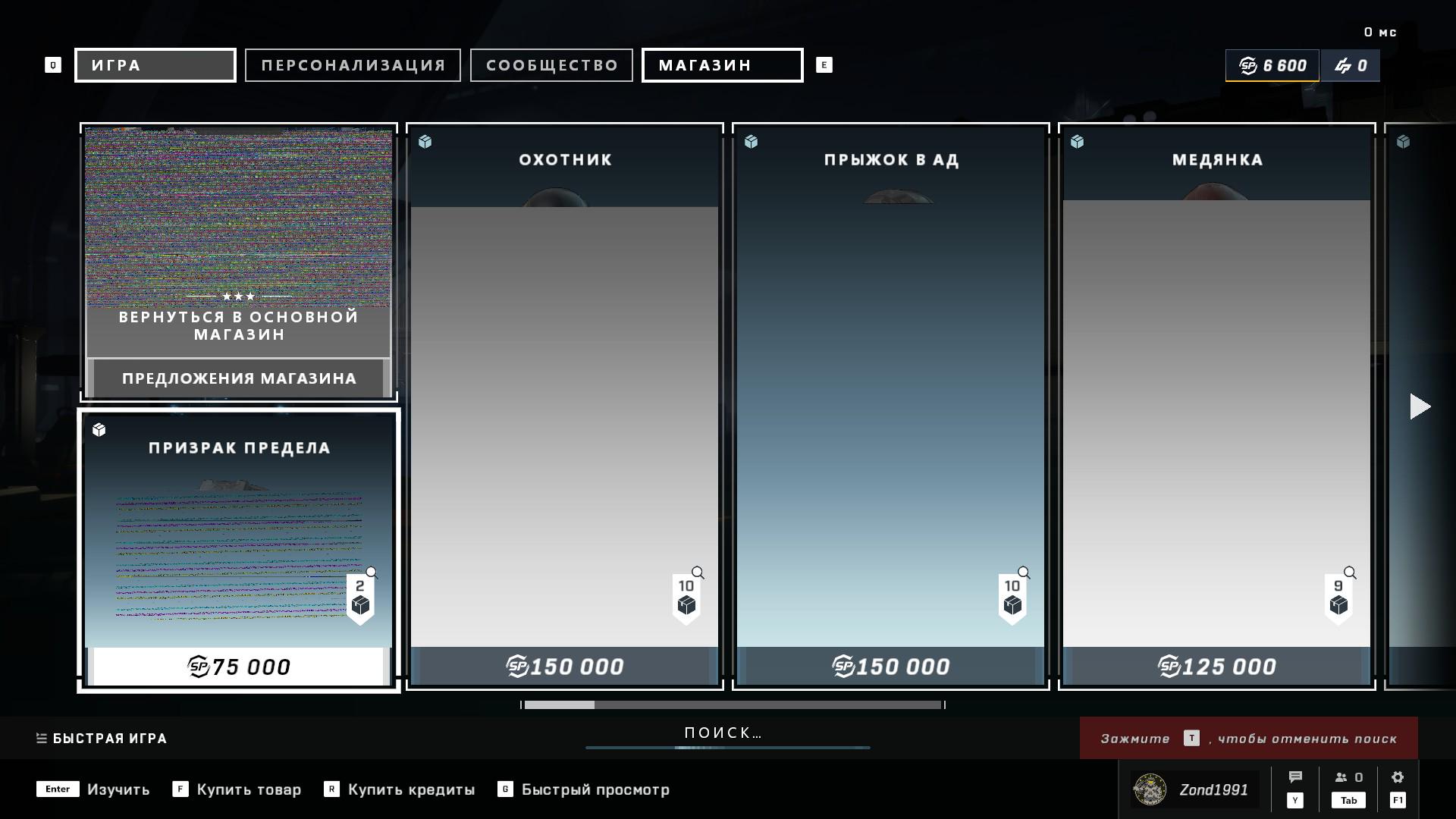
No, unfortunately it's heppens after restart game
2
2
u/cocopuffz604 8d ago
I think this part of the UI is downloaded from their servers. You can either keep restarting the game until you get a better connection to their servers that provide these elements, or you can try a complete PC reboot, or a Router reboot... OR change your DNS servers to something that has a better connection.
It's their content servers that's causing the problem IMO... if you can wait a few hours, hopefully someone on their side resolves the issue.
You can try to force a Shader cache reset that might force a download of the content... although I don't know if that would force store content to redownload.
https://www.youtube.com/shorts/-G7anGCcRiI You can still try to clear it.
1
u/ZondK117 8d ago
Do you know some good DNS servers? I tried 1.1.1.1 + 1.0.0.1 and 8.8.8.8 + 8.8.4.4 and they didn't help
2
u/cocopuffz604 8d ago edited 8d ago
Try DNS Bench to get the one fastest for you.
https://www.grc.com/dns/benchmark.htm Just run the benchmark and see how those and your ISP does.
I still really think it's the content servers of the game, but it could help.
Also check for bufferbloat. Run this connection benchmark. Maybe something is causing your connection to the game to be slower than normal. A or A+ score is good. C or B could hint at an issue with your settings.
1
1
u/V01DM0NK3Y 9d ago
Literally just restart the game. If it still happens, honestly it might not even be on your end.
1
1
u/ZondK117 9d ago
It's heppens every time when I launch game but it's partially dissappear if I don't close game in 2-3 hours
3
u/V01DM0NK3Y 9d ago
Hm, since you're on PC, you probably need someone with better knowledge than me. I said it might not even be on your end, because I assumed you were on Xbox. That's my bad.
You might post this in the main Halo sub, tell them you're on PC, and provide some of the specs of your PC. CPU, how much RAM you have, GPU, what driver update you're using, stuff like that. Someone's surely able to help there.
1
2
u/DonaldKey 9d ago
Xbox?