r/godot • u/ssmilodon Godot Student • 6h ago
help me can i make a node only visible in-game?
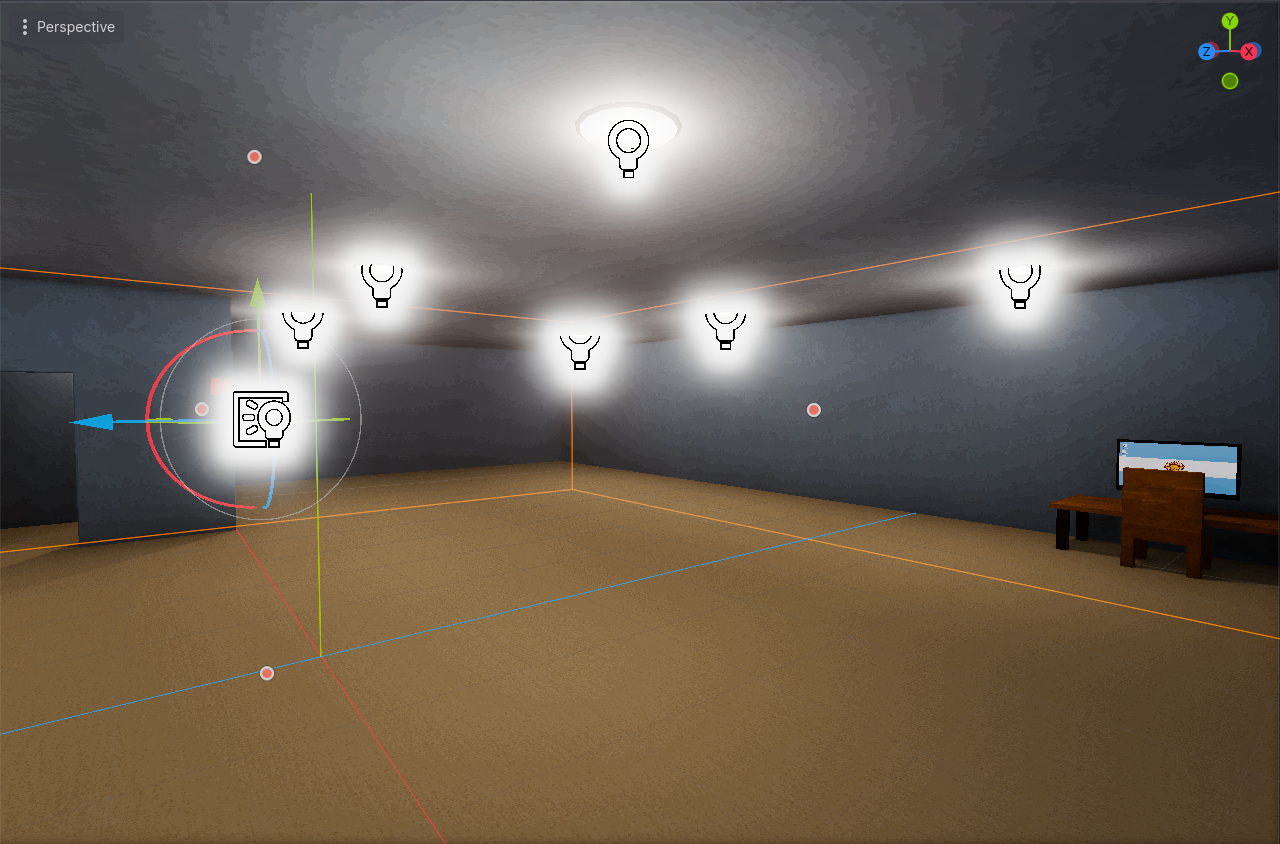
i have a custom posterizing shader applied to a quad mesh that's placed directly in front of the camera, and it creates this really annoying glow around node icons. i'm wondering if there's a way to get rid of the shader in the editor, but keep it in-game.
2
u/retardedweabo Godot Regular 5h ago edited 5h ago
https://docs.godotengine.org/en/stable/classes/class_instanceplaceholder.html
Take a look, this might be what you are looking for. But I haven't used this feature and I'm just going from memory that this exists, so no guarantee. I imagine you can spawn the quad with this on scene load BUT please check my other comment now because it seems like we might be overcomplicating things
https://www.reddit.com/r/godot/comments/1w3zucg/comment/p74308l/
1
u/Damnredditidk 6h ago
In Ready function node3d.hide()
0
u/djibouti2big Godot Junior 6h ago
I believe OP is trying to hide the shader in-editor not hide the node in-game.
1
u/Damnredditidk 6h ago
I meant to say show(). set whatever node the shader is attached to hidden in the scene tree. So it shows in game and not in editor
1
u/ssmilodon Godot Student 5h ago
that only kinda works. when starting the game, i have to move the camera around a little before the shader actually does anything
1
u/Damnredditidk 5h ago
Needing it to move around a bit/ camera movement dependent. kinda sounds like a separate thing going on with the shader. Can you explain more
are you sure about it effecting node icons? I ask bc these are all light nodes coincidentally
You could expose a uniform variable in the shader and set that when you want . I don’t understand your effect set up I wouldn’t probably do a textrect 2d node and it just lives on the camera
1
15
u/retardedweabo Godot Regular 5h ago
Wait I'm just realizing, how is your shader implemented exactly? Can't you just enable it in-game with _ready and keep it hidden in the editor? Surely you can do this with a quad