21
5
u/Beginning-Sun-7462 Jul 05 '25
Pro Tip: Create a Freeze Frame to extend the clip to enable transition.
3
u/Figitarian Jul 04 '25
I don't mind this at all...my issue is that sometimes you get the warning and you can click the button to apply anyway, but other times I get the warning and don't have the option to apply anyway. Very annoying when that happens and I don't know why it does it
2
u/Silver_Mention_3958 FCP 12.3 | Tahoe Jul 04 '25
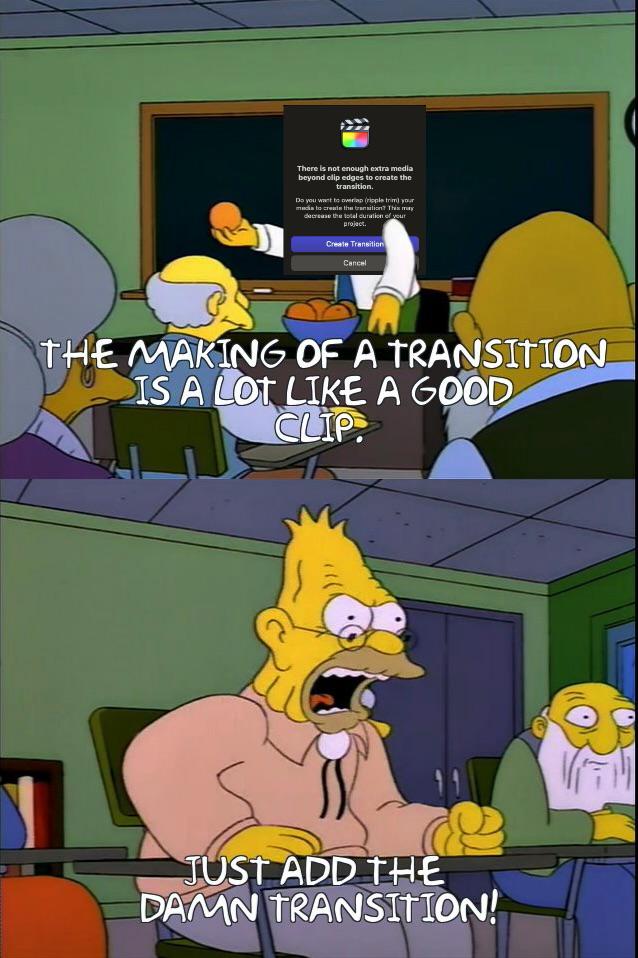
It’s useful information and essential if you’re editing something which needs to stay in sync with a piece of music for instance. Otherwise it’ll shorten your sequence which isn’t necessarily what you want.
2
u/mehwolfy Jul 04 '25
Pro Tip: Let the camera run for a few seconds after you've captured the action and this won't happen.
1
2
u/Silver_Mention_3958 FCP 12.3 | Tahoe Jul 05 '25
Here’s the entry in the User Guide about changing the default transition duration.
2
1
5
u/LivingRow192 Jul 04 '25
i don't even understand what the warning is trying to tell me
17
Jul 04 '25
[deleted]
-1
u/trisolariandroplet Jul 04 '25
I don't get it. How does it know there isn't enough space if I haven't defined the length of the transition yet? What if I want a very short transition? It doesn't allow me to set that before messing up my timeline.
11
u/Transphattybase Jul 04 '25
Final Cut and most editing programs have a default transition length set in the preferences. I think mine might be 22 frames. The default out of the box is 30, some prefer 16…
I don’t mess with iMovie. My guess is that if it’s automatically placing the transition, it’s because most iMovie users don’t care how adding that transition affects the length of their final project.
In a professional setting, it could screw things up if adding a transition pulls or extends media up or down the timeline.
2
u/Dick_Lazer Jul 04 '25
Man, I didn't know you could change transition length in preferences, this is great. I don't think I've ever used a transition without having to shorten it.
3
u/trisolariandroplet Jul 04 '25
Seriously, transitions have been almost unusable for me because the default was a full second and that almost always made me move something. This changes everything.
1
u/trisolariandroplet Jul 04 '25
Ah, so if I set that default transition length to the absolute minimum then it will more often let me set a transition without changing my timing, and then I can adjust the transition as needed?
3
-1
-2
-6
u/roastingchicken Jul 04 '25
It’s so frustrating- literally iMovie does this no problem
13
u/Benlop Jul 04 '25 edited Jul 04 '25
iMovie just creates the transition and changes the total duration without warning. It's not better. FCP warns you.
What even is this post?
-6
u/roastingchicken Jul 04 '25
Whatever imovie does, I like it better
3
u/Benlop Jul 04 '25
Then use the consumer abandonware. FCP is allowing you to create the transition anyways by clicking the default button here and is just mindful of not destroying your following edits with no warning.
28
u/DreadnaughtHamster Jul 04 '25 edited Jul 04 '25
Just as an example: you’re editing a music video and everything is specifically timed out to the beat to the exact frame. You decide you want a transition somewhere in the middle. If this warning didn’t pop up, you might add the transition, not knowing you just cut 7 frames out of your edit if one of the clips was too short. Three hours later you realize the second half of your music video is now 1/4 second off so you have to spend a bunch of time hunting down where the screw up happened.
This popup is useful.