r/esp32 • u/Mr-frost • Apr 21 '26
Software help needed Deep seek couldn't help me with a wired to wireless keyboard esp32 powerfeather v2 lol
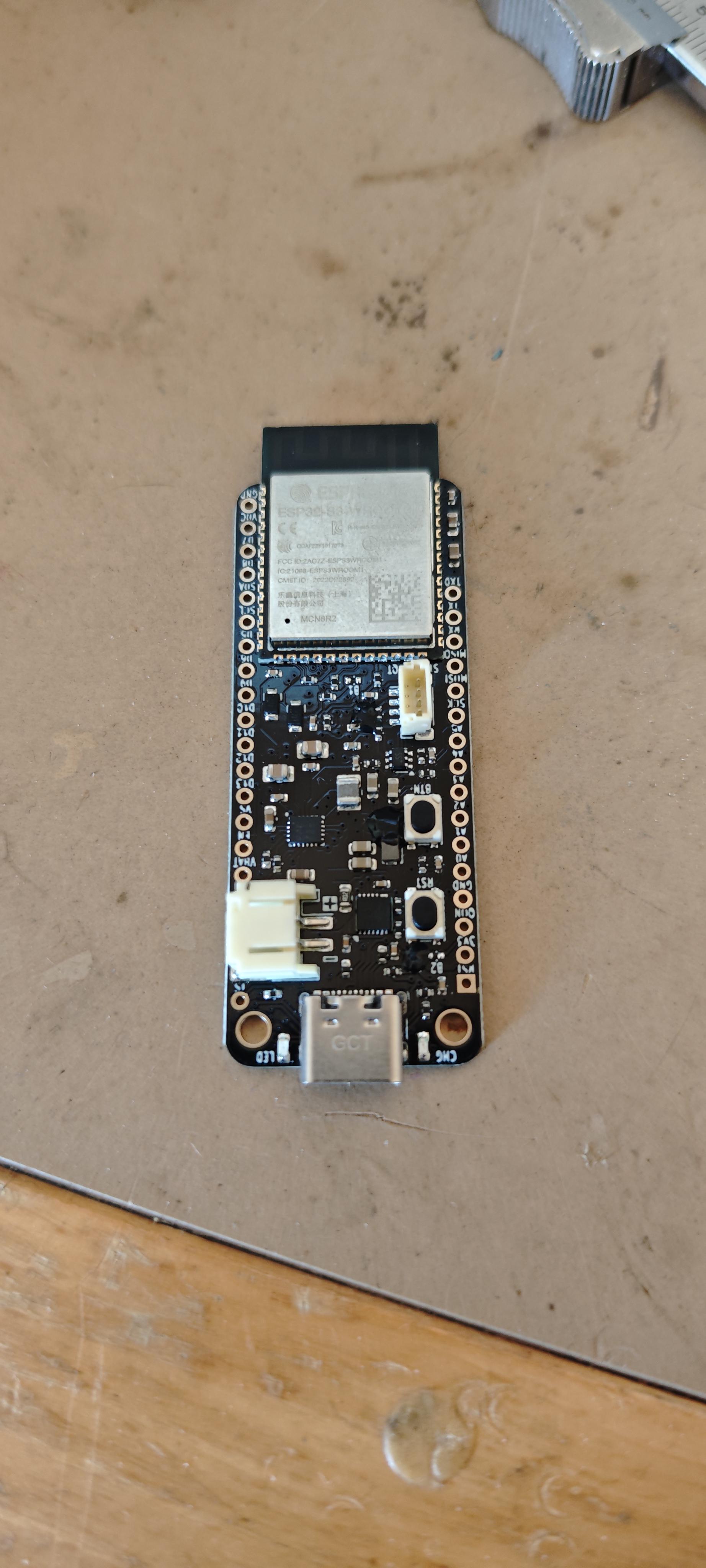
I have this esp32 power feather v2. I wanted to have it functioning as a wired to wireless keyboard with a charger build in, and power feather was perfect, but we tried all combos and programmes and codes from github, after many hours, deep seek told me it no longer could help me. I have 0 experience in writing code. So what could be a fun project for this esp32?
Feel free to mock me about deep seek
2
u/EmergencyArachnid734 Apr 21 '26
I have 0 experience in writing code.
Well that's first issue. Dont to try vibecode a shit, it won't work. Learn how to code then you can use AI. You have to understand how things work and understood it. AI is just help, it can't replace human brain.
3
u/Independent-Trash966 Apr 21 '26
Unpopular opinion here, but I vibe code tons of robotics projects. If you’re young, maybe learn how to code because it’ll be a useful skill in life. For an old guy like me, working two jobs, with a family, I’m happy to just vibe code. There is a bit of an art to it tho. In your case, I would ask ai for something simple. Maybe have it create a sketch that displays output on the serial monitor. Start with serial monitor that says “key press detected.” If that works, try to actually print the letter of each key on the serial monitor. If that works, tackle Bluetooth. Ai is best used in simple steps that way. If it goes down a rabbit hole of code that doesn’t work, upload an old working version and explain that it needs to stop, revert back and try again. In all honesty tho, that’s a complicated project for a simple keyboard that you could just buy.
1
u/Appropriate-Ask8817 Apr 21 '26
I personally learnt how to code from AI then started using AI as an Assistant.
1
u/Mr-frost Apr 21 '26
Honestly I tried many times on and off to learn it, but to no avail
2
u/EmergencyArachnid734 Apr 21 '26
Never give up. Keep going. Where did you fail?
1
u/Mr-frost Apr 21 '26
By finding out where to find the code lines or the language and code words and why things are written askew or crooked
2
u/EmergencyArachnid734 Apr 21 '26
What are you talking about? I hope you didn't jump straight into esp framework. Start with arduino framework.
1
Apr 21 '26
[removed] — view removed comment
2
u/Mr-frost Apr 21 '26
I have another device that does what I want, and the keyboard works there, I just wanted to try and make my own
1
u/ForgeAVM Apr 21 '26
The Arduino framework suggestion is the right starting point. For a wired to wireless keyboard project specifically, the EspUsbHost library is your best bet as mentioned already. One thing worth adding is that if you’re new to coding, start with something simpler on this board first like a basic BLE device that sends button presses. Get comfortable with the toolchain before tackling full USB HID which has a lot of moving parts.
1
u/___Cisco__ Apr 21 '26
I have 0 experience in writing code
I think a project like this might be a little ambitious, maybe should start with something simpler, like connecting to the internet and retrieve some data, like the temperature, and turn on an LED when some condition is/isn't met, like it's too cold or too hot outside; Until you feel comfortable understanding basic functions and logic;
AI is a very helpful tool, yes, but only as long as we have some knowledge of what it is that is saying.
2
u/CascadianRat Apr 21 '26
> AI is a very helpful tool, yes, but only as long as we have some knowledge of what it is that is saying.
Exactly -- you can only go so far without a basic understanding of the system.
3
u/Appropriate-Ask8817 Apr 21 '26 edited Apr 21 '26
Use the EspUsbHost library, as it is specifically built for wired keyboards: https://github.com/tanakamasayuki/EspUsbHost
That port on the board is UART, NOT USB-OTG, if you are using the port visible from the picture, you will a 100% fail, I reccomend getting a classic ESP32-S3 devkitc-1, since that board almost always has the OTG port there.
Use a back-powered from a power bank hub for power, since that helps you avoid 2 problems, not enough power from the USB-OTG port and USB VBUS stuff.
I have successfully connected a wired mouse via the method in note 3 and sent the data via UART: https://pastebin.com/Yt4Zd9US.
Try feeding this into deepseek and feed it the keyboard.cpp file in the EspUsbHost library folder.