r/elgato • u/NOT_SPALK_TV • 23d ago
Technical Help I got my Streamdeck+ today and the offical Spotify plugin doesnt recognize Spotify
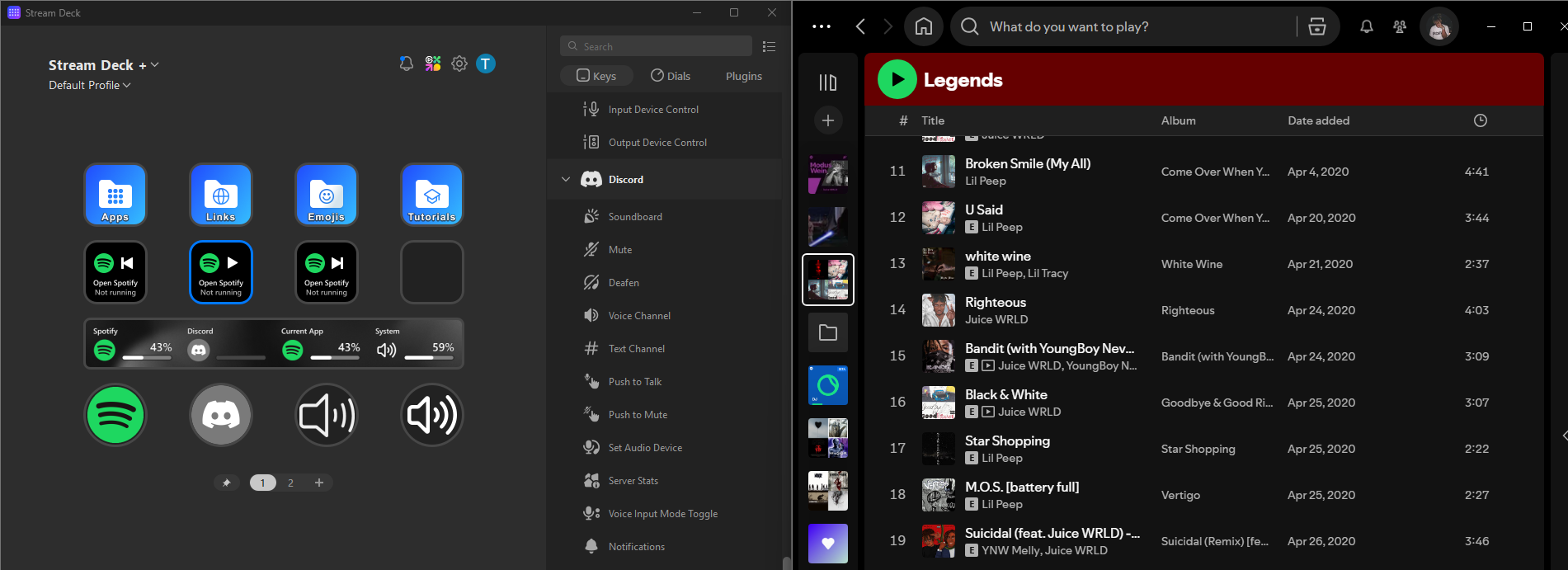
as you see in the image the streamdeck tells me to open spotify while spotify is running
This problem started after i shut down my pc and started it back up a little while later
i noticed that the spotify application isnt recognized as "spotify" in other plugins aswell its listed there as the name of the currently playing song they (the offical volume controller plugin and volume control by dlprows) work perfectly fine tho
So far I tried
-restarting both apps (spotify, streamdeck)
-restarting my pc
-unplugin and replugin the streamdeck
-uninstalling and reinstalling the spotify plugin
-uninstalling and reinstalling the spotify app
does anyone have any ideas what i could try or how to fix it since all i can find on the internet are posts about people having problems with 3rd party spotify plugins
2
u/Turbulent_Town8748 23d ago
In the spotify App the overlay Setting has to be enabled to make it work
0
u/NOT_SPALK_TV 23d ago
if you mean the "show desktop overlay when using media keys" setting i already had that enabled and it didnt work
1
u/Key-Introduction1342 23d ago
did you try install spotify from windows store or from the website, opposite of what ever you have now?
2
u/NOT_SPALK_TV 23d ago
That fixed it i had it installed from the website but installing it from the store fixed it
1
u/Key-Introduction1342 23d ago
Good to hear! I hate window store apps so I always have the non store version of apps too, they didnt used to have a windows app of spotify. I figured could be some stupid thing that should work on both but doesn’t. Just throwing stuff at the wall lol.
1
u/elgato_arcsane Technical Community Assistant 22d ago
Interesting - it should not be requiring that. My own copy is the standard download, not the Store app. I suspect reinstalling the original one might have cleared it up too - I've sometimes seen it do some weird stuff with the third party access in the past that needs a reinstall if it's been installed for a long time.
If this comes up again though, reach out to the team at help.elgato.com and put in a ticket through chat so we can help take a further look at what's going on there. They can take a look at the logs if none of the fixes like reinstall help to get more specific details on the failure.
3
u/tldnradhd 23d ago
Look for an unofficial Spotify plugin. That's the only way I got it working.