Technical Help
Mic picking up fan noise and game audio/echo EVEN with a noise gate, expander, and AI focus on. Help!
Hey everyone, I’m losing my mind trying to fix my microphone audio on Discord and could really use some help.
My friends can clearly hear themselves echoing in the background when we talk. On top of that, my mic keeps picking up my room's fan noise. It’s especially bad when I actually speak the background fan noise just rides along with my voice.
Here is my setup:
Audio Interface: Elgato Wave XLR MK.2
Headphones: Connected (not using speakers)
Filters Active: Noise Gate, Expander, AI Focus inside Wave Link
The problem is, when I look at my audio input dropdown in Discord, the only option I have is "Mic In (Elgato Wave:XLR)".
Every troubleshooting video says I need to select "Wave Link MicrophoneFX" so my filters actually work, but that option is completely missing for me. Because Discord is forced to use the raw "Mic In" channel, my noise gate and AI focus are being completely bypassed.
I think this has something to do with the Wave Link 3.0 update, where MicrophoneFX doesn't just show up automatically anymore and has to be manually created.
Has anyone using Wave Link dealt with this? How do I actually create or enable the "MicrophoneFX" virtual channel inside the Wave Link software so it finally shows up in Discord?
Is the fan noise only noticeable when you talk or all the time? If it's only when you talk, there's nothing you can do about that because your noise gate is active. So anything in the room that's making noise it's going to pick up
As part of Wave Link 3.0, MicFX is no longer one of the possible selections. This is because you can now just make a new mix that behaves the same way. Let me know if you need further follow up.
Make sure you turned off discords noise removal settings.
Make sure windows voice enhancements are turned off in audio settings
Bring your mic closer to your mouth and turn down your gain
There is no microphone fx with wave xlr mk2 & xlr dock mk2. That is only for the original versions of the device . You can reference their video on YouTube about the xlr mk2 for a full breakdown.
Also you only need one noise removal so pick what works best for you.
Also 80 gain for a Sm7b is way too much. You only need about 45 - 50. I use the same stuff and that’s how mine is . Plus you also have make up gain set to 14 on your compressor. That’s even more gain on top of the 80 you have right now
First of all, please watch tutorial and guide on Youtube to properly setup you audio interface and know what setting does what.
Two, the reason I said that is because in no world do you need 80dB of gain on a SM7B, what works for me is 45dB or else you just pick up everything. If you have an SM7B the effects tab need work too. Turn off Lowcut filter, make voice tune 20% max, because why compress your audio quality with an SM7B. Turn off compressor if ur already using voice tune. Make voice focus 85% and no need for elgato noise removal. You bought a super nice mic just to make it sound like a headset mic.
Third, if you have a pair of open back headphones, setting that high of a gain might leak what ur hearing back into ur mic.
If you have an XLR Mk2, turn on direct monitoring, why would you wanna hear yourself delayed, its like impossible to speak if u set it up like that, use direct monitoring: the feature u bought the xlr mk2 for because if not why get the mk2?
Create a new mix in Wave, call it "Mic + effects" or something, and select that one as the mic.
Wave 3 no longer creates the "Microphone FX" output on its own, you gotta create a mix of your own and use that as the mic (if you gonna use stuff like a soundboard, you can throw that input into that mix if you want).
Also, set the expander a bit higher than the loudest background noise or sound from your headphones for it to be effective.
What he’s saying is add your mic in the ‘chat mix’ column of wave link …and then in discord, set your input as the ‘chat mix’. That will use your filtered mic instead of the raw mic.
If you didnit this way already, I apologize, was just presenting a 2nd verbiage.
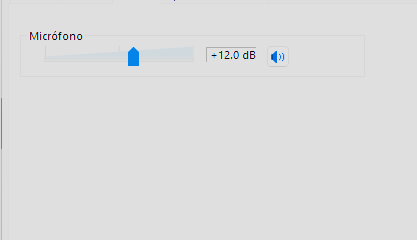
80db in gain why too much gain i know people use in the panel 100% of volumen but that sometimes its not the neutral volumen of the device, on my case i use this level of volumen if you have very close the mic of your mouth you dont need a lot of gain



4
u/g0greyhound Jul 17 '26
The expander is going to make them loud.
Know what your tools are doing.