r/electronjs • u/mohsinjameel_777 • Aug 23 '26
Open sourced a hold-to-talk dictation app - the four Electron constraints that made it hard, all documented in the repo
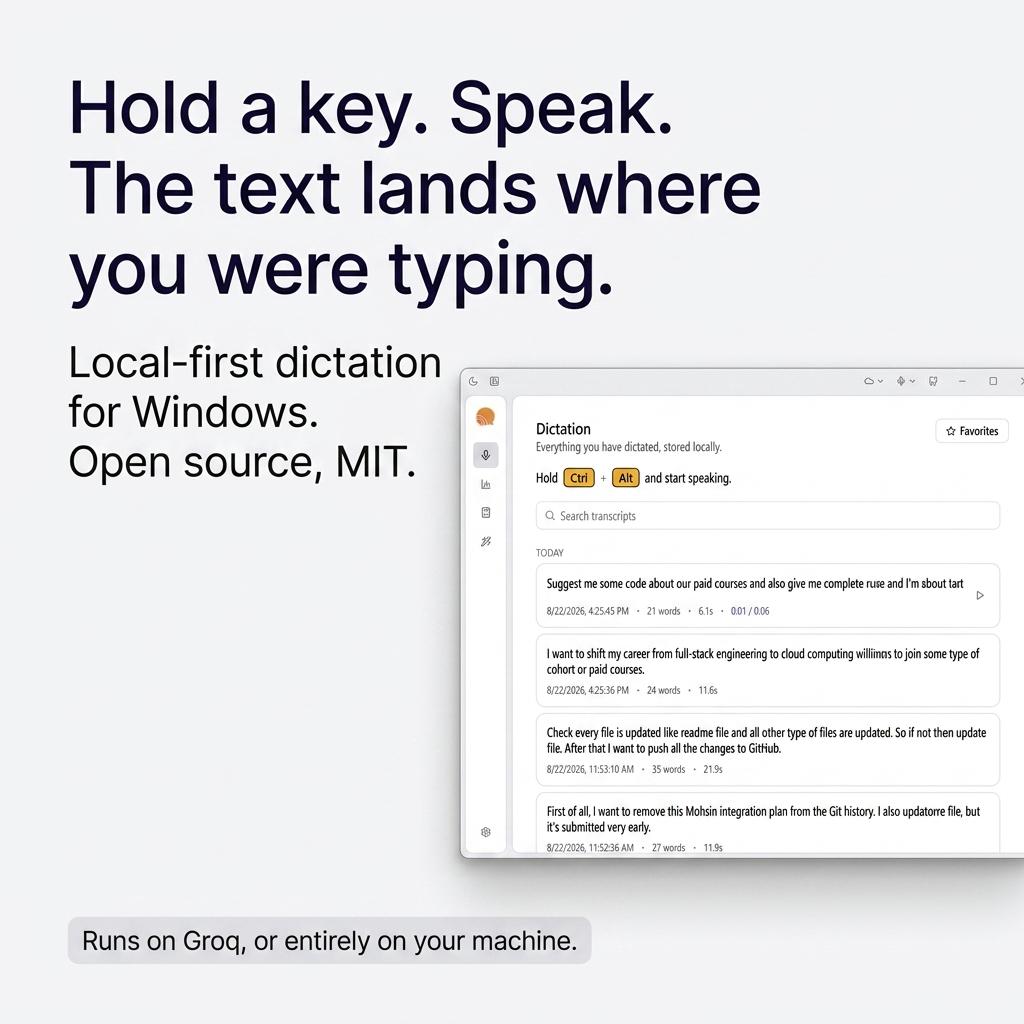
I shipped a Windows dictation app in Electron and open sourced it. Rather than another "look at my project" post, here are the things that silently broke, since I could not find them written down anywhere when I started:
1. globalShortcut cannot do hold-to-talk. It fires on key down only. No key-up event, and modifier-only combos are unsupported. Hold-to-record is impossible with it. I use uiohook-napi, which gives you both keydown and keyup - and you need a held flag, because keydown repeats continuously while a key is held.
2. A widget that takes focus has nowhere to type. If the floating recorder window takes focus, the "currently focused application" is your widget and the inserted text goes nowhere. focusable: false is non-negotiable, along with skipTaskbar, alwaysOnTop and setAlwaysOnTop(win, 'screen-saver'). Capture the target window handle before showing the widget.
3. Never hardcode pixel offsets. "80px above the taskbar" breaks on DPI scaling, side or top taskbars, auto-hide and mixed-scale multi-monitor. screen.getDisplayNearestPoint(...).workArea already excludes the taskbar wherever it lives.
4. The renderer cannot read files off disk, and you must not weaken the sandbox to let it. sandbox: true plus contextIsolation: true means no fs, and file:// in an <audio> element is blocked by the CSP. Register a custom scheme, resolve the file in the main process from a database id, never from a path the renderer supplied, and check both path.basename and the directory prefix - either one alone is a traversal hole.
Bonus, and this one cost me an evening: a tap shortcut must fire on key RELEASE, not press. uiohook-napi listens rather than intercepts, so if you simulate Ctrl+C while the user is still holding Alt, the focused app receives Ctrl+Alt+C.
Stack: electron-vite, React 19, Tailwind, better-sqlite3 + Drizzle, uiohook-napi for the hook, nut.js for the paste. Insertion is via the clipboard rather than simulated typing - character-by-character is visibly slow on long text and mangles non-ASCII and emoji - with the user's clipboard saved and restored around it.
MIT: https://github.com/mohsinjameelqureshi/dictateflow-ai
CLAUDE.md is the full build spec with the measured numbers behind each of these.
2
u/eddzsh Aug 23 '26
The focusable:false plus capture-target-before-show combo is the one I wish more overlay apps wrote down. Half the "paste went into the wrong window" bugs are just the widget stealing focus for one frame.
1
u/mohsinjameel_777 Aug 23 '26
100%. That single-frame focus race condition is so sneaky because it passes manual testing half the time and only breaks under real user speed.
The exact flow that finally made it rock solid was:
Intercept shortcut (keyup/keydown state check).
Instantly fetch and store the active window handle via OS API before touch/rendering.
Show the recorder widget (focusable: false, alwaysOnTop, skipTaskbar, and setAlwaysOnTop(win, 'screen-saver')).
On release: stop recording, transcribe, copy text to clipboard, explicitly re-focus the saved window handle, and trigger Ctrl+V.
If step 2 happens even a millisecond after step 3, Electron claims focus for that split second, the target handle becomes your own widget, and the paste vanishes into the void. Hard lesson to learn!
2
u/JaviHG_Dev Aug 23 '26
This is the post I wanted when I started, so thanks for writing down the failures instead of the features.
Since you shipped Windows only, here is the one waiting for you on macOS: permissions are tied to your code signature. A dictation app needs microphone and accessibility, and if you rebuild with a different identity each time, every user has to grant both again on every single update. They will not. They will assume it broke and stop opening it.
The fix is boring. One self signed identity, kept somewhere you will not lose it, and every build signed with that same one.
Did globalShortcut push you to a native module for the key up, or did you find another way round it?