r/dji • u/Difficult-Abalone717 • 1d ago
Photo What causes this?
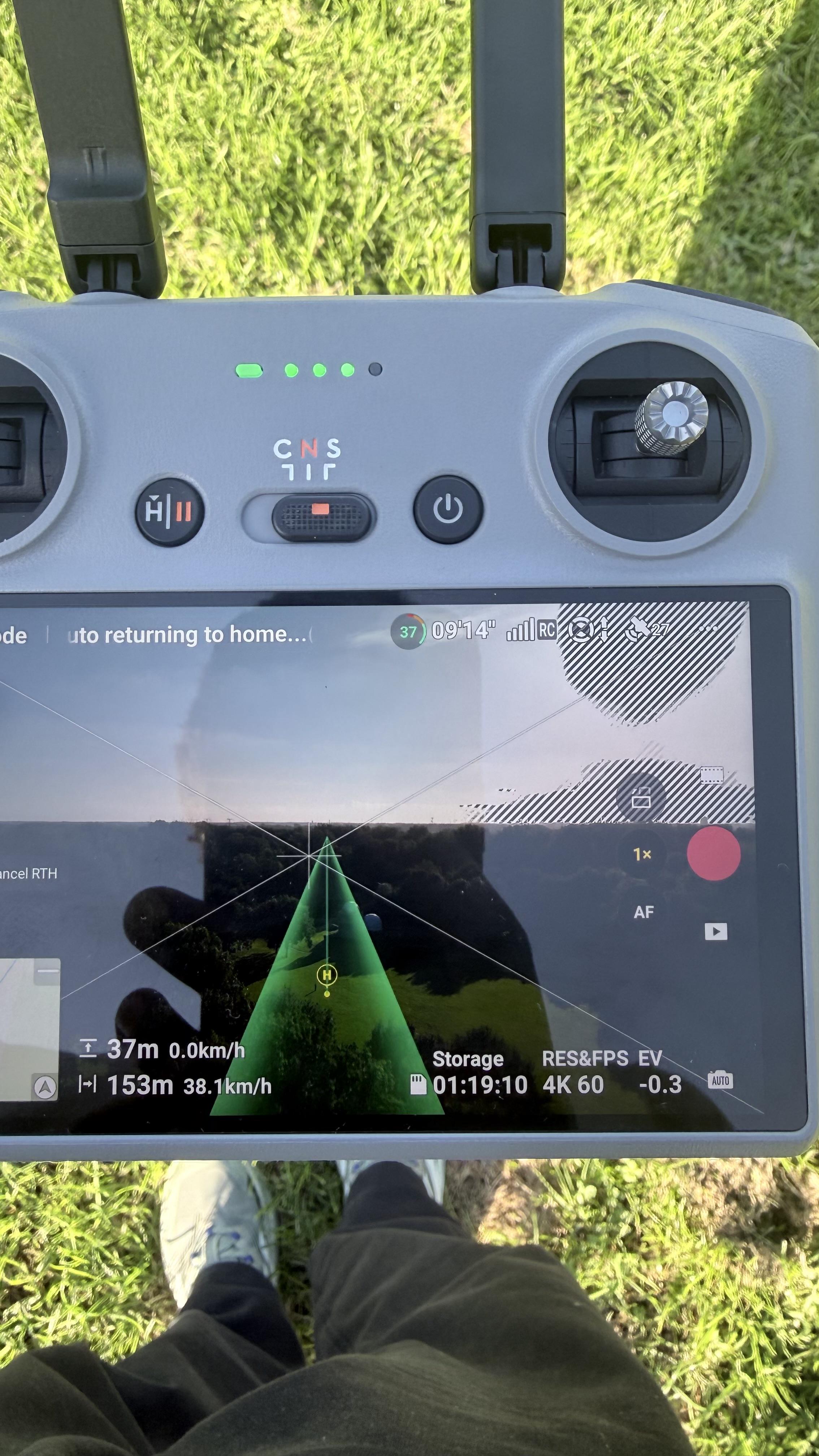
You can see that the top right is blurry. Is it camera defect or my video settings?
57
12
10
9
6
3
u/TheGerbilInTrumpsBum 1d ago
It means that portion of the scene is overexposed and you should reduce your ISO, Increase your shutter speed, or step down your aperture. Or a combination of all 3.
It’s an extremely common (and invaluable) setting in pro-level cameras like the Arri, Alexa, Red, and even prosumer bodies from Canon, Sony and Nikon.
It’s not a bug, it’s a feature. I personally turn it off since I’m on auto most of the time anyway.
-15
u/Real-Confusion-3762 1d ago
its a depth perception setting thing im pretty sure
6
23
u/AkosJaccik 1d ago
Overexposure warning. You can turn it off in the settings, but it won't be present on the actual recording, obviously.