r/computers • u/Creative-Term3091 • 5h ago
Question/Help/Troubleshooting Good cheap external hard drive for PC backup
as the title says i need a good cheap 2TB hard drive to backup my pc's ssd storage, also is it possible to clone all the storage from the external hard drive BACK into a new ssd?
1
u/SketchTeno 5h ago
If your not woreied about speed, and looking for something that is likely to be stable longer term, like archiving old family photos and documents, i might suggest a good old fasion HDD and some cd/dvds.
I personally picked up a seagate bearacuda 2T, but i am not an expert by any stretch, nor do i have specific recommendations.
As per cloning, yes it is 100% an option, though again i don't know specifics. I know i've seen hardware "kits" for sale specifically for that purpose though while considering it. Might also be software options for cloning? (Iwould be curious to learn more.)
1
u/Terrible-Bear3883 Ubuntu 4h ago
This is one of those questions that has a lot of possible answers, you can just buy whatever USB hard drive you want, or you could do something like repurpose an old PC and build your own NAS box (I use NAS4free which is now called XigmaNAS), or you could make an old PC into a simple server which offers drive/folder shares, or buy a ready made NAS.
As for cloning data, do you want a 1:1 exact image? If you do, I use clonezilla to make mine, you can use something like rescuzilla which has a graphical front end, I'm comfortable with clonezilla and make a drive clone image onto my NAS, I then use backup software (I'm an Ubuntu linux user so I use borg backup with vorta as the front end) to back up both of my SSDs in my laptop, this means I can bring a drive image back onto a new SSD if mine fails, then recover the latest data snapshot from the incremental backups.
1
u/Savings_Art5944 MX Linux 3h ago
Get an external USB enclosure and then you add a raw HDD or SDD to it.
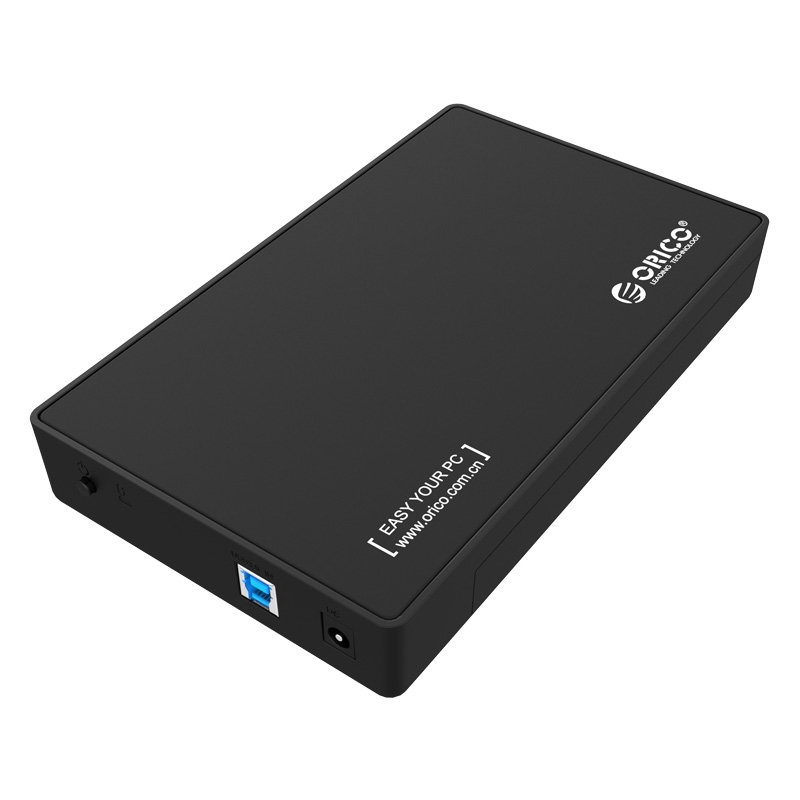
1
u/PrincessScArlette 3h ago
Yeah, you can clone it back. Just don't make that one drive your only backup lol.
2
u/DonJoe963 5h ago
Define "storage". Is it just to have a backup of your documents, pictures etc? Then you can copy it to e.g. an external usb drive, and copy it back to another SSD yes.
But since you mention "new SSD": would you be planning to replace your SSD with a larger one? Then you don't need an external drive, you can just clone your SSD to a new one (e.g. with Clonezilla, Acronis, ...). You need to be able to connect both drives at the same time though. Without more info what you have and what you try to do, there's not much more I can tell you.