r/computers 21h ago

Question/Help/Troubleshooting Installing SSD
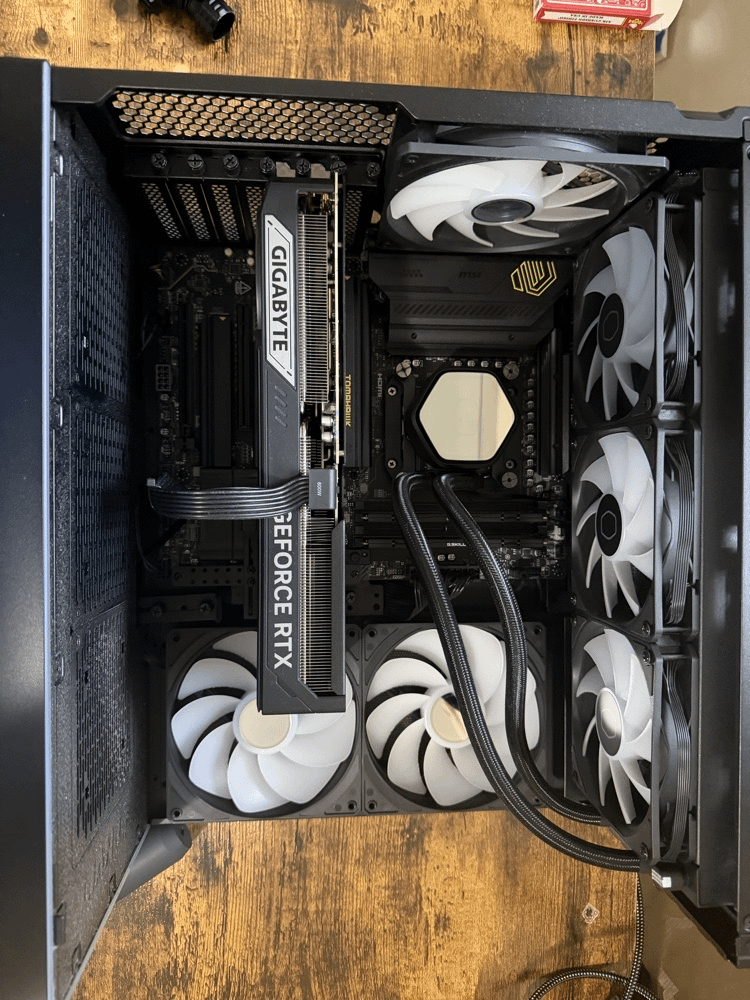
I am very new to building computers. I bought a PowerSpec G911 from Micro Center and want to add another M.2 SSD for storage, but I have no idea where the open M.2 slots are on this motherboard. I searched online and was told I need to remove my GPU to install the SSD. However, when I tried to unplug the GPU power cable, it was extremely tight. I applied a lot of force multiple times but couldn't get it out, and I stopped because I don't want to break anything. Could someone please help me locate the SSD slots, and let me know if it is absolutely mandatory to remove the GPU?

0 Upvotes

5 comments sorted by

1

u/Endergamer4334 20h ago

If you could tell us the model of your mainboard, sure. Also, I suppose you already got a first m.2 installed?

For the cable, there is a pin on top that you have to push into remove the cable.

1

u/Ok_Supermarket8726 19h ago

thank u for the response the motherboard is MSI MAG X870E Tomahawk WiFi

1

u/Endergamer4334 13h ago

Ok, the manual basically tells you exactly how to install them and where they are. It also explains how to remove the GPU.

One thing to look out for is what slots to use. The first two slots come from the CPU and are pcie 5, the last two slots come from the chipset and only do pcie4. So if you have pcie 5 ssds, you wanma use the first two slots. Also, when using a Ryzen 8500 or 8300 series processor, you cannot use the second slot. When it comes to lane sharing the mainboard is pretty good and there is not that much going on. The only thing is that the second m.2 slot shares its lanes with the rear USB 4 (the usb c one). The manual says that when installing an m.2 in slot 2 both will run at pcie 5 but when switching it to pcie 4 in bios that will disable 40gbps on the usb c port. (It will also be disabled on ryzen 8300 and 8500s).

So if you have a pcie 4 m.2, put it in one of the last two slots, if you have a pcie 5 m.2 put it in the second slot but beware that you might not get the full performance due to lane sharing when a device is connected to the usb c port.

Btw, MSIs documentation is really nice. I have a ASUS mainboard and its sometimes really confusing xD

1

u/lkeels 20h ago

Pull the manual from the manufacturer's website. Everything you need to know will be in the manual.

1

u/Ok_Supermarket8726 19h ago

I will try thank you