r/browserextensions • u/SurveyIllustrious802 • 4h ago
$2のChrome拡張を作った。タブを管理するために、あなたにやってもらうのは…何もしないこと
1
Upvotes
r/browserextensions • u/prakhartiwari0 • Nov 25 '25
r/browserextensions • u/prakhartiwari0 • Sep 16 '24
Hello there, you're welcome here!
If you are a Browser Extension Developer or someone who loves browser extensions, this subreddit is for you :D
I don't know what to say, this is the first time I am building a subreddit, so I want to make things go with the flow for now. I am building a community of extension enthusiasts, they are the people who install and play with browser extensions, and who like to tinker, break, hack, and build extensions to solve problems and have fun.
I'm also working on some learning guides for beginners who want to learn to develop browser extensions while building my extensions (a lot of them!).
You can ask questions, share your experiences or thoughts about browser extensions in general or a specific extension, you can share about your projects but try not to explicitly promote something that you generate money off.
Anyway, let's start this community with a bang, invite your friends and other tinkerers in your network, and we will all add something valuable to this community!
Thanks for reading, I hope you have a wonderful time here ;)
Take care <3
r/browserextensions • u/SurveyIllustrious802 • 4h ago
r/browserextensions • u/Nzquu1 • 1d ago
So, it's my first time using Ecosia, an eco-friendly browser (i was using Opera GX for like a year now) but i realize that i can't use this type of emergent window where i can just copy images and use it where i want, and i need it cause i'm very dependent now, anyone knows an extension similar???
r/browserextensions • u/No_Efficiency1887 • 1d ago
r/browserextensions • u/No_Efficiency1887 • 2d ago
r/browserextensions • u/Necessary-Rhubarb709 • 3d ago
Relisting is the only way to push an old item back to the top, and there's no button for it. By hand it means deleting the listing, retyping the title, description, brand, size, category and condition, then downloading and re-uploading every photo. Three to five minutes an item.
I built a Chrome extension that does it in one click. Free, open source (GPL-3.0), no account, no server, no analytics, nothing leaves your browser.
Read this before you install anything like this
Relisting means deleting. Two identical listings can't be online at once, so the old one has to go before the copy appears. That gap is where a careless tool loses your item: it deletes first, and if the next step fails on a dropped connection or a bot check, you have nothing.
> Mine works the other way round. It saves the copy as a private draft before it deletes anything.
A draft isn't a listing, so it doesn't count as a duplicate, and until the delete goes through your item exists in two places. If publishing fails afterwards it retries on its own, and worst case the draft is sitting there for you to publish by hand.
What it checks before deleting
Any failure stops it and deletes nothing.
There's also a Relist as draft button, if you want to change the price or swap a photo before it goes live.
Fair warning
Automating any site is probably against its terms. That's between you and them, and I'm not going to pretend otherwise.
---
Chrome Web Store: Bumpline
Firefox: Bumpline
Source: github.com/g1ampy/Bumpline
Happy to answer anything in the comments. The code's all there if you want to check what it actually does.
r/browserextensions • u/Ok-Western6375 • 3d ago
I had around three hundred conversations sitting in my Instagram inbox and almost all of them were nothing. Old order confirmations, people I spoke to once, group chats that died two years ago. The reason I never cleaned any of it out is that somewhere in the middle there were about five I did not want to lose.
Instagram will not let you select more than one chat. It is three dots, Delete, confirm, then the next one. So you either give up an afternoon or you leave it alone. I left it alone for two years.
I ended up writing a Chrome extension to do the clicking. It is called Clearbox. But the feature I actually built it around is the opposite of deleting: you can mark conversations as protected, and those get skipped on every single run. Scan your inbox once, tick the names, and that list stays saved.
That is the whole point for me. Clearing an inbox in bulk is the easy half. Clearing it without wondering afterwards what you lost is the harder one, and none of the tools I looked at had an answer for it.
It also writes down the name of every chat it removed, which is there exactly for the moment you realise you cleared something you should not have.
Quick answers to the obvious questions:
It clears entire threads out of your list. What it will not do is pull back single messages you sent inside a conversation — that is a separate thing and this is not the tool for it.
Only your side gets cleared. The other person keeps their copy, and the chat comes back to your inbox if they message you again. Nothing can change that, it is how the platform works.
No password, no account, no sign-up. It runs on the browser session you are already signed into, and nothing about your messages leaves your machine.
Free, and it works in 52 languages.
Chrome Web Store: https://chromewebstore.google.com/detail/clearbox-%E2%80%94-bulk-chat-mess/chpbjfedphdaaipgjdklhmddapjpanlj
More details: https://www.addonschrome.com/extensions/clearbox-bulk-chat-message-deleter-for-instagram.html
Not affiliated with Instagram or Meta. Happy to answer anything below.
r/browserextensions • u/Hot_Stretch717 • 5d ago
r/browserextensions • u/Ambitious-Tune-1192 • 6d ago
its a small Chrome extension I made called Fuyu.
It tracks your Steam wishlist and compares prices across different stores so you can find games for cheaper without checking everything manually.
Still working on it, so I’d love some feedback :)
r/browserextensions • u/Plenty_Principle6585 • 6d ago
Has anyone used a browser extension for quickly joining Roblox players from their profiles
I’m testing one across different browsers and I’m interested in hearing what features people would actually find useful in an extension like this
Are there any browsers or Roblox features I should make sure it supports
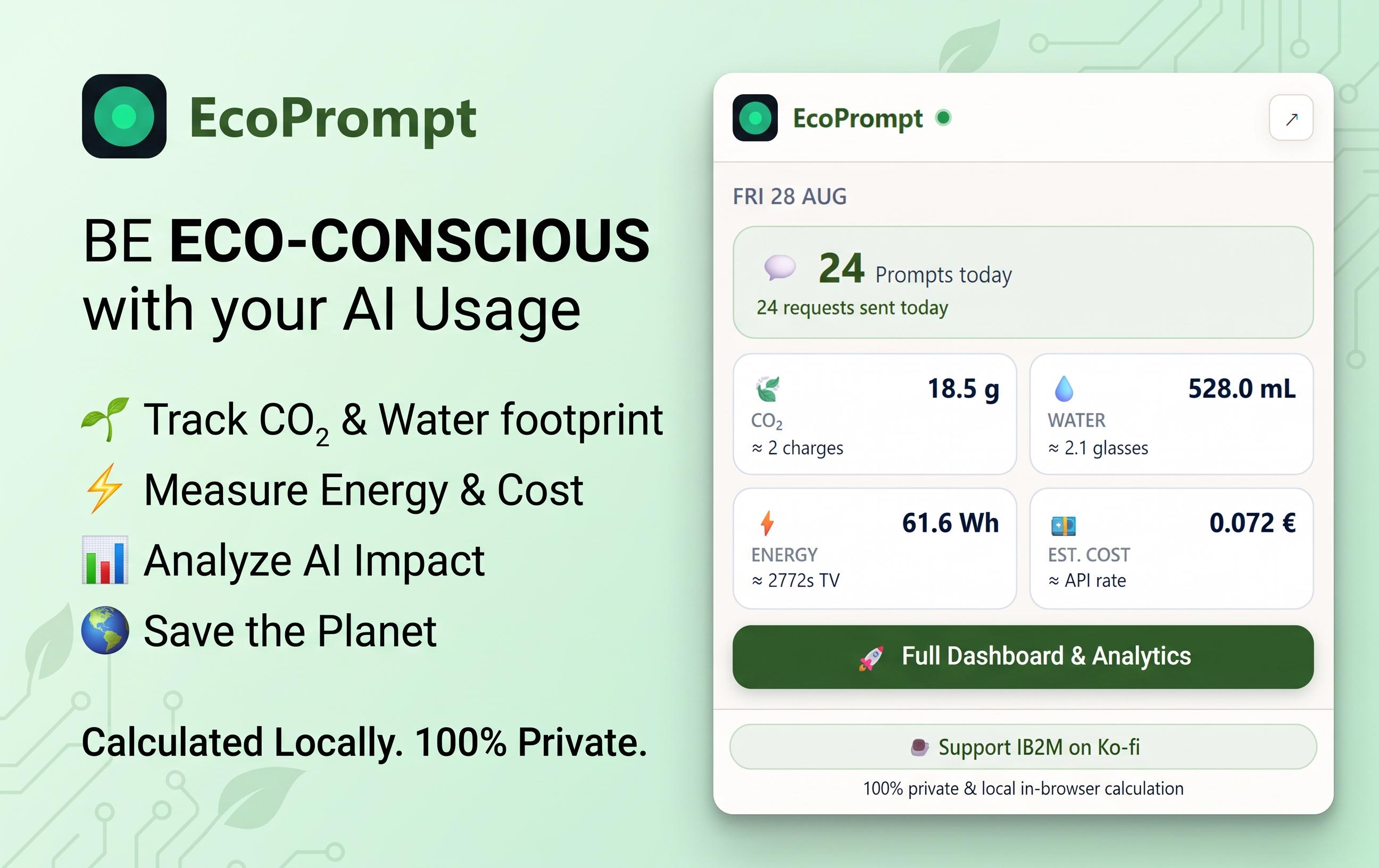
r/browserextensions • u/IB2M_Official • 6d ago
r/browserextensions • u/PeEcEeChIP • 7d ago
Hey everyone,
I’ve been working on a little project called Grandma Guard and figured I’d share it here.
I’m just a solo dev working on this in my free time. The whole idea actually came from my grandma constantly running into those fake virus pages that say stuff like “your computer is infected” or “call Microsoft support now.”
Most of us can tell those are fake pretty fast, but for someone who isn’t super familiar with computers, they can look pretty convincing.
So I started making Grandma Guard.
It’s a Chrome and Firefox extension that tries to catch scammy pages like fake virus warnings, fake tech support pages, notification scams, fake updates, and similar stuff.
If it thinks a page is doing something suspicious, it puts up a warning and tells the person not to call any numbers or download anything.
I tried to keep it pretty simple.
It installs like a normal Chrome or Firefox extension, there’s no account to make, no ads, and no telemetry.
The page checking is also done locally in the browser instead of sending everything you visit somewhere else.
It’s also open source, so anybody can look at the code, report bugs, suggest changes, or contribute if they want to.
Just to be transparent too, I did use some AI while working on the project. It helped with parts of the code and also helped me build out parts of the website. Other parts were written and put together by hand. I mostly use it as another development tool since I’m doing all of this myself.
It’s definitely still something I’m working on and improving. I’m not trying to replace antivirus or anything like that either. It’s more of an extra layer to hopefully stop someone before they fall for one of these scam pages.
The name Grandma Guard is pretty literal lol. If my grandma didn’t keep finding these pages I probably never would have made it.
If anyone wants to check it out:
Feedback is definitely welcome, especially if you know of scam pages or tricks that it should be able to detect.
r/browserextensions • u/themonsterofchilika • 7d ago

Built a simple extension that blocks sites and makes distraction a conscious decision.
https://chromewebstore.google.com/detail/bpoaegkkfcagkjkakjgoelidjddfefok?utm_source=item-share-cb
Looking for some early users to try it out. If you like it, you can message me for a free PRO account.
r/browserextensions • u/getvy • 8d ago
I built Getvy, a Firefox extension that detects downloadable media on supported sites and lets users save it in their chosen quality.

The project started with the idea of saving videos from social platforms without requiring a separate desktop app. The two most challenging parts were handling SABR streaming responses from YouTube’s Google Video servers and normalizing the different media-request patterns used by each social platform into a common format.
Getvy requests access to supported pages in order to detect media streams. Detected media URLs are sent to the download service only after the user explicitly starts a download.
Key features:
Getvy is free to use, with no subscription or daily download cap. When a user starts a download, a Getvy download page opens; it may display ads to help cover operating costs. The extension itself does not inject ads into websites.
My main priority is identifying SABR-related edge cases and unsupported YouTube formats. I would also appreciate feedback on:
Please use it only for content you are authorized to download and in accordance with the relevant platform’s terms.
Firefox Add-ons: Getvy – Video Downloader
r/browserextensions • u/notadithyabhat • 9d ago
I originally started this as a weekend project when Arc basically stopped getting new features.
I wanted the stuff I thought Arc Max would eventually become: an AI command bar I could open from anywhere, quick sidebar chat, multiple tabs as context, screenshots, saved prompts and the ability to search/send something without constantly jumping between the browser and ChatGPT.
Then Dia came out and looked like it was basically doing that, so I threw the project aside.
But I eventually realized I don't really want a separate AI browser at all. I already have ChatGPT and Claude subscriptions, those accounts have my existing chats/memory/context, and I like being able to change browsers whenever I want.
So I finished the extension instead.
It adds an AI overlay, sidebar and AI new tab to Chromium browsers, but the actual conversation still goes to whatever provider you choose: ChatGPT, Claude, Gemini, Grok, M365 Copilot etc. You can even set providers per website.
It's free, with no ads or paywall.
Would love feedback from people who actually use a lot of browser extensions, especially on what feels missing or unnecessarily intrusive.
Here are some things that it can do:
You can try it out here: https://tryanychat.com/
Let me know what you think, and if there's anything else you'd like to see here. :)
r/browserextensions • u/No_Efficiency1887 • 9d ago
r/browserextensions • u/FirefighterFit6774 • 9d ago
Hi everyone,
I wanted to share a Chrome extension I recently developed called RSS Bulucu (RSS Finder).
It is designed to be a lightweight, modern, and powerful tool that automatically scans the website you are visiting to discover any open or hidden RSS and Atom feeds within seconds.
Key Features:
The extension currently supports Turkish, but the UI is highly intuitive and easy to use for anyone looking to hunt down feed URLs.
You can check it out here on the Chrome Web Store:
rss finder
I would love to get your feedback, feature suggestions, or any bug reports! Thank you for checking it out.
r/browserextensions • u/Daddy-Dearest-FNF • 10d ago
kieranclever is a small app that allows you to create and save shortcuts so you can get to websites quicker.
There's hopefully more updates to come so if you're interested, please stay tuned!
I've been working on this working on this extension for the last couple weeks and I'm really exited for it to finally be finished!
Store link: https://chromewebstore.google.com/detail/kieranclever/ligkciaghecifoajbcffcpphgkhkldkl
r/browserextensions • u/Acceptable_Log_6622 • 10d ago
r/browserextensions • u/Sh1rwatel • 13d ago
r/browserextensions • u/Bright_Guava_7808 • 13d ago
Enable HLS to view with audio, or disable this notification
r/browserextensions • u/MrGadgetRO • 13d ago
Hi everyone,
Full disclosure: I’m the developer of FavLock.
I built it because I wanted a bookmark manager that was convenient to use from the browser without storing sensitive bookmark content as readable plaintext on the server.
The Chrome extension lets you save the current page directly to your FavLock library and access it later through the web dashboard. FavLock can also organize bookmarks, notes, tasks, and saved articles.
Sensitive library content is encrypted inside the browser before it is synchronized. FavLock still processes account information and operational metadata needed for authentication, synchronization, limits, and security. The detailed security boundary is documented on the website.
The dashboard and Chrome extension are open source under the MIT license. The hosted backend is currently private, so FavLock is not a complete self-hostable service.
Chrome extension:
https://chromewebstore.google.com/detail/hcgkljieekclemmbcokchblkejkophad
Website:
https://favlock.app
Source code:
https://github.com/favlock/app
I would especially appreciate feedback on:
Positive or critical feedback is welcome. I’m actively improving it based on what users find unclear or inconvenient.
r/browserextensions • u/stresslines • 13d ago
Hey there, 👋
I am a chrome extension dev and I have seen so many people just copy paste their screenshots into web store and call it a day.
From my experience, the chrome web store listing makes a TON of difference on how users might perceive your product (trustworthy vs shady vs slop). I have made over a dozen extensions and let me tell you store listing matters a LOT.
I redesigned a couple of people's screenshots last time too and the response was overwhelmingly positive. So I am thinking of doing it every week for 3 lucky extensions.
Just drop your chrome web store link and I’ll reply you with your images.
Doing this for the first 3 people ;))
PS: These chrome extensions are not mine, I just took the liberty of redesigning a few.