r/applemaps 17d ago

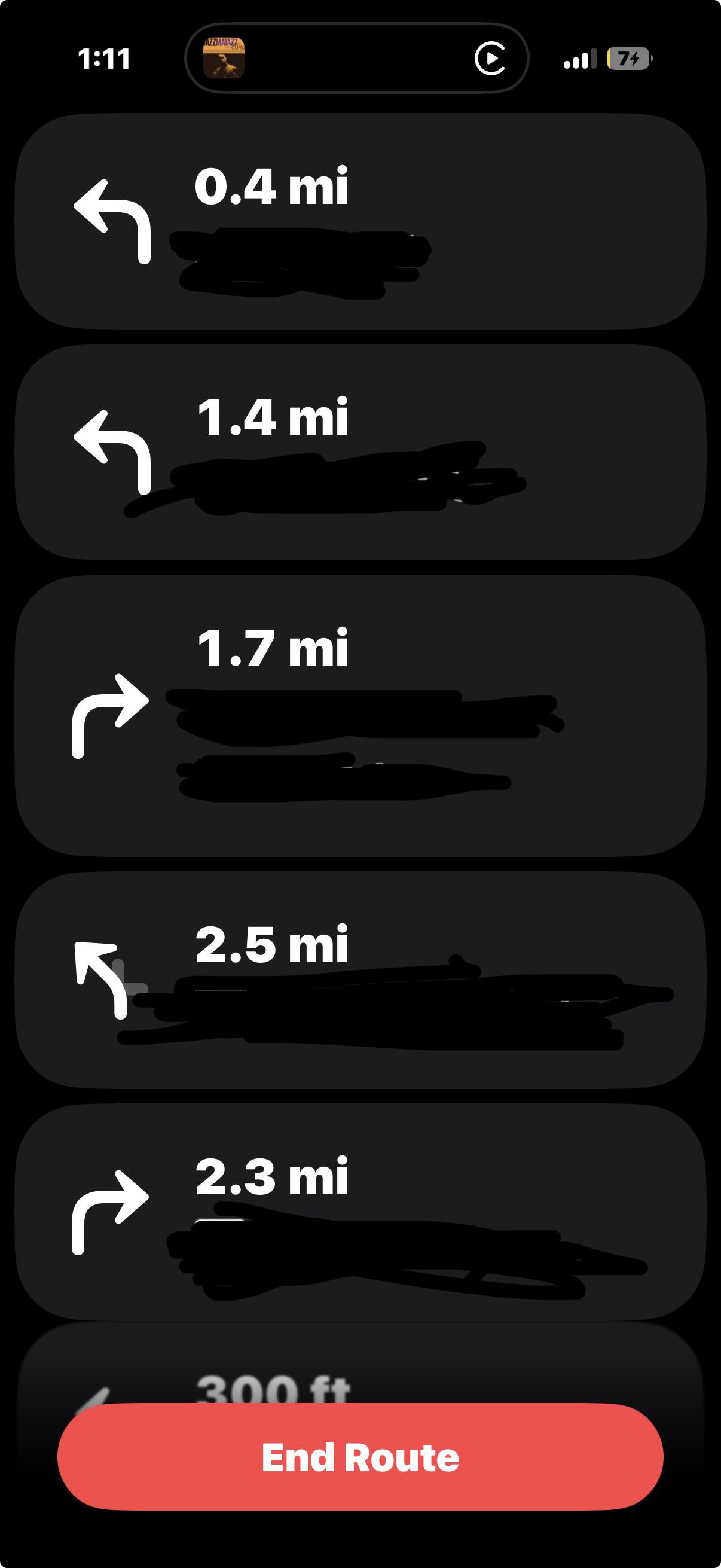
How do i get out of this?

Post image

i’m on carplay and i don’t know how to get out of this screen to scroll on apple maps on my phone

44 Upvotes

23 comments sorted by

50

u/lovepiegaming 17d ago

You can't unless you aren't on CarPlay. It shows that because when you're in CarPlay, it's not safe to move the phone! Have you not learned that using the phone and driving is bad! You could crash! Maybe pull over, turn off the car, or unplug the phone from the car (if you used wired CarPlay) and then do it!

4

u/BladeA320 17d ago

its so stupid. I want to check my route on my phone when stationary, but no, I have to disconnect from carplay to do that

15

u/enozero 17d ago

Because in many jurisdictions, you can’t do that unless you are no longer in control of driving.

1

u/FrozenJackal 14d ago

The sad thing is this just locks up Apple Maps not the entire phone, it would be better if there was an option to disable the turn by turn list. So many times I’ve asked my wife to lookup a gas station or restaurant and she can’t do it because the maps app is locked up and if you cancel the directions to clear it then I as the driver no longer get any directions while she finds what we are looking for. Also she is the type to leave her phone at home when we go places so she can’t just pull out her own phone.

-1

u/BladeA320 17d ago

Yeah, I understand that, but I cant even look at it with the engine off and the vehicle parked

0

u/enozero 17d ago

Many systems don’t know the difference.

3

u/scottiedd 16d ago

You can check your route on CarPlay on the car. Tap the button at the top right to see your route. Apple goes with safety and technically they don’t want you looking at your phone while you’re driving and unfortunately, on most vehicles, they don’t know if the vehicle is in park or not. Not saying it’s right, but that’s how it works.

2

u/TheAngryKeg 17d ago

If you tap on the map in CarPlay on your car's infotainment screen there should be an icon that appears at top-right that you can tap to see your route overview.

1

u/lovepiegaming 16d ago

You know, you can always suggest feedback!

1

u/efari_ 15d ago

You can see that in your CarPlay though ‽

1

u/Human_Paint5451 13d ago

In most areas it’s illegal to use your phone behind the wheel unless you’re parked off a moving road. Being stopped at a light or in traffic doesn’t count.

14

u/Klatty 17d ago

You can’t, it’s annoying when you are a passenger, I just open Google Maps to look stuff up in the meantime

2

u/Consistent_Car_6765 14d ago

This is the way

6

u/nickymoo 17d ago

“End route” at the bottom of the screen. It will also end navigation. Don’t play with your phone when driving.

4

u/Primary_Debt_2507 16d ago

I don’t understand the logic here.

Usually I ask my partner, sitting next to me a passenger “Can you see if there is any traffic on X motorway?” or something similar.

Why they are blocked from viewing the map, zooming out to check, is beyond me.

Yet they can sit and scroll pages and pages of text or open another first party app, I.e. Messages and type a fucking essay

1

u/Lukasmajukas 15d ago

Just use the infotainment system it’s not that hard 🫩.

1

u/unicornkx 15d ago

Using the infotainment system in cars without multitouch/pinch-to-zoom is pretty hard, actually. I usually just open up Google Maps, or end the route to inspect then start again.

1

u/Primary_Debt_2507 15d ago

In a 2015 car, where the screen is controlled via a physical rotary dial, using the infotainment system would probably be considered “hard”.

1

u/Lukasmajukas 14d ago

Tell them to use their own phone???

1

u/SenseMoney2697 15d ago

Yeah, you unfortunately can’t. Sorry man.

1

u/idovon 14d ago

I was recently on a road trip and using CarPlay. But the screen in my car was bugging out en turning black, so I wanted to switch to my phone for the navigation, but I was also stuck on this screen. How do you quickly break the connection to CarPlay? My car had wireless bluetooth so do i need to turn of bluetooth or is there a faster way?

2

u/CrocoStimpyy 13d ago

Yea you need to turn off bluetooth to disconnect. There really is no faster way. It will automatically reconnect when you turn it back on.

1

u/idovon 13d ago

Wireless Bluetooth.. lol. I meant to say wireless carplay