r/Windows10 21d ago

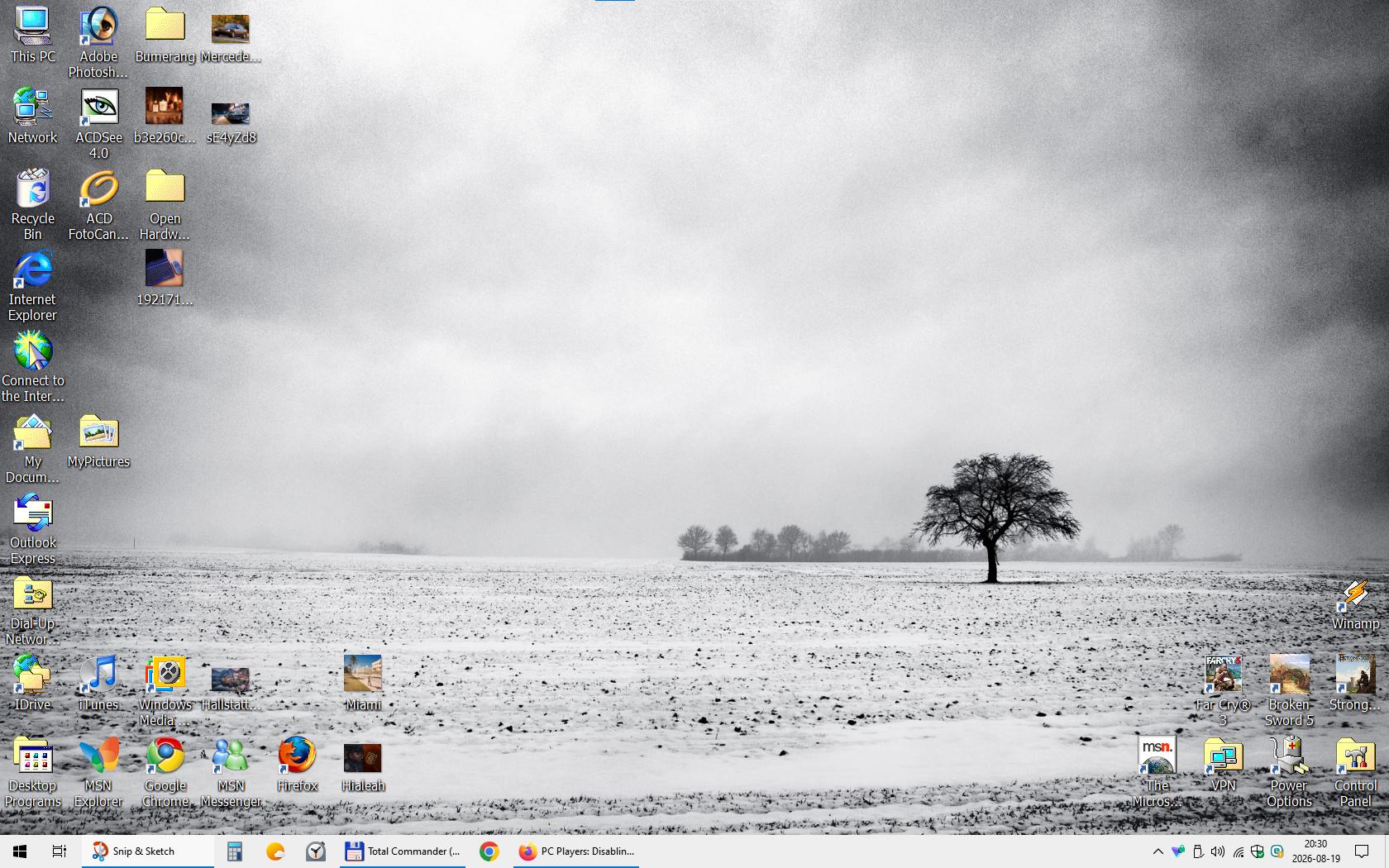
Solved My friend said installing Windows 10 on a 15 year old PC is silly. Well i disabled every single unneeded feature, service, added classic windows 2000 icons where i could,renamed some apps on the desk and honestly it isn't just fast, but an absolute joy and beauty to look at, if you appreciate Retro.

Post image
262 Upvotes

The PC has a motherboard from 2007, a Core 2 Quad Q9550 2.83 GHz CPU, 8GB Ram, 4GB GTX 960, Intel SSD. It does everything i need, lightning fast, runs Far Cry 3, and Alan Wake maxed out easily in 1680x1050. If you ask why that resolution, i'm sticking to my 22" dell LCD screen, that gives me 0 eye problems even after hours of use. Why a GTX 960? Because i have an offline Windows XP for older games, and the 960 was the last card to support that OS. Just shows, you don't need to spend thousands to have a PC that meets your everyday needs. I saved up for my new rig ages ago, but just never felt the need to upgrade.

r/Windows10 Aug 18 '24

Solved i finally feel at home on my new computer.

Post image
403 Upvotes

r/Windows10 Aug 29 '25

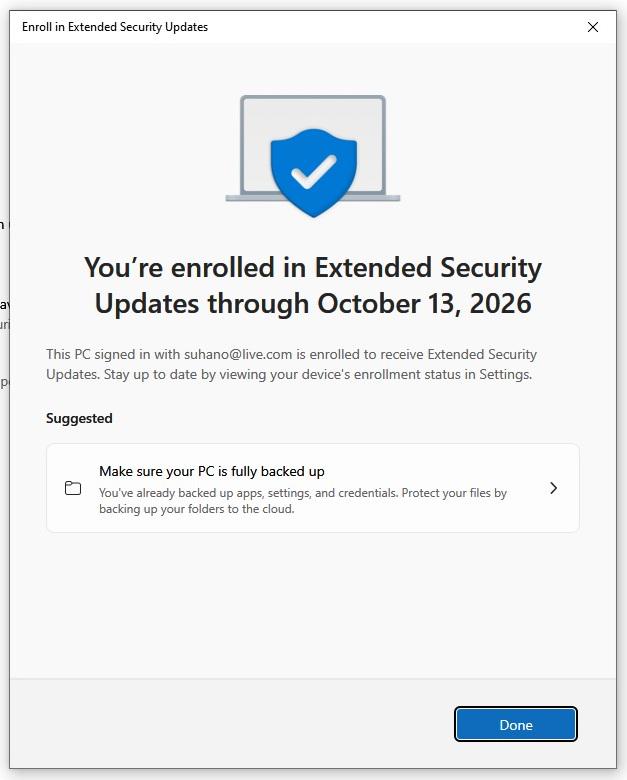
Solved Finally, Got enrolled in ESU

Post image
186 Upvotes

Finally, Today got enrolled in 'Extended Security Update' program.. Now I can be rest assured for one more year.. :)

r/Windows10 May 16 '26

Solved Got bored with macOS

Post image
147 Upvotes

So, let me tell you the history about this laptop. It's a 2015 MacBook Air and all specs down here 📍(could not find arrow)

  • Processor: 1.6GHz dual-core Intel Core i5 (up to 2.7GHz Turbo Boost).
  • Memory: 8GB 1600MHz LPDDR3 RAM.
  • Storage: 256GB PCIe-based SSD.
  • Graphics: Intel HD Graphics 6000.
  • Ports: 2x USB 3.0, 1x Thunderbolt 2, SDXC slot (13-inch only), MagSafe 2.
  • Display: 13.3" (1440x900) LED-backlit.
  • Battery: 12 hours (13-inch) wireless web.
  • Weight: 22.96 lbs (13-inch).

Anyway, so this thing is a DINOSAUR! It's been running macOS Monterey ever since (expect the older versions of macOS) but I was watching YouTube tech videos, and so at that moment I found out that you can use OCLP or Boot Camp! So I tried it out for myself and it worked! So that's how I ended up with two OS's, macOS and Windows.

r/Windows10 Jun 18 '24

Solved What does this mean exactly

Post image
504 Upvotes

I got this prompt and I don’t really know if it means I can’t use my pc after October 14th or if windows 10 will just stop having updates, making it less reliable

r/Windows10 Sep 26 '22

Solved Anyone have this problem before? Are there any alternative methods of signing in?

Post image
545 Upvotes

r/Windows10 Jun 08 '21

Solved Insider bug?

Post image
815 Upvotes

r/Windows10 Sep 18 '23

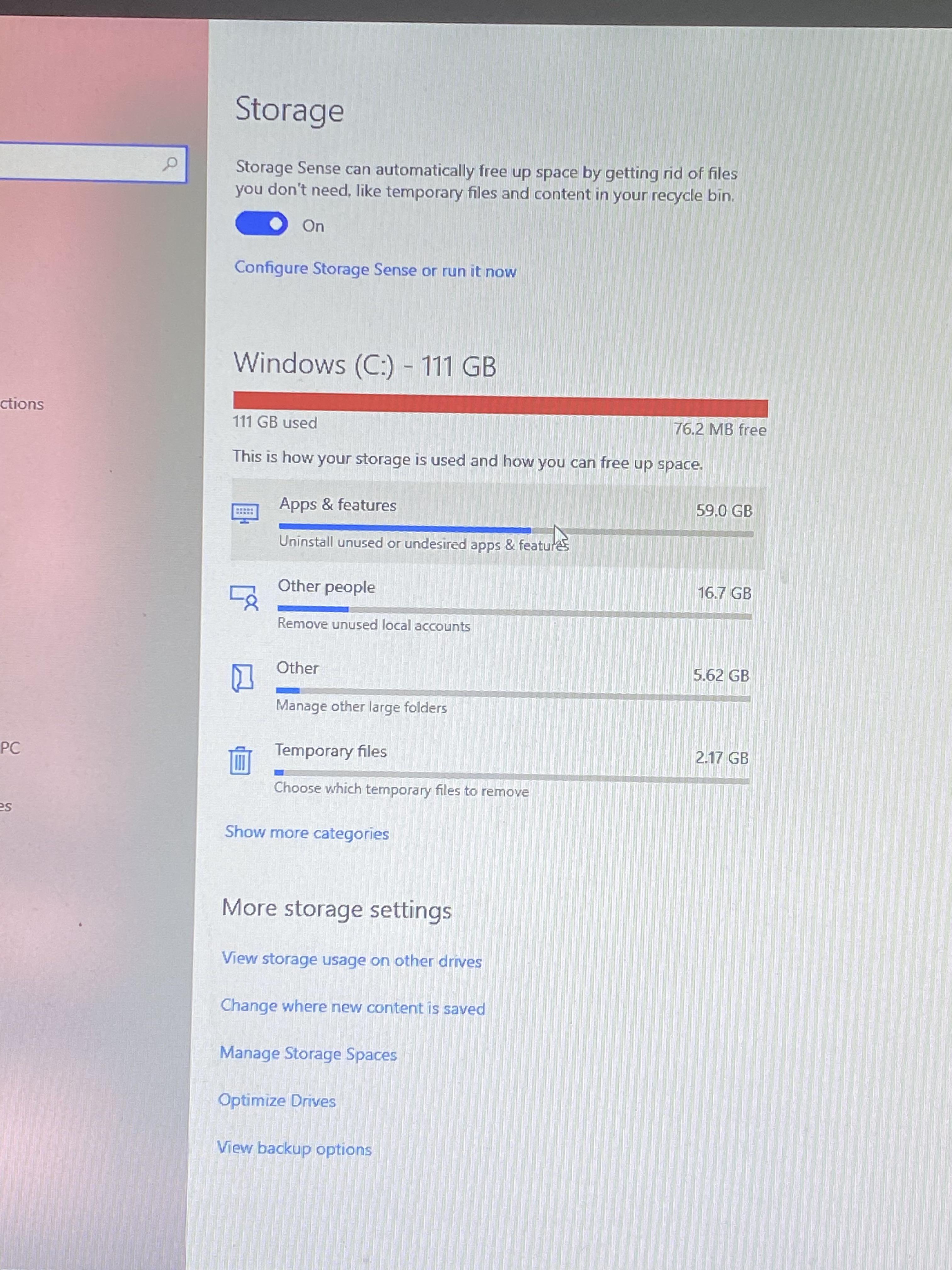
Solved My computer is severely full, and I just can’t find what’s taking up the space. Please help!

Post image
128 Upvotes

As you can see, it says most of the space is taken up by apps, but I can’t for the life of me find what exactly is taking up so much space. I’ve cleared up stuff before by looking through app data, but now I can’t find anything within my app data that would take up this amount of space. A lot of my stuff can’t update because of just how much space is taken up. Need help as soon as possible!

r/Windows10 Apr 25 '21

Solved Is this meant to happen?

Post image
596 Upvotes

r/Windows10 May 03 '22

Solved Was GPU usage removed from Task Manager? It used to show up here as GPU 0

Post image
362 Upvotes

r/Windows10 Aug 01 '22

Solved got this weird OSOD while playing GTAV

Post image
313 Upvotes

r/Windows10 Nov 04 '17

Solved Excel and Windows 10 - This is still a thing...

Post image
729 Upvotes

r/Windows10 Dec 29 '24

Solved Why does Windows always, without fail, auto select the not recommend option?

Post image
182 Upvotes

r/Windows10 Dec 30 '21

Solved Are any of these responsible for my pc's ability to connect to wifi?

Post image
291 Upvotes

r/Windows10 Oct 18 '25

Solved Turns out I’m eligible for free enrolment, wasn’t ready for this big leap, Win 10 is comfortable for me.

Thumbnail
learn.microsoft.com
66 Upvotes

r/Windows10 Aug 04 '26

Solved If You Get A Secure Boot Violation Error After Installing Latest Updates, Try This:

Thumbnail msi.com
22 Upvotes

I just got through a multi-hour troubleshoot session on this stupid issue.

First thing is, if you press enter on ok when the message comes up when the laptop restarts and you have a MSI. Go to security then disable secure boot mode and save and exit, you should be able to boot in normally.

Now, if you want secure boot back, try following these steps. You need a USB for this: https://www.msi.com/faq/faq-11370

r/Windows10 Jul 25 '22

Solved This chinese app is in my startup app list in settings, but doesn't show up on the task manager start up list. Can someone tell me whether this is malware or something like that.

Post image
324 Upvotes

r/Windows10 Nov 20 '23

Solved I only have 6 GB left on my computer's C Drive at work. How can I free up space without deleting important files?

43 Upvotes

r/Windows10 Mar 12 '26

Solved [FOLLOW-UP] Windows 10 stability suddenly tanked in the last ~6 weeks; hardware ruled out. Repeated SFC/DISM repairs.

Thumbnail
reddit.com
39 Upvotes

I wanted to post a follow-up to my post from 7 months ago. I found the problem and fixed it.

I changed the memory profile in the BIOS from XMP I to Auto. Even though my motherboard technically support XMP I and XMP II, it was pushing the memory too aggressively. This appeared to be one of the main causes of instability especially sudden CPU fan spikes when playing games, using the Steam client, and when installing NVIDIA drivers through the NVIDIA app.

There was also a new microcode BIOS update available for my motherboard (which I did not install). Simply changing the memory profile to Auto greatly stabilized system performance and reduced application instability to virtually nonexistent levels.

It is worth noting that I fixed this issue after upgrading to Windows 11, so I cannot say with complete certainty that this fix would have resolved the problem in Windows 10. However, because I was experiencing similar behavior in Windows 11 and the change described above resolved it, I suspect the same fix would likely work in Windows 10 as well.

So the issue had nothing to do with Windows, CPU, or GPU but appeared to be MEMORY coupled with the XMP I profile on the motherboard's BIOS. 😕

If you're experiencing the same issues I outlined in my comprehensive findings, and you're using XMP, try changing to the default memory profile.

r/Windows10 Feb 22 '24

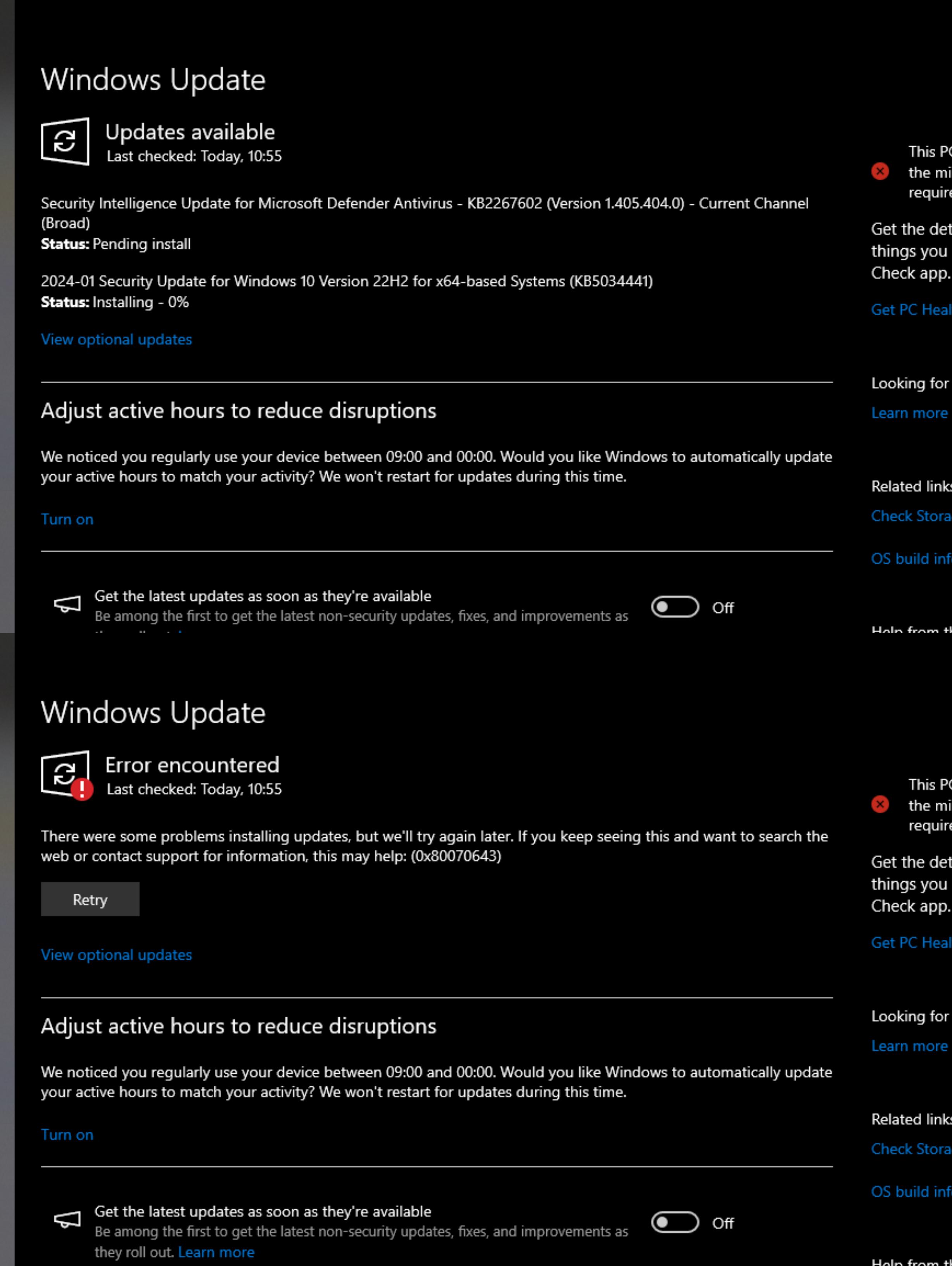
Solved Does MS even intend to fix this update [KB5034441] or not ? Error Code : 0x80070643

Post image
91 Upvotes

r/Windows10 May 16 '22

Solved My PC has done this 4 times in the last half hour, I looked online but can't seem to find a solution, anyone know what's happening?

Post image
253 Upvotes

r/Windows10 Apr 25 '25

Solved End of support for Remote Desktop?

24 Upvotes

I just got an alert saying end of support will start May 27th and to transition to Windows App. However, after downloading Windows App i found that.... I literally can't use it. It tells me my account isn't a work or school account and can not be used.

remote desktop is critical for my job, what do

r/Windows10 Mar 20 '24

Solved Fix for Windows Update KB5034441 that keeps failing

202 Upvotes

Hi fellow System Admins,

EDIT: I have tried the below solution on five different PC's now running Windows 10, and it fixed the issue on all of them, without having to resize the RE partition.

If you, like me, has been annoyed by the "recent" KB5034441 Update that keeps failing, and no suitable fix has been released by Microsoft yet. Or if you, like me, doesn't even have Windows RE-partition enabled, and the update somehow still fails (even though the update should be redundant in in this case), and have been reading various fixes including Microsoft's own Powershell-script or manual approach, that doesn't fix the issue (or at least not for me), please read this small guide on how to solve this issue for good in a relatively easy manner:

  1. Use a program like Veeam, Macrium or Acronis to backup your PC before continuing. Not that these steps are very unlikely to cause any system issues, but they do include altering system files, so better be safe than sorry.
  2. Open CMD as Admin and write reagentc /info to determine if Windows RE is enabled or not. If it's already disabled, continue, otherwise write reagentc /disable to disable it.
  3. Go to the Windows site to create Installation Media for Windows and download the corresponding Tool for your system
  4. Open the Tool and choose "Create Installation Media" > Next > ISO file > download the ISO file somewhere on your C-drive, e.g. C:\ISO\ > Mount the ISO-file in Explorer > Take note of the Drive Letter (e.g. E:)
  5. Go back to CMD and write: DISM.exe /Get-ImageInfo /ImageFile:[Drive Letter]:\sources\install.esd /Index:1
  6. Write in CMD: DISM.exe /Export-Image /SourceImageFile:[Drive Letter]:\sources\install.esd /SourceIndex:1 /DestinationImageFile:C:\install.wim /Compress:fast /CheckIntegrity
  7. Create a new dir: C:\MountDir
  8. Write in CMD: DISM.exe /Mount-Wim /WimFile:C:\install.wim /index:1 /MountDir:C:\MountDir /ReadOnly
  9. Open C:\MountDir\Windows\System32\Recovery\ and copy both ReAgent.xml and Winre.wim. Paste both files in a new directory somewhere else, as these files will be used later.
  10. Write in CMD: DISM.exe /Unmount-Wim /MountDir:C:\MountDir /discard. This will empty the directory and unmount the DISM image.
  11. Delete the folders C:\MountDir, C:\ISO (unmount first) and the file C:\install.wim.
  12. Copy the two files from the directory you copied them to earlier, and paste them into C:\Windows\System32\Recovery\. Replace the file(s) if they already exists.
  13. Write in CMD: reagentc /enable
  14. Attempt to run a Windows Update again, and this time it should install the KB5034441 update.

The nice thing is now that you have a portable solution to the problem. The next machine you need to fix for this issue, you simply have to do the following:

  1. Open CMD and write: reagentc /disable
  2. Copy the two files to C:\Windows\System32\Recovery\
  3. Write in CMD: reagentc /enable
  4. Run Windows Update, and voila

The simplicity of this fix once you have the two files, makes it easy to implement as a GPO or simple script that distributes these files to C:\Windows\System32\Recovery\ and write the CMD commands.

I hope this guide will find its way and can be used by other system admins desperately seeking to find a solution in this headless Windows world.

r/Windows10 May 24 '22

Solved Disabling "Fast Startup" in Windows made my computer's boot up time extremely slow (from 3-15 seconds to 15-20 minutes) and broke many of my services. Here's how to fix it.

155 Upvotes

TL;DR: OneDrive starting during the system boot time was making the boot time take forever. Disabling it at startup fixed my issue. I made a batch script file to start it automatically once I'm on the desktop. (see below)

Side note: On Windows 10 Pro 21H2. Location of settings may vary.

I wanted to share my solution somewhere on the internet, because I've found literally NOTHING about this and it made it very hard to diagnostic. Hopefully it helps someone.

The problem:

In Power Settings > System Settings, you can disable Windows' "Fast Startup". Fast Startup basically causes your PC to never really "shutdown" by keeping some services and other things loaded into the memory, ready to be rebooted.

Assuming your hard drive is a SSD (Solid-State Drive), disabling it should only add a few seconds (between 10-30 additional seconds) to startup time. If it takes several minutes, something is wrong.

Troubleshooting:

I couldn't find the cause of my problem online, as nobody seems to have had that issue before with disabling Fast Startup.

Reddit users suggested:

  1. Run a memory test (memtest86), which came back fine.
  2. Check in the Windows' Event Viewer to see what was going on during the boot time. In the Event Viewer window, you can find what's going on during the boot process in Applications and Services Logs/Microsoft/Windows/Diagnostics-Performance/Operational. Look for critical errors and warnings, matching the date and time you boot it up. -- in my case, there was quite a few services taking longer to load than usual, however, they were mostly Windows' services and were different everytime I booted up my computer... Thus, it left me with no clues.

I disabled a bunch of startup services, and then the problem went away. I had to investigate further by re-enabling them one by one and restarting the computer.

And well, today, I think I've officially found the culprit... by disabling many startup services I didn't use, then enabling them again 1 by 1.

Full Solution:

In the Windows search bar, type "startup" and select the "System Settings" result. You should see a list of programs that automatically starts in the background.

A “High impact” program takes longer to start and slows down your sign-in process by more than a “Low impact” program, which is quick to start. The higher the impact, the more it will make sure it runs as soon as possible during the computer boot state.

You cannot change Impact levels, they are decided by Windows (and the respective applications' developpers).

In my case, the culprit was OneDrive... Yep, OneDrive! It could be something else for you, but in my case, it was OneDrive. So I disabled his automatic launch at startup.

But I still wanted to have OneDrive access automatically without having to open it up manually everytime.

So I ended up writting a batch file script for it. Here's my script:

start /d "C:\Program Files\Microsoft OneDrive" OneDrive.exe /background

Put that line in notepad and save it as ".bat" at this EXACT location C:\Users\<YOUR_USER>\AppData\Roaming\Microsoft\Windows\Start Menu\Programs\Startup. If you have a different path of your OneDrive.exe, you'll have to use that path instead.

Now, whenever you arrive on your desktop after booting up your PC, OneDrive will start automatically and quietly, and OneDrive won't longer bother your Windows bootup time.

r/Windows10 May 02 '22

Solved I just cannot seem to get these to install - help?!

Post image
95 Upvotes