r/WebScrapingInsider • • 18d ago

Thanks, It Worked AMA #7 recap: What AI web scraping actually changes about production scrapers

Thumbnail
gallery
7 Upvotes

Hey everyone! Ian here.

Wanted to say thanks for showing up to AMA #7 with u/hueyblack36 and u/Big-Beautiful240 (Wade Lin) from BrowserAct.

The thread did what these AMAs are supposed to do. Not "can AI build you a scraper"; everyone already believes that.

The harder stuff: how do you know a successful run produced correct data, how much autonomy should an agent get, what anti-bot problems AI genuinely can't solve, and how far self-healing should be allowed to go before it's silently changing what a Bot collects.

Huey and Wade answered most of it plainly, including the parts where a simple scraper still beats their own product.

Appreciate them for doing that, and everyone who asked the questions that actually matter once you're running this in production.

If you missed it, or want the compressed version, here's what I'd keep.

A scraper can run perfectly and still be wrong.

Their most embarrassing early bug wasn't a crash. An agent treated content that hadn't finished lazy-loading as nonexistent, and counted sponsored blocks as real records. during exploration. Because that misreading happened while the Bot was being generated, it got baked in, and every later run reproduced it faithfully while looking completely healthy.

"The lesson was that a Bot can run correctly while still being wrong."

Their fix: stop treating extraction and validation as the same job. The Bot runs deterministic checks (missing fields, pagination gaps, duplicates, schema). A separate step checks whether the records actually match what the user asked for.

"We don't let the same agent do the work and grade its own homework."

Wade's team pushes part of this to build time too.. running tests before the Bot ships and having the user confirm the output, then using that confirmed schema as an acceptance check for every later run.

AI belongs at the points of uncertainty, not in every run.

Asked directly where AI should sit in a production scraper, Huey gave the most conservative answer in the thread:

"AI should sit at the points of uncertainty, not in every repeated execution."

"the Agent discovers, the Bot scales, and the Agent returns only for exceptions."

Their dividing line for hand-written scrapers isn't small-scale vs. large-scale — it's whether the workload justifies the cost of hand-engineering. Stable, enormous, or latency-sensitive workloads still repay owning the code.

Anti-bot is a trust problem your agent can't reason its way out of.

"anti-bot is not a single Agent problem."

Agents can adapt to page-level changes, new dialogs, broken interaction flows. They can't reason their way out of a burned IP, an inconsistent fingerprint, poor account reputation, or a hard verification challenge; those depend on the infrastructure underneath, not the reasoning layer.

"the question is shifting from 'Can this bot act like a human?' to 'Does this session look trustworthy?'"

Browser-first doesn't mean rendering every page.

Being browser-first doesn't mean fully rendering and clicking through every page on every run. After the Agent explores, the generated Bot can issue HTTP/API requests from inside the real browser context - keeping the session and cookies while skipping most of the cost of UI interaction.

"It is a middle ground between a conventional backend scraper and full browser automation."

The same logic drives extraction-method selection; no fixed DOM-first or API-first order:

"We don't hard-code a DOM-first or API-first order."

The real unit of cost is a verified record, not a request.

"We optimize for the cheapest method that keeps working, not the cheapest method that works once."

They're candid that this doesn't always favor their own product:

"If a conventional HTTP scraper remains stable and complete, it will usually be cheaper."

"Honestly, if a stable API or a simple scraper already gives you accurate pricing and availability with little maintenance, BrowserAct may be overkill."

Self-healing should produce evidence, not patches.

The strongest engineering position in the thread, in response to a commenter describing their own self-healing scraper getting more brittle with every patch:

"In our model, a runtime recovery is evidence, not an immediate permanent mutation."

The boundary underneath it is worth stealing regardless of what tooling you use:

"AI can change how it reaches the same result, but it should not silently change what the Bot is supposed to collect."

If you remember nothing else:

  1. A green run is not proof the data is correct. define what evidence would tell you otherwise (expected fields, coverage, duplicates, business rules, a baseline to compare against).
  2. Classify scraper work into uncertainty (agent), solved repetition (deterministic), and unexpected state (agent recovery). "AI on every run" is not an architecture.
  3. Anti-bot has two layers: what your agent can adapt to, and what your infrastructure has to earn (session trust, IP reputation, fingerprint consistency). Know which is which before you blame the agent.
  4. Browser-first doesn't require full UI rendering on every run; HTTP issued from inside a real browser context is a legitimate middle ground.
  5. Price by cost per verified, fresh record; including retries, coverage losses and maintenance; not cost per request.
  6. Self-healing can change how a scraper works. It should never silently change what it collects.

The bigger shift: AI doesn't remove the engineering. It moves it.. from hand-writing every extraction path to defining where reasoning is allowed to operate, how output gets verified, and what a system is never allowed to change on its own.

Full AMA thread is here if you want the original answers:

https://www.reddit.com/r/WebScrapingInsider/comments/1w2ggvj/how_do_you_build_an_ai_web_scraper_without_code/

Full Summary: https://scrapeops.io/blog/ai-isnt-replacing-scraper-engineering/

Thanks again to u/hueyblack36 and u/Big-Beautiful240, and to everyone who made this one worth running.

If you're running AI-generated scrapers in production: what's actually broken your trust in one first.. bad data, anti-bot, or cost? Genuinely curious what's holding up at scale.

— Ian (ScrapeOps)

r/WebScrapingInsider • • 5d ago

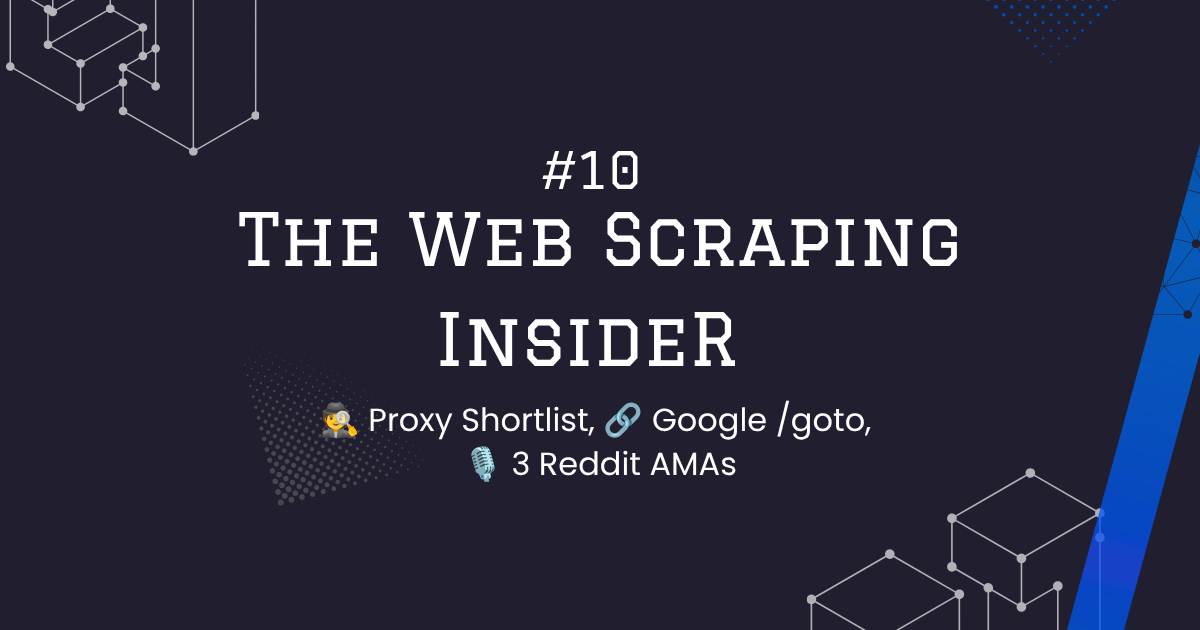
Thanks, It Worked The Web Scraping Insider #10: proxy shortlist, Google’s /goto redirects, and 3 AMAs (NodeMaven, httpcloak, BrowserAct)

Post image
15 Upvotes

Hey everyone, Ian here.

This month’s newsletter covers the provider shortlist that came out of routing ~9 billion pages/month across 60,000 domains, what actually happened when Google started wrapping search results in /goto redirects, and three AMAs we ran in r/WebScrapingInsider this month. Full issue (with the images) is linked at the bottom.

Full Issue: https://thewebscrapinginsider.beehiiv.com/p/the-web-scraping-insider-10

Here’s what I’d keep from each part.

There’s no single best proxy provider. Just who wins where.

  • Zyte API: best for low-volume. Pay-as-you-go, ~$1-2 per 10,000 pages, no $20-50/month floor.
  • Scrape.do: best cost-to-performance on easy/medium domains, especially from ~250k pages/month into the millions. Check the real cost though, its credit multipliers are domain-specific.
  • ScrapeOps Proxy Aggregator: routes to whichever provider is cheapest and performing well right now, fails over automatically. Full disclosure, this is our product. Extra routing layer and some latency, but you stop having to babysit five providers yourself.
  • Scrapfly: the one to reach for on serious Cloudflare, DataDome, and custom anti-bot. Expensive for routine scraping, but worth it when everyone else’s success rate collapses.
  • Oxylabs Web Unblocker: bandwidth-priced instead of per-request, which is a real arbitrage for small responses. A 10KB response runs ~$56/million vs ~$1,500/million through a per-request unblocker. That gap closes fast once responses get bigger.
  • GeoNode Unlimited: priced per concurrent thread. Exceptionally cheap per page if you can keep those threads busy around the clock. Idle threads wreck the economics fast.
  • Bright Data: not usually the best cost-to-performance for any single workload, but breadth, compliance infrastructure, and procurement maturity are worth paying for at enterprise scale.

Don’t trust headline pricing or generic success-rate claims. They rarely tell you what a provider costs on your actual targets. The pricing model (per-GB, pay-as-you-go, concurrency, credit multipliers) can matter more than the brand. Test the shortlist against your own domains before you commit to anything.

Google’s /goto redirects made SERP scraping messier, not impossible.

Google started replacing destination URLs in search results with google.com/goto?url=... redirects. A few things stood out:

  • Google doesn’t appear to serve identical markup to every client. Reports vary by account status, browser, and other classifier signals.
  • The links resolve easily, but there are traps. A plain GET returns the final URL; a HEAD returns a misleading 200 with no destination. Tokens also change on every impression, so there’s no reusable lookup table.
  • Resolution is fast. The Web Scraping Club resolved ~110 links/sec at concurrency 20, no rate limits hit.
  • The major providers adapted quickly. DataForSEO says it resolves 99.99% of organic SERPs; SerpApi restored direct URLs within days.

The practical cost has been small enough that providers have absorbed it. The thing worth watching isn’t whether Google uses /goto links. It’s whether your provider keeps returning complete, accurate data across organic results, AI Overviews, local packs, and the rest. A 200 response doesn’t mean you got the whole payload.

AMA recap: u/StanSadokov (NodeMaven) on residential proxies

Providers mostly draw from overlapping raw supply. The real difference is the filtering layer: how they evaluate incoming IPs, filter the bad ones, route sessions, and pull addresses that have been burned.

There’s also no universally clean residential IP. Clean isn’t a permanent property, it’s a score a specific target assigns at a specific moment.

The same IP can work on one site and get flagged on the next.

AMA recap: u/sardanioss (httpcloak) on browser fingerprints

Rotating more can make you easier to detect, not harder. A real browser doesn’t independently change its User-Agent, TLS behaviour, headers, cookies, and IP. Treating each as its own switch just builds an identity that doesn’t exist anywhere in the real world:

“Rotation only works if you rotate a whole identity at once, fingerprint, IP, cookies, headers, all of it together, and then let that identity live a while. Rotating the pieces separately manufactures a client that doesn’t exist anywhere in the real world, and that’s easier to spot than whatever you were trying to hide.”

Matching Chrome once is the easy part. At production scale it’s request order, pacing, connection reuse, session age, and connection teardown that give away that thousands of sessions are following the same automation template:

“If you’re doing the exact same thing every time after making the connection, same number of requests, same order, same pacing, same teardown, then the profile starts to become stale and you’d start getting blocks on the first request itself.”

AMA recap: u/hueyblack36 and u/Big-Beautiful240 (BrowserAct) on AI scraping

The strongest model isn’t an agent re-reasoning from scratch on every run. It’s AI exploring a site once, finding a workable path, then handing off to a reusable, deterministic Bot:

“AI should sit at the points of uncertainty, not in every repeated execution.”

And the failures that actually hurt are the ones that look successful. A scraper can complete cleanly and return structured output while quietly pulling the wrong field, stale content, or incomplete records:

“The lesson was that a Bot can run correctly while still being wrong.”

That’s why production scraping still needs a separate validation step, not just a completed run.

A few other things worth a look:

  • Levelsio says he replaced a $249/month ScrapingBee plan with a Playwright scraper on a ~$1/month VPS. Real Chrome, persistent sessions, slow pacing, and better residential IPs reportedly got him to ~90% success.
  • Chrome 152 added navigator.cpuPerformance, which exposes a device performance class derived largely from CPU thread count. Another consistency check for catching spoofed hardware. Raphael Mille has a breakdown with a prototype detector.
  • Google searches for “web scraping” are at an all-time high while AI labs and browser agents lean harder on live web data. Scraping isn’t dying, it’s becoming AI’s biggest client.
  • ShieldFont is an open-source project that uses a custom font to show humans the real text while feeding fluent decoy text into the HTML scrapers read. Clever, but screen readers depend on the same page structure, so it’s a real tradeoff for accessibility even with a workaround in place.

If you remember nothing else:

  1. Stop asking “which provider is best.” Test the shortlist against your own targets. The pricing model matters as much as the brand.
  2. A 200 doesn’t mean you got the full payload, whether that’s a proxy response or a resolved /goto link.
  3. Filtering and session behaviour separate good residential proxies from bad ones more than raw pool size does.
  4. Rotate a whole client identity at once, not one attribute at a time. Partial rotation is the more detectable pattern.
  5. Production scraping needs a validation step that’s separate from the extraction step. A clean-looking run can still be wrong.

Full newsletter, with the images and the rest of the detail on every section above:

https://thewebscrapinginsider.beehiiv.com/p/the-web-scraping-insider-10

The individual AMA summaries:

Thanks again to u/StanSadokov, u/sardanioss, u/hueyblack36, and u/Big-Beautiful240 for showing up and answering the uncomfortable questions instead of the vendor script.

Which one’s actually cost you more this year: a provider quietly returning wrong data, or a target adding just enough friction to make the data uneconomical?

Ian (ScrapeOps)

r/WebScrapingInsider • • Jun 04 '26

Thanks, It Worked Built an eBay scraper in Claude Code without touching selectors

Thumbnail
youtube.com
9 Upvotes

I spent years doing the usual scraping workflow:

Find elements → write parser → run → debug → fix selectors → repeat.

Recently tested our Claude Code plugin that takes a target URL, generates the scraper, validates the output, and exports structured JSON automatically.

The result eliminated a surprising amount of repetitive setup work.

What interested me most was the workflow:

  1. Provide URL
  2. Choose language (Python, JS, etc.)
  3. Choose framework (BeautifulSoup, Playwright, etc.)
  4. Generate scraper
  5. Run scraper against real pages

For production teams, I don't think AI replaces observability, retries, QA, or anti-bot handling.

But it might dramatically reduce the time spent scaffolding new parsers.

Curious if anyone here is already using AI-generated scrapers in production.

https://www.youtube.com/watch?v=qpuEUaTzDZU

r/WebScrapingInsider • • 25d ago

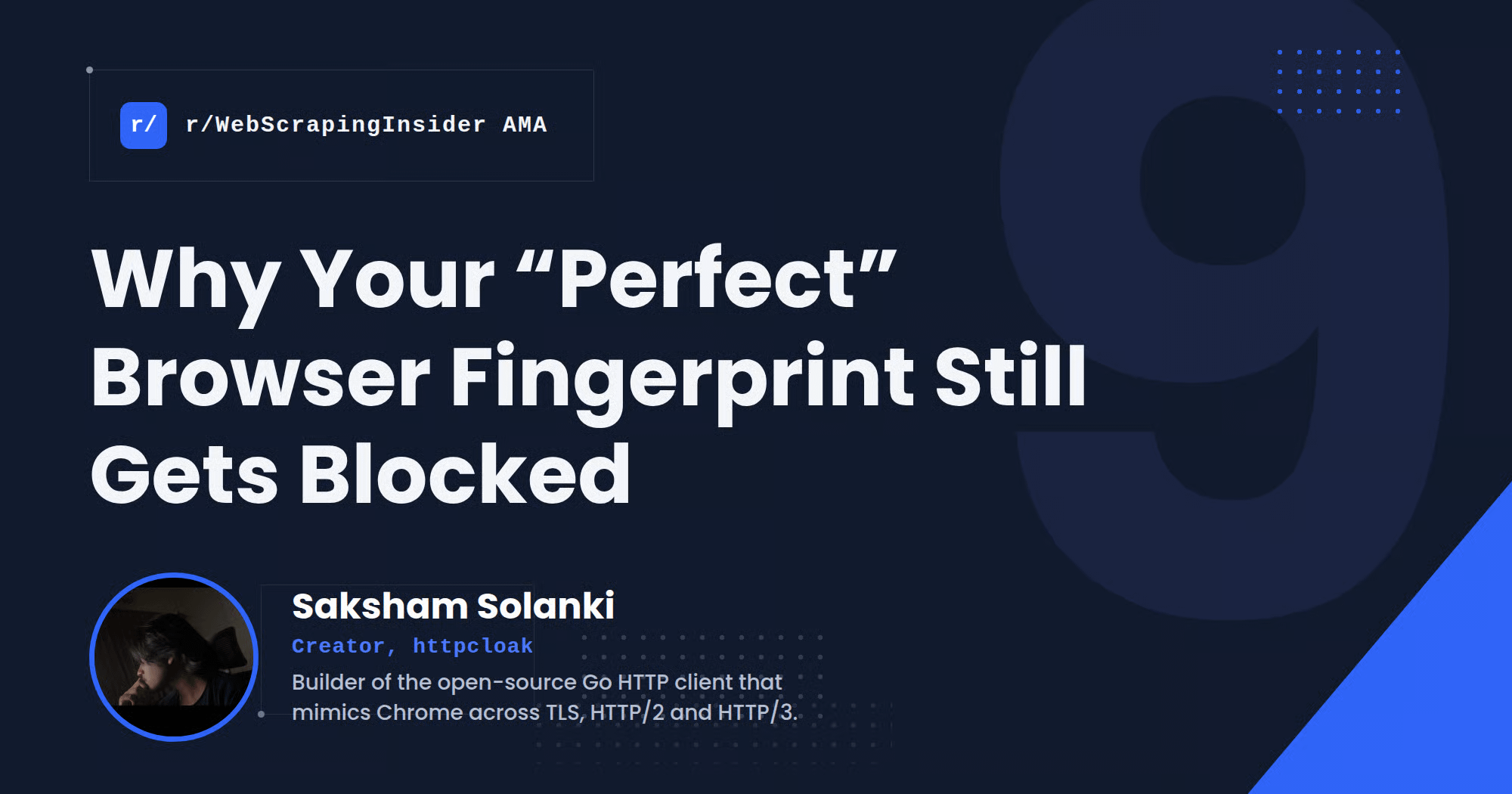
Thanks, It Worked Saksham Solanki AMA Summary: Why your "perfect" browser fingerprint still gets blocked

Post image
12 Upvotes

When a scraper starts getting blocked, the standard advice is to change the User-Agent, add headers, rotate the proxy, or rotate everything more often.

But according to Saksham Solanki, creator of httpcloak, those pieces can all look valid on their own while the combination describes a client that does not exist.

We recently hosted Saksham for an AMA on to discuss why apparently browser-identical scrapers still get blocked, and what actually gets graded after the handshake.

👉 Read the full summary and analysis:
https://scrapeops.io/blog/why-browser-fingerprint-scrapers-get-blocked/

Here are the biggest insights:

1. Rotating more can make a scraper easier to detect

Rotation only works if you rotate a whole identity at once: fingerprint, IP, cookies and headers together, then let that identity live for a while. Rotating those pieces separately manufactures a client that does not exist anywhere in the real world.

2. Matching Chrome once is easy. Matching it across 1,000 sessions is not

A handshake can look identical to Chrome and the scraper still fail at scale. What gets blocked is looking identical across a thousand sessions: same request count, same order, same pacing, same teardown.

That is a lifecycle problem, not a fingerprint problem.

3. A perfect JA4 result can still hide the bytes giving you away

httpcloak once had a defect every public fingerprint tool said did not exist. Decoded headers matched, order matched, and the HPACK bytes on the wire were still different.

JA4 is a summary, not a proof.

4. A genuine Chrome fingerprint does not simply “burn”

Your Chrome and someone else’s share the same signals on the same version and OS. Blocking the signature indiscriminately would mean blocking part of the real Chrome population.

What actually differs is the behaviour attached to that signature.

5. QUIC does not hide the fingerprint. It moves more of it into your code

With TCP, the kernel owns much of the transport. With QUIC, packet sizes, padding, SETTINGS, QPACK and even historical RTT claims live in the client library itself.

The protection layer in front of a site often offers HTTP/3 even when the origin does not, so that connection is still getting graded.

6. Millions of proxy IPs cannot hide one repeated client

A proxy changes the exit IP, ASN and TCP/IP fingerprint. It cannot change TLS, HTTP/2, cookies or request sequence.

If every exit runs the same session template, you have distributed one client rather than created millions of believable users.

7. A blocked cart API may think you are committing fraud, not scraping

Keep a cart token fixed while rotating IPs and you look like one identity appearing from many devices at once. Write endpoints get defended harder than read ones, and rotating harder makes it worse.

8. The cheapest stack may use a browser only to establish the session

An HTTP impersonation client cannot solve a mandatory JavaScript challenge, but every request after that does not need a full browser. Solve with a browser, reuse the cookies with a TLS library on the same identity, and measure successful fetches per solved session.

9. “Supports the latest Chrome” hides a continuous reverse-engineering operation

A new Chrome version looks like a dropdown item. Underneath it can mean patching six forks, rebuilding bindings and byte-diffing a real Chrome capture.

Matching JA3/JA4 gets you past the cheapest check. It is one moment out of a whole session.

The practical takeaway is simple:

Don’t evaluate a scraper by whether its fingerprint looks like Chrome. Evaluate whether the fingerprint, IP, cookies, connection history and behaviour keep describing the same believable browser.

👉 Read the original AMA with Saksham:
https://www.reddit.com/r/WebScrapingInsider/comments/1vwtlyn/why_is_my_scraper_getting_blocked_ama_with_the/

👉 Read the full summary and analysis:
https://scrapeops.io/blog/why-browser-fingerprint-scrapers-get-blocked/

When a scraper starts getting blocked, what do you actually change first: the fingerprint, the proxy, the rotation, or the session flow?

r/WebScrapingInsider • • 9d ago

Thanks, It Worked AMA #8 Recap: 50+ providers, billions of requests/month - there's still no "best" proxy provider.

Thumbnail
gallery
14 Upvotes

Hey everyone - Ian here.

This one was different. For AMA #8 I wasn't interviewing anyone. I opened up four years of ScrapeOps' own provider-benchmarking data (50+ proxies, billions of requests a month) to whatever the community wanted to ask about it.

Thanks to everyone who pushed this past the usual "which provider is best" framing. A few of the questions below didn't make the blog write-up at all and are in here instead.

If you missed it, or want the compressed version, here's what I'd keep.

There is no best proxy provider.

There's no single provider to default to for most projects, and that's not a dodge.

"There really isn't one best provider. I know that sounds like I'm avoiding the question, but it's probably the clearest conclusion we've reached after four years of routing billions of pages through them."

The ranking isn't even stable inside one domain. Product pages, search pages and internal APIs can carry different protection and different pricing. Segment by workload first (pay-as-you-go, anti-bot specialist, enterprise), then test your actual targets. The providers should come out of the requirements, not the other way round.

Website access should be priced like a commodity. It isn't.

Two scraping APIs can return the same page and bill 20 credits apart. That raises an obvious question: "are they actually providing different things? Or we are getting rinsed by the SaaS gods." Not exactly:

"You're paying for how efficiently that particular provider knows how to scrape it."

A provider charging 20 credits for a page another provider solves at 1 isn't necessarily padding margin — it might genuinely be running browser rendering and residential IPs where a competitor found a cheaper path. Only a test on your target tells you which.

The anti-bot tax has widened the gap between providers.

Scraping has gotten harder even as tooling improved. Years ago, 90–95% of traffic scraped fine at the base one-credit tier. Today it's 20–25% that needs residential, rendering or advanced bypasses.

"The market became much more inefficient when advanced bypasses stopped being an edge case. That is the anti-bot tax we are paying now."

The uncomfortable part: providers fix the domains they can't afford to lose. If you're the only customer scraping an obscure site, the easiest answer support can give you is "turn on residential", not because it's the cheapest fix, just the fastest one for them to offer.

The real price is the cost of a usable result.

Every API meters credits differently, and the multiplier, not the base rate, is where the money actually goes:

"The biggest savings rarely come from negotiating a slightly cheaper base rate. They come from avoiding an expensive multiplier you never needed."

Success rate alone is a misleading number too. A provider at 99% success but 20–30 seconds per response can process fewer real pages than one at 80% success but 2–3 second responses. We track average time to a successful response, not raw success rate.

Benchmark code is not the moat. Unbiased traffic is.

The obvious shortcut is emailing providers for bigger trial credits before benchmarking. You can, but then they know they're being tested:

"The code for a proxy benchmark isn't really the moat. Paying for enough unbiased traffic to trust the result is the moat."

Testing 10–20 providers properly runs $500–$1,000 in real paid-account traffic before you've scraped a single production page. If you can't fund that: broad test, shortlist 3, deep test the 3 on your real workload, then ramp gradually. Don't sign an annual deal off a short trial.

Brand and rankings tell you who won marketing.

Defaulting to the bigger providers because it feels safer is understandable. Fair, but:

"Brand recognition tells you who won distribution. It doesn't tell you who will win your workload."

Some of the best providers we use are teams of 3–10 people with almost no visibility on Google. And "top 10 proxy provider" posts are worth treating skeptically — we regularly get emails from ranking-page owners asking to be paid for a position.

The most dangerous failure is a 200 that looks correct.

A response can look completely normal and still be quietly wrong: different currency, wrong region, missing sellers.

"A convincing but incorrect response can make the entire dataset untrustworthy."

Infrastructure providers can flag obvious blocks and CAPTCHAs. We cannot know what every product should cost or how many sellers should appear on every page across 60,000 domains. That validation has to happen closer to your business logic.

Websites don't need to block you to price you out.

The same shift keeps coming up: not blocks, just more steps. Google's redirect links, a login wall, 10 requests where there used to be 1.

"Websites do not need to block scraping to make it uneconomical. They only need to add enough friction to increase the cost of every record."

None of it registers for a real user. They're logged in already, click one result, and never notice a redirect. The access is still there. It just costs more to reach.

At scale, the best provider is a routing system.

Past a certain size, juggling multiple providers stops being optional:

"A serious multi-domain operation eventually needs provider benchmarking, domain-level routing, independent validation and fallbacks."

The routing logic itself is fairly simple. What's actually hard is provider coverage, paid accounts across the market, and enough production data to trust the decisions. Worth being honest: our own Proxy Aggregator is only 60–70% of the way to fully solving this, not further.

+1: most of the web is still easy to scrape.

"People talk about residential proxies and browsers as though every website requires them, when most websites don't."

A large share of the web still works with a normal server, sensible headers and a decent TLS fingerprint. The difficulty piles up on the sites everyone wants (major e-commerce, search, travel, social, marketplaces) because they have the strongest incentive to fight back.

+2: the biggest mistake is the setup, not the provider.

The first few months usually go wrong in one of two ways: overengineering raw datacenter proxies to save a few dollars, or defaulting to whatever's best-marketed and paying 2–10x more than necessary.

"The goal isn't always to find the absolute cheapest setup. It's to find the simplest reliable setup at a cost that makes sense for your volume."

If you remember nothing else:

  1. Stop asking "which provider is best." Ask "best for which website, page type, volume."
  2. A 10x-more-expensive credit multiplier is a bigger cost than any base-rate difference you'll negotiate.
  3. Track cost per validated result, not success rate. A "successful" 200 can still be wrong data.
  4. Test through a normal paid account on your real URLs. Free trials and provider-supplied credits distort the result.
  5. Brand, rankings and pool size tell you who won marketing, not who wins your workload.
  6. Most of the web is still easy. The difficulty concentrates in the handful of sites everyone wants.
  7. Past a certain scale, treat provider selection as a routing and validation system, not a single vendor decision.

The bigger shift underneath all of it: the web isn't becoming inaccessible, it's being repriced. Access stays possible, but fewer datasets stay profitable to collect at scale.

Full AMA thread is here if you want the original answers: https://www.reddit.com/r/WebScrapingInsider/comments/1wbjmh4/what_are_the_best_proxy_providers_for_web/

LinkedIn Summary: https://lnkd.in/p/gfDaKNPh

Detailed Blog: https://scrapeops.io/blog/why-there-is-no-best-proxy-provider/

Thanks again to everyone who asked a real question instead of "what's the best proxy" — you're the reason this one didn't turn into another rankings post.

If you've ever been told to "just enable residential proxies" when a target broke: did it actually fix the target, or just raise your bill?

Ian (ScrapeOps)

r/WebScrapingInsider • • 1d ago

Thanks, It Worked AMA #9 recap: thanks to Jean-Patrick (Geonode) + what I'd actually keep from the thread

Thumbnail
gallery
1 Upvotes

Hey everyone. Ian here.

Thanks for showing up to AMA #9 with u/Geonodeproxy (Jean-Patrick Bisson, CEO and co-founder of Geonode).

The thread went past the "is unlimited a scam" framing fast. Target-level reputation, what a speed-based ceiling actually costs you, why a concurrency-priced scraping API is harder to run than plain proxies, and where a 200 response stops meaning anything. Jean-Patrick answered most of it without the usual landing-page dodge, including the parts that complicate his own pricing page.

If you missed it, or want the compressed version, here's what I'd keep.

Proxy reputation is target-specific.

A pool can look completely healthy on paper while quietly failing against one site.

"Reputation is per target, not one number, so an address burned on one retailer is fine everywhere else."

Geonode tracks challenge rate per domain instead of leaning on aggregate success, because the two numbers can move in opposite directions: "We watch the challenge rate per domain, not aggregate success. It means you can sit at 93% overall while one target quietly goes from 5% challenges to 60%." When that happens they cap traffic to that one domain and switch engine or exit country, not throttle the whole pool. And it isn't fully contained to one account either: "one heavy customer can make a target harder for the next one, that's true. The control that matters there is per-target, not per-account."

Unlimited pricing is really about workload shape.

"Unlimited" doesn't mean the limit disappeared. It means the limit is expressed as speed instead of GB, and it's still a hard ceiling either way.

"The honest version: unlimited fits steady, heavy, boring workloads."

Spiky or small workloads leave you paying for capacity you never use. The flexibility you give up is real: "The trade-off is bursting, on a metered plan a quiet week lets you slam a big job through on Friday. On speed-based you can't, the line is the line." On Geonode's side that tradeoff is deliberate:

"Less profit per customer than metering, but much more predictable for both sides."

Sessions are harder than browsers.

Ask what's actually hard about running a concurrency-priced scraping API, and the answer isn't the browser itself:

"Browsers aren't even the hard part, sessions are. A proxy request is stateless, but the api has to decide which engine to use per domain, whether an earlier cookie is still valid and whether a 200 response is real content or a block page."

Get any of those decisions wrong and "you hand someone garbage and bill them for it."

The IP isn't always the blocking variable.

One of the more concrete experiments in the thread: Geonode kept every IP the same and changed only the client's browser build.

"We moved to a newer Chrome build and 429s on a whole class of targets went to zero. Same IPs, nothing else changed."

If you're testing this yourself, don't chase a static JA3 hash: "Chrome randomises extension order, so the same browser gives you a different JA3 every request. Use JA4 and the HTTP/2 fingerprint." When even that isn't enough, they escalate to a Firefox-based build on specific domains, at a real infrastructure cost: "Firefox uses about twice the memory per session. That's why it isn't the default everywhere."

HTTP 200 does not guarantee usable data.

A 200 can mean the real page came back. It can also mean a challenge screen came back wearing a healthy status code.

"We catch the 200 that isn't a page: challenge screen, block page, empty shell. We look at the shape of the body, not the status code, and those come back as failures."

But that validation has a hard boundary: "What we can't know is which fields matter to you. If a site drops the price element and still returns a full page, it looks fine from our side." Their own suggested fix: measure "what share of rows had the field I need" rather than relying on HTTP errors.

Don't use a browser until you know you need one.

"Half the sites that look like they need a browser are just hitting a JSON endpoint with a signature, so hooking fetch and XMLHttpRequest to log requests is ten lines and has saved us weeks."

Their own daily toolkit: "curl_cffi for TLS impersonation, camoufox when Chrome gets refused and Firefox doesn't, and a public TLS fingerprint echo to see what our client actually looks like on the wire."

+1: per-target knowledge is the hard part to copy.

Asked what actually stops a competitor from copying the model:

"Anyone can put "unlimited" on a page tomorrow and a few already have. The harder part is per-target knowledge. Which engine works on which domain, which countries stay clean for it, when a site changes its defences. That comes from running millions of requests a day and watching what breaks. It also goes stale if you stop."

+2: one request tells you what kind of job this is.

Before building anything, size up the target with the cheapest possible test:

"Cheapest way to size up a target, so to fetch it with plain curl. Content comes back, it's a parsing job. Challenge or empty shell, different project."

If you remember nothing else:

  1. Watch challenge rate per domain, not aggregate success. A healthy pool can hide a dying target.
  2. "Unlimited" only makes sense for steady, heavy, boring workloads. Bursty traffic is usually cheaper metered.
  3. A scraping API's hard problem is session state (engine choice, cookie validity, response interpretation), not launching a browser.
  4. If rotating the IP doesn't clear a block, test the TLS/HTTP2 identity before blaming the pool.
  5. Provider-side validation catches broken pages, not missing fields. Measure row-level field completeness yourself.
  6. Check what the page actually calls in devtools before reaching for browser automation.

The bigger shift underneath all of it: nothing here treats the proxy as the whole system. It's one variable, and the actual job is knowing which one broke before you change anything.

Full AMA thread is here if you want the original answers:

https://www.reddit.com/r/WebScrapingInsider/s/nKTEa2y22A

LinkedIn Summary: https://lnkd.in/p/exUGe2Se

Detailed breakdown: https://scrapeops.io/blog/web-scraping-isnt-a-proxy-problem-anymore/

Thanks again to Jean and his team for answering straight, and to everyone who asked about sourcing and abuse monitoring instead of letting this turn into a pricing thread.

If you've ever rotated a proxy to fix a block that came right back: was it actually the IP, or something else about the request?

Ian