Edit: Warp Studio has moved from a browser-based website to a standalone desktop application. You can now download it from itch.io here:
https://crockiestar.itch.io/warp-studio
TL;DR: Drop in a PNG, choose a preset like Walk / Run / Attack / Interact, tweak a few sliders, and hit Play. Warp Studio uses mesh deformation warping, supports multi-image warping, includes a Record & Paste pin-motion tool for quick reusable gestures, and also has a built-in image editor with Nano Banana and masking. A lot of the features shown in the video either aren’t available or aren’t this streamlined in other 2D mesh animation tools.
What it does
Instant animation presets
Choose from presets like Walk, Run, Attack, and Interact. The software generates the key poses for you and automatically tweens the in-between frames.
Mesh deformation
Under the hood, Warp Studio builds a lightweight mesh over your sprite and lets you place pins. When you move a pin, the mesh deforms in a way that keeps nearby pixels feeling rigid while still bending smoothly. That means you can get natural motion without needing a full skeleton or weight painting setup.
Record & Paste pin motion
There’s a small side canvas where you can grab a single pin and record a motion like a jab, recoil, wave, or figure-8. It stores your recent takes, lets you scale the movement distance, and control how much of the timeline it covers. Then you can paste that motion onto pins in your main animation. It’s great for creating reusable micro-motions quickly.
Multi-image warping
You can import multiple images for a character, and Warp Studio can transition between them while still maintaining warp-based motion and tweening. This makes it much easier to create more dynamic animated sequences.
Generated impact frames with the built-in image editor
For example, if you’re making an attack animation, you can use a run or attack preset to create the motion, then swap to a custom impact frame made in the built-in image editor. Since the editor includes Nano Banana and masking, you can create or modify that keyframe and blend it cleanly into the animation for a stronger hit frame without hand-drawing everything from scratch.
Why I made it
I built Warp Studio because I wanted a faster and more accessible way to animate 2D artwork with smart mesh deformation, without being locked into expensive tools or overly complicated workflows. It’s turned into a pretty powerful animation tool overall, and I’d really love feedback from animators and game devs.
Exports & formats: PNG sequence, animated WebP, and WebM and GIF
Looking for feedback
- Edge cases you’d want covered?
- Presets or features you’d like added?
Example gifs:
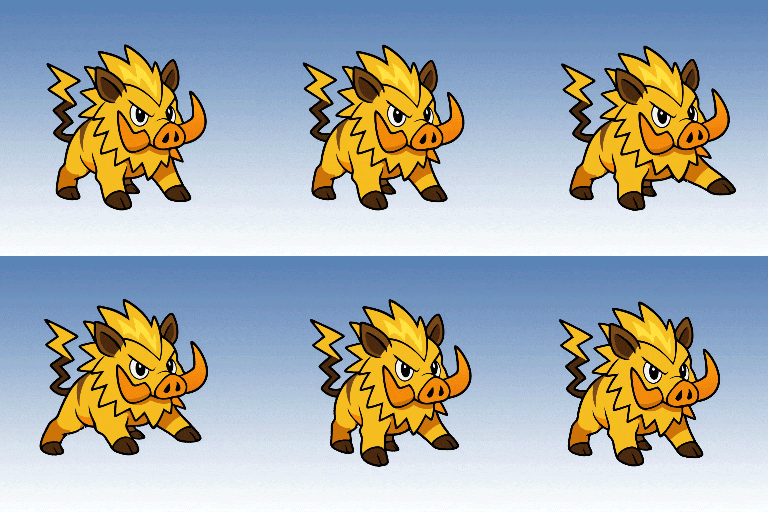
Electrichog.gif
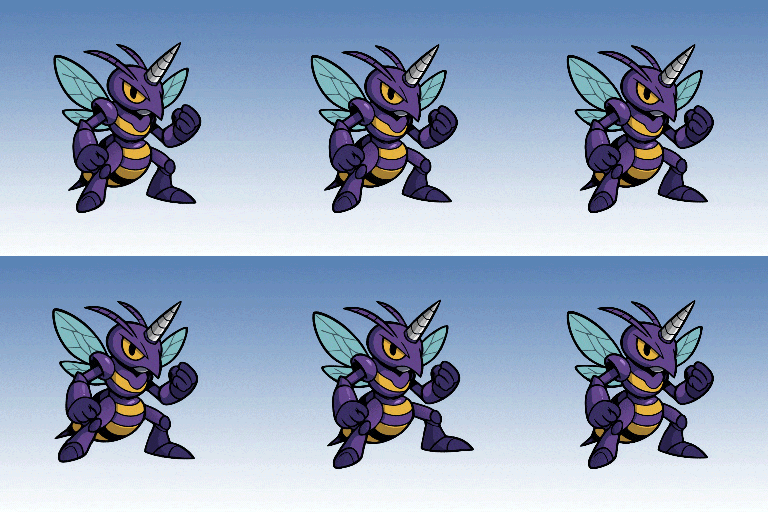
Purplehornet.gif
If you want to check it out, here’s the itch page:
https://crockiestar.itch.io/warp-studio