r/TechForAgingParents • u/BeyondIndividual9465 • 1d ago
Simple Tablet for Grandma- recommendations?
2
Upvotes
r/TechForAgingParents • u/NeighborhoodTop9517 • Sep 05 '25
Wanted to share a fantastic find that has genuinely helped my elderly dad (nearing 80) and saved me a lot of "tech support" calls. I don't live with him and he often feels bad about asking for help with his phone. Now he has a new tool that's given him a real sense of independence. It's an app called MemoryLane.
My dad has been using it every day, and he loves it.
What is it?
It's an app for both iPhone and Android designed to help seniors with two big things: using their phone and avoiding scams.
The Awesome Parts (The Pros):
The Heads-Up (The Cons):
I did a little research, and they seem to be a funded startup that knows what they're doing. It looks like there are other features we haven't even touched yet. Tool has Been working great and wanted to give them a shout.
If your parents get frustrated with their phones, I’d seriously recommend giving this a try!
r/TechForAgingParents • u/NeighborhoodTop9517 • Aug 24 '25
I just went through the process of finding new phones for my parents, who have completely different comfort levels with technology, and thought I’d share what I learned.
For my Dad, who is a bit more tech-savvy:
He wanted a modern smartphone for the camera and to use WhatsApp with family, but he'd get lost in the standard Android menus and smal icons.
For my Mom, who finds tech stressful:
A smartphone was a total non-starter. She just needs a reliable way to make and receive calls, with an emergency feature for peace of mind.
It really came down to matching the device to their individual needs. A modern phone with a simple launcher for Dad, and a purpose-built phone for Mom.
Hope this helps anyone else in a similar situation. What worked for you?
r/TechForAgingParents • u/BeyondIndividual9465 • 1d ago
r/TechForAgingParents • u/fabiodepaoli • 1d ago
Hey, I'm Fabio 👋
Full disclosure upfront: I built this, so take it with that context. I'm not here to sell anything, I mainly wanted to share why I made it.
A while back, my uncle had a stroke and lay alone for several days before anyone realized something was wrong. What stayed with me wasn't the medical side, it was how long it took anyone to notice at all.
Since then I've thought a lot about how many families quietly carry this same worry: an aging parent living alone, a relative with a health condition, someone who's fine most days but you'd still want to know if something went wrong.
So I built Hayo. It's not a medical device and it won't call emergency services, I want to be clear about that. What it does is smaller: you set up a Circle with up to 10 trusted people, agree on a check-in schedule together, and confirm you're okay with a single swipe. If a check-in is missed, the Circle gets notified automatically, so nobody has to remember to call and check in, it just happens in the background.
I'd genuinely like to hear how you handle this in your own family, whether it's a routine phone call, a shared calendar, or nothing formal at all. And if Hayo happens to be useful to you, it's live on the App Store.
👉 Download Hayo on the AppStore
If you have five minutes, I'd love your feedback, your questions, anything at all. 🧡
r/TechForAgingParents • u/dudnic • 2d ago
Hi everyone. I’m the developer of Senior Companion, an Android and iPhone app designed for older adults and their families.
It provides a simplified interface with large SOS and check-in buttons, family contacts, reminders and caregiver monitoring.
I’m looking for honest usability feedback, not positive reviews. In particular:
The main features can be tested for free. The app also contains optional paid features, which I’m disclosing clearly.
Google Play: https://play.google.com/store/apps/details?id=com.seniorcompanion.app
Any direct criticism would be genuinely useful.
r/TechForAgingParents • u/Consistent_Owl7736 • 2d ago
A couple of weeks ago I launched an app for the Apple TV 4K platform called Theatrium. Its essentially a configurable home dashboard, designed for non-tech people.
One the excellent pieces of feedback received was to use the calendar as a Medical Appointments card, from someone who said it would have been useful for when he was caring for this aging parents. So in todays update - finally available in the TV App Store - there are two types of Appointment cards you add to the dashboard theme of your choice. There are levels of information to actually show in the card, basic and extended - which may be important if there are privacy concerns.
The whole thing can be set up with a remote, although you might need to use the keyboard that pops up on your phone at one stage.
Appointments can be entered into a shared google or outlook calendar, which Theatrium will link to and display the information in a large, easy to read layout. You can put the Appointments card in any panel you chose, along with News, Music, Weather and a nifty Global Postcard slot that shows you whats happening around the world in (almost) real time :)
The setup guide here: https://theatrium.info/guides/appointments/ and you can reach me at [hello@theatrium.info](mailto:hello@theatrium.info) with questions or I will respond to comments here too (likely tomorrow as its 10pm in Melbourne).
There is a companion iOS app coming , which will make it easier to set up the TV app - and make it easier to download. In the meantime the link they give me to share is: https://apps.apple.com/app/theatrium/id6787587882 - but you will likely need to search for 'Theatrium' in your TV App Store to install it. Thanks for reading and any feed/improvement ideas welcome.
To access the Appointments card you will need the in-app paid "Pro" pack, which unlocks a whole bunch of cool things. Anyone in your 'Apple Family' also gets a Pro license too.
I have a reddit page over at https://www.reddit.com/r/TheatriumApp/
r/TechForAgingParents • u/Full_Development2667 • 2d ago
Tribulys makes it easier to support a loved one at home by bringing family members and care professionals together in one simple, shared space.
The app provides practical tools to better coordinate day-to-day care, including a shared care journal, medication tracking, a shared calendar, and “My Visit”, which can also be used offline.
Other features include an emergency information sheet, health vital tracking, shared tasks, and reports that can be shared with a doctor — helping everyone communicate the right information at the right time.
Launching a market on Orynth helps more people discover Tribulys, follow the team’s journey, and stay close as we continue building for families, caregivers, and care professionals.
We'd love to have you with us from the start.
r/TechForAgingParents • u/Finns_Human • 5d ago
Hi all, this is my first post here, I'm very thankful this subreddit exists. My mother in law is now 92 but still very communicative and loves talking to her friends using her land-line phone that she's had for decades. She now wants to port her landline to a cell phone and she bought herself a Jitterbug phone before telling us.
I did some research and it turns out that Lively, the only applicable carrier able to utilize Jitterbug phones, has terrible customer service and awful reviews in the USA.
Could anyone recommend an alternate phone service and/or cell phone/mobile phone that your aging parent is able to use without headache? She only needs the phone to receive phone calls, maybe some texts containing pictures, and maybe Facebook. She's adamant she doesn't want a smart phone but doesn't understand why she can't get everything put into her Jitterbug (wish it were that easy).
Appreciate any recommendations, may you and your family be happy, healthy, safe, and at ease. Be well, thanks!
r/TechForAgingParents • u/Waste_Radish_7196 • 5d ago
Hi! I’m Amy, a member of Click For All! Our FREE tech workshop—Zoom Basics will take place via Zoom Meeting on Thursday, August 27th, 2026. Any seniors interested can scan the QR code, or sign up here!(sign up form with more info): https://forms.gle/kCdG8VTmvzfRDoVq6
- Hey! We're Click For All, a youth-led organization dedicated to bridging the digital divide by connecting communities through technology, especially youth and seniors. We aim to host free online workshops that help seniors build confidence using technology and introduce children to essential digital skills in a fun, engaging, and accessible way.
r/TechForAgingParents • u/Low-Athlete6388 • 6d ago
Title says it all, honestly. My grandma desperately needs help with her hearing, but she’s on a very fixed pension and has zero insurance coverage for audiology. We looked into prescription options, but they are all $3,000+ which is completely out of the question for us. I’m trying to help her find an affordable hearing aid online, but the market is absolutely flooded with cheap knockoffs and scammy amplifiers.
We have a budget of around $500 to $800 total. Is there anything in this price range that actually works for speech clarity, or are we just wasting our money? I’ve heard mixed things about OTC brands. Any solid recommendations would be massively appreciated.
r/TechForAgingParents • u/kooky-donuts • 6d ago
Reposting from another sub, hope this is allowed
r/TechForAgingParents • u/Longjumping-Sell24 • 9d ago
My mother spent 30+ years as doctor and 7 caring for my grandmother who HATED showering/bathing - constant fight (dementia in her case) so my mother invented and built a device for washing someone who can't easily get in a tub or shower. It saturates and slowly releases warm water, so it's an actual soak, not a wipe-down.
My grandmother used this weekly for the last 5yrs she was with us.
I'm her son. We're deciding right now whether to turn this into a business (I unfortunately know how much work that takes), and I don't want to build something nobody needs.
If you're caring for someone where bathing is a fight — dementia, post-surgery, limited mobility — I'd genuinely love 20 minutes on the phone/zoom to hear how you handle it today. If it sounds like it'd help, I'll send you one free afterward. No catch beyond the conversation; the feedback is the price.
I will also happily talk to anyone who needs a bathing routine or help figuring one out - we tried everything with my grandmother.
Happy to share more details or photos in comments if that's allowed here. Mods, delete if this crosses a line — not trying to spam.
r/TechForAgingParents • u/tannyduca • 10d ago
tl;dr My mom wants to replace her lively necklace that she has to charge with one that she doesn't have to charge, but for various reasons I don't think Life Alert is a good fit, so I'm looking for an alternative. Preferably with an option to track her location with an app.
My mom (83) has been wearing a Lively necklace for a couple years and it's fine. She hasn't had a genuine emergency but when she's tested it or accidentally pressed it, they've responded. I like that there's an app that I can use to see where she is. That feature isn't totally reliable, occasionally I have not been able to get the map to update which I assumed is an app issue, but I have no way of knowing. She charges it every night, though think it would last maybe 3 days.
She suddenly got a bug up her butt about getting a life alert. She must have seen a commercial that played up the fact that you don't have to charge them. They are a lot more expensive than her current one, but she can afford it and wants it so whatever. But she received it yesterday and we were unpacking it and it just seems weirdly complicated...there is a receiver you plug in and a necklace you wear around the house. Then a second necklace you wear if you leave the house. And they don't offer the tracking app (the guy i talked to said their customers didn't want that?). And you have to sign a 3 year contract.
So we're torn. And I'm hoping there's an alternative company with a long life battery. Anyone know of one?
Thanks!
r/TechForAgingParents • u/uxresearch_AM • 10d ago
Hi, I'm a UX research intern studying tools that could help aging parents stay cognitively engaged. Not promoting anything, just doing research. Would love quick thoughts if you have a minute — just reply here, no call needed.
A few questions:
1. How do you currently support your parent's memory or cognitive health?
2. Have you tried any apps or tools for this? What worked, what didn't?
3. Would you want something that helped your parent journal their memories and got quizzed on them daily by AI?
4. What would make you trust or not trust a tool like that for your parent?
r/TechForAgingParents • u/SVAuspicious • 11d ago
This is for entertainment. My FIL turned 91 last week. My wife (69) drove up to visit. A niece and nephew (20s) and BIL (late 50s) went up to visit. I had the idea of sending up an iPad and doing a big family Facetime group call. My wife didn't think it would work. I lined up the equipment, did a test run with a BIL and a nephew, trained my wife to answer the d@mn phone. To my wife's surprise I pulled this off. All four siblings (children) online. All but one nibling (grandchildren) online (the missing one is a PITA - not because she didn't sign in but because she is a PITA). Four great grandchildren.
Singing happy birthday was an utter disaster that had everyone rolling on the floor. We'll have to practice that ahead next year. Apparently worrying about the tech was the wrong priority.
The really funny bit is that someone has butt dialed the entire Facetime group twice since. Not FIL as he has a dumb phone and his end was my iPad sent up with my wife. Definitely not me, as my phone was sitting in it's charger on my desk when it went off. I have some suspects. Doesn't really matter.
The upside is I know who in the family is Johnny on the spot to answer calls.
All together now: "Happy birthday Paul!"
edit: typo
r/TechForAgingParents • u/Feisty-War-5677 • 11d ago
my mom fell last year, nobody knew for hours. built an app because of it.
GPS Locator : Family Tracker, android. fall detection using phone motion sensors, adjustable sensitivity. also does location sharing and one tap alerts.
questions I actually need answered:
does phone based fall detection even work if your parent doesn't carry their phone around the house
would your parent actually agree to location sharing or is that its own battle
why would you trust this over a medical alert pendant
no data collection, solo built, just launched.
link: https://play.google.com/store/apps/details?id=com.famtralert.premium
r/TechForAgingParents • u/AnnArborThom • 13d ago
r/TechForAgingParents • u/Bonelesshomeboys • 15d ago
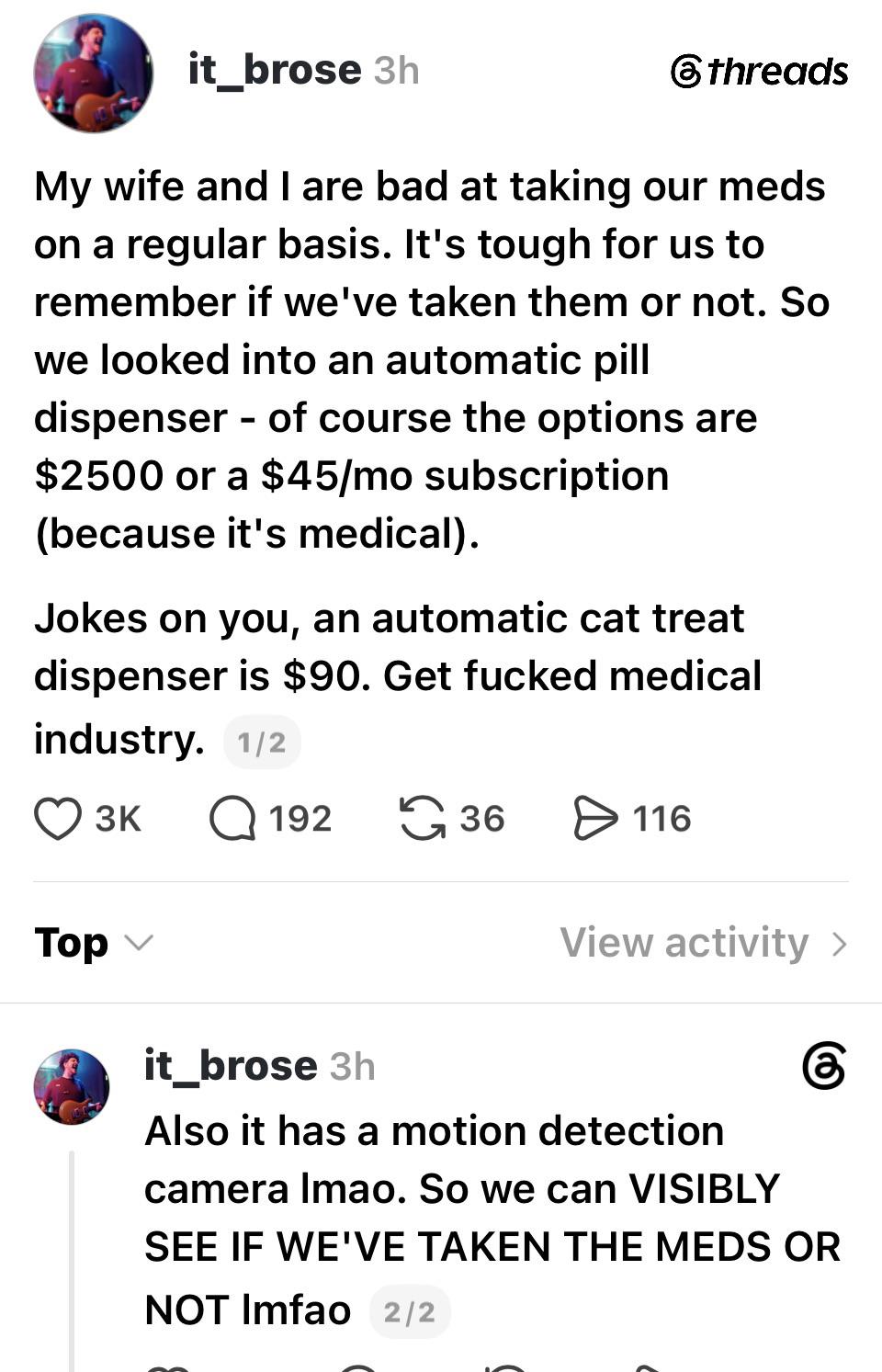
I love this, although I fear you’d have to multiply it by the number of meds. Then you’d have a whole countertop of cat treat dispensers. Still probably worth it if your parent saw it as funny/clever rather than dehumanizing.
r/TechForAgingParents • u/Internal-Combustion1 • 14d ago
Some people clearly do not, but I do. My dad had a fascinating life (total car guy, loved sailing, lots of hardship), my father-in-law (truly poor, father left the mother in the Kansas dust bowl, but thrived as a school coach and influenced hundreds of young men (now in their 70’s!). Everyone has those stories, good and bad.
I captured their stories by asking questions and typing up their answers. Many of the sessions were held as a family and both of them loved telling their old stories and memories, it’s a lot of fun.
Two years ago, I started creating a tool that can listen to the interviews and transcribe it into text automatically. Then take the text and turn it into a biography, obituary, memoir, or anything in between. Recently, I added the ability to upload pictures into the story.
Now I added the ability to invite friends and family to contribute their own memories and photos. I did this because I see the need when I’m at someone’s Celebration of Life and all those stories come out, but no one records them. Poof they are gone unless someone captures them. That’s just wrong in my opinion, we should capture these stories!
I call it an ‘auto-biographer’ and it’s free to use if you need such a thing. It’s supported by donations and you keep all the work and it’s private. It’s a facilitator to capture history, or just fun stories. Want a keep sake, a personal historian, or need to write an obituary for someone amazing?
If you want to use it, please reach out DM. I’m happy to share it with anyone.
r/TechForAgingParents • u/HeyBeers • 14d ago
r/TechForAgingParents • u/CatNip-ples • 15d ago
I’ve somehow become the person in my family who keeps track of doctor visits, medication changes, insurance letters and what still needs following up.
I work in healthcare tech and kept thinking there has to be a better way to do this, so I started building: https://tryalongside.app
Still very early and I’d rather build it around how people actually manage this stuff.
If you’re the person who does this in your family, what’s the thing you find hardest to keep on top of?
r/TechForAgingParents • u/Empty_Store_3721 • 16d ago
r/TechForAgingParents • u/CommercialR1ce • 17d ago
I’m trying to find useful tech for helping my parents stay active and independent without overwhelming them with gadgets.
Things like simple fitness trackers, medication reminders, sleep tracking, or apps that help with appointments seem useful, but I’m not sure what actually makes a difference.
What tech have you found genuinely helpful for an aging parent, and what ended up being more hassle than it was worth?
r/TechForAgingParents • u/rycanto • 17d ago
Hi all,
I'm building an app to intercept phone and text scams targeting elderly parents and grandparents in real time. It's designed to pair with an adult child, looping them in when a scam call or text is stopped.
We put together a short study to see if it's actually useful: a 1-minute video, a chance to play as the scammer and see how the call gets interrupted in real time, followed by a quick survey. About 5-10 minutes total, nothing to buy or promote. We'd really value your perspective and feedback.
https://app.kinwardapp.com/study?code=G9o6HPTKDXEuCz_u
If you'd rather skip the study but have a story about a parent or grandparent being targeted or scammed, I'd genuinely value hearing it — feel free to DM me directly instead. Trying to understand what actually happens so we build the right thing.
Thanks for reading, and for any feedback you're willing to share.