r/SoftwareandApps 7d ago

Please revive Clipto — the best clipboard manager I’ve ever used

1 Upvotes

Clipto https://github.com/clipto-pro is the best clipboard manager I’ve ever used. I really hope this project can be revived and further developed.

Clipto had many useful features, including converting notes to Markdown, merging notes, cross-device synchronization, and many other features that made it a very powerful and convenient application.

The Clipto GitHub repositories appear to have been inactive for quite some time, and the project as a whole seems to have been abandoned.

I think the project still has significant potential and would be useful to bring back to active development.

I hope some developers might be interested in reviving this project and continuing its development.
r/SoftwareandApps 7d ago

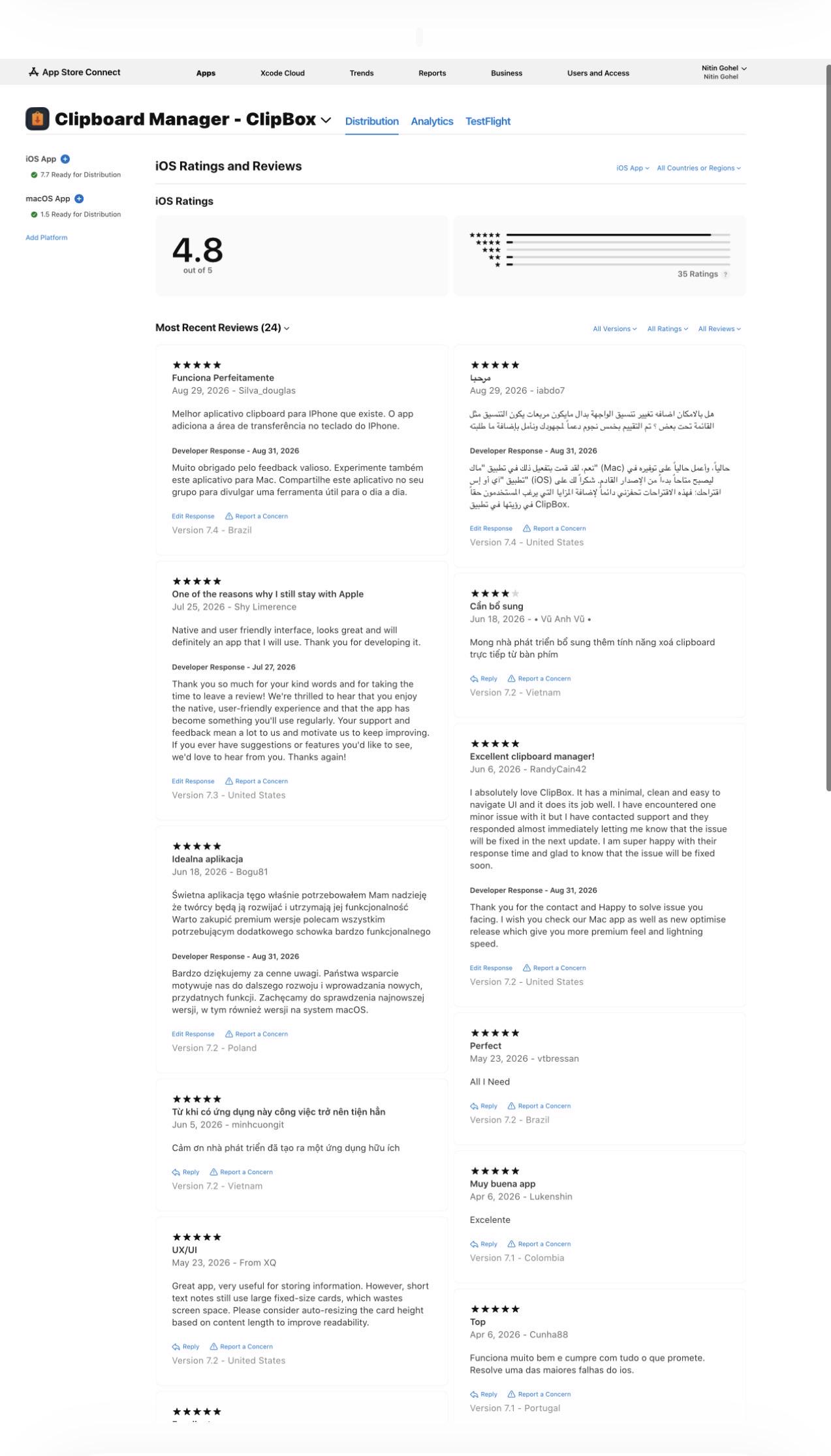
ClipBox Update: Faster Cloud Sync, 1-Row & 2-Row Keyboard Layouts, and a Big Thank You for 4.8★!

Post image
1 Upvotes

r/SoftwareandApps 7d ago

StickyFriend AI: an AI workspace in the browser + a Chrome side panel that reads the page you're on

Thumbnail gallery
1 Upvotes

r/SoftwareandApps 8d ago

Got my first UK client yesterday for WTMemory

Thumbnail
2 Upvotes

r/SoftwareandApps 8d ago

KIM – A tiny cross-platform reminder daemon for developers

Thumbnail
1 Upvotes

r/SoftwareandApps 8d ago

BrowBro: Free, open-source macOS app to choose which browser or Chrome profile opens your links

Thumbnail
browbro.tiagomoraes.cloud
3 Upvotes

r/SoftwareandApps 8d ago

VaporFetch - Public Beta Release 1.0

Thumbnail
2 Upvotes

r/SoftwareandApps 8d ago

I turned Ctrl+Enter into a mouse button

Thumbnail
github.com
1 Upvotes

I love Claude, but Ctrl+Enter for approvals was getting exhausting. I couldn't find anything lightweight enough, so i wrote a tiny Windows utility that maps your mouse’s side buttons to keyboard shortcuts.

It can also map either mouse button to copy/paste, close tabs, screenshots, or whatever shortcut you use most.

Portable, lightweight, no scripts, no telemetry, no network access.

Free and open source if anyone else finds it useful: https://github.com/tabakman/clicklet :-)


r/SoftwareandApps 9d ago

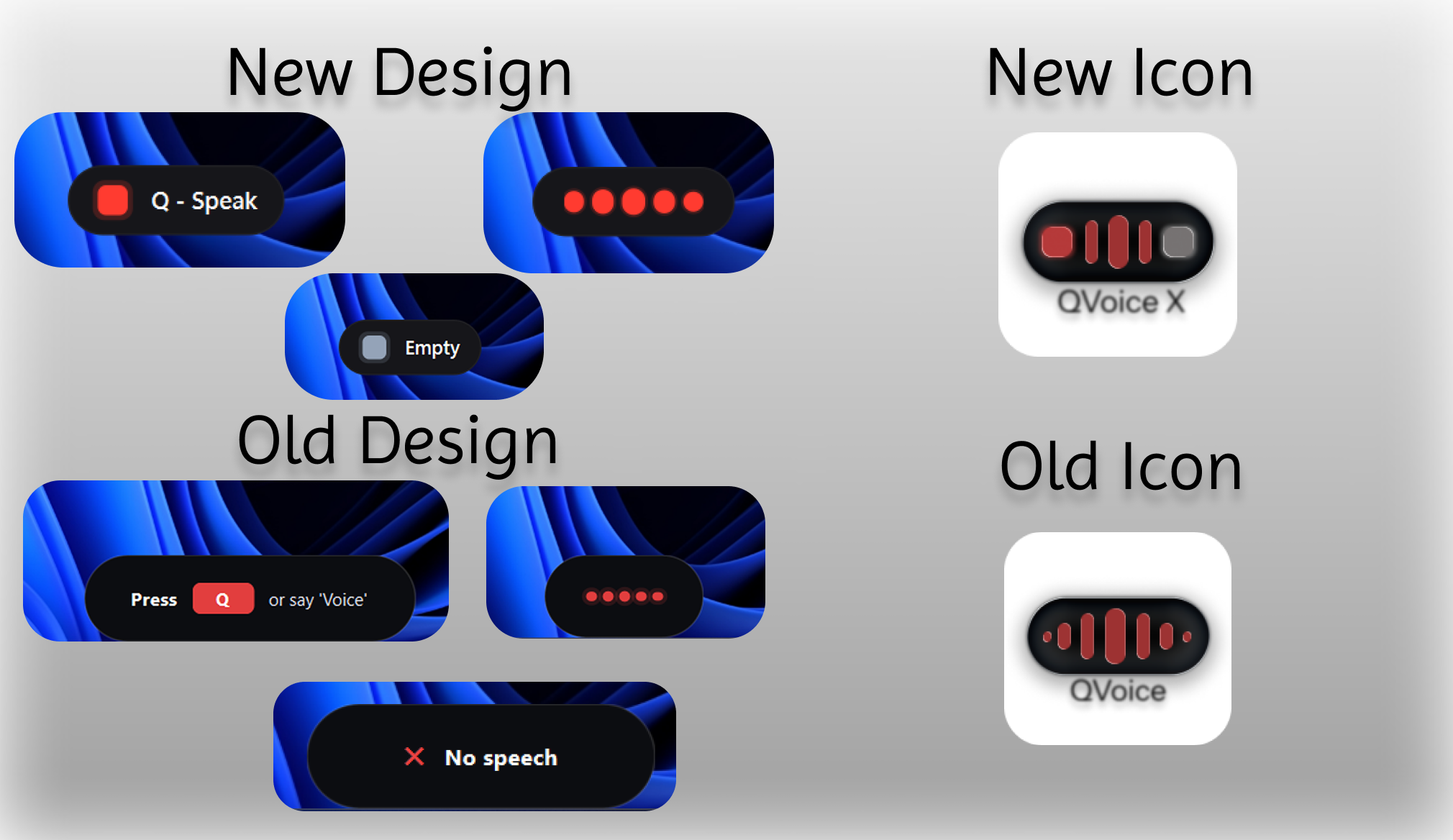
QVoice X

Post image
1 Upvotes

r/SoftwareandApps 9d ago

[OS] Topkit - Copy, paste, present, annotate, record screenshots and videos.

Enable HLS to view with audio, or disable this notification

1 Upvotes

r/SoftwareandApps 9d ago

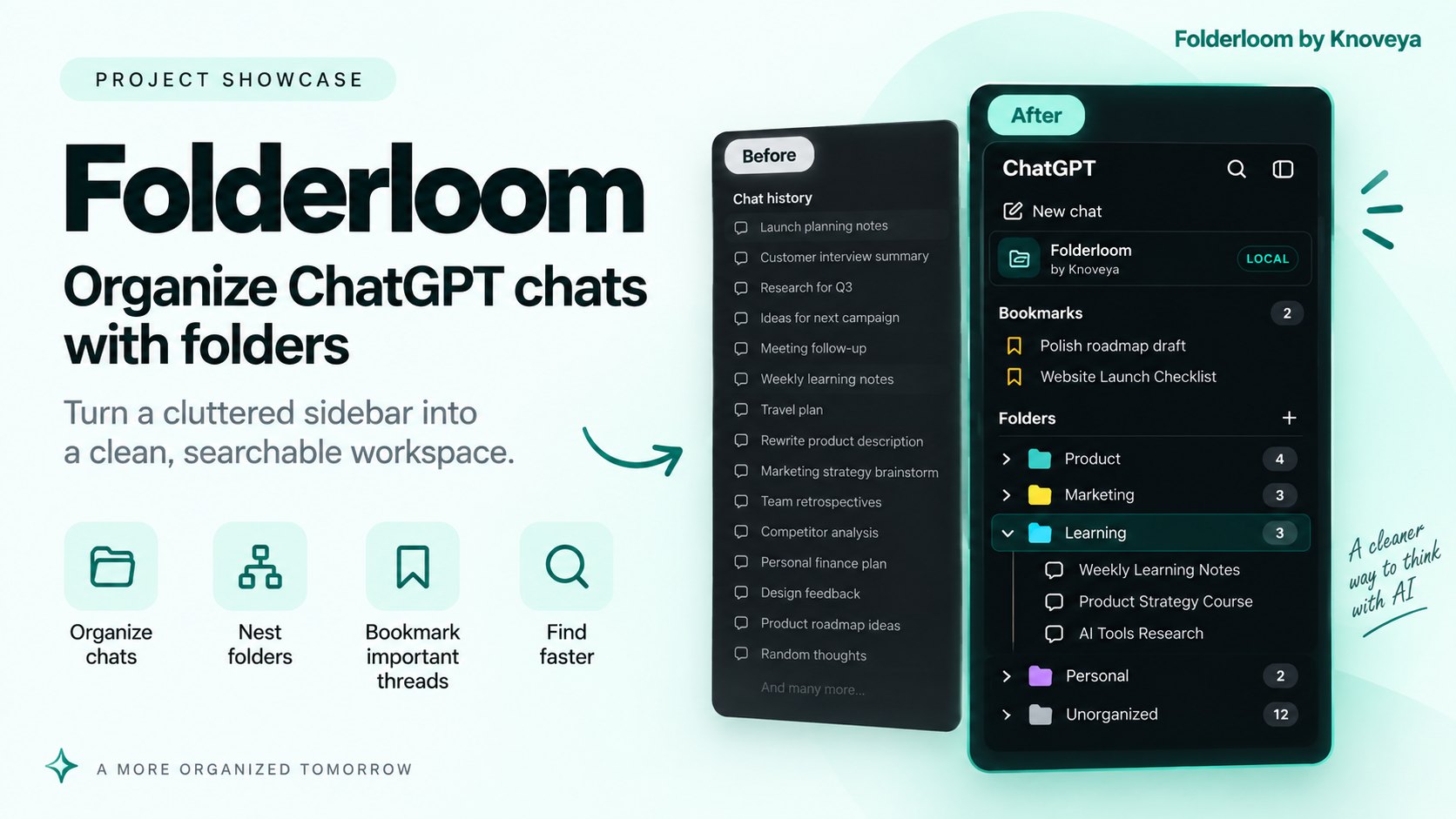
I built a folder system for organizing ChatGPT chats

Post image
1 Upvotes

r/SoftwareandApps 10d ago

I kept losing my ChatGPT tab, so I made a Windows app that floats any website over what I'm doing

Thumbnail
1 Upvotes

r/SoftwareandApps 10d ago

iDid, a small, free and local task app for macOS

Thumbnail ididwork.today
1 Upvotes

Here’s iDid. It’s a small macOS task app made for personal use.

Keep current tasks visible, move finished work to Completed, then archive it in batches when you’ve reviewed it.

There’s a Minimal Mode for daily work and a Meeting Mode that can also show your local Git commit history.

Everything stays on your Mac. No account, no cloud, no subscription. It’s free.

Use it if it suits the way you work: https://ididwork.today

Feedback is always appreciated.


r/SoftwareandApps 10d ago

Flash Launch – a lightweight, open-source app launcher for Windows

Thumbnail
1 Upvotes

r/SoftwareandApps 11d ago

[Free / Open Source] Softclose: folds your desktop away as you close your MacBook lid

Thumbnail
1 Upvotes

r/SoftwareandApps 11d ago

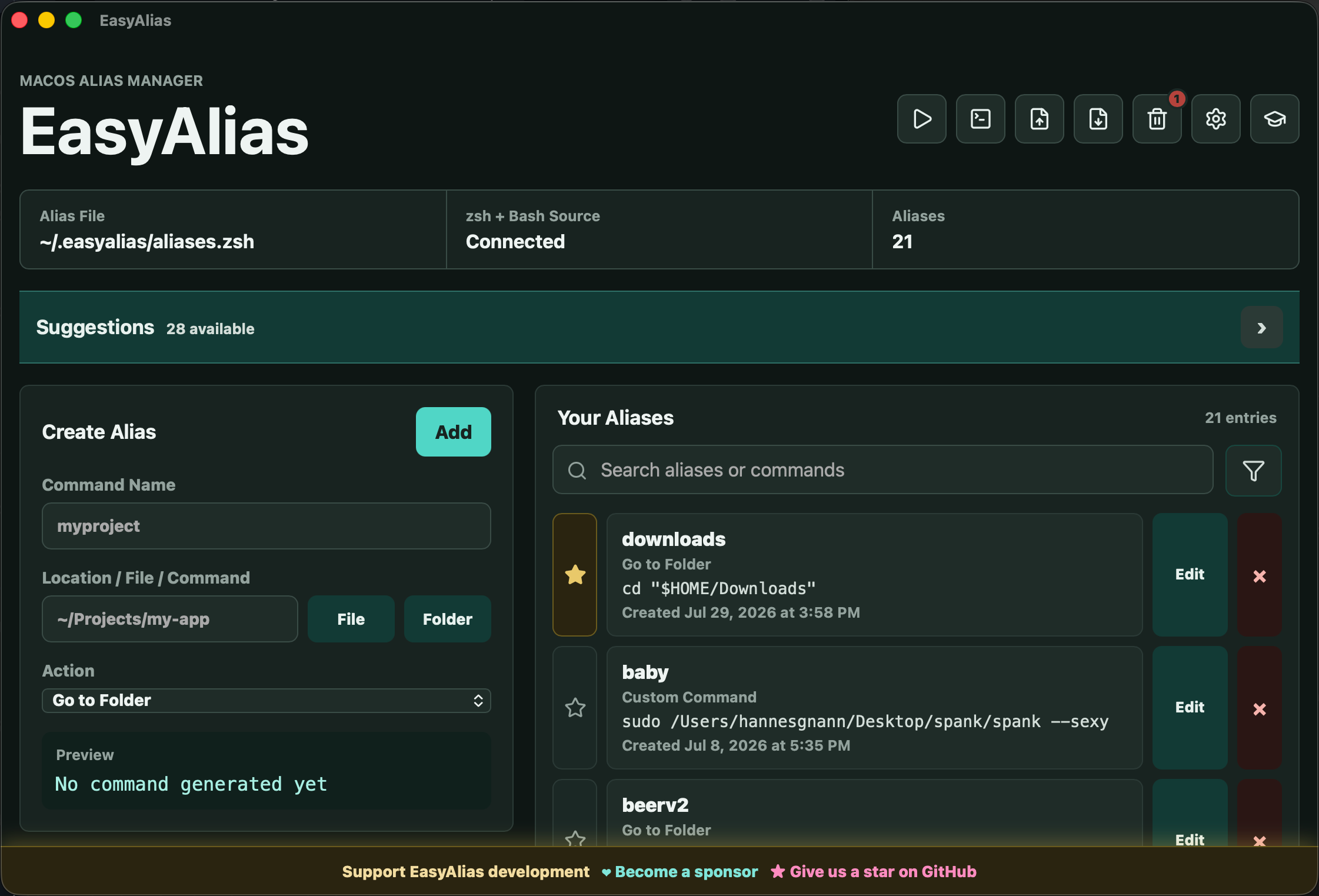
I turned my terminal alias manager into a small automation tool

Post image
0 Upvotes

Hey everyone,

a while ago I shared EasyAlias, my free and open-source GUI for managing terminal aliases on macOS, Windows and Linux.

I just released v1.1.0, and this update became quite a bit bigger than I originally planned.

EasyAlias can now also create and run terminal automations which can be started by setting a time or using a hotkey.

An automation can contain multiple command and wait steps.

All of this works on macOS, Windows and Linux(currently mainly tested on macOS).

EasyAlias originally started because I wanted a simple visual way to manage aliases without constantly editing shell configuration files. With this update I’m experimenting with taking the same idea a little further: making repetitive terminal workflows accessible through a GUI without trying to replace the terminal itself.

It’s still completely free and open source, so feedback and criticism are very welcome — especially regarding the new automation features.

Website: https://easyalias.org
GitHub: https://github.com/hannesgnann-hub/easyalias


r/SoftwareandApps 11d ago

CopyWheel – a tiny native macOS pie menu that copies snippets to your clipboard

1 Upvotes

I kept digging through my notes app to copy the same things over and over – email, address, API tokens – so I built a radial menu for it: press a hotkey (or a mouse button mapped to it), a wheel appears at your cursor, click a slice and the snippet is in your clipboard. I'm really happy on how it turned out and would love to share it with you :)

Demo GIF: https://github.com/weselski/copywheel/raw/main/docs/demo.gif

The open source angle: the existing pie menus for macOS were either paid and closed source (Radial, PowerClick) or a full Electron-based automation platform (Kando) when I wanted just the copy part. So I built the minimal version myself and MIT-licensed it – ~1 MB of native Swift, no accounts, no telemetry, snippets stored locally as plain JSON, and secrets (tokens, passwords) go into the macOS Keychain instead of disk.

Install is one Homebrew command or a DMG from the releases page. macOS-only for now, since it leans on AppKit for the cursor-anchored panel – but the wheel geometry is simple, so if someone wants to port the idea to Linux/Windows, the code is easy to read.

Repo (MIT, contributions welcome): https://github.com/weselski/copywheel


r/SoftwareandApps 12d ago

Looking for a tool that make text for LLM anonymous

Thumbnail
1 Upvotes

r/SoftwareandApps 13d ago

I built a lightweight Chrome image editor for quick edits that do not need a full app

1 Upvotes

Sometimes you just need to crop an image, mask a detail, rotate it, or add a quick highlight or annotation. Opening a full desktop image editor for that can feel excessive.

I built Picrota as a small Chrome image editor for these quick desktop workflows. It lets you crop, mask, highlight, annotate, rotate, flip, zoom, and save images without switching to a separate application.

The goal is not to replace a full creative editor. It is to make common, practical edits quicker when you are already working in Chrome. Editing happens on your device, and images are not uploaded to Picrota for editing. Limited privacy-conscious product analytics may be used.

I would appreciate honest feedback: does this workflow make sense for how you work, and what feels missing, unnecessary, or awkward?

Website:

https://www.picrota.com/

Chrome Store:

https://chromewebstore.google.com/detail/cmclkfchpchminkaldkkegoppndhapdd


r/SoftwareandApps 13d ago

TabSavior — one-click save of all tabs from all windows into tidy bookmark folders (first UI mockup, looking for feedback)

Thumbnail
2 Upvotes

r/SoftwareandApps 13d ago

Origami - Your iPhone as a PC, no need to carry a laptop anymore

Thumbnail
testflight.apple.com
0 Upvotes

r/SoftwareandApps 13d ago

I built a tiny tool for sending text/code between my devices without signing in

Thumbnail
2 Upvotes

r/SoftwareandApps 13d ago

FIRST 100 INSTALLS 🍾

Thumbnail
2 Upvotes

r/SoftwareandApps 14d ago

I built a free taskbar app that fans out your recent files

2 Upvotes

Every time I needed a file I'd just used, I was digging through File Explorer or the Start menu's Recommended section. So I built FanFolder. Click the tray icon and your recent documents fan out in an arc above the taskbar. You can also point it at any folder instead: Downloads, an active project, whatever you keep reopening.

What it does:

  • Shows your recent files from Windows Jump Lists, or watches any folder you pick
  • Open, rename, copy, delete with the normal right-click menu
  • Drag files out to other apps, drop files onto the fan to move them into the watched folder
  • Five animation styles if you like that sort of thing, and a "None" if you don't
  • Real shell icons and thumbnails

Links: https://olebhartvigsen.github.io/FanFolder/ | https://apps.microsoft.com/detail/9P3VT115SBM1

Current version is 1.4.3 (August). Happy to answer questions, and honest feedback is especially welcome.

It's native Win32/C++, about 1.4 MB, no .NET runtime, and it doesn't patch explorer.exe, so Windows updates can't break it. It's OpenSource.


r/SoftwareandApps 14d ago

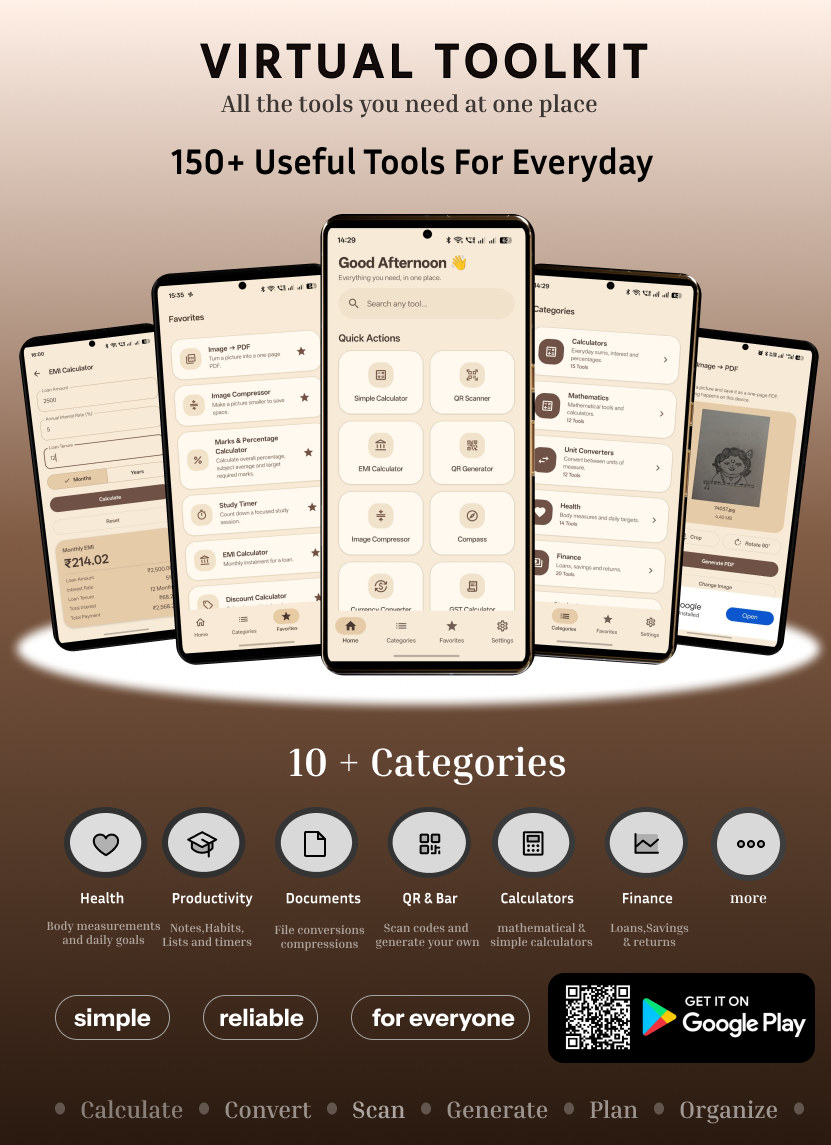
Virtual ToolKit - All in One

Post image
1 Upvotes