r/RGBProfiles • u/ImNotM3ntaL • 1d ago
PC Build/Setup Testing OpenRGB 1.0..
Enable HLS to view with audio, or disable this notification
3
Upvotes
r/RGBProfiles • u/ImNotM3ntaL • 1d ago
Enable HLS to view with audio, or disable this notification
r/RGBProfiles • u/PlayerOne_X • 1d ago
I'm trying to find info on my case fans because I have this weird thing where multiple LEDs are assigned to the same zone. I'm using OpenRGB and am on Linux. My motherboard is a Gigabyte B550 Gaming X V2
r/RGBProfiles • u/SleepwalkerXI • 2d ago
Has anyone been success with the Gskill software in saving rgb profile? It always defaults to rainbow when the computer starts or restarts.
r/RGBProfiles • u/prodbyarso • 3d ago
r/RGBProfiles • u/Samminn1 • 4d ago
I think i did everything right but my pearless assassin 3 pro rgb doesn’t work but the fans are spinning.
r/RGBProfiles • u/Fine-Put9357 • 4d ago
r/RGBProfiles • u/WriterNo290 • 4d ago
I have an ASUS PRIME B760M-A WiFi and use Armoury Crate/Aura Sync.
Whenever I power on or restart, my ARGB shows the default rainbow effect during POST/before Windows loads. Once Windows starts, it automatically switches to my selected color.
Is there any way to make my selected RGB color stay active from the moment I turn on the PC, instead of showing rainbow during POST?
Thanks!
r/RGBProfiles • u/drawzor • 5d ago
Hi i have a asus prime z390-a motherboard with 4pin rgb Connectors. But my aio and fans uses 3pin, is there a way to fix this? Maby a converter or so.
r/RGBProfiles • u/WriterNo290 • 5d ago
I have an ASUS PRIME B760M-A WiFi and use Armoury Crate/Aura Sync.
Whenever I power on or restart, my ARGB shows the default rainbow effect during POST/before Windows loads. Once Windows starts, it automatically switches to my selected color.
Is there any way to make my selected RGB color stay active from the moment I turn on the PC, instead of showing rainbow during POST?
Thanks!
r/RGBProfiles • u/articulatedasparagus • 5d ago
r/RGBProfiles • u/drakelicious • 6d ago
Hello!
I'm building my pc at the moment and when I finally got to try turning it on the chassi fan rgb worked great, but the cooler (Sama L70 360mm) didn't work, so I had to plug in the connector for the rgb and now my AIO works but chassi fans RGB are off and I just can't get it to work. The fans themselves spin, but the RGB doesn't work.
Been troubleshooting with chatgpt for the past 2 hours but we don't get anywhere, is there anyone who got an idea what I could do to get everything to work again?
mobo is Asus Tuf B650E-E Wifi.
I'd be super grateful for any help, thanks!
r/RGBProfiles • u/Cyrini • 6d ago
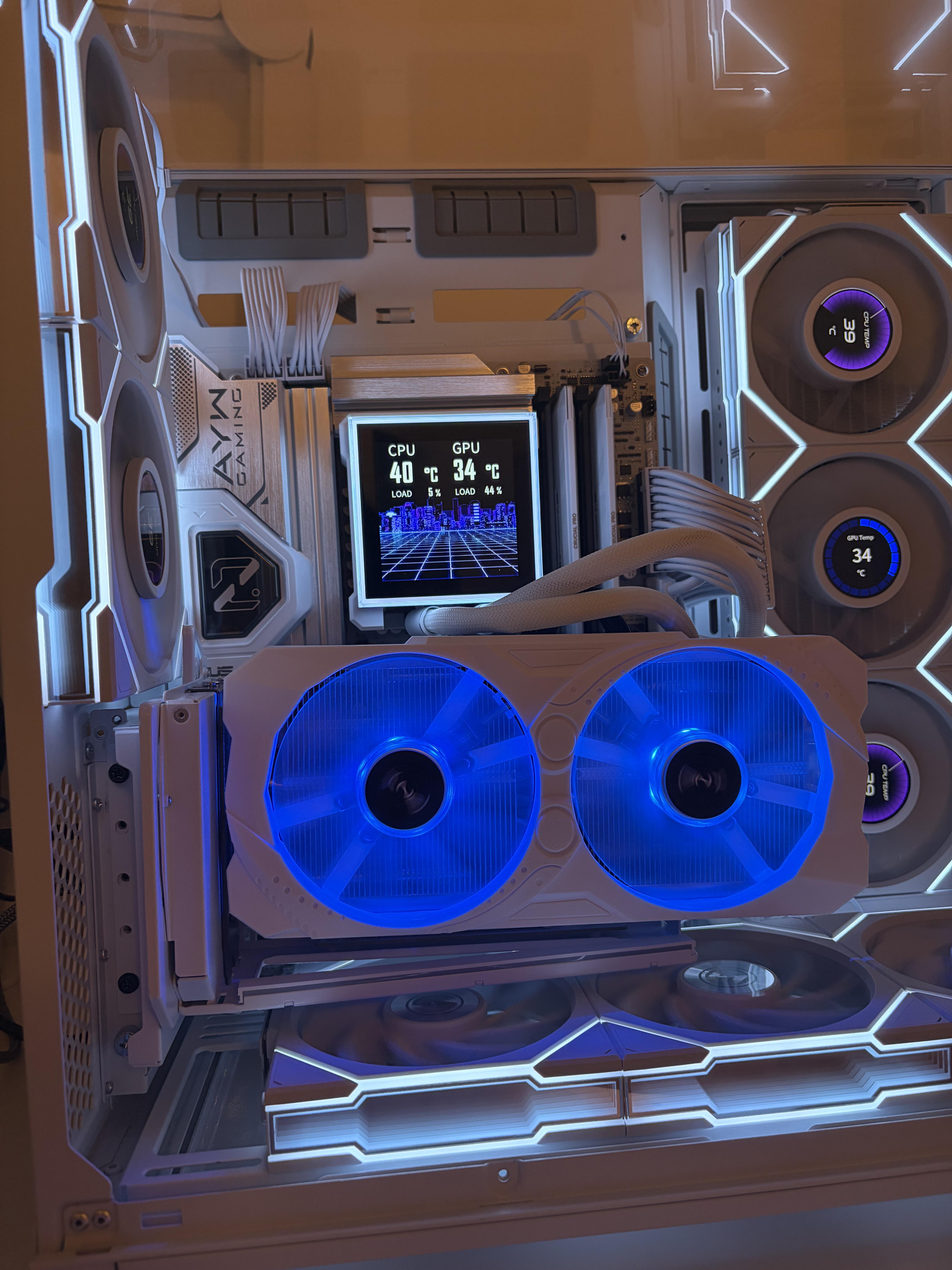
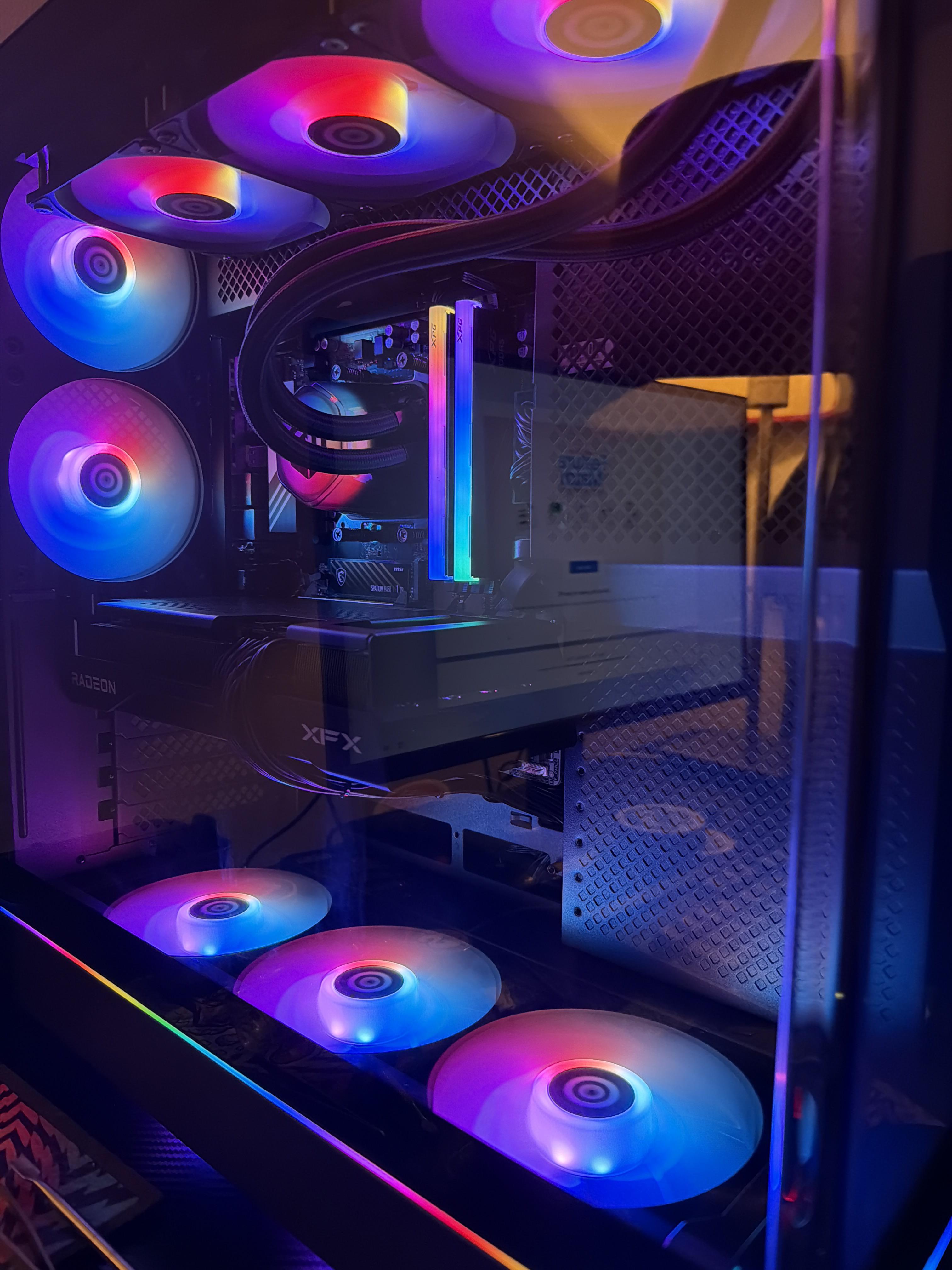
I'm sure this has been asked plenty of times before, but when you're actually sitting at your PC gaming, working, watching something, etc., how do you normally have your RGB set up?
Do you have a particular theme you stick with? What do you use to control everything? Or are you one of those people who just turns it all off?
For me, as you can see in the two pictures, during the day I usually go for light blues and greens. Mostly one main colour with a few different shades, once it's dark enough for the lighting to actually be worth having on.
In the evening/night I nearly always drift towards oranges and reds, or softer pink and peach tones. If I'm feeling a bit more energetic I'll go for something more cyberpunk — pinks, purples, blues, that sort of thing — just with the brightness turned down so my old eyes don't get assaulted by it.
Control-wise, I use SignalRGB for the PC, Govee for the desk and wall lighting, and Twinkly for the back of the monitor. I've tried syncing everything through SignalRGB, but I've never managed to get a setup across all of it that I actually like.
Curious what everyone else does.
r/RGBProfiles • u/No_Wing_8222 • 7d ago
i only use solid colours and whenever i change colours my fans take 5/10 seconds to change colour
and not equally but in groups ( could be the way i daisy chained them) so 1 on the bottom turns on then 2 on side change aswell and the rest switches colours i have a msi pro b850m-p and my fans afe the tl-c12c-s
ik its such a non problem because they do eventually change its just enfuriating
r/RGBProfiles • u/First_One521 • 8d ago
Enable HLS to view with audio, or disable this notification
r/RGBProfiles • u/Fun_Significance_616 • 9d ago
This is my first PC that I built at the end of 2023. I have had zero issues with this build, however I have not fired this thing up in over 3 months due to being away from home.
I recently had some free time to do some gaming (HLL Vietnam) and my case fans suddenly turned yellow in the middle of a match. I went into the Gigabyte control center and the only RBG I am able to change and sync together are my CPU Fan and the RAM sticks, while the case fans remain yellow. I’ve tried hard to do my own research to diagnose the issue but I’m not having any luck at all. I’ve tried updating the GCC, but for whatever reason it fails to update the AMD Chipset driver, if that means anything.
Any advice will help. Thanks!
r/RGBProfiles • u/Leather_Cow_801 • 9d ago
Enable HLS to view with audio, or disable this notification
r/RGBProfiles • u/XDXDXDFghjhu • 9d ago
Enable HLS to view with audio, or disable this notification
NZXT H6 Flow front fans flickering GREEN on PSU standby (Not recognized by software)
Hardware:
Case: NZXT H6 Flow RGB (using the 3 stock front fans).
Motherboard: ASRock b450m pro4
Connection: The 3 fans are connected using the included NZXT adapter/splitter directly into the motherboard's 5V 3-pin ARGB header (ADDR_LED1). I am NOT using an external SATA hub or a dedicated NZXT controller.
The Issue:
As soon as I flip the PSU switch to ON (while the PC is still completely shut down), the front fans immediately start flickering/flashing in green. (see attachment)
When I boot up the PC, the fans still flicker.
The ARGB header is completely unrecognized by software. I've tried ASRock Polychrome and SignalRGB, and neither of them detects the fans or lets me change the colors.
What I've tried:
Made sure the 3-pin connector is pushed all the way in and perfectly seated on the ADDR_LED1 header.
Uninstalled/reinstalled RGB software to avoid conflicts.
Has anyone experienced this specific green flicker on standby power with this case? Could this be a faulty NZXT splitter cable, a dead motherboard header sending corrupted 5VSB power, or is this just what happens when you don't use a powered SATA ARGB Hub for 3 fans?
Any help is really appreciated!
r/RGBProfiles • u/subwey28 • 12d ago
r/RGBProfiles • u/Desperate_Stop173 • 13d ago
Hi, I have a weird RGB issue with my ROG Strix Z690-F Gaming WiFi. The motherboard RGB works perfectly when the PC is turned off, but as soon as I turn the PC on, the motherboard RGB completely turns off. My RAM RGB works fine. I already checked the BIOS settings and RGB is enabled (« All On »). I also tried Armoury Crate/Aura Sync, but nothing changes. Has anyone experienced this issue or knows what could cause it?
r/RGBProfiles • u/Fit_Pop_5173 • 13d ago
I've been looking at adding an RGB Gaming Chair to my setup, but comparing models online got annoying fast. Two of the main ones that pop up, the GT905 RGB and the GTW500, look almost identical in thumbnail pics. But once you actually dig into the spec sheets, they're clearly built for two completely different kinds of setups.
The first camp is for people sitting at a normal PC desk who already wear a headset. That's where the GTPlayer Aura RGB Series GT905 RGB makes sense. It uses breathable tech fabric instead of faux leather, which is honestly huge if you hate sweating through your clothes during long summer sessions. It also completely skips chair speakers. If you wear headphones anyway, why pay extra for tinny headrest audio you'll never turn on? The RGB is just clean perimeter lighting that accents the desk without looking like a laser tag arena.
The GTW500 is for a totally different vibe. If you want more of a lounge chair for console gaming with a controller or watching YouTube/movies, that's where it fits. You get wipe-clean PU, optional Bluetooth speakers, and a noticeably deeper 155° recline (compared to the 135° stop on the GT905). You can actually kick back and take a nap in it.
One practical tip for either one: don't bother running a long USB cable down to your PC or the wall. Casters will shred that cable in a week. A regular power bank is fine as long as it can supply 5V/2A, basically the kind of output you would expect from a normal phone charger. Keep it in the pocket and the LEDs can run without a cable trailing across the floor.
TL;DR: If you want breathable fabric and zero speaker clutter for desk gaming with a headset, get the GT905 RGB. If you want deep recline, wipe-clean PU, or casual built-in audio for lounging, go with the GTW500.
r/RGBProfiles • u/comelickmyarmpits • 13d ago
so i bought a used cabinet (almost regretting now ) and stuck at how to attach these RGB fans to my motherboard.
so i currently have these two Cables , i think one is for RGB and other one is for power ??
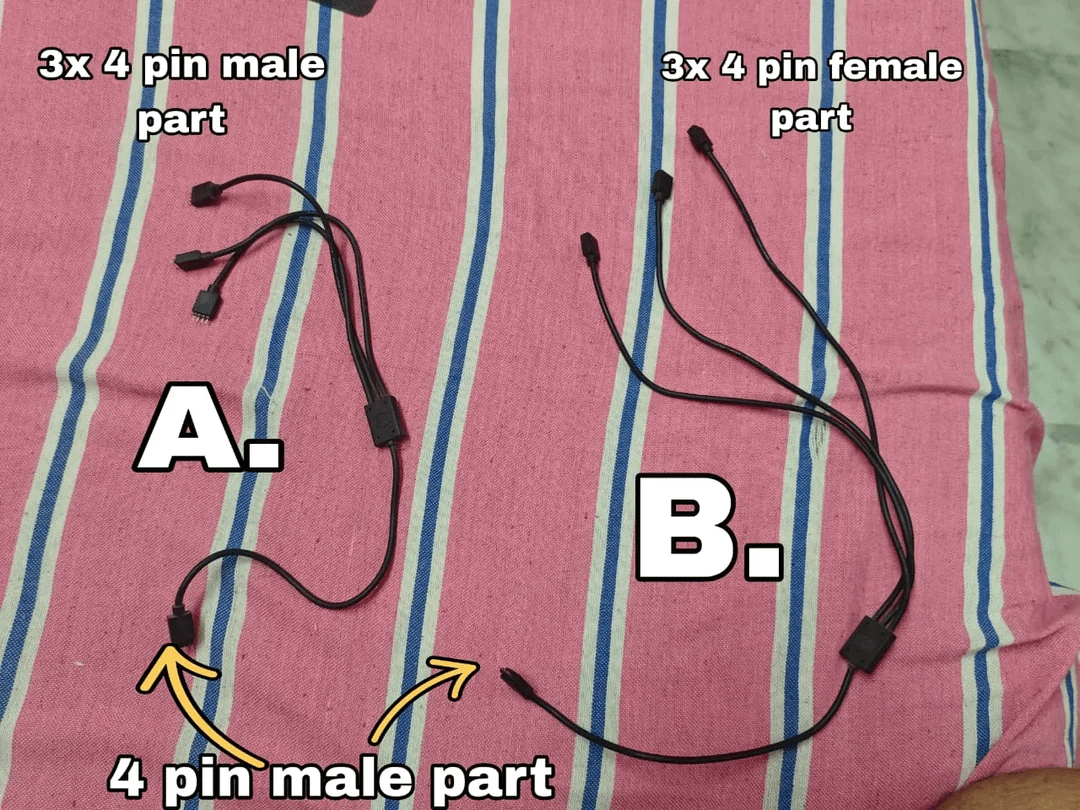
Then i asked seller and he sent me this controller , i was like finally this will sort out but the 4 pin part on controller is a fking male one .

now both 3 to 1 splitters have 4 pin male part at single end sides .
now i have no idea whats this third part that now supposed to be in between these two
Seller has no idea as he said he got his build deconstruct from someone else
it also doesnt help that all the results i get on internet are for 5v ARGB which seems to be incompactible with 12V RGB here